Looking for a Scanbot SDK alternative?
See how the Scanbot SDK compares to other commercial vendors and free and open-source solutions.
Trusted by
400+
global
industry leaders









Why Scanbot SDK?
100% offline, zero tracking
No connections to third-party servers. All data is processed on the user's device.
High performance
Fast, reliable scanning – even with damaged codes, poor lighting, or glare.
Flat annual pricing
One fixed fee for unlimited scans on unlimited devices. No surprises when you scale.
Enterprise support
Our technical support team is here to help with any questions or requests.
Scanbot SDK vs. other commercial vendors
Scanbot SDK vs. free & open-source libraries
The differences at glance
Here’s how the Scanbot SDK compares with other commercial vendors, and free and open-source software across the factors that matter in production.
Capabilities
Barcode scanning, document scanning and Data Capture Modules – a single provider for all your needs.
Often offer only a subset of these capabilities.
Typically focus on a single capability.
Performance
Fast and reliable scanning, even in challenging conditions.
Generally good performance, though results may vary depending on the use case and conditions.
Often struggle when scanning blurry, damaged, or low-light barcodes/documents.
User friendliness
Features like user guidance, automatic capture, a Document Quality Analyzer, and specific scan modes for productivity purposes.
Often include user-friendly features, though advanced productivity flows may vary.
Typically limited features for ease of use.
Platform support
Extensive support across native, web, cross-platform, and embedded/server environments – for a consistent experience everywhere.
Generally broad platform support.
Often limited to native or web platforms. Cross-platform options rarely have feature parity.
Coverage for barcode and document types
Broad support for barcode symbologies, parsers, and structured documents.
Generally broad coverage.
Coverage varies by project and is often limited to common barcode formats.
UI customizability
Ready-to-Use UI components or Custom UI – ship fast without sacrificing flexibility.
Often provide both pre-built UI and more customizable options.
UI components are often unavailable; developers typically build their own.
Offline functionality
100% offline by default – users can scan anywhere, anytime.
May require internet connection for analytics, licensing, or cloud processing.
Depends on the project.
Data security
Technical support team with years of experience – expert help when you need it.
Professional support, often in different support tiers with different SLAs and costs.
Support and development depend on contributors. Maintenance effort can be high.
Licensing
Flat annual fee for unlimited scanning on unlimited devices – predictable costs and budget certainty.
Often usage-based or tiered pricing with usage caps.
Free to use.


Switching to Scanbot SDK from ZXing significantly improved our ability to scan Data Matrix codes. We evaluated several solutions, and the Scanbot SDK provided the perfect blend of performance and value.
Benedikt Niermann
Process Improvement Officer, KROHNE Group


“The open-source solutions we tried were slow and inaccurate. With Scanbot SDK, we got the whole package. The integration was fast and easy, and we are highly satisfied with their solutions. The SDKs are saving us a good amount of time.”
Stefan Eckl
Software Developer


Switching to Scanbot SDK from ZXing significantly improved our ability to scan Data Matrix codes. We evaluated several solutions, and the Scanbot SDK provided the perfect blend of performance and value.
Benedikt Niermann
Process Improvement Officer, KROHNE Group
“The open-source solutions we tried were slow and inaccurate. With Scanbot SDK, we got the whole package. The integration was fast and easy, and we are highly satisfied with their solutions. The SDKs are saving us a good amount of time.”
Stefan Eckl
Software Developer

More than a scanning SDK
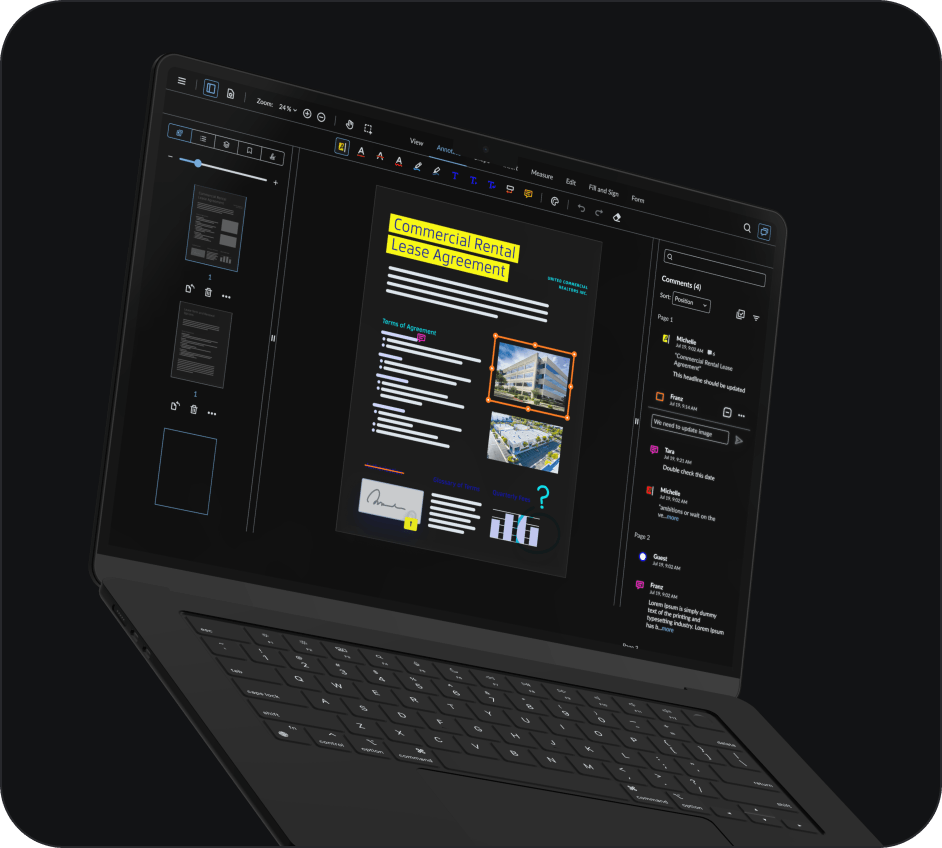
Unlike standalone scanning solutions, Scanbot SDK is part of the Apryse document technology lineup. Apryse delivers the capabilities needed throughout the rest of the document lifecycle from annotation and conversion to redaction, digital signing, and collaboration.
Frequently Asked Questions
Is there a free alternative to the Scanbot Barcode Scanner SDK?
Yes. Libraries like ML Kit, ZXing, and html5-qrcode are free to use. They can be sufficient for prototypes and simple use cases, but typically lack reliability in challenging conditions, advanced features, and official support.
Is there a free alternative to the Scanbot Document Scanner SDK?
Yes, free options include Apple’s VisionKit, Google’s ML Kit Document Scanner API, OpenCV, and jscanify. While they generally perform well, there are certain limitations. VisionKit and ML Kit are tied to a single platform (iOS and Android respectively), and as proprietary solutions they offer limited customization. OpenCV and jscanify are more flexible but require you to build much of the scanning logic yourself. None of them come with professional support, so you’re on your own when issues arise.
How does Scanbot SDK pricing work?
The Scanbot SDK comes with a flat annual license fee that includes unlimited scans on unlimited devices. Pricing depends on the number of apps or domains and the scanning functionalities you need. You can reach out to the Sales team to get your quote.
How can I test the Scanbot SDK?
You can request a 7-day free trial to test the SDK in your own environment. Alternatively, download our demo apps or explore the example projects on GitHub. An extended trial license for proof-of-concept projects is available on request.