Smart Barcode Scanning for Modern Retail
Trusted by
400+
global
industry leaders











Speed up retail operations with accurate barcode scanning software

Smarter workflows, real results

Enhanced customer experience
Customers can scan items themselves, shortening queues and speeding up checkout.
By connecting scans to loyalty programs and customer profiles, retailers can deliver more personalized offers, product information, and promotions.

Higher employee productivity
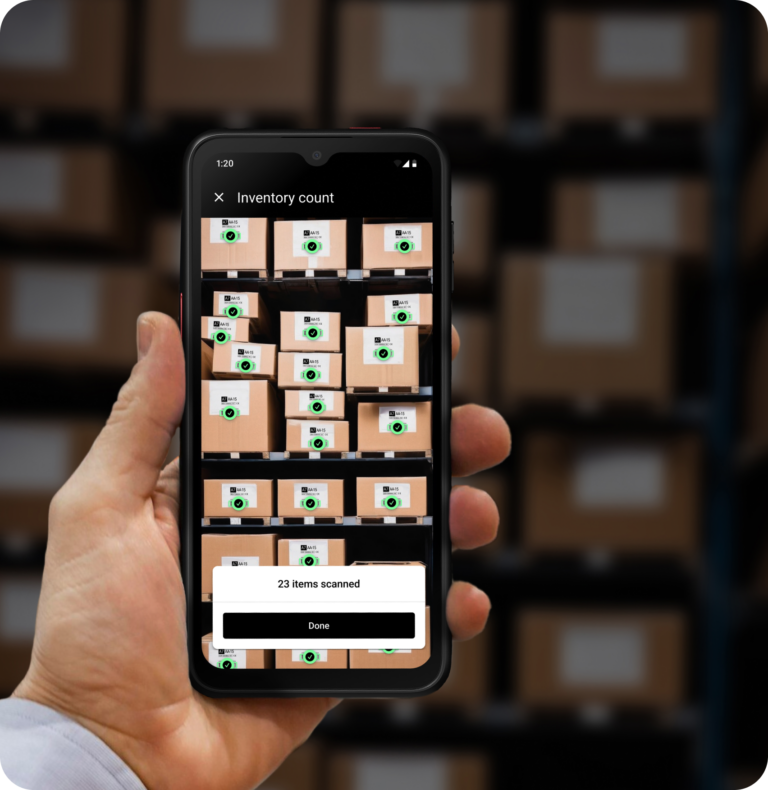
Mobile scanning replaces manual data entry, speeding up inventory tasks such as stock checks and cycle counts while minimizing human error.
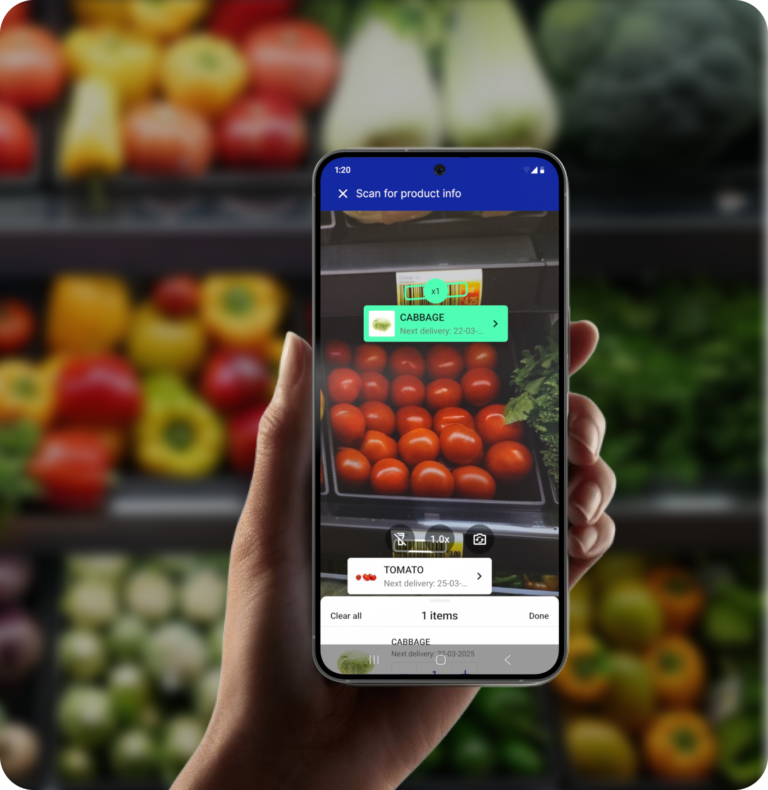
On the sales floor, employees can scan barcodes to check real-time stock levels, answer product questions, and place orders.

Lower operational costs
Smartphones and rugged mobile devices can replace expensive, maintenance-heavy dedicated scanners.
Retailers benefit from lower upfront investment, reduced IT overhead, fewer replacements – and the flexibility to scale freely as needs change.
Barcode scanning use cases in retail
-
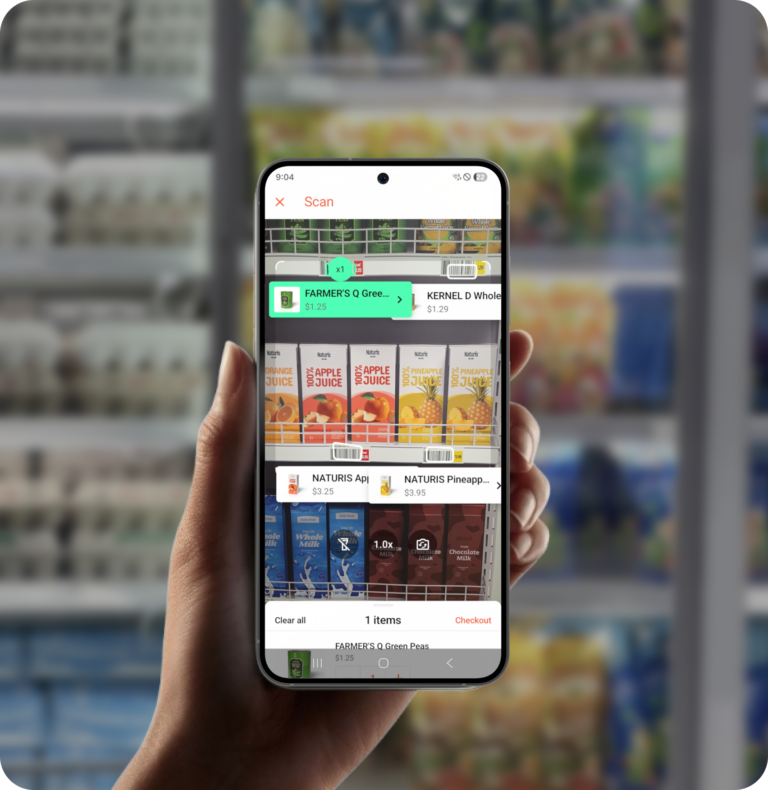
Self-checkout
Mobile barcode scanning powers self-checkout apps, allowing shoppers to use their own smartphones to scan products as they shop. Leveraging customers’ smartphones eliminates the need for costly, high-maintenance self-scanning devices.
Customer data captured through mobile scanning provides valuable insights into shopping behavior and, when combined with loyalty programs, enables personalized promotions that drive retention and upselling. That’s how Rimi Baltic doubled customer engagement through their Scan & Go app.
-
Smart Robots
-
Inventory Management
-
Clienteling
-
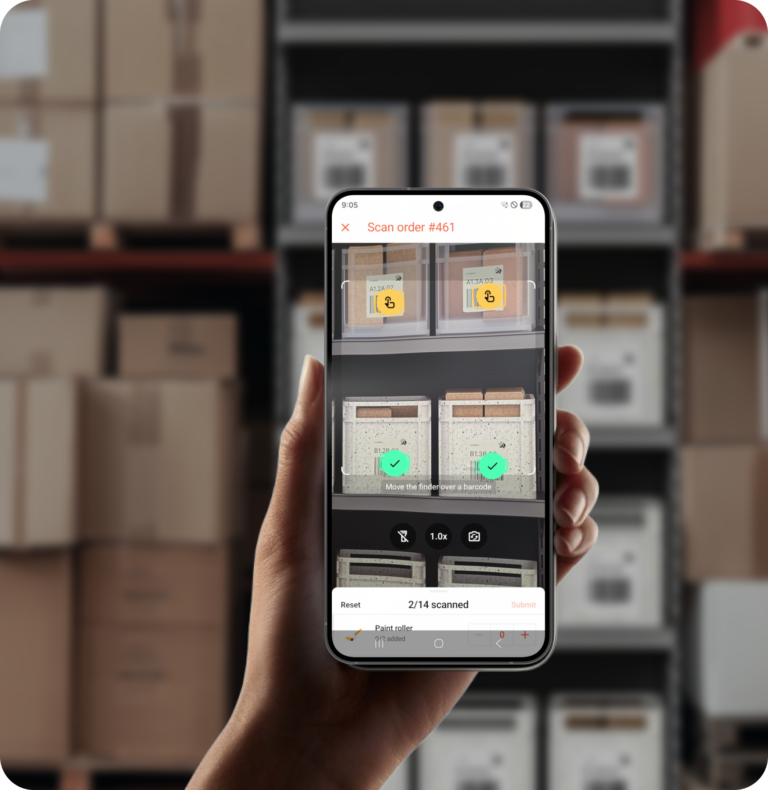
Order Picking

Why Scanbot SDK?
Built for real-world conditions
Designed for the environments retail teams actually work in. Scan damaged, torn, poorly printed, or very small barcodes – even from difficult angles or distances – without slowing down operations.
Easy to use
Pre-built scanning modes like Scan & Count for inventory audits, Find & Pick for order fulfillment, and AR Overlay for real-time product information. Production-ready UI components you integrate, not build.
Offline scanning
Keep workflows moving even without a network connection. All scans are processed directly on the device, ensuring fast performance, uninterrupted use, and full data control.
The advantages of software scanners

Cost-effective
No per-scan fees, no device-based licensing. Our annual pricing means your cost stays the same whether you’re scanning 1,000 or 1,000,000 times a day. With a BYOD policy, hardware costs drop to virtually zero.

Versatile and scalable
Software scanners enable multi-code scanning in a single capture, while hardware scanners are limited to one code at a time. They scale easily – one app, unlimited devices.

Easy to deploy and use
Mobile scanners leverage familiar smartphone interfaces. Users need next to no training, enabling rapid deployment and adoption.









Frequently Asked Questions
What barcode symbologies does the Scanbot SDK support?
The Scanbot Barcode Scanner SDK supports all common retail barcodes, and more. This includes:
- 1D barcodes: EAN, UPC, Code 128, GS1-128, Code 11, Code 25, Code 32, Code 39, PZN, Code 93, Codabar, MSI Plessey, Standard 2 of 5, ITF, IATA 2 of 5, GS1 DataBar, GS1 DataBar Expanded, GS1 DataBar Stacked, GS1 DataBar Limited, One-track Pharmacode, Two-track Pharmacode.
- 2D barcodes: QR Code, Micro QR Code, rMQR Code, Aztec, PDF417 Code, MicroPDF417 Code, Data Matrix, GS1 Data Matrix, GS1 DataBar Composite Code, MaxiCode.
- Postal symbologies: USPS Intelligent Mail Barcode, RM4SCC Barcode, Royal Mail Mailmark, Australia Post 4-State Customer Code, Japan Post 4-State Customer Code, KIX.
- Data parsers: GS1 Codes, PDF417 on U.S. driver’s licenses and IDs, PDF417 on boarding passes, barcodes on German medication plans, HIBC Barcodes, SEPA QR Codes, Swiss QR Codes, vCard QR Codes.
What platforms is the Scanbot Barcode Scanner SDK available for?
The Scanbot Barcode Scanner SDK is available for Android, iOS, Web, React Native, Flutter, .NET MAUI, Capacitor, Cordova, Xamarin, Compose Multiplatform, Windows, and Linux.
Does the Scanbot SDK offer customization?
Yes, the Scanbot SDK's look and feel can be tailored to fit your branding. With the Ready-to-Use UIs, you can quickly set up pre-built scanning screens and adapt them to your brand’s colors, fonts, and overall design. For deep customization, we also offer Classic UI components.
Can I test the Scanbot SDK?
Yes, you can request a free 7-day trial license to try the SDK in your environment. Need more time? Reach out to our team for an extended license. Our demo apps are also available for quick testing.
How do I integrate the Scanbot Barcode Scanner SDK into my app?
Scanbot SDK provides detailed documentation with quick start guides that walk you through setup step-by-step. The entire integration doesn’t take longer than a few hours. You can also find extensive integration tutorials per framework on our Technology Blog.