Android Document Scanner SDK
The Scanbot Android Document Scanner SDK adds high-quality and easy-to-use document capture to your Android apps.
Trusted by
400+
global
industry leaders











Simple to use for anyone
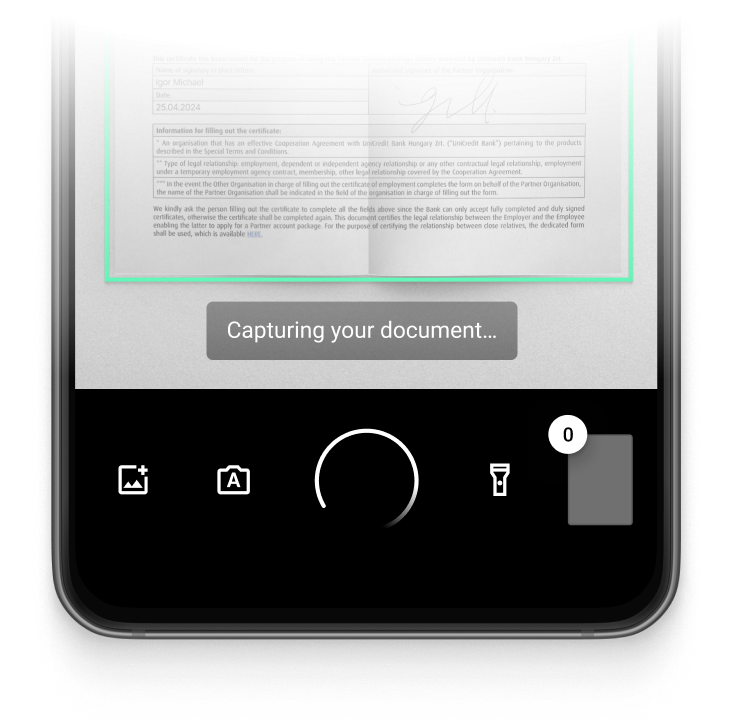
Allow even non-tech-savvy users to easily create crisp document scans thanks to user guidance, automatic capture, auto-cropping, and other features.
On-device intelligence
100% offline – no servers, no tracking, complete data security.
Customizable out-of-the-box UIs
Our Ready-To-Use UI components cover all document scanning scenarios and are highly customizable. Learn more
High-quality scans
Let your users generate high-quality scans suitable for automated processing.
Available for App & Web
The SDK supports iOS, Android, Web, Windows, Linux, and all common cross-platform frameworks, including Flutter, React Native, and .NET MAUI.
Turn mobile devices into easy-to-use, high-quality document scanners
The Scanbot Document Scanner SDK for Android provides all the necessary tools to integrate document scanning into your app. The SDK operates entirely offline, ensuring secure data handling and compliance with GDPR and CCPA/CPRA standards.
In addition to scanning documents with a mobile device’s camera, the SDK can also process imported images and apply image optimization features. This ensures consistent, high-quality results from both live scans and imported files.
The SDK includes Ready-To-Use UI (RTU UI) components, allowing integration within an hour. These components simplify the process of adding scanning functionality to your Android app and can be customized to match specific workflows and the app’s branding.
Do you have any questions or requests? Reach out to our technical support team. We’re happy to assist you.
Technical requirements
The Scanbot Android Document Scanner SDK has the following technical requirements:
- Operating System: Android 5.0 (API Level 21) and higher, HarmonyOS 2.0 and higher
- Hardware: A rear-facing camera with autofocus
- Supported Architectures: armeabi-v7a, arm64-v8a, x86, and x86_64
Learn more about our document scanning features
The Android Document Scanner SDK provides a comprehensive set of easy-to-use features designed to improve output quality.
-
User Guidance
On-screen instructions guide users through the scanning process and help them position the device correctly. This helps them create usable scans on the first try.
-
Automatic Capture
-
Automatic Cropping
-
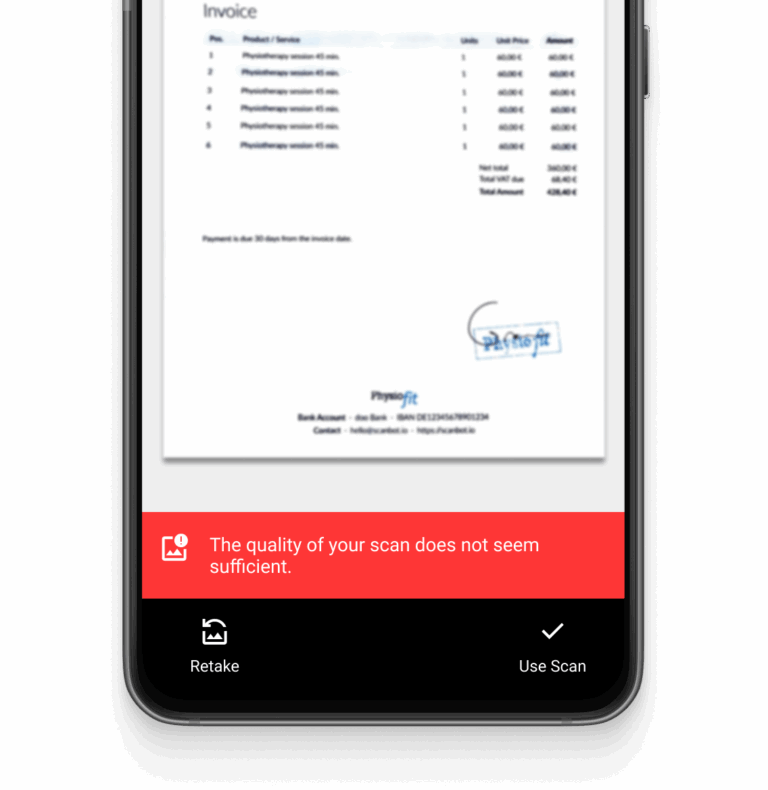
Document Quality Analyzer
-
Document Enhancer
-
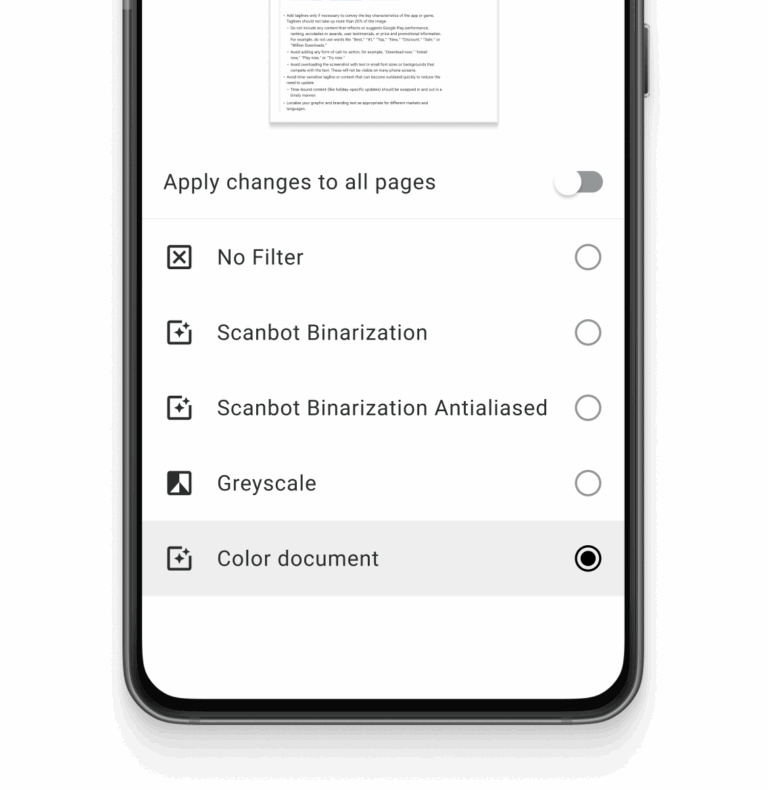
Custom Filters
-
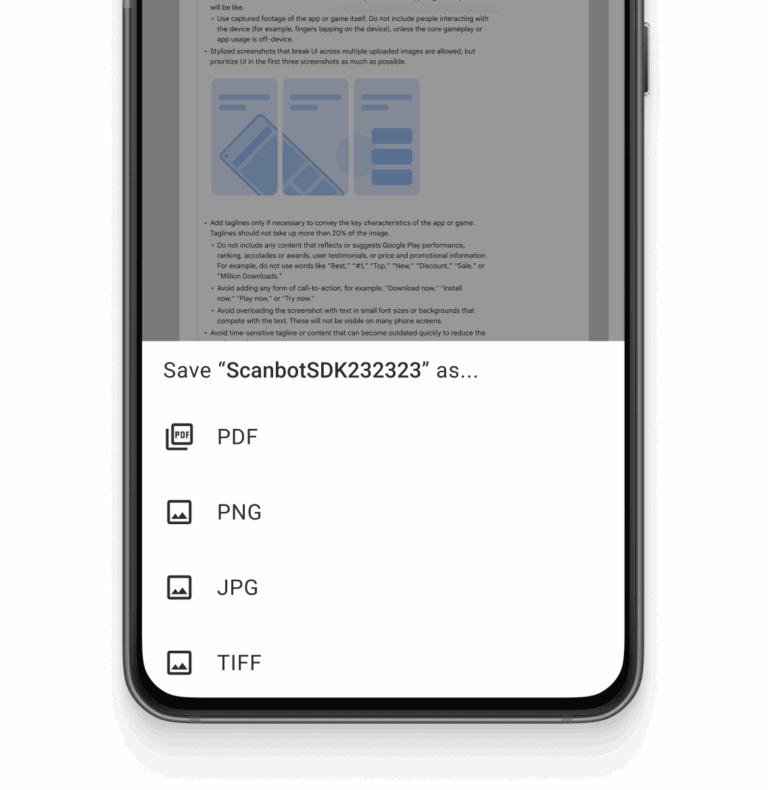
Multiple Export Formats



How to integrate the Scanbot Android Document Scanner SDK using RTU UI
To integrate the Scanbot Android Document Scanner SDK, add the SDK dependencies to your project, initialize the SDK with your license key, and launch a scanning mode via the Ready-To-Use UI.
Adding the dependencies
implementation("io.scanbot:sdk-package-1:$latestSdkVersion")
implementation("io.scanbot:sdk-docqualityanalyzer-assets:$latestSdkVersion")
implementation("io.scanbot:rtu-ui-v2-bundle:$latestSdkVersion")>
Launching the RTU UI Document Scanner
With just a few lines of code, you can integrate document scanning into your application’s workflow. It’s as easy as starting an Android activity.
import io.scanbot.common.Result
import io.scanbot.common.onCancellation
import io.scanbot.common.onFailure
import io.scanbot.common.onSuccess
import io.scanbot.sdk.ui_v2.document.DocumentScannerActivity
import io.scanbot.sdk.ui_v2.document.configuration.DocumentScanningFlow


class LaunchSnippet : AppCompatActivity() {

    private val context = this
    private val documentScannerResult: ActivityResultLauncher by lazy {
        registerForActivityResult(DocumentScannerActivity.ResultContract()) { result ->
            result.onSuccess { document ->
                // Handle the scanned document.
            }.onCancellation {
                // Indicates that the cancel button was tapped. Or screen is closed by other reason.
            }.onFailure {
                when (it) {
                    is io.scanbot.common.Result.InvalidLicenseError -> {
                        // indicate that the Scanbot SDK license is invalid
                    }

                    else -> {
                        // Handle other errors
                    }
                }
            }
        }
    }

    override fun onCreate(savedInstanceState: Bundle?) {
        super.onCreate(savedInstanceState)
        // In the real application, you should call this function on button click
        startScanning()
    }

    fun startScanning() {
        // Create the default configuration object.
        val configuration = DocumentScanningFlow()

        // Start the recognizer activity.
        documentScannerResult.launch(configuration)
    }
}
Frequently Asked Questions
What is an Android Document Scanner SDK?
An Android Document Scanner SDK is a software development kit that enables developers to add document-scanning functionality to their Android apps. It provides tools and features to capture, process, and export scanned documents, often including options like automatic cropping, real-time edge detection, and image quality enhancement.
How can I ensure high-quality document scans in my Android app?
To achieve high-quality document scans in your Android app, choose an SDK with features such as automatic cropping, edge detection, and document quality analysis. These tools ensure that scans are clear and properly aligned. For example, the Scanbot Android Document Scanner SDK includes a Document Quality Analyzer that rates scan quality and prompts users to rescan if necessary.
How do I integrate document scanning functionality into my Android app?
Integrating document scanning functionality into your Android app is typically straightforward. The Scanbot Android Document Scanner SDK provides Ready-To-Use UI (RTU UI) components, allowing integration in less than an hour. The SDK includes comprehensive documentation; reach out to our support team if you need any assistance during setup.
Is there a free Android Document Scanner SDK?
Free solutions, such as those built with ML Kit, CameraX API, or OpenCV, are available. However, these typically provide basic functionality without UI, user guidance, or quality checks. Commercial SDKs like the Scanbot SDK offer ready-to-use screens that drastically improve user experience and simplify integration.
Plus, customers can access a dedicated team of support engineers who can help resolve issues, even during integration for non-customers.
Which Android-based Document Scanner SDKs comply with GDPR and other privacy regulations?
Offline scanning is crucial for privacy compliance, ensuring no sensitive data is sent to external servers. The Scanbot Document Scanner SDK operates entirely on-device, making it easier to comply with GDPR, CCPA, and CPRA regulations. This also protects user data and maintains the highest levels of privacy and security.
What platforms does the Scanbot Document Scanner SDK support besides Android?
Besides Android, the Scanbot Document Scanner SDK also supports iOS and web apps. There are also solutions for cross-platform frameworks like Flutter, Xamarin, .NET MAUI, Cordova, Capacitor, and React Native. This makes it suitable for developers working on multi-platform apps who want to ensure consistent scanning functionality across different devices.