Kotlin Multiplatform Document Scanner SDK
The Scanbot Kotlin Multiplatform Document Scanner SDK adds high-quality document capture to Android and iOS apps built from a shared Kotlin codebase.
Trusted by
400+
global
industry leaders











Seamless scanning for all users
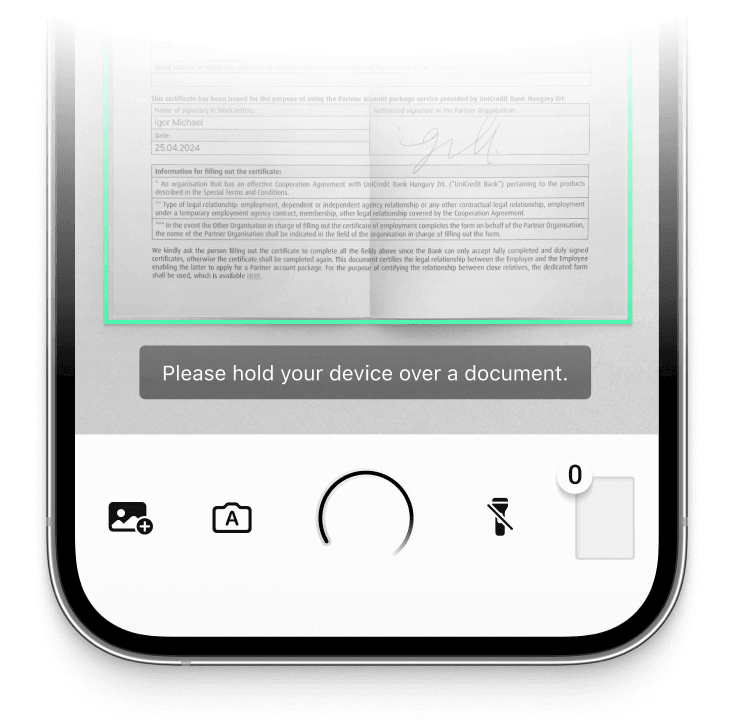
Thanks to user guidance, automatic capture, and auto-cropping features, the KMP Document Scanner SDK makes it easy for anyone to capture high-quality scans.
On-device intelligence
100% offline – no servers, no tracking, complete data security.
Customizable out-of-the-box UIs
Our Ready-To-Use UI components cover all document scanning scenarios and are highly customizable. Learn more
High-quality scans
Let your users generate high-quality scans suitable for automated processing.
Available for App & Web
The SDK supports iOS, Android, Web, Windows, Linux, and all common cross-platform frameworks, including Flutter, React Native, and .NET MAUI.
Add high-quality document scanning to your Kotlin Multiplatform apps
The Scanbot Kotlin Multiplatform Documents Scanner SDK adds user-friendly and high-quality document scanning to your cross-platform apps. Integrate the Kotlin Multiplatform SDK once in your shared code, and it runs natively on both Android and iOS.
The Scanbot Document Scanner SDK operates 100% offline, ensuring uninterrupted workflows regardless of internet connectivity. All data is processed on the user’s device, in compliance with GDPR and CCPA regulations.
The Ready-To-Use UI Components let you integrate a complete scanning flow with pre-built screens with just a few lines of code. Users can rotate, crop, and reorder pages, rescan individual pages, and delete one or all pages without leaving the scanning interface.
Besides scanning from the live camera feed, the Kotlin Multiplatform Document Scanner SDK also supports scanning from images or files. Scanned documents can be exported as JPG, PNG, PDF, or TIFF, so they can be processed by any standard backend system.
Technical requirements
The Scanbot Kotlin Multiplatform Document Scanner SDK requires Android 8.0 (API Level 26) or higher, iOS 13 or higher, and a device with a rear-facing camera with autofocus.
- Hardware: Rear-facing camera with autofocus
- Supported CPUs and Architecture:
- Android: armeabi-v7a, arm64-v8a, x86, x86_64
- iOS: arm64
- iOS Simulator: arm64
- Operating Systems:
- Android 8.0 (API Level 26) and higher
- iOS 13 and higher
Discover our document scanning features
The Kotlin Multiplatform Document Scanner SDK provides a comprehensive set of easy-to-use features designed to improve output quality.
-
User Guidance
On-screen instructions guide users through the scanning process and help them position the device correctly. This helps them create usable scans on the first try.
-
Automatic Capture
-
Automatic Cropping
-
Document Quality Analyzer
-
Document Enhancer
-
Custom Filters
-
Multiple Export Formats


How to integrate the Scanbot Kotlin Multiplatform Document Scanner SDK using RTU UI
Adding the RTU UI dependency
The RTU UI components are included in the main SDK bundle package kmp-bundle-sdk. Add it as a dependency to your project:
kotlin

implementation("io.scanbot:kmp-bundle-sdk:")
Replace with the latest version listed in the changelog.
Launching the RTU UI Document Scanner
With just a few lines of code, you can integrate document scanning into your application’s workflow.
// Initialize the SDK:
LaunchedEffect(Unit) {
    ScanbotSDK.initialize(
        SdkConfiguration(
            licenseKey = "" // add your license key here
        )
    )
}

Button(onClick = {
    // Create the configuration:
    val config = DocumentScanningFlow().apply {
        // TODO: configure as needed
    }

    // Launch the document scanner:
    ScanbotSDK.document.startScanner(
        configuration = config,
        onResult = { result ->
            result.onSuccess { scanResult ->
                // Document Scanner result callback:
                // Get the first scanned page from the result object...
                val firstPage = scanResult.pages.firstOrNull()
                // ... and process the result as needed, for example, print to console:
                println("Scanned page count: ${scanResult.pages.size}")
            }.onFailure { error ->
                // Optional failure handling to understand why scanner result is not provided
                println("Scanning failed: ${error.message}")
            }
        }, onCanceled = {
            // Optional: handle user cancellation
        })
}) {
    Text("Start Document Scanner")
}
Read the full integration tutorial of the KMP Document Scanner SDK here.
Frequently Asked Questions
What is a Kotlin Multiplatform Document Scanner SDK?
A Kotlin Multiplatform Document Scanner SDK is a software library that adds document scanning to Android and iOS apps from a shared Kotlin codebase. Generally, it handles camera access, document detection, cropping, and image processing.
The Scanbot Document Scanner SDK offers Ready-To-Use UI Components for quick integration and easy customization with just a few lines of code. It includes user guidance, a Document Quality Analyzer, document straightening, custom filters, and more.
How can I test the Kotlin Multiplatform Document Scanner SDK?
You can test the Kotlin Multiplatform Document Scanner SDK in your own environment by requesting a free 7-day trial license. Without a license key, the SDK will run for one minute per session.
Download the iOS or Android demo apps for quick testing. We also have a web demo available.
How is the Scanbot SDK licensed?
The Scanbot SDK is licensed at a fixed annual fee for unlimited scanning on unlimited devices. Pricing generally starts at $2,500 for simple use cases, but quotes are custom and depend on two factors: your data capture requirements and the number of apps/domains.
Contact our Sales team to request a quote for your use case.
Are there any free document scanners for Kotlin Multiplatform?
Yes, but there are free libraries for adding document scanning to Kotlin Multiplatform apps, but they come with limitations.
Google’s ML Kit Document Scanner and Apple’s VisionKit document scanner are available as native platform APIs. ML Kit Document Scanner is intended for Android, while VisionKit’s VNDocumentCameraViewController is an Apple-platform API. In a Kotlin Multiplatform project, you would need to create and maintain separate Android and iOS integrations, adapt to changes in each platform framework yourself, and work with two different scanning UIs.
The Scanbot Kotlin Multiplatform Document Scanner SDK provides a shared API and a consistent document-scanning UI for Android and iOS. It also includes features such as document quality analysis, image filters, automatic document processing, and guided scanning workflows.
Scanbot continuously develops and maintains the SDK to support new devices and OS versions. If you need help with integration or production deployment, Scanbot also provides enterprise support through its support team.