Capacitor Document Scanner SDK
The Scanbot Capacitor Document Scanner SDK adds high-quality and easy-to-use document capture to your Android and iOS apps.
Trusted by
400+
global
industry leaders











Simple to use for everyone
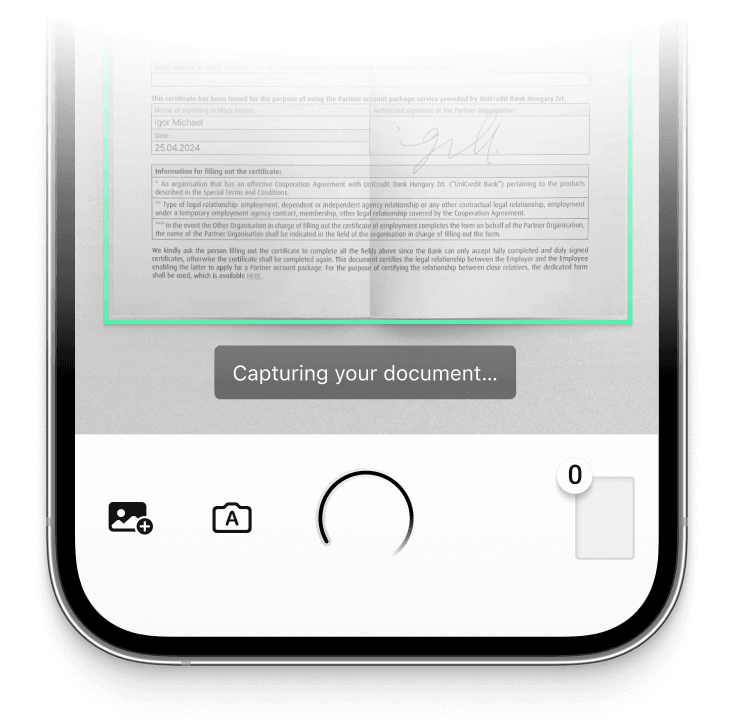
Allow users of all skill levels to create clear and high-quality document scans with features like automatic capture, auto-cropping, and user guidance.
On-device intelligence
100% offline – no servers, no tracking, complete data security.
Customizable out-of-the-box UIs
Our Ready-To-Use UI components cover all document scanning scenarios and are highly customizable. Learn more
High-quality scans
Let your users generate high-quality scans suitable for automated processing.
Available for App & Web
The SDK supports iOS, Android, Web, Windows, Linux, and all common cross-platform frameworks, including Flutter, React Native, and .NET MAUI.
Convert mobile devices into high-quality document scanners
The Scanbot Document Scanner SDK for Capacitor provides everything you need to integrate document scanning into your hybrid app. Operating completely offline, it ensures secure data handling in compliance with GDPR and CCPA/CPRA regulations.
The SDK supports live camera scans as well as the processing of imported images, ensuring consistent high-quality results from both. It includes Ready-To-Use UI (RTU UI) components that can be integrated in less than an hour and customized to suit your app’s branding and specific workflow requirements.
Do you have any questions or requests? Reach out to our technical support team. We’re happy to assist you.
Technical requirements
The Scanbot Capacitor Document Scanner SDK has the following technical requirements:
- Developer Tools:
- NodeJS 18+
- Capacitor CLI 6+
- For Android apps: Android Studio | 2025.1.3+, Android SDK (API Level 23+), Java SDK 17+, Android Gradle Plugin 8.9.1+ or Kotlin Plugin applied
- For iOS apps: iOS 13+, macOS with Xcode 16.2+, Xcode Command Line Tools, Homebrew
- Mobile Platforms: Android 6.0+ (API Level 23+) and iOS 13.0+
- Hardware: A rear-facing camera with autofocus
- Architectures:
- Android: armeabi-v7a, arm64-v8a, x86, x86_64
- iOS: arm64, x86_64
Learn more about our document scanning features
The Capacitor Document Scanner SDK offers a comprehensive set of features designed to simplify the scanning experience.
-
User Guidance
On-screen instructions guide users through the scanning process and help them position the device correctly. This helps them create usable scans on the first try.
-
Automatic Capture
-
Automatic Cropping
-
Document Quality Analyzer
-
Document Enhancer
-
Custom Filters
-
Multiple Export Formats


How to integrate the Scanbot Capacitor Document Scanner SDK using Ready-To-Use UI
To integrate the Scanbot Capacitor Document Scanner SDK, add the SDK dependencies to your project, initialize the SDK with your license key, and launch a scanning mode via the Ready-To-Use UI.
Launching the scanner
import { DocumentScanningFlow, ScanbotDocument } from 'capacitor-plugin-scanbot-sdk';

async function startScanning() {
  try {
    /** Create the default configuration instance */
    const configuration = new DocumentScanningFlow();
    /** Start the Document Scanner UI */
    const documentResult = await ScanbotDocument.startScanner(configuration);
    /** Handle the document if the status is 'OK' */
    if (documentResult.status === 'OK') {
    }
  } catch (e: any) {
    console.error(e.message);
  }
}Frequently Asked Questions
What is a Capacitor Document Scanner SDK?
A Capacitor Document Scanner SDK is a software development kit that enables developers to add document-scanning functionality to their Capacitor-based hybrid apps. It provides tools for capturing, processing, and exporting document scans, along with advanced features like automatic cropping and real-time edge detection.
How can I ensure high-quality document scans in my Capacitor app?
For high-quality document scans in your Capacitor app, use an SDK with features such as automatic cropping, edge detection, and document quality analysis. The Scanbot Capacitor Document Scanner SDK includes a Document Quality Analyzer that rates scans and prompts users to rescan if necessary, ensuring optimal quality.
How do I integrate document scanning functionality into my Capacitor app?
Integrating document scanning into your Capacitor app is simple with the Scanbot SDK's Ready-To-Use UI (RTU UI). The SDK includes comprehensive documentation; reach out to our technical support team if you need any assistance during setup.
Is there a free Capacitor document scanner SDK?
There are free options, such as those built using libraries like OpenCV, but they generally lack advanced features and a user-friendly UI. The Scanbot SDK provides more comprehensive functionality with built-in user guidance, quality checks, and ready-to-use UI components that simplify integration and enhance user experience.
Which Capacitor Document Scanner SDKs comply with GDPR and other privacy regulations?
Privacy compliance is crucial for any app. The Scanbot Capacitor Document Scanner SDK operates entirely offline, which means sensitive data stays on the device, helping you comply with GDPR, CCPA, and CPRA regulations.