

React Native was introduced in 2015 by Facebook. The open-source framework enables developers to build cross-platform native mobile apps for both iOS and Android using only JavaScript.
In a previous article, we covered the most popular barcode scanner libraries for Flutter. This time, we’ll take a closer look at the options available for React Native.
📝 TL;DR
In this article, we compare the most popular open-source barcode scanner libraries for React Native, focusing on barcode support, features, and known limitations:
- react-native-qrcode-scanner was once popular, but is now abandoned along with its dependency. It suffers from compatibility issues, unreliable scanning, and is no longer suitable for production use.
- react-native-vision-camera is the most capable and actively maintained open-source option, with broad barcode support and advanced features. However, it can struggle in real-world scanning conditions on some devices.
- react-native-camera-kit is a more lightweight and simple alternative for basic use cases, but with fewer supported barcodes and limited flexibility.
Overall, open-source scanners can be a good fit for personal or simple projects, but they often come with maintenance and reliability risks in production. For apps that require consistent performance, broader barcode support, offline processing, and long-term support, commercial SDKs like the Scanbot SDK are a safer choice.
Why choose React Native as your app development framework?
React Native has been the leading choice for cross-platform development for years, though Flutter has recently gained ground.
There are good reasons for React Native’s continued popularity:
- Easy to learn when you know JavaScript or React JS
React Native uses JavaScript across both frontend and backend, making it attractive to developers with a web background. It builds on React’s core UI concepts such as components, props, state, hooks, and a declarative programming model.
React Native also provides a developer experience similar to React on the web, including Fast Refresh and tools for inspecting components and profiling performance.
- Native feel
The main difference to React is in rendering: React renders to the browser’s DOM, while React Native renders to native UI components on iOS and Android. While this adds complexity, the app feels far more native.
Components automatically adopt platform-specific styles and behaviors. Buttons match the iOS or Android look, and navigation gestures behave consistently.
React Native also provides direct access to device features like the camera, GPS, and push notifications, making the app feel fully integrated.
- Large community and ecosystem
React Native has a large, active community, offering support, tutorials, and a wide range of open‑source libraries. The Expo framework, for instance, builds on React Native to simplify development. It provides prebuilt tools and SDKs for common device features, ensuring both cross-platform consistency and rapid setup. This helps developers build and deploy apps more efficiently.
The React Native ecosystem includes several open-source options for barcode scanning functionality. Below, we’ll explore the three most popular libraries for this purpose.
Overview: The top 3 most popular open-source barcode scanners for React Native
We based the following selection on GitHub stars, npm downloads, and overall community activity:
- react-native-qrcode-scanner
- react-native-vision-camera
- react-native-camera-kit
react-native-qrcode-scanner
react-native-qrcode-scanner is a barcode scanner library built on top of react-native-camera. A note in advance: Both repositories have been archived and are no longer actively maintained. The scanner supports both Android and iOS.
Key features and benefits
The library supports live barcode scanning using the device camera, but not scanning from images. Multi-barcode detection is partially supported and works on Android via onGoogleVisionBarcodesDetected.
The scanner works with both front and rear cameras, provides zoom controls (zoom and maxZoom on iOS), and offers three flash modes (on, off, and auto).
Supported barcodes
Although react-native-qrcode-scanner was designed for QR codes, it will also scan a range of common 1D and 2D barcodes. This is because the library inherits its supported barcode types from react-native-camera. You can find the full list of supported barcodes in the table below.
Limitations
No active development or maintenance
The main issue with react-native-qrcode-scanner is its lack of ongoing development and maintenance. The library depends on react-native-camera, which has itself been deprecated. As a result, it is no longer compatible with newer versions of React Native.
Upgrading to React Native 0.70 and later commonly leads to runtime crashes and initialization errors, including failures caused by the removal of ViewPropTypes from core React Native. There is no active roadmap or official migration to a supported camera solution, leaving developers without a stable option for production use.
Low barcode detection sensitivity
The library is unfortunately known for low and inconsistent barcode detection sensitivity. Specifically, the scanner often fails to recognize a code when it is held steadily in front of the camera, requiring users to move the device back and forth to trigger detection. The problem affects both linear barcodes and QR codes, suggesting a general limitation in the scanning behavior rather than a format-specific issue.
Scanner failure causing blank screen
After a failed or repeated scan, the scanner may stop responding. When this occurs, the application becomes unresponsive and displays a blank white screen. The issue affects release builds, and the only temporary workaround is to fully close and reopen the app.
Developers have flagged a similar issue, specifically on Android, where the screen turns black.
Difficulty scanning small barcodes
react-native-qrcode-scanner may struggle to detect smaller barcodes, particularly QR codes on Android.
Summary: react-native-qrcode-scanner
| Supported platforms | Android, iOS |
| Supported barcodes | Codabar, Code 128, Code 39, Code 93, EAN-13, EAN-8, ITF, UPC-A, UPC-E, Aztec, Data Matrix, PDF417, QR Code |
| Based on another library? | Yes, react-native-camera |
| Maintenance status | Abandoned, no active development and maintenance anymore |
| Languages | JavaScript |
| Offers UI? | No, developers must build their own UI around cameraView |
| Input source? | Live stream only |
| Developer resources | GitHub repository npm package |
react-native-vision-camera
react-native-vision-camera is a camera library with full photo/video capture, frame processors, and barcode scanning. It exposes a <Camera /> component along with hooks like useCameraDevice and useCodeScanner.
react-native-vision-camera uses native platform APIs – ML Kit on Android and Vision Kit on iOS – for detecting codes in the camera stream and on files.
Key features and benefits
react-native-vision-camera supports multi-code and omnidirectional scanning, camera switching, and torch control. It also offers autofocus, pinch-to-zoom, and image-based scanning across platforms.
Setting a region of interest (ROI) is currently limited to iOS. While user guidance and AR overlays aren’t built in, they can be implemented using custom UI overlays and frame processors.
Supported barcodes
react-native-vision-camera derives its barcode type support from the underlying APIs, so it differs between Android and iOS. On iOS, the library covers more symbologies, including GS1 DataBar (including Limited and Stacked) and less common formats such as Micro QR Code and MicroPDF417.
One limitation on iOS – again inherited from VisionKit – is that UPC‑A barcodes are returned as EAN‑13 codes, that is, with a leading zero.
Limitations
Struggles in real-world conditions
On Android, react-native-vision-camera may struggle when scanning barcodes in real-world conditions. Developers have flagged reduced accuracy with scratched or slightly blurry 1D barcodes, slower or failed detection in low-light environments, and difficulty recognizing angled or small barcodes.
Difficulty scanning barcodes with glare
react-native-vision-camera may also have difficulty scanning barcodes on reflective, wet, or poorly printed packaging. In such cases, the scanner can be slow or fail to return a result.
EAN-13 misclassified as Code 128
Both on Android and iOS, react-native-vision-camera may fail to recognize EAN-13 barcode correctly. In tests, the same code is often detected as a Code 128 barcode instead. This issue has been observed on Honor Magic V3 and iPhone 12 devices and can be reproduced in the VisionCamera example app.
QR code scanning fails on Realme C67
On Realme C67 devices running Android 14, the camera detects QR codes, but doesn’t read them. At the time of this writing, the issue has only been reported for this specific device.
No support for inverted barcodes
Currently, the library does not support scanning color-inverted barcodes on Android. The limitation comes from ML Kit, and there is no built-in way to handle such barcodes. Developers can, however, invert frame colors in frameProcessor before passing them to the scanner.
Summary: react-native-vision-camera
| Supported platforms | Android, iOS |
| Supported barcodes | Android: Codabar, Code 128, Code 39, Code 93, EAN-13, EAN-8, ITF, UPC-A, UPC-E, Aztec, Data Matrix, PDF417, QR Code iOS: Codabar, Code 128, Code 39, Code 93, EAN-13, EAN-8, GS1 DataBar, GS1 DataBar Expanded, GS1 DataBar Stacked, ITF, MSI Plessey, UPC-A, UPC-E, Aztec, Data Matrix, PDF417, MicroPDF417, QR Code, Micro QR Code |
| Based on another library? | Yes, uses ML Kit on Android and Vision Kit on iOS |
| Maintenance status | Under development with an active community |
| Languages | Swift, TypeScript, Kotlin, C++, Objective C++, Java |
| Offers UI? | No, developers must build their own UI around Camera |
| Input source? | Both live stream and static images |
| Developer resources | GitHub repository npm package Documentation Integration tutorial |
react-native-camera-kit
Like the previous option, react-native-camera-kit is a camera library. It includes a scanBarcode prop that activates the barcode scanner. Under the hood, it uses ML Kit on Android and AVFoundation on iOS.
Key features and benefits
react-native-camera-kit supports barcode scanning only from the live camera stream. The library provides camera controls for switching cameras, as well as configuring the torch, zoom, and focus. Developers can also display and customize a scanning frame. However, defining a region of interest is not possible.
Supported barcodes
The library supports the most common retail and logistics barcodes only. This means no postal symbologies, as well as no support for GS1 DataBar and its variations. Barcode support is the same across platforms, except for Codabar, which is only available on Android.
Limitations
Scanner fails after multiple scans
react-native-camera-kit reliably detects the first QR code, but scanning may fail after the second or third attempt. In these cases, onReadCode stops triggering even when the QR code is clearly visible. This issue has been reported on a Samsung Tab A running Android 10.
Difficulty scanning in real-world conditions
While the scanner works well with barcodes in ideal conditions, it often fails in real-world scenarios. Developers have complained of unreliable or slow detection when facing scratched, small, distant, or blurry codes. The lack of auto zoom further reduces scanning accuracy.
No manual control over scan triggering
When multiple barcodes appear simultaneously, the scanner may automatically read the wrong one. Developers have requested adding a custom scan button. This would allow users to first align the camera with the desired barcode and then trigger scanning manually, reducing accidental or incorrect detections.
QR codes with binary data not detected
The scanner fails to detect QR codes that contain raw binary data instead of UTF-8 text. This limitation prevents the scanning of codes used for device pairing, authentication, or other common binary-encoded applications.
Summary: react-native-camera-kit
| Supported platforms | Android, iOS |
| Supported barcodes | Android: Codabar, Code 128, Code 39, Code 93, EAN-13, EAN-8, ITF, UPC-E, Aztec, Data Matrix, PDF417, QR Code iOS: Code 128, Code 39, Code 93, EAN-13, EAN-8, ITF, UPC-E, Aztec, Data Matrix, PDF417, QR Code |
| Based on another library? | Yes, uses ML Kit on Android and AVFoundation on iOS |
| Maintenance status | Under development with an active community |
| Languages | Swift, Kotlin, TypeScript, Objective-C++, JavaScript, Ruby |
| Offers UI? | No, developers must build their own UI around Camera |
| Input source? | Live stream only |
| Developer resources | GitHub repository npm package |
What to consider when choosing a barcode scanner
What the right barcode scanner is depends on your project’s needs. To make an informed choice, it helps to review the key factors that impact functionality and reliability.
- Scope and features
Barcode scanning solutions vary widely in their capabilities. One key consideration is the types of barcodes supported. While most solutions handle common 1D and 2D codes, more specialized formats – such as GS1 codes or postal symbologies – may not be supported.
Your app may also require advanced features, including scanning from images, region-of-interest configuration, user guidance, or AR overlays. Reviewing the available features ensures the library meets your application’s functional requirements.
- Performance
In real-world scenarios, barcodes are rarely perfect. Users will encounter blurry, damaged, or poorly printed codes, so it’s important to choose a scanner that can handle these cases without slowing down.
Environmental factors can also pose challenges, such as low lighting, reflective surfaces, or angled barcodes. Testing with actual barcodes from your specific use case is crucial to ensure reliable performance.
- Development and maintenance
When evaluating a scanning solution, long-term viability is another important factor. Ongoing maintenance can require significant effort, as operating system updates may introduce breaking changes that affect scanner functionality.
It is important to consider the resources required for upkeep. It may be more effective overall to invest in a commercial solution with technical support rather than relying on open-source software.
- Ease of integration
You should also consider the time and effort required to get the scanner fully set up and ready for production. Many solutions will require to build the UI from scratch. Meanwhile, others provide a pre-built interface, which can speed up integration but may limit customization.
The best options strike a balance, offering ready-to-use components that are quick to set up and easy to configure.
- Offline scanning and data security
Your users might not have a stable network connection. To ensure uninterrupted workflows and allow scanning from anywhere, offline solutions are preferable. On-device processing is also a key factor for data security, as it allows you to keep all scanning and processing local, minimizing exposure to potential risks.
Which React Native library should I pick?
While all three libraries cover basic barcode scanning needs, they have their specific strengths and weaknesses.
- react-native-qrcode-scanner was once popular, but its development is now abandoned along with its dependency, react-native-camera. It struggles with real-world conditions, repeated scans, and smaller codes, making it unsuitable for production apps.
- react-native-vision-camera is the most versatile and actively maintained option. It supports the widest range of barcodes (including GS1 DataBar), multi-code detection, image-based scanning, and advanced camera controls. It’s also the only library that offers comprehensive documentation.
- react-native-camera-kit is similar in concept to Vision Camera but supports fewer barcodes and is less feature-rich. However, it is more lightweight and a good choice for simple use cases.
Comparison table: Supported barcodes
| Barcode type | react-native-qrcode-scanner | react-native-vision-camera – Android | react-native-vision-camera – iOS | react-native-camera-kit – Android | react-native-camera-kit – iOS |
| UPC-A | ✅ Yes | ✅ Yes | ✅ Yes | ❌ No | ❌ No |
| UPC-E | ✅ Yes | ✅ Yes | ✅ Yes | ✅ Yes | ✅ Yes |
| EAN-8 | ✅ Yes | ✅ Yes | ✅ Yes | ✅ Yes | ✅ Yes |
| EAN-13 | ✅ Yes | ✅ Yes | ✅ Yes | ✅ Yes | ✅ Yes |
| ITF | ✅ Yes | ✅ Yes | ✅ Yes | ✅ Yes | ✅ Yes |
| Code 39 | ✅ Yes | ✅ Yes | ✅ Yes | ✅ Yes | ✅ Yes |
| Code 93 | ✅ Yes | ✅ Yes | ✅ Yes | ✅ Yes | ✅ Yes |
| Code 128 | ✅ Yes | ✅ Yes | ✅ Yes | ✅ Yes | ✅ Yes |
| Codabar | ✅ Yes | ✅ Yes | ✅ Yes | ✅ Yes | ❌ No |
| MSI Plessey | ❌ No | ❌ No | ✅ Yes | ❌ No | ❌ No |
| GS1 DataBar | ❌ No | ❌ No | ✅ Yes | ❌ No | ❌ No |
| GS1 DataBar Expanded | ❌ No | ❌ No | ✅ Yes | ❌ No | ❌ No |
| GS1 DataBar Limited | ❌ No | ❌ No | ✅ Yes | ❌ No | ❌ No |
| QR Code | ✅ Yes | ✅ Yes | ✅ Yes | ✅ Yes | ✅ Yes |
| rMQR Code | ❌ No | ❌ No | ❌ No | ❌ No | ❌ No |
| Micro QR Code | ❌ No | ❌ No | ✅ Yes | ❌ No | ❌ No |
| Data Matrix | ✅ Yes | ✅ Yes | ✅ Yes | ✅ Yes | ✅ Yes |
| Aztec | ✅ Yes | ✅ Yes | ✅ Yes | ✅ Yes | ✅ Yes |
| PDF417 | ✅ Yes | ✅ Yes | ✅ Yes | ✅ Yes | ✅ Yes |
| MicroPDF417 | ❌ No | ❌ No | ✅ Yes | ❌ No | ❌ No |
| MaxiCode | ❌ No | ❌ No | ❌ No | ❌ No | ❌ No |
| PharmaCode | ❌ No | ❌ No | ❌ No | ❌ No | ❌ No |
While open-source libraries offer flexibility, using them in production carries risks. Ongoing maintenance and active development are not guaranteed and depend on community contributions. The lack of formal support can make crashes or unresolved bugs costly.
For professional applications, commercial scanning solutions such as the Scanbot SDK are a more reliable alternative.
The Scanbot React Native Barcode Scanner – a commercial alternative
The Scanbot Barcode Scanner SDK offers a commercial alternative with superior speed and reliability. Scans complete in as little as 0.04 seconds. Its advanced features include AR overlays, user guidance, and configurable regions of interest.
The SDK supports all common 1D and 2D barcode types, along with a broad range of specialized industry formats. Data parsers for standards such as GS1, AAMVA, and IATA boarding passes let you easily extract structured information without additional logic on your end.
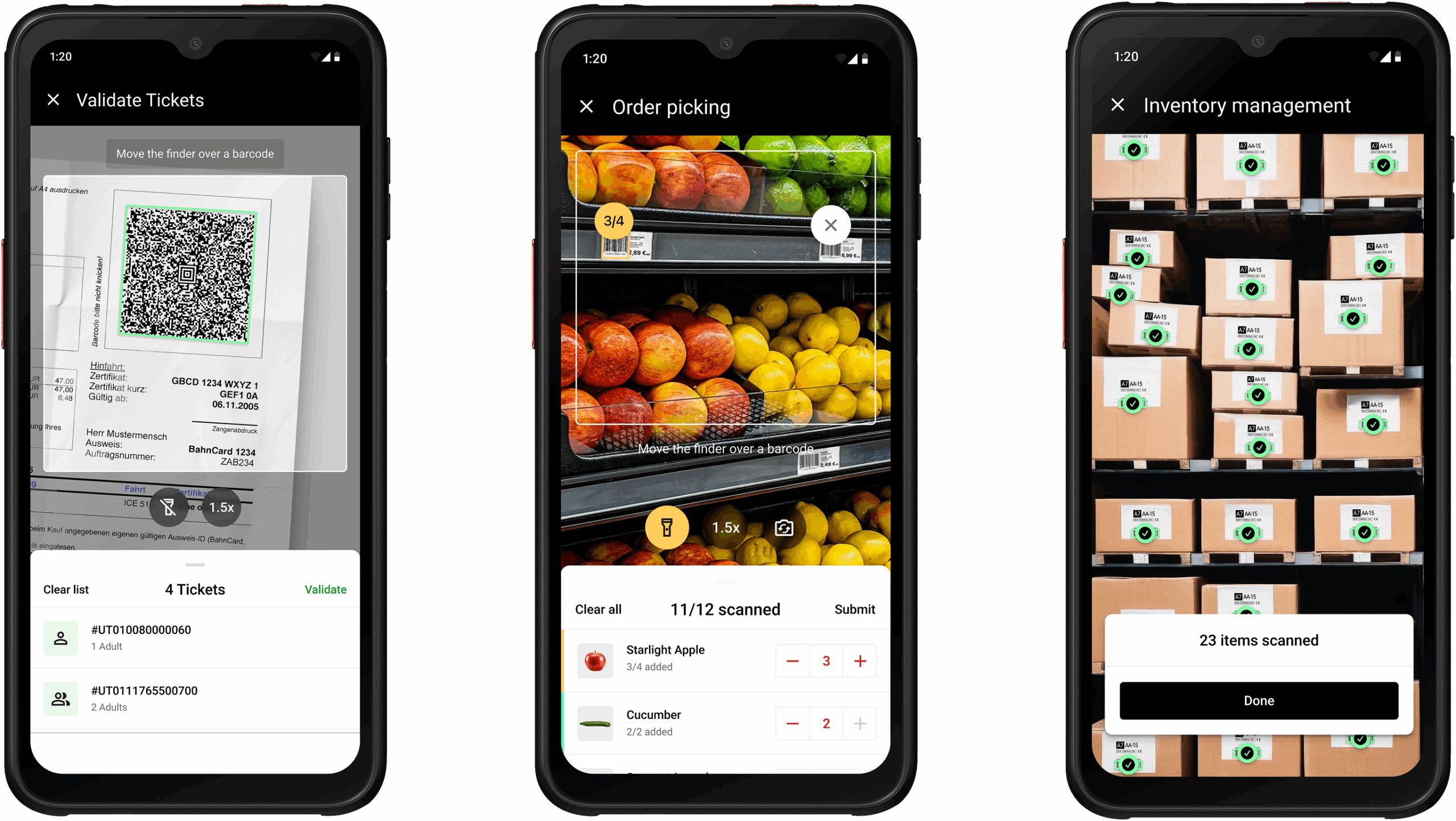
All processing happens directly on the user’s device. This enables 100% offline functionality, ensures uninterrupted workflows, and simplifies compliance with data privacy regulations like GDPR and CCPA – no external servers, and no tracking.
It includes ready-to-use UI components for quick integration. Setup is straightforward, and the support team responds quickly.
The SDK’s flat annual license fee covers unlimited scans on unlimited devices.
“The open-source solutions we tried were slow and inaccurate. With Scanbot SDK, we got the whole package. The integration was fast and easy, and we are highly satisfied with their solutions. The SDKs are saving us a good amount of time.” (Stefan Eckl, Software Developer @ Wolf System)
Are you interested in testing our scanner? Try our demo app or request a free 7-day trial license to integrate our React Native Barcode Scanner SDK in your project.
Integrating the Scanbot React Native Barcode Scanner SDK
After you’ve created your Expo project and added the iOS and Android platforms, install the React Native Barcode Scanner SDK using the following command:
npx expo install react-native-scanbot-barcode-scanner-sdkTo configure the plugin, add the following to your app.json file:
"plugins": [
  "expo-router",
  [
    "react-native-scanbot-barcode-scanner-sdk",
    {
      "iOSCameraUsageDescription": "Camera permission is needed to scan barcodes",
      "androidCameraPermission": true,
      "androidCameraFeature": true,
      "mavenURLs": true
    }
  ]
],
Then run:
npx expo prebuildAlternatively, you can also apply the changes to the native projects manually.
Before using any feature of the React Native Barcode Scanner SDK, you need to initialize it. Ideally, initialization should be done as soon as the app is launched.
There are many ways to initialize the SDK that depend on your use case. In this example, we’re going to initialize the SDK inside a useEffect in _layout.tsx.
ScanbotBarcodeSDK
  .initializeSdk({ licenseKey: "" })
  .then(result => console.log(result))
  .catch(err => console.log(err));
The SDK’s RTU UI components make it easy to deploy different scanning modes in your app. In this example, we’re going to implement the simplest use case: single-barcode scanning.
In app/index.tsx, add a button that will start the scanning process.
<Button title={"Start single barcode scanning"} onPress={onSingleBarcodeScan} />Now define onBarcodeScannerPress, which will start the single-barcode scanning mode:
const onSingleBarcodeScan = useCallback(async () => {
  try {
    /** Check license status and return early if the license is not valid */
    if (!(await ScanbotBarcodeSDK.getLicenseInfo()).data?.isLicenseValid) {
      return;
    }
    /**
     * Instantiate a configuration object of BarcodeScannerConfiguration and
     * start the barcode scanner with the configuration
     */
    const config = new BarcodeScannerConfiguration();
    /** Initialize the use case for single scanning */
    config.useCase = new SingleScanningMode();
    /** Start the BarcodeScanner */
    const result = await startBarcodeScanner(config);
    /** Handle the result if result status is OK */
    if (result.status === 'OK' && result.data) {
      Alert.alert(
        "Barcode Scanning successfully!",
        `${result.data.items.map(barcode =>
          `Barcode value: ${barcode.text} and type: ${barcode.type}`
        ).join("\n")}`);
    } else {
      console.log("The user has canceled the Barcode Scanning")
    }
  } catch (e: any) {
    console.log("An error has occurred while running Barcode Scanner", e.message);
  }
}, []);
To run the app on your Android or iOS device, use the following commands:
For Android:
npx expo run:android --deviceFor iOS:
npx expo run:ios --deviceNow you can start scanning! Curious about how to set up different scanning modes or AR overlays? Check out the more extensive tutorial here, or navigate to our documentation.
Happy scanning! 🤳
FAQ
Which React Native barcode scanner library is the best?
For personal projects, react-native-vision-camera is the most versatile open-source option. It supports a wide range of barcodes, multi-code detection, image-based scanning, and advanced camera controls. However, it may struggle in real-life conditions like low light and with reflective or inverted codes.
For production apps, a commercial solution like the Scanbot Barcode Scanner SDK is recommended. It provides professional support, consistent cross-platform performance, and advanced features such as AR overlays, user guidance, and configurable regions of interest, optimized for challenging real-world conditions.
When should I consider a commercial solution?
Commercial solutions are recommended for production apps where reliability and long-term support are critical. Open-source libraries may break with new OS versions, device models, or library dependencies. Relying on them can become costly if bugs occur and are not addressed in a timely manner.
How difficult is it to maintain open-source scanning libraries over time?
Maintenance can be challenging. Open-source libraries may enter maintenance mode, stop receiving updates altogether, or fall behind new versions of React Native or mobile operating systems. This can lead to runtime errors, compatibility issues, or degraded scanning performance, especially on newer devices.


