.NET MAUI is a modern framework for building cross-platform applications with .NET and C#. It is Microsoft’s evolution of Xamarin.Forms. In this article, we’ll first briefly explore what the framework has to offer. After that, we’ll go over the three major open-source libraries for adding barcode scanning to your .NET MAUI app.
Why choose .NET MAUI as your app development framework?
Picking the right framework makes a big difference in development speed, maintainability, and user experience. The appeal of .NET MAUI lies in three core advantages:
- Unified codebase: As a cross-platform framework, .NET MAUI allows developers to build apps for Android, iOS, macOS, and Windows from a single shared C# and XAML codebase. This reduces complexity, maintenance, and development time.
- Strong integration with the Microsoft ecosystem: For teams already invested in Microsoft technologies, MAUI minimizes the adoption learning curve and maximizes tooling value. .NET MAUI integrates seamlessly with Visual Studio, Azure, and other Microsoft products, which is critical for building scalable, secure, and maintainable enterprise applications.
- Native-like user experience: .NET MAUI compiles its C# code directly into native binaries for each target operating system. This minimizes overhead, ensuring faster performance and efficient resource use. The framework also maps its common XAML/C# controls to the actual, underlying platform UI controls via renderers. This means the application automatically adopts the correct native look, feel, and responsiveness of the host OS.
These benefits make .NET MAUI an attractive foundation for apps.
When it comes to integrating functionalities into that base app, developers often try open-source solutions first. They are appealing not only because of their flexibility, but also because of the low upfront cost. In the following sections, we’ll look at the top three .NET MAUI barcode scanner libraries.
Overview: The three most popular barcode scanner libraries for .NET MAUI
Without further ado, let’s dive into the most widely used barcode scanners for .NET MAUI. We based the following selection on GitHub stars, recent activity, and community engagement:
ZXing.Net.Maui
ZXing.Net.Maui is the successor to the older ZXing.Net.Mobile library. It does not only provide controls for barcode scanning, but also APIs for QR Code generation. The plugin is built on ZXing.Net, a C# port of the original Java ZXing library.
ZXing is officially in maintenance mode, meaning no updates or features are being released. Despite the challenges this introduces, the library is the base of many community ports and wrappers for a variety of platforms and frameworks.
Key features and benefits
ZXing.Net.Maui provides both QR Code generation and barcode scanning capabilities. It can scan from the live camera stream and static images. The scanner is able to detect multiple barcodes in one frame as well.
Developers can configure switching between front/rear cameras and toggling the flashlight. However, the library lacks support for zoom controls and defining a region of interest (ROI).
Supported platforms
On Windows, only barcode generation is supported.
| Platform | Supported? |
| Android | ✅ Yes |
| iOS | ✅ Yes |
| macOS | ⚠️ File-based scanning only |
| Windows | ⚠️ Generation only |
Supported barcodes
ZXing.Net.Maui supports a broad range of 1D and 2D barcodes, including niche and postal symbologies like GS1 DataBar Limited and Intelligent Mail barcode. You can find the full list of supported symbologies in the table below.
Limitations
In addition to the original ZXing library no longer being actively maintained, ZXing.Net.MAUI has several other limitations that affect scanning performance and reliability:
Slow scanning for 1D barcodes
ZXing.Net.MAUI requires TryHarder = true to reliably scan one-dimensional barcodes on Android, which makes scanning very slow. Developers have flagged that scanning Code 128 barcodes takes up to 2.5 seconds on Android phones like the Google Pixel 3A.
Difficulties scanning complex and small barcodes
ZXing.Net.Maui can struggle with dense or high-complexity barcodes. Developers flag that the scanner fails to detect large QR codes, and that while simple PDF417 codes scan successfully, higher-density ones do not. Even high-resolution images frequently decode to null.
Additionally, the scanner may face issues with scanning small barcodes, even on higher-end devices like the Samsung Galaxy S23+.
Fails to scan long barcodes
ZXing.Net.MAUI also fails to properly scan certain 26-character 1D barcodes, specifically Code 128. Users flag that these codes are either not detected at all or are decoded incorrectly, with one developer noting that no 1D barcode of this length scans successfully.
Camera focus issues on iOS
When used on iPhone 15 Pro, the camera struggles to focus on barcodes. ZXing.Net.Maui uses the main lens instead of switching to the macro lens, rendering the camera unable to focus at close range. As a result, barcodes that scan successfully on Android are blurry and unreadable on iOS, with no built-in way to select the correct lens.
Summary: ZXing.Net.Maui
| Supported platforms | Android, iOS macOS (no camera support) |
| Supported barcodes | Codabar, Code 128, Code 39, Code 93, EAN-13, EAN-8, GS1 DataBar, GS1 DataBar Expanded, Intelligent Mail Barcode, ITF, MSI Plessey, UPC-A, UPC-E, UPC-A/EAN Extension, Aztec, Data Matrix, MaxiCode, PDF417, PharmaCode, QR Code |
| Based on another library? | Yes, built on the ZXing.Net engine, a port of the original Java ZXing library |
| Maintenance status | Actively maintained, but no active feature development |
| Languages | C# |
| Offers UI? | No, developers must build their own UI around CameraBarcodeReaderView |
| Input source? | Both live stream and static images |
| Developer resources | GitHub repository NuGet package Integration tutorial |
BarcodeScanner.Mobile
BarcodeScanner.Mobile is a library for 1D and 2D barcode scanning in MAUI and Xamarin.Forms apps. It uses Google’s ML Kit Barcode Scanning API and works on Android and iOS. The MAUI variant targets .NET 9.0 and is compatible with iOS 15.4 or newer and Android compiled against API level 34 (Android 14).
Key features and benefits
The library supports omnidirectional scanning of both single and multiple barcodes in the camera view. The multi-scanning output is, however, limited to a maximum of 10 codes per API call. BarcodeScanner.Mobile inherits this limitation from the ML Kit API. All barcode data is processed directly on-device.
Supported platforms
| Platform | Supported? |
| Android | ✅ Yes |
| iOS | ✅ Yes |
| macOS | ❌ No |
| Windows | ❌ No |
Supported barcodes
BarcodeScanner.Mobile supports fewer symbologies than ZXing.Net.Maui. Nonetheless, the library still covers the most common retail and logistics barcodes, including EAN, UPC, ITF, Data Matrix, and QR Code. You can find the whole list in the table below.
In addition, the scanner can extract certain structured data like URLs, WiFi login credentials, and AAMVA driver’s license info.
Limitations
iOS application crashes
The ML Kit static frameworks bundled in BarcodeScanner.Mobile 9.0.1 are not packaged correctly for .NET 9 iOS/iOS-simulator builds, causing linker errors and preventing compilation.
Device-specific issues
On some older Android devices – such as the Samsung Galaxy A20 – the camera fails to open when a non-default camera quality is specified. The problem appears to be related to unsupported camera resolutions on these devices.
PDF417 on driver’s license not scanning on iPhone
BarcodeScanner.Mobile fails to detect PDF417 barcodes on North American driver’s licenses on iPhone devices, even though the same barcodes scan correctly on Android and iPad devices. The OnDetected event never fires on affected iPhones (e.g., iPhone 11 to 15 Pro on iOS 17.6–18.2). This issue has existed for several versions.
Privacy manifest is missing on iOS
Apps using BarcodeScanner.Mobile are being rejected during App Store review because several third-party SDKs bundled through the library – FBLPromises, FirebaseCoreDiagnostics, and GoogleDataTransport – do not include the required Privacy Manifest files introduced by Apple’s third-party SDK policy (ITMS-91061).
Apple now requires all commonly used third-party SDKs to provide their own privacy manifest, and the versions packaged with the library do not include them. Developers cannot fix the issue by adding additional keys in their own manifest file, because the missing manifests must come from the SDK providers themselves.
Summary: BarcodeScanner.Mobile
| Supported platforms | Android, iOS |
| Supported barcodes | Code 39, Code 93, Code 128, Codabar, EAN-8, EAN-13, ITF, UPC-A, UPC-E, Aztec, Data Matrix, PDF417, QR Code |
| Based on another library? | Yes, based on Google’s ML Kit |
| Maintenance status | Under development |
| Languages | C# |
| Offers UI? | No, developers must build their own UI around CameraView |
| Input source? | Both live stream and static images |
| Developer resources | GitHub repository NuGet package |
BarcodeScanning.Native.Maui
BarcodeScanning.Native.Maui is a barcode scanning library that uses native APIs – Google ML Kit on Android and Apple Vision Kit on iOS/macOS – for detection. The library is inspired by ZXing.Net.Maui and BarcodeScanner.Mobile, but implements some code improvements. Windows support is in development.
Key features and benefits
BarcodeScanning.Native.Maui offers more features than the other libraries we discussed. It can scan barcodes from the live camera stream and from image files. While it doesn’t provide an out-of-the-box UI, it does offer camera controls for torch and zoom, and allows you to define a ROI.
Supported platforms
Windows support is in beta and uses ZXing-C++ as the scanning library.
| Platform | Supported? |
| Android | ✅ Yes |
| iOS | ✅ Yes |
| macOS | ✅ Yes |
| Windows | ✅ Yes (in beta) |
Supported barcodes
BarcodeScanning.Native.Maui supports fewer barcode types than ZXing.Net.Maui. Because it relies on the native libraries, the supported symbologies differ between platforms. iOS and macOS support more formats than Android – for example, GS1 DataBar (Expanded and Limited) is available on iOS/macOS but not on Android.
Limitations
Difficulties scanning small barcodes
BarcodeScanning.Native.Maui may fail to read smaller barcodes, with developers reporting issues affecting Code 128 and other formats. One tester on a Pixel 6a noted that Code 128 only scanned after zooming in by about 20%. According to the library’s creator, these limitations originate in the underlying ML Kit and VisionKit frameworks.
Camera view rotation issues on iOS
On iOS, the camera preview may appear rotated by 90 degrees. Users report this on both iPad and iPhone, occurring in portrait mode (locked or unlocked) and in landscape when the device is unlocked.
Pinch-to-zoom issues on Android
Once RequestZoomFactor is set to any non-zero value, pinch-to-zoom stops functioning. Instead of adjusting zoom, the view only “wiggles.” This suggests that the gesture is being detected, but the camera’s zoom value is no longer updating. A temporary workaround is to set the desired zoom after the camera enables and then reset the value to zero.
Summary: BarcodeScanning.Native.Maui
| Supported platforms | Android, iOS macOS, Windows (beta) |
| Supported barcodes | Android: Code 39, Code 93, Code 128, Codabar, EAN-8, EAN-13, ITF, UPC-A, UPC-E, Aztec, Data Matrix, PDF417, QR Code iOS/macOS: Code 39, Code 93, Code 128, Codabar, EAN-8, EAN-13, ITF, MSI Plessey, GS1 DataBar, GS1 DataBar Expanded, GS1 DataBar Limited, UPC-A, UPC-E, Aztec, Data Matrix, PDF417, Micro PDF417, QR Code, Micro QR Code Windows: Code 39, Code 93, Code 128, Codabar, EAN-8, EAN-13, ITF, GS1 DataBar, GS1 DataBar Expanded, GS1 DataBar Limited, UPC-A, UPC-E, Aztec, Data Matrix, MaxiCode, PDF417, Micro PDF417, QR Code, Micro QR Code, rMQR Code |
| Based on another library? | Yes, it’s based on Google’s ML Kit, Apple’s VisionKit, and ZXing-cpp |
| Maintenance status | Under development with an active community |
| Languages | C# |
| Offers UI? | No, developers must build their own UI around CameraView |
| Input source? | Both live stream and static images |
| Developer resources | GitHub repository NuGet package Integration tutorial |
What to keep in mind when choosing a barcode scanner
Depending on your use case, you may have specific requirements for your scanner. However, in general, you should consider the following:
- Platform and barcode support
Barcode support varies between libraries – and even within the same library, depending on the platform. In cross-platform apps, this can lead to inconsistent behavior. Make sure that every symbology you need is supported on every platform you plan to target.
- Real-world scanning performance
Most solutions work fine under ideal conditions – but real-world scenarios are rarely ideal. Test your scanner against the conditions your users will face: small or dense barcodes, damaged or dirty labels, poor lighting, motion, or unusual angles. Evaluate performance across all of these, not just in a clean demo environment.
- Maintenance and support
In production apps, you don’t want your scanner to break after an OS update. This is a risk you take when using open-source software. You are fully responsible for maintaining the scanner and keeping it up to date. Considering the time and effort required, it can be more cost-efficient to choose a commercial solution that provides ongoing maintenance and professional technical support.
Picking a .NET MAUI barcode scanner library
All three libraries offer basic scanning capabilities, controls, and support for the most common barcode types. They are not, however, equally suited for every use case. Below, we list the key differences between ZXing.Net.Maui, BarcodeScanner.Mobile, and BarcodeScanning.Native.Maui.
ZXing.Net.Maui is a port of the original ZXing library and is the only one of the three that also offers QR Code generation. It is mature, stable, has a large community, and supports a broad range of barcode types. However, ZXing itself is in maintenance mode, and there is no camera scanning support on Windows and macOS.
BarcodeScanner.Mobile uses Google’s ML Kit on both iOS and Android, providing consistent behavior and scanning across these platforms. It supports the most common retail and logistics barcodes, but fewer symbologies than ZXing.Net.Maui or BarcodeScanning.Native.Maui. Desktop platforms are not supported.
BarcodeScanning.Native.Maui uses both ML Kit and VisionKit APIs and supports macOS in addition to Android and iOS. However, barcode support and behavior differs between platforms. In terms of maintenance, this library arguably benefits from the most active community.
All three libraries can struggle with non-ideal barcodes, such as small, dense, or damaged codes. For applications where reliable scanning in real-world conditions is critical, commercial solutions may provide better performance.
Comparison table: Supported barcodes
| Barcode type | ZXing.Net.Maui | BarcodeScanner.Mobile | BSNM – Android | BSNM – iOS/macOS | BSNM – Windows |
| UPC-A | ✅ Yes | ✅ Yes | ✅ Yes | ✅ Yes | ✅ Yes |
| UPC-E | ✅ Yes | ✅ Yes | ✅ Yes | ✅ Yes | ✅ Yes |
| UPC-A/EAN Extension | ✅ Yes | ❌ No | ❌ No | ❌ No | ❌ No |
| EAN-8 | ✅ Yes | ✅ Yes | ✅ Yes | ✅ Yes | ✅ Yes |
| EAN-13 | ✅ Yes | ✅ Yes | ✅ Yes | ✅ Yes | ✅ Yes |
| ITF (Interleaved 2 of 5) | ✅ Yes | ✅ Yes | ✅ Yes | ✅ Yes | ✅ Yes |
| Code 39 | ✅ Yes | ✅ Yes | ✅ Yes | ✅ Yes | ✅ Yes |
| Code 93 | ✅ Yes | ✅ Yes | ✅ Yes | ✅ Yes | ✅ Yes |
| Code 128 | ✅ Yes | ✅ Yes | ✅ Yes | ✅ Yes | ✅ Yes |
| Codabar | ✅ Yes | ✅ Yes | ✅ Yes | ✅ Yes | ✅ Yes |
| MSI Plessey | ✅ Yes | ❌ No | ❌ No | ❌ No | ❌ No |
| Intelligent Mail barcode (IMb) | ✅ Yes | ❌ No | ❌ No | ❌ No | ❌ No |
| GS1 DataBar | ✅ Yes | ❌ No | ❌ No | ✅ Yes | ✅ Yes |
| GS1 DataBar Expanded | ✅ Yes | ❌ No | ❌ No | ✅ Yes | ✅ Yes |
| GS1 DataBar Limited | ❌ No | ❌ No | ❌ No | ✅ Yes | ✅ Yes |
| QR Code | ✅ Yes | ✅ Yes | ✅ Yes | ✅ Yes | ✅ Yes |
| rMQR Code | ❌ No | ❌ No | ❌ No | ❌ No | ✅ Yes |
| Micro QR Code | ❌ No | ❌ No | ❌ No | ✅ Yes | ✅ Yes |
| Data Matrix | ✅ Yes | ✅ Yes | ✅ Yes | ✅ Yes | ✅ Yes |
| Aztec | ✅ Yes | ✅ Yes | ✅ Yes | ✅ Yes | ✅ Yes |
| PDF417 | ✅ Yes | ✅ Yes | ✅ Yes | ✅ Yes | ✅ Yes |
| Micro PDF417 | ❌ No | ❌ No | ❌ No | ✅ Yes | ✅ Yes |
| MaxiCode | ✅ Yes | ❌ No | ❌ No | ❌ No | ✅ Yes |
| PharmaCode | ✅ Yes | ❌ No | ❌ No | ❌ No | ❌ No |
The Scanbot .NET MAUI Barcode Scanner SDK – a commercial alternative
While open-source libraries are a great option for personal projects, they don’t provide the same performance as professional SDKs. One such professional solution is the Scanbot Barcode Scanner SDK.
“Switching to Scanbot SDK from ZXing significantly improved our ability to scan Data Matrix codes. We evaluated several solutions, and the Scanbot SDK provided the perfect blend of performance and value.”
(Benedikt Niermann, Process Improvement Officer, KROHNE Group)
Beyond performance, there are 5 key reasons why customers choose the Scanbot SDK:
- 100% offline scanning: All data is processed locally on the device, ensuring uninterrupted workflows and compliance with data security regulations.
- Advanced scanning modes: The Scanbot Barcode Scanner SDK provides ready-made modes for scanning single or multiple barcodes, for finding particular barcodes, and for counting barcodes. No additional development needed.
- User-friendly features: User guidance, real-time feedback, and AR overlays help users scan barcodes and improve the overall user experience.
- Ease of integration: Ready-to-use UI components accelerate app development. The detailed documentation, tutorials, example apps, and technical support ensure your integration process runs smoothly.
- Transparent, fixed pricing: Our pricing model is straightforward: A fixed annual fee for unlimited scans on unlimited devices. We don’t hamper your growth.
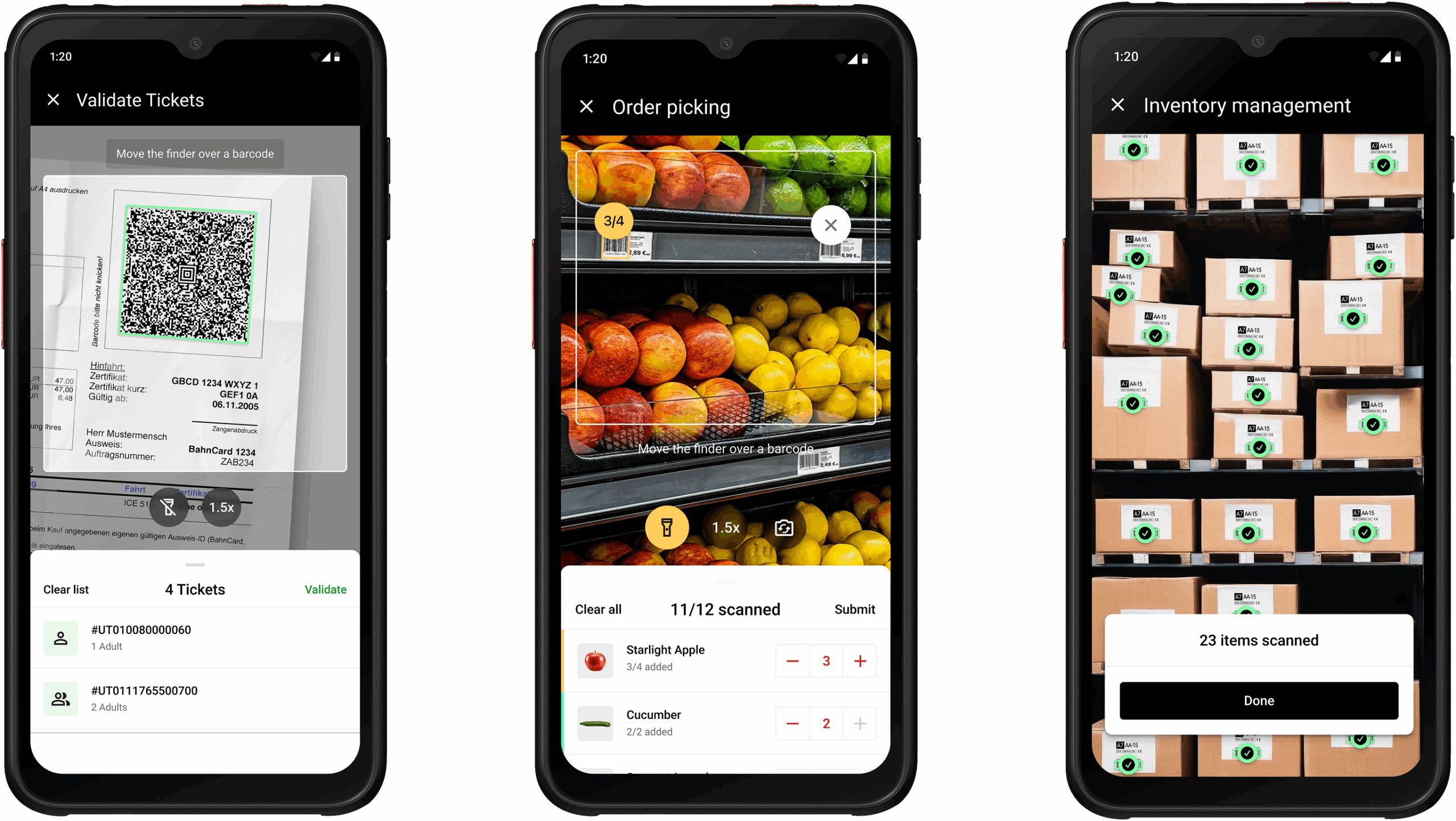
Curious to try our solution yourself? Test our demo app or request a free 7-day trial license.
FAQ
Which library is best for scanning small, dense, or damaged barcodes?
Open-source libraries like ZXing.Net.MAUI, BarcodeScanner.Mobile, and BarcodeScanning.Native.Maui often struggle with small, dense, or damaged barcodes. For reliable real-world performance, especially in production applications, a commercial solution like Scanbot SDK is recommended.
Can I optimize scanning accuracy?
ZXing.Net.Maui allows tweaks like the TryHarder flag, which can improve accuracy but may slow scanning. BarcodeScanning.Mobile and BarcodeScanning.Native.Maui rely on proprietary APIs that allow only limited customization, especially of the scanning behavior.
Why am I seeing an “incompatible” warning with BarcodeScanning.Native.Maui on Android 16 KB RAM pages?
The library itself is fully compatible with 16 KB pages. The warning usually occurs due to build or caching issues, such as older MAUI versions or leftover build artifacts. Cleaning caches, updating MAUI to 9.0.304 or later, and recompiling should resolve the warning.