` elements. One for the QR code scanner and one for displaying the scan result.
```hljs html
HTML5 Barcode Scanner
```
Since smartphone cameras are much better suited for scanning barcodes than laptop or desktop webcams, let’s also make sure our scanner looks good on mobile by including some simple CSS in our **index.html**:
```hljs html
HTML5 Barcode Scanner
```
To test your project on your phone, you have a few options. One option is to use a service like [ngrok](https://ngrok.com/), which creates a tunnel to one of their SSL-certified domains. Their [Quick Start](https://ngrok.com/docs/getting-started/) guide will help you get up and running quickly.
Now let’s test our app by scanning a barcode!
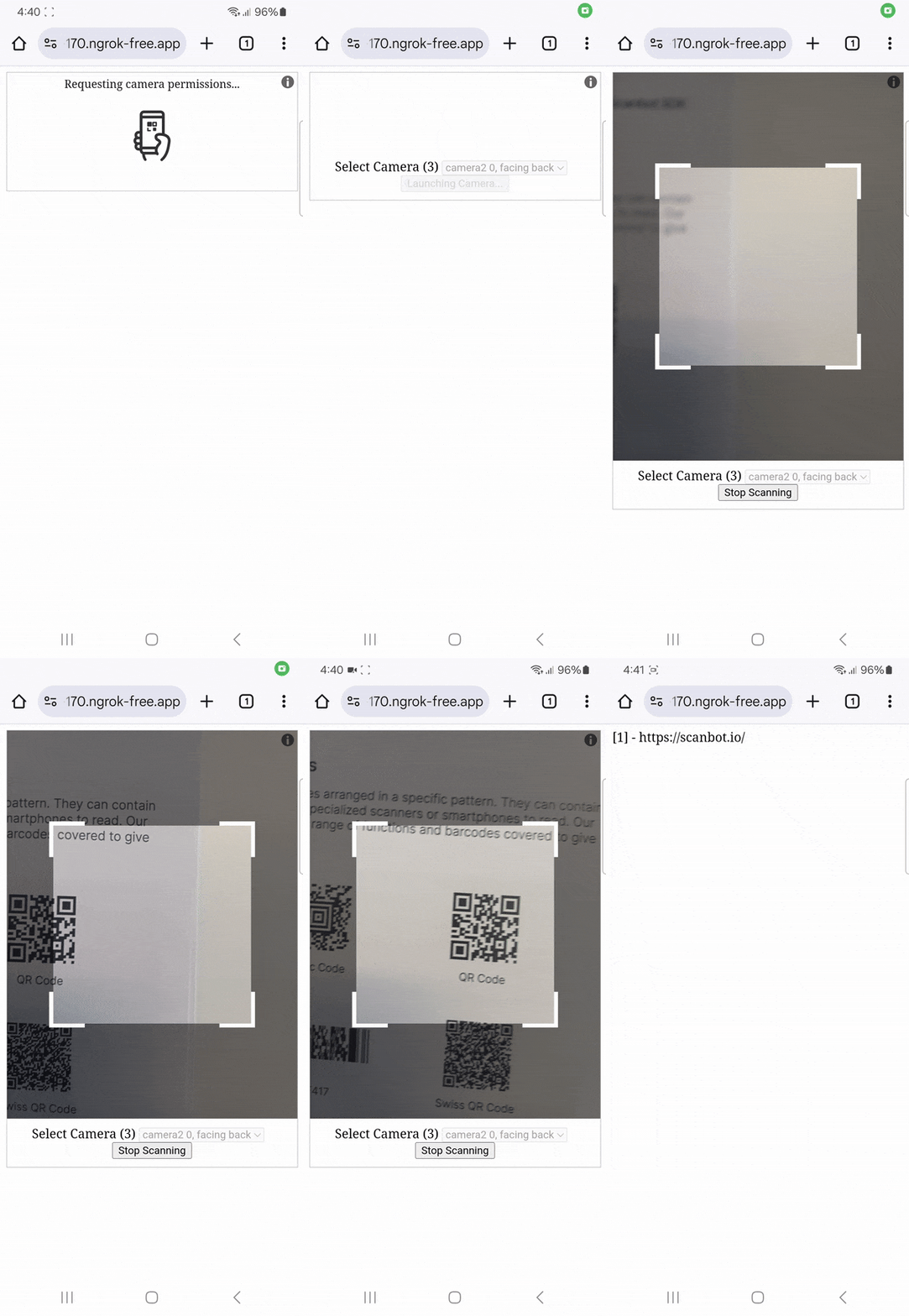
## Optional: Implement additional features
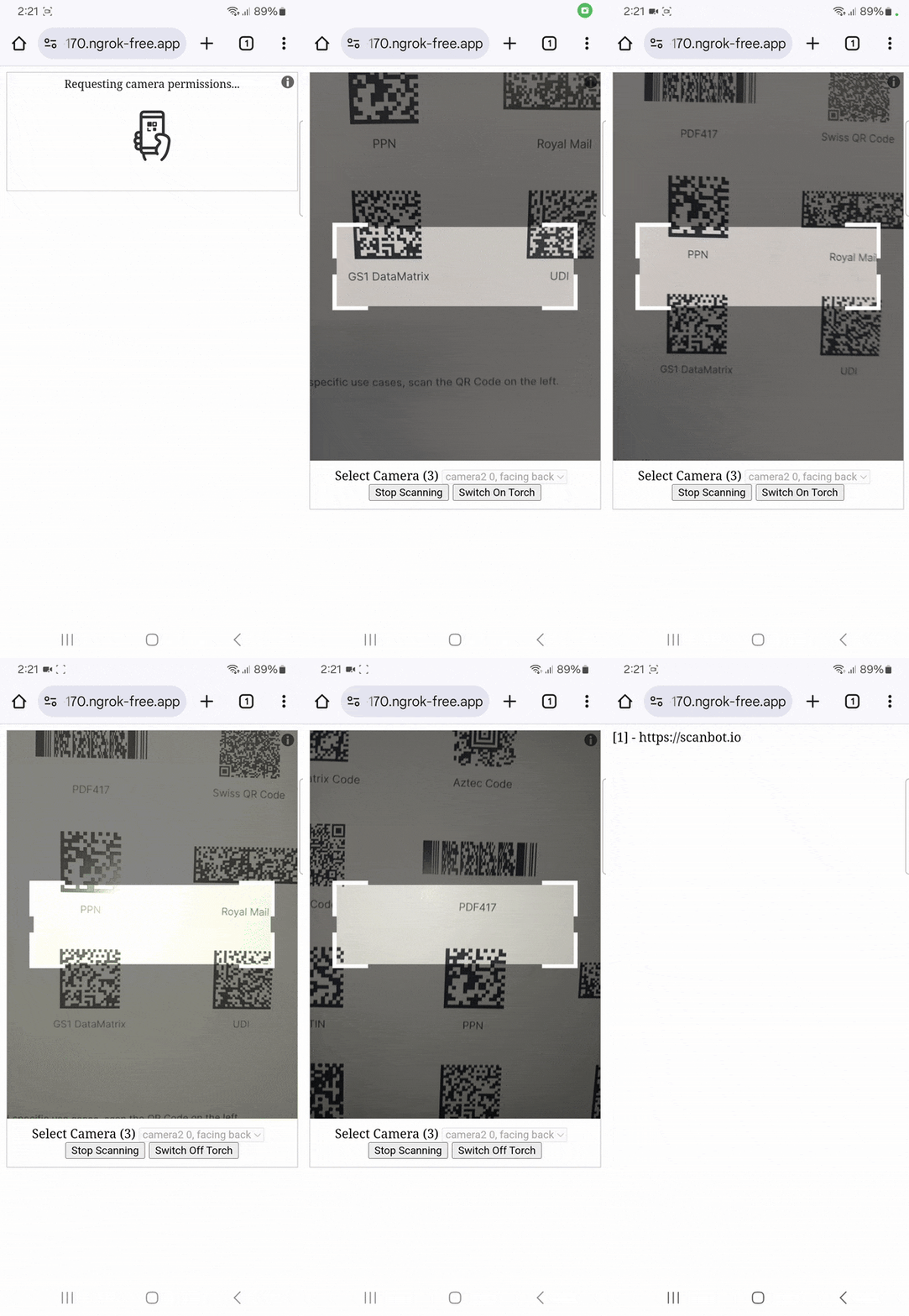
The html5-qrcode library offers some further [customization options](https://github.com/mebjas/html5-qrcode?tab=readme-ov-file#documentation-1). Let’s say you want to build a [PDF417 scanner](https://scanbot.io/techblog/pdf417-barcode-reader-javascript-tutorial/) that also works in poor lighting conditions. By passing a `config` object as an argument to the `Html5QrcodeScanner` constructor in **script.js**, you can …
- adapt the aspect ratio of the viewfinder to the more horizontal format of a PDF417 barcode,
- restrict scanning to PDF417 barcodes to avoid false positives,
- enable a button that turns on the device’s flashlight if it has one.
```hljs csharp
// define the config object
let config = {
fps: 10,
qrbox: {width: 300, height: 100},
formatsToSupport: [Html5QrcodeSupportedFormats.PDF_417],
showTorchButtonIfSupported: true,
};
// existing code
// pass the config object to the Html5QrcodeScanner constructor
var html5QrcodeScanner = new Html5QrcodeScanner(
"qr-reader", config);
// existing code
```
## Disadvantages of using html5-qrcode for scanning barcodes
The html5-qrcode library is easy to integrate and offers a preconfigured UI, which makes it a good choice for quick prototyping or personal projects.
However, it comes with a few drawbacks:
- **Camera issues**: Some users have reported issues with the camera not starting on specific platforms.
- **Poor performance**: Compared to alternative libraries, html5-qrcode tends to be less performant and can struggle with certain barcode types.
- **Inconsistent results**: Scanning results can vary between devices and environments, leading to unreliable performance.
- **Lack of supported symbologies:** Under the hood, html5-qrcode uses ZXing.js (another barcode scanning library that is no longer officially supported), which limits the different barcode types it can scan.
- **Difficulties when troubleshooting:** Debugging an app that uses html5-qrcode can be challenging due to insufficient documentation and unclear error messages.
For companies that heavily rely on barcode scanning in their business processes, we recommend using an enterprise-grade solution instead.
## Building an HTML5 QR Code & Barcode Scanner with the Scanbot SDK
We developed the Scanbot [Web Barcode Scanner SDK](https://scanbot.io/barcode-scanner-sdk/web-barcode-scanner/) to help enterprises overcome the hurdles presented by free barcode scanning software. Our goal was to have a developer-friendly solution available for a wide range of platforms that consistently delivers high-quality results – even in challenging circumstances.
Thanks to the Scanbot SDK’s Ready-to-Use UI Components, you can even use an AR overlay to display multiple barcodes’ contents right in the viewfinder.
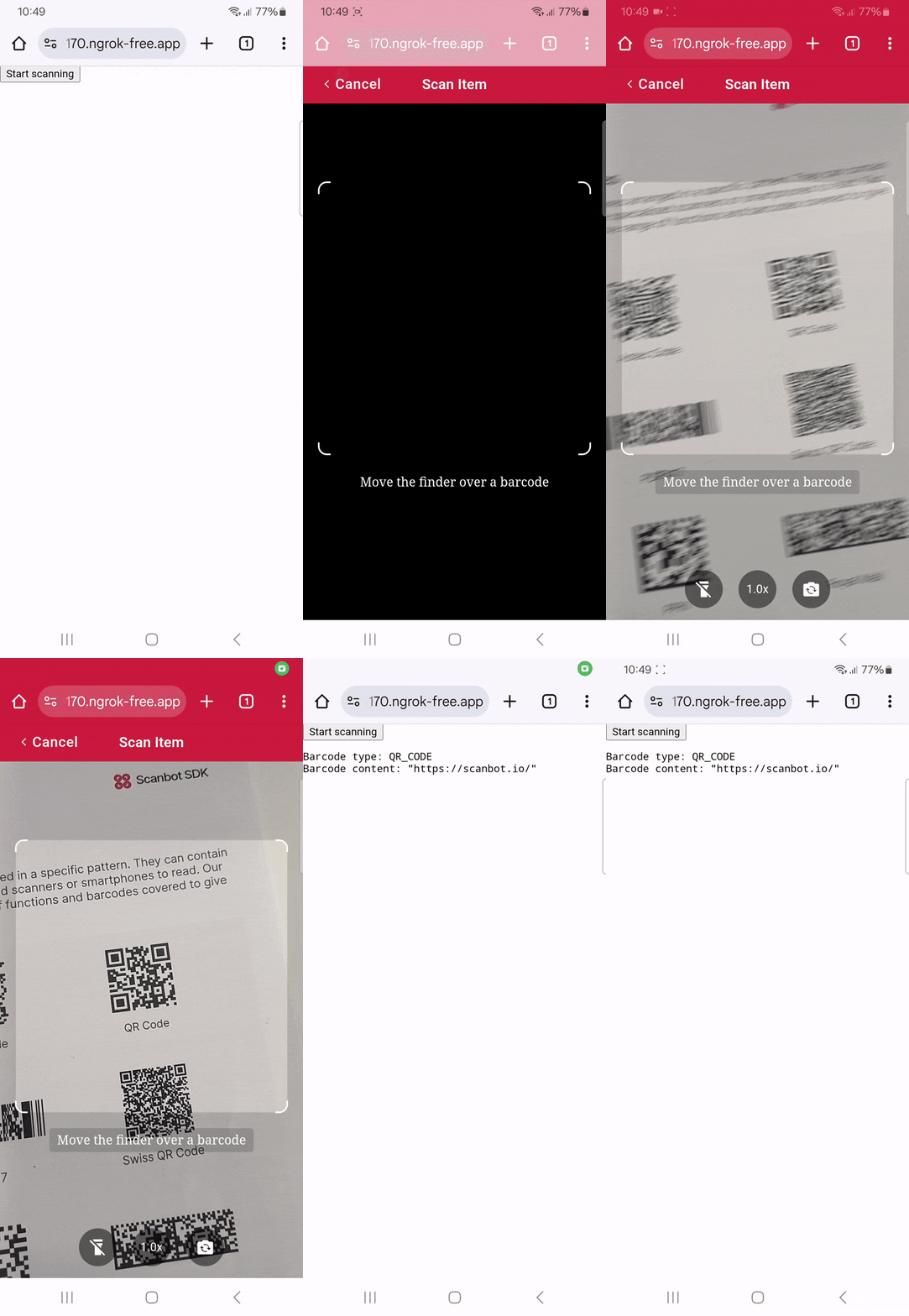Scanning a single barcode
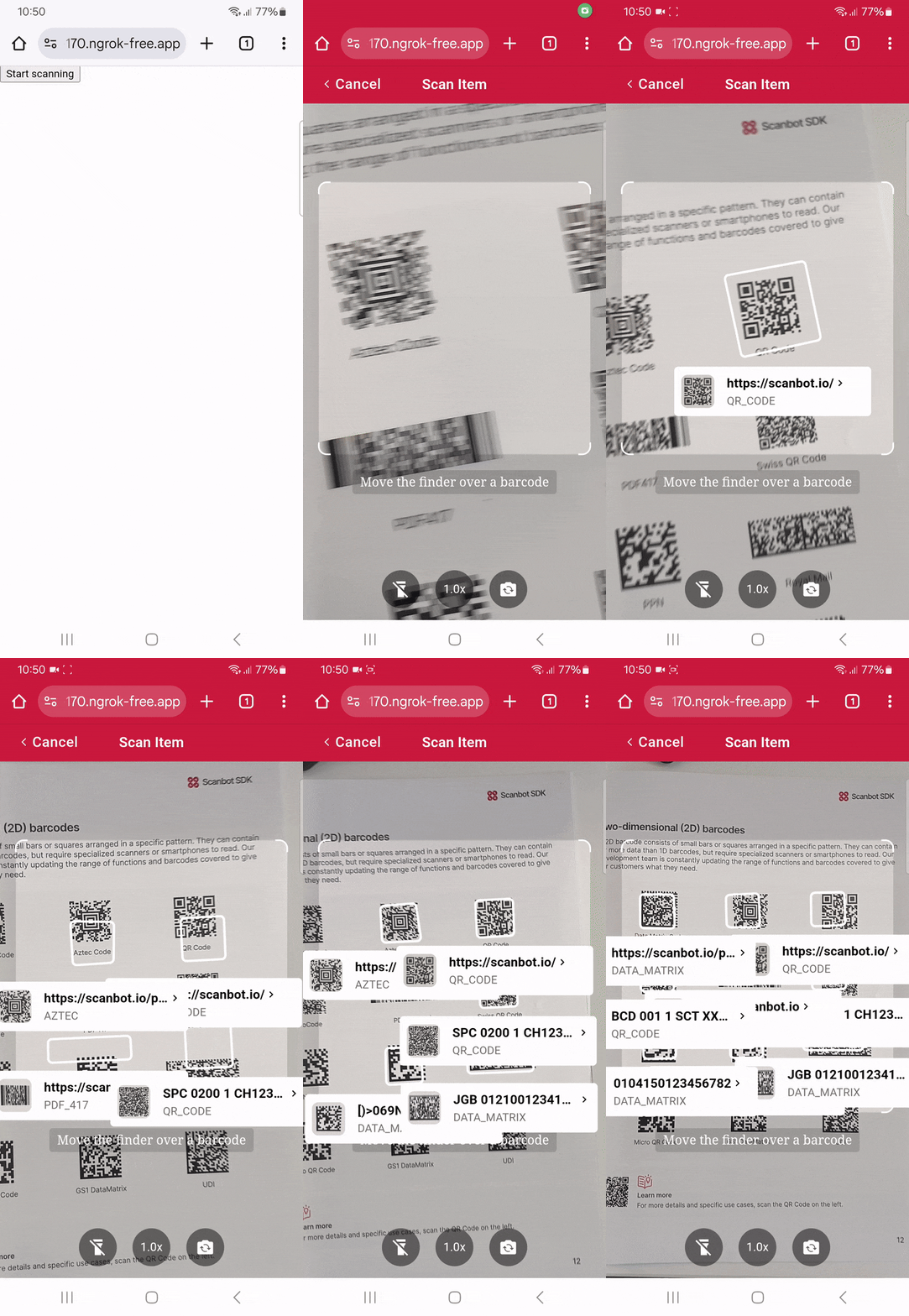Scanning multiple barcodes with the AR overlay
To accomplish that, you will need to follow the steps below:
1. Downloading the Web SDK
2. Creating the HTML page and configuring the Web SDK
3. Enabling the AR overlay
Let’s dive into more details for each step.
### Step 1: Download the Web SDK
First, create a new empty directory for your app and name it, e.g. “barcode-scanner-app”.
Then download the Scanbot SDK package directly from [the npm registry](https://registry.npmjs.org/scanbot-web-sdk/-/scanbot-web-sdk-7.0.0.tgz).
💡 You can also [use npm to download and install the package](https://docs.scanbot.io/barcode-scanner-sdk/web/detailed-setup-guide/installation/#npm), but in this tutorial, we’ll do it manually. You can check the latest SDK version in the [changelog](https://docs.scanbot.io/barcode-scanner-sdk/web/changelog/).
Unzip the downloaded files into **barcode-scanner-app**. If the unzipped folder is named “package” or similar, rename it to “scanbot-web-sdk” or make sure to later provide the correct directory path in the code.
Your folder structure should look like this:
```bash
barcode-scanner-app/
|- scanbot-web-sdk/
|- webpack/
|- bundle/
|- @types/
|- index.js
|- ui.js
... (and some other files)
```
### Step 2: Create the HTML page and configure the Web SDK
Create an **index.html** file in the **barcode-scanner-app** folder. Then add the following code to the file:
```hljs html
My Scanner App
Start scanning
```
The code block above:
- Adds the “Start scanning” button.
- Imports and initializes the Scanbot SDK.
- Executes the user interface from the Scanbot SDK when the user clicks the “Start scanning” button.
- If a barcode is identified, it will present the barcode type and its content to the user.
💡 Without a license key, our SDK only runs for 60 seconds per session. This is more than enough for the purposes of our tutorial, but if you like, you can [generate a license key](https://scanbot.io/trial/) on our website.
Feel free to run the app to see if everything is working so far.

### Step 3: Enable the AR overlay
The Scanbot SDK lets you display an AR overlay on the screen so users can pick a specific barcode when the scanner recognizes multiple barcodes. All you need to do to enable this feature is to add the following code after defining the `config` object:
```hljs cpp
config.useCase.arOverlay.visible = true;
config.useCase.arOverlay.automaticSelectionEnabled = false;
```
Run your app again to see the AR overlay in action.

### Conclusion
🎉 That’s it! You now have a fully functional barcode scanning web app using the Scanbot SDK’s RTU UI.
Are you interested in how the scanner implementation works in your favorite JavaScript framework?
We’ve got you covered:
- [React.js](https://scanbot.io/techblog/react-barcode-reader-tutorial/)
- [Vue](https://scanbot.io/techblog/vue-js-barcode-scanner-tutorial/)
- [Angular](https://scanbot.io/techblog/angular-barcode-scanner-tutorial/)
- [Svelte](https://scanbot.io/techblog/svelte-barcode-scanner-tutorial/)
- [Next.js](https://scanbot.io/techblog/next-js-barcode-scanner-tutorial/)
Should you have any questions, feel free to reach out to us [on Slack or MS Teams](https://docs.scanbot.io/support/) or send us an email via [sdksupport@scanbot.io](mailto:sdksupport@scanbot.io)
Happy scanning! 🤳
## Ready to get started?
Integrate the Scanbot SDK in less than an hour. Check out our docs, explore our GitHub example projects, or download our demo apps to get started right away.
[Get started](https://scanbot.io/get-started/) [Contact sales](https://scanbot.io/contact-sales/)
## Related blog posts
[](https://scanbot.io/techblog/how-to-build-a-javascript-document-scanner-web-app/)
### [How to build a JavaScript Document Scanner web app](https://scanbot.io/techblog/how-to-build-a-javascript-document-scanner-web-app/)
We'll show you how to build a document scanning web app in minutes using only HTML, JavaScript, and our Web Document Scanner SDK.

Kevin February 21, 20257 mins read
[](https://scanbot.io/techblog/compose-multiplatform-barcode-scanning-ui-tutorial/)
### [How to create a Compose Multiplatform iOS & Android barcode scanning application using the Scanbot SDK](https://scanbot.io/techblog/compose-multiplatform-barcode-scanning-ui-tutorial/)
Compose Multiplatform enables developers to write UI code compatible with both Android and iOS. We’ll walk you through the integration process with the Scanbot Barcode Scanner SDK.

Ildar July 30, 202411 mins read
[](https://scanbot.io/techblog/progressive-web-app-barcode-scanner-tutorial/)
### [How to build a Progressive Web App (PWA) Barcode Scanner with React and TypeScript](https://scanbot.io/techblog/progressive-web-app-barcode-scanner-tutorial/)
Learn how to build an installable barcode scanning PWA using React and our Web SDK in this step-by-step guide.

Kevin January 7, 202510 mins read
+
## React Native Barcode Scanner
Scanbot SDK has been acquired by Apryse!
[Learn more](https://apryse.com/blog/apryse-acquires-scanbot-and-accusoft)
[Learn more](https://apryse.com/blog/apryse-acquires-scanbot-and-accusoft)
close
[Skip to content](https://scanbot.io/developer/react-native-barcode-scanner/?utm_source=chatgpt.com#main)
# React Native Barcode Scanner
Add fast and accurate barcode scanning to your React Native apps with the Scanbot React Native Barcode Scanner SDK. Seamlessly integrate real-time barcode scanning across iOS and Android platforms using a single codebase.
[Get started](https://scanbot.io/get-started/) [Contact sales](https://scanbot.io/contact-sales/)
Trusted by
300+
global
industry leaders

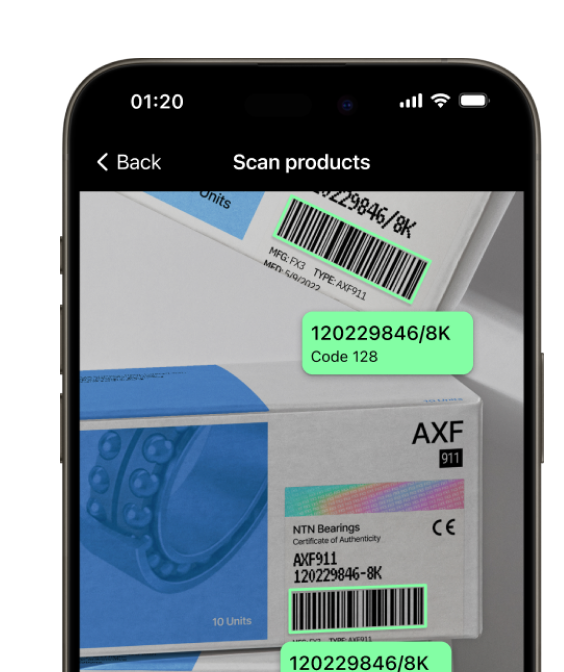
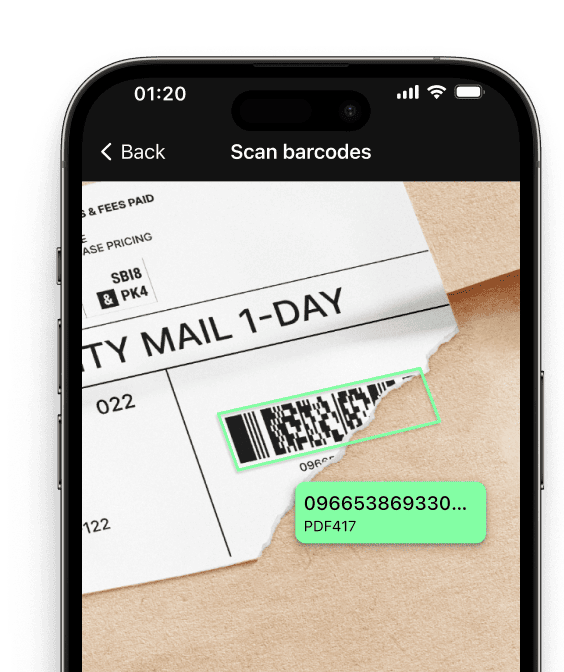
Real-time AR feedback
With the React Native Barcode Scanner SDK, you can display important product information directly in the camera view while scanning barcodes.
Barcode scanning in challenging conditions
The Scanbot React Native Barcode Scanner SDK is optimized to handle difficult real-world scanning environments, such as:
- Damaged barcodes
- Low-light environments
- Tiny or distant barcodes
[Customizable UI components\\
\\
Our Ready-To-Use UI components cover all barcode scanning scenarios and are highly customizable.](https://scanbot.io/rtu-ui/)
Fast.
Very fast.
Every scan happens in
0.04s
or less
Scans all major barcode types
Code 39
Code 93
Code 32
Code 25
EAN-5
PDF417
GS1 DataBar
Code 39
Code 93
Code 32
Code 25
EAN-5
PDF417
GS1 DataBar
EAN-13
MSI Plessey
EAN-2
Aztec Code
rMQR Code
Codabar
UPC-A
EAN-13
MSI Plessey
EAN-2
Aztec Code
rMQR Code
Codabar
UPC-A
EAN-8
ISBN
GiroCode
GS1-128
Data Matrix
IATA 2 of 5
EAN-8
ISBN
GiroCode
GS1-128
Data Matrix
IATA 2 of 5
Code 128
Code 11
QR Code
UPC-E
Micro QR Code
MaxiCode
Code 128
Code 11
QR Code
UPC-E
Micro QR Code
MaxiCode
## Add a fast and reliable Barcode Scanner to your React Native app
The Scanbot React Native [Barcode Scanner SDK](https://scanbot.io/barcode-scanner-sdk/) provides an easy way to integrate powerful barcode scanning functionalities into your React Native applications. With React Native, developers can build apps for both iOS and Android using a single codebase, ensuring consistent performance and ease of development.
Supporting key barcode formats such as [Data Matrix](https://scanbot.io/barcode-scanner-sdk/data-matrix/), [QR codes](https://scanbot.io/glossary/qr-code/), [PDF417](https://scanbot.io/barcode-scanner-sdk/pdf417/), and [EAN](https://scanbot.io/barcode-scanner-sdk/ean/), the SDK is perfect for applications in industries like retail, logistics, healthcare, and manufacturing. With customizable UI components, developers can quickly implement barcode scanning features while ensuring a seamless user experience. The SDK also handles challenging environments like low-light conditions and damaged barcodes, ensuring reliable scanning performance in any situation.
Need help? Our [expert support](https://docs.scanbot.io/support/) team is available via Slack, Microsoft Teams, or email to guide you through the integration process and ensure that your React Native app takes full advantage of the Scanbot Barcode Scanner SDK.
### Technical requirements
The Scanbot React Native Barcode Scanner SDK requires:
- **React Native Version**: 0.73 or higher
- **Platforms**: iOS 13.0+ and Android 5.0+ (API Level 21+)
- **Hardware**: A rear-facing camera with autofocus
- **Architecture:**
- Android: armeabi-v7, arm64-v8a, x86, x86\_64
- iOS: arm64, x86\_64
## Integrate this evening with your framework
categoryFeatures
## Discover common React Native Barcode Scanning use cases
See how the scan modes of the Scanbot React Native Barcode Scanner can improve your workflows.
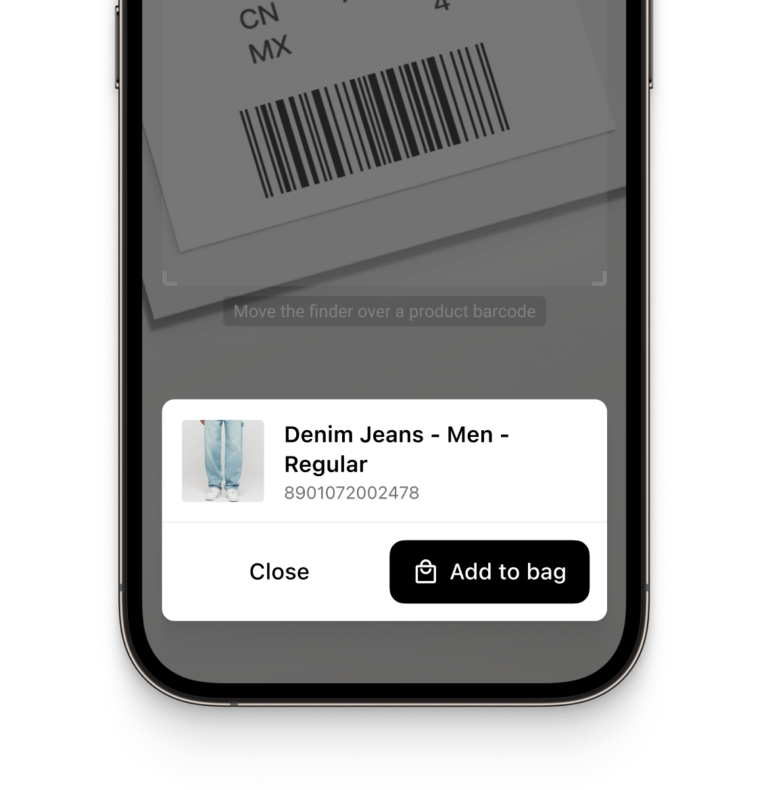
- ### Single Scanning
The React Native Barcode Scanner is ideal for scanning single barcodes in retail or inventory management applications. Users can scan barcodes quickly and accurately, improving overall efficiency.
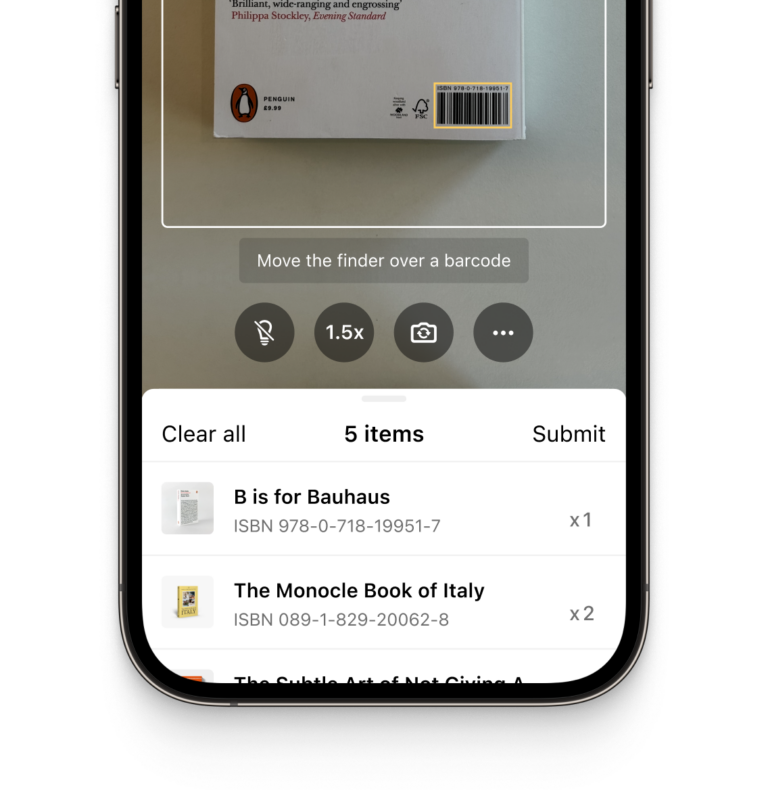
- ### Batch Scanning
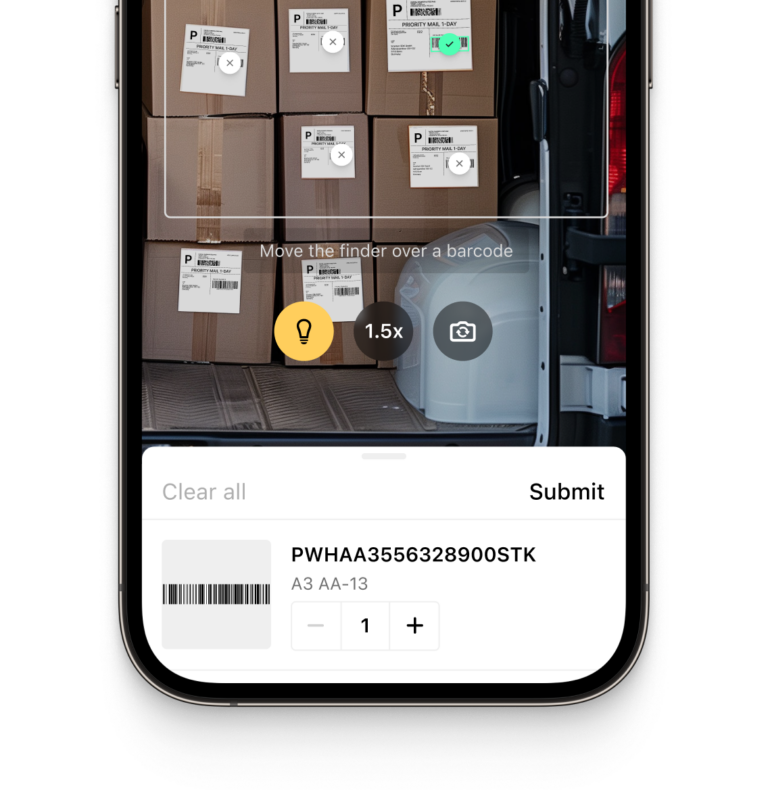
Allow users to scan multiple barcodes in a single session without needing to close the scanner. This feature is particularly useful for logistics, warehouse management, and order fulfillment applications.
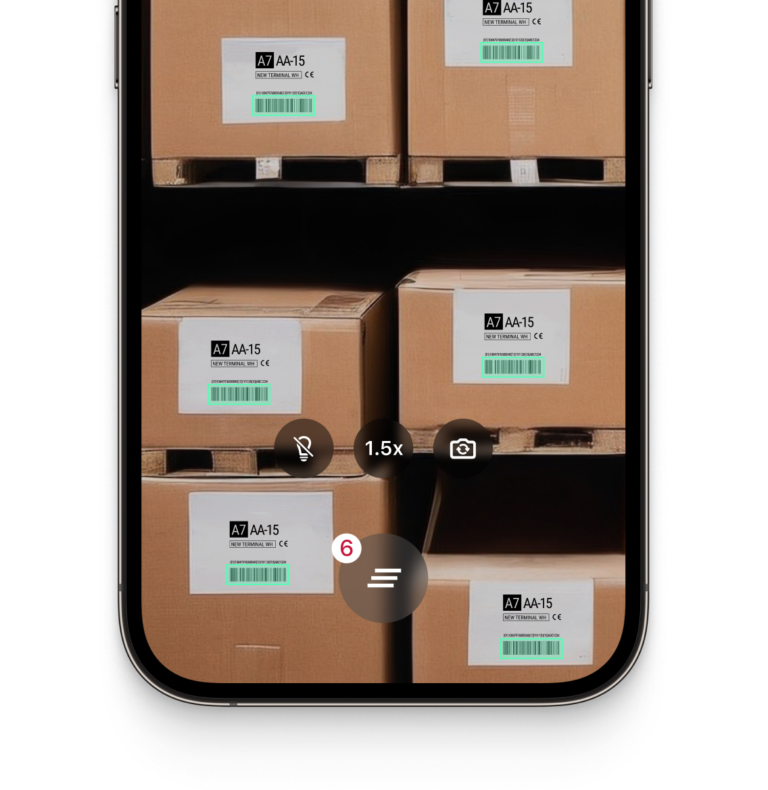
- ### Multi Scanning
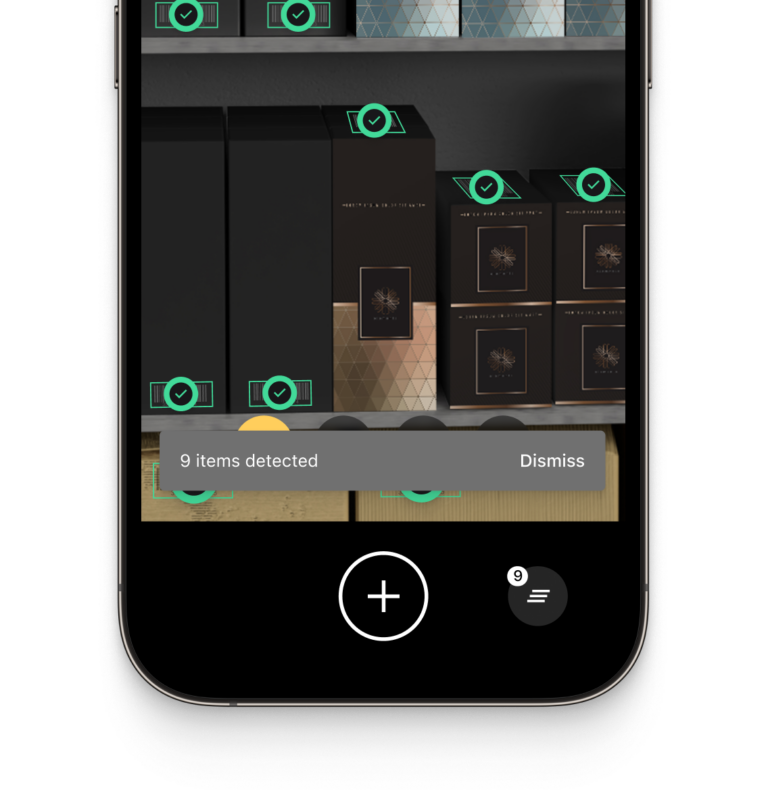
Capture several barcodes simultaneously with the React Native Camera Barcode Scanner, perfect for applications that need to handle large volumes of items in inventory management or logistics.
Learn more [Multi Barcode Scanner](https://scanbot.io/blog/enhancing-operations-with-multi-barcode-scanners/)
- ### Find & Pick
Provide one or more barcode values, and the SDK will highlight and scan the correct items. This is essential for warehouse picking or product identification in supply chain management.
- ### Scan & Count
Allow users to count multiple items in a single scan, making this feature ideal for inventory checks and warehouse audits, where accuracy and speed are important.
## How to integrate the Scanbot React Native Barcode Scanner using Ready-To-Use UI
The **Ready-To-Use UI** (RTU UI) is an easy-to-integrate and highly customizable high-level UI component that can handle most barcode scanning use cases and tasks.
The design and behavior of this component are based on our many years of experience as well as the feedback from our SDK customers.
Although the main idea of the RTU UI is to provide simple-to-integrate and simple-to-configure components, its customization capabilities are numerous and should suit most of your needs. To achieve an even higher degree of customization, you can implement a custom UI and business-logic using our [Native Components](https://docs.scanbot.io/barcode-scanner-sdk/react-native/barcode-scanner/native-components/).
**Import**
[](https://docs.scanbot.io/barcode-scanner-sdk/react-native/barcode-scanner/ui-components/#import)
To use the RTU UI component please import `startBarcodeScanner` function and all related configurations and results from `react-native-scanbot-barcode-scanner-sdk/ui_v2`.
**Example:** [](https://docs.scanbot.io/barcode-scanner-sdk/react-native/barcode-scanner/ui-components/#example)
```hljs javascript
import { startBarcodeScanner, BarcodeScannerConfiguration } from 'react-native-scanbot-barcode-scanner-sdk/ui_v2';
```
RTU UI v2 Default Configuration
```hljs csharp
// Create the default configuration object.
const config = new BarcodeScannerConfiguration();
// See further customization configs...
const result = await startBarcodeScanner(config);
```
[See full example on GitHub](https://github.com/doo/scanbot-barcode-scanner-sdk-example-react-native/blob/v5.1.1/src/utils/CodeSnippets.ts#L83-L88)
**Returns**
[](https://docs.scanbot.io/barcode-scanner-sdk/react-native/barcode-scanner/ui-components/#returns)
- `result.status` – `OK` If the scanning is completed, `CANCELED` if the user has canceled the operation (tapped on the “cancel” button).
- `result.data?.items` – Optional List of recognized barcodes as items. See the barcode item structure below.
Barcode item structure:
- `type` – Recognized barcode symbology.
- `count` – Number of recognized barcodes of this symbology and value.
- `text` – Recognized value of the barcode.
- `textWithExtension` – Recognized barcode value with extension (if available).
- `rawBytes` – Representation of the raw data that is contained the recognized barcode.
- `parsedDocument` – The parsed known document format (if parsed successfully).
## React Native Barcode Scanner for Expo
The Scanbot Barcode Scanner SDK can be integrated into React Native applications using the Expo framework. This integration is only possible when using an Expo development build.
Combining Expo’s framework with Scanbot SDK allows you to implement powerful barcode scanning features with minimal setup. The entire integration process can be completed in less than an hour, with comprehensive documentation and dedicated integration support available. Check out our comprehensive, step-by-step [tutorial](https://scanbot.io/techblog/react-native-scanner-tutorial/) that guides you through the entire process of integrating the React Native Barcode Scanner SDK into your Expo project.
[Read the full React Native Barcode Scanner SDK documentation](https://docs.scanbot.io/barcode-scanner-sdk/react-native/barcode-scanner/ui-components/)
## Ready to get started?
Integrate the Scanbot SDK in less than an hour. Check out our docs, explore our GitHub example projects, or download our demo apps to get started right away.
[Get started](https://scanbot.io/get-started/) [Contact sales](https://scanbot.io/contact-sales/)
## Frequently Asked Questions
### **What are the key requirements for the Scanbot React Native Barcode Scanner SDK?**
The Scanbot React Native Barcode Scanner SDK has the following technical requirements:
**React Native Version**: 0.68 or higher
**Operating System**:
\- Android: 5.0 (API Level 21) and higher
\- iOS: 13.0 and higher
**Hardware**: A device with a rear-facing camera with autofocus
**Supported Architectures**:
\- Android: armeabi-v7, arm64-v8a, x86, x86\_64
\- iOS: arm64 (physical devices) and x86\_64 (simulators)
These requirements ensure compatibility with both iOS and Android platforms, allowing for smooth barcode scanning in React Native applications.
### **Can I use the React Native Barcode Scanner SDK offline?**
Yes, the Scanbot React Native Barcode Scanner SDK works fully offline. All barcode data is processed directly on the device, without requiring an internet connection. This makes it suitable for use cases where data privacy is important, such as in healthcare, logistics, and retail, as well as in remote environments where internet access may be unreliable.
### **Is there a trial version available for the React Native Barcode Scanner SDK?**
Yes, you can request a 7-day free trial license for the Scanbot React Native Barcode Scanner SDK. Simply visit the Scanbot SDK [trial request page](https://scanbot.io/trial/), fill in the required details, and you will receive a trial license to test all features of the SDK.
### **Is the Scanbot React Native Barcode Scanner SDK compatible with different Android and iOS devices?**
Yes, the Scanbot React Native Barcode Scanner SDK is compatible with a wide range of devices across both Android and iOS. Supported devices include:
1\. **Android**: Devices running Android 5.0 (API Level 21) or higher
2\. **iOS**: Devices running iOS 13.0 or higher
The SDK is optimized to work efficiently on both lower-end and high-performance devices, ensuring reliable barcode scanning across diverse hardware configurations.
### **How do I customize the React Native Barcode Scanner UI?**
The Scanbot React Native Barcode Scanner SDK provides customizable UI components, enabling you to modify the scanner’s layout and appearance to suit your app’s design. Customization options include:
1\. Customizing the scanner overlay
2\. Adjusting button colors and styles
3\. Modifying user feedback sounds and messages
These options allow you to seamlessly integrate barcode scanning into your app while maintaining your desired branding and user experience.
If you need more customization options, you can also integrate the SDK using Classical Components – giving you complete freedom over the design of the Scanner UI.
### **What platforms are supported besides React Native?**
In addition to React Native, the Scanbot SDK supports a variety of other platforms, making it versatile for developers working on multiple technologies. Supported platforms include:
1\. [iOS](https://scanbot.io/developer/ios-barcode-scanner-sdk/)
2\. [Android](https://scanbot.io/developer/android-barcode-scanner/)
3\. [JavaScript](https://scanbot.io/developer/javascript-barcode-scanner/) (Web)
4\. [Flutter](https://scanbot.io/developer/flutter-barcode-scanner/)
5\. [Cordova](https://scanbot.io/developer/cordova-barcode-scanner-plugin/)
6\. [Capacitor](https://scanbot.io/developer/capacitor-barcode-scanner-sdk/) / [Ionic](https://scanbot.io/developer/ionic-barcode-scanner/)
7\. [Xamarin](https://scanbot.io/developer/xamarin-barcode-scanner/)
8\. [.NET MAUI](https://scanbot.io/developer/net-maui-barcode-scanner-sdk/)
9\. [UWP](https://scanbot.io/developer/uwp-barcode-scanner/) (Universal Windows Platform)
10\. [Linux](https://scanbot.io/developer/linux-barcode-scanner/)
This multi-platform support ensures that the SDK can be integrated across mobile, web, and desktop applications, providing consistent functionality and performance.
### Does the Scanbot React Native Barcode Scanner SDK support Expo?
Yes. Integration with Expo is possible when using a development build. Check out the [tutorial](https://scanbot.io/techblog/react-native-scanner-tutorial/) to learn how to integrate the Scanbot SDK in a React Native app using the Expo framework.
+
## Cordova Barcode Scanner
Scanbot SDK has been acquired by Apryse!
[Learn more](https://apryse.com/blog/apryse-acquires-scanbot-and-accusoft)
[Learn more](https://apryse.com/blog/apryse-acquires-scanbot-and-accusoft)
close
[Skip to content](https://scanbot.io/developer/cordova-barcode-scanner-plugin/#main)
# Cordova Barcode Scanner Plugin
Seamlessly add fast, reliable barcode scanning to your Cordova-based hybrid apps. The Scanbot Cordova Barcode Scanner ensures real-time data capture across iOS and Android platforms.
[Get started](https://scanbot.io/get-started/) [Contact sales](https://scanbot.io/contact-sales/)
Trusted by
300+
global
industry leaders


Real-time AR feedback
Enhance your app’s user experience with real-time AR feedback during barcode scanning in your Cordova app. Visual cues help guide users to improve accuracy and efficiency in barcode scanning.

Barcode scanning in challenging conditions
The Scanbot Cordova Barcode Scanner is optimized for scanning barcodes in difficult real-world environments, such as:
- Damaged barcodes
- Low-light environments
- Tiny or distant barcodes
[Customizable UI components\\
\\
Our Ready-To-Use UI components cover all barcode scanning scenarios and are highly customizable.](https://scanbot.io/rtu-ui/)
Fast.
Very fast.
Every scan happens in
0.04s
or less
Scans all major barcode types
Code 39
Code 93
Code 32
Code 25
EAN-5
PDF417
GS1 DataBar
Code 39
Code 93
Code 32
Code 25
EAN-5
PDF417
GS1 DataBar
EAN-13
MSI Plessey
EAN-2
Aztec Code
rMQR Code
Codabar
UPC-A
EAN-13
MSI Plessey
EAN-2
Aztec Code
rMQR Code
Codabar
UPC-A
EAN-8
ISBN
GiroCode
GS1-128
Data Matrix
IATA 2 of 5
EAN-8
ISBN
GiroCode
GS1-128
Data Matrix
IATA 2 of 5
Code 128
Code 11
QR Code
UPC-E
Micro QR Code
MaxiCode
Code 128
Code 11
QR Code
UPC-E
Micro QR Code
MaxiCode
## Add fast and reliable Barcode Scanning to your Cordova app
Integrate the Scanbot Cordova [Barcode Scanner SDK](https://scanbot.io/barcode-scanner-sdk/) seamlessly into your hybrid applications. Our SDK provides APIs for scanning and parsing 1D and 2D barcodes, ensuring fast, accurate barcode recognition in real time.
The Scanbot Cordova Barcode Scanner Plugin supports a wide range of barcode formats, including QR codes, PDF417, and EAN, making it ideal for applications that require precise barcode scanning. Whether you’re developing solutions for warehouse management, supply chain logistics, or industrial asset tracking, the plugin ensures accurate and efficient scanning. Its flexibility also suits document digitization tasks, where the reliable capture of barcode data is critical for maintaining workflow accuracy and speed.
With our Ready-To-Use UI (RTU UI) components, you can quickly implement a fully functional barcode scanner without extensive coding. The SDK is designed for low-light environments and can handle damaged barcodes, providing reliability in various real-world scenarios.
Additionally, the SDK supports image-based barcode scanning, enabling users to scan barcodes from uploaded images. This feature adds flexibility for use cases like document management and inventory control.
### Technical requirements
The Scanbot Cordova Barcode Scanner Plugin requires the following:
- **Cordova CLI**:
9.x+
- **Cordova Platforms:** Android 10+, iOS 5.1+
- **Operating System**:
Android: 5.0 (API Level 21) and higher, iOS: 13.0 and higher
- **Architectures**:
- Android: armeabi-v7, arm64-v8a, x86, x86\_64
- iOS: arm64 for physical devices and x86\_64 for simulators
## Integrate this evening with
categoryFeatures
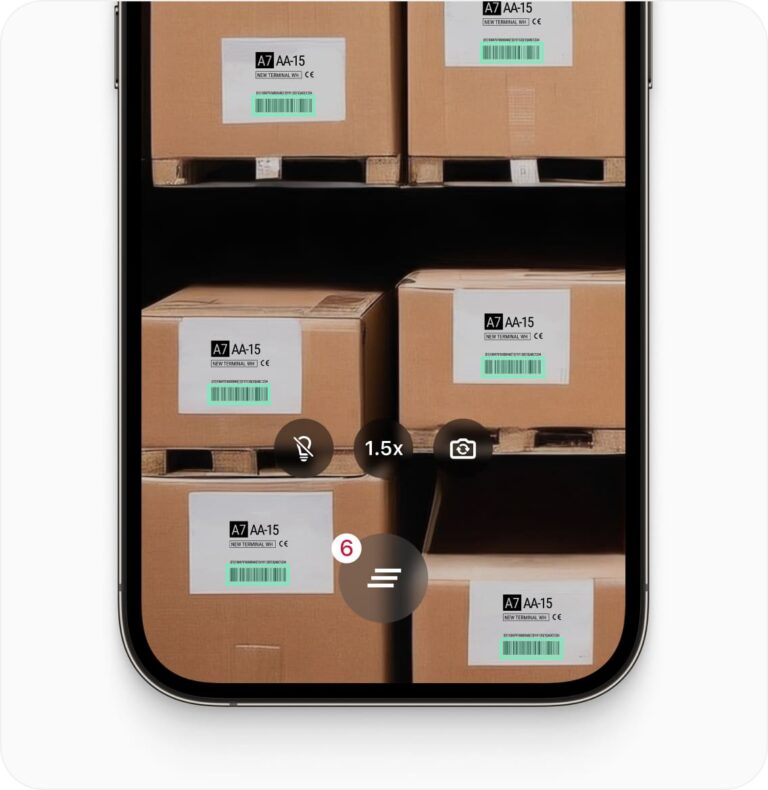
## Discover common Cordova Barcode Scanning use cases
See how the scan modes of the Scanbot Cordova Barcode Scanner Plugin can improve your workflows.
- ### Single Scanning
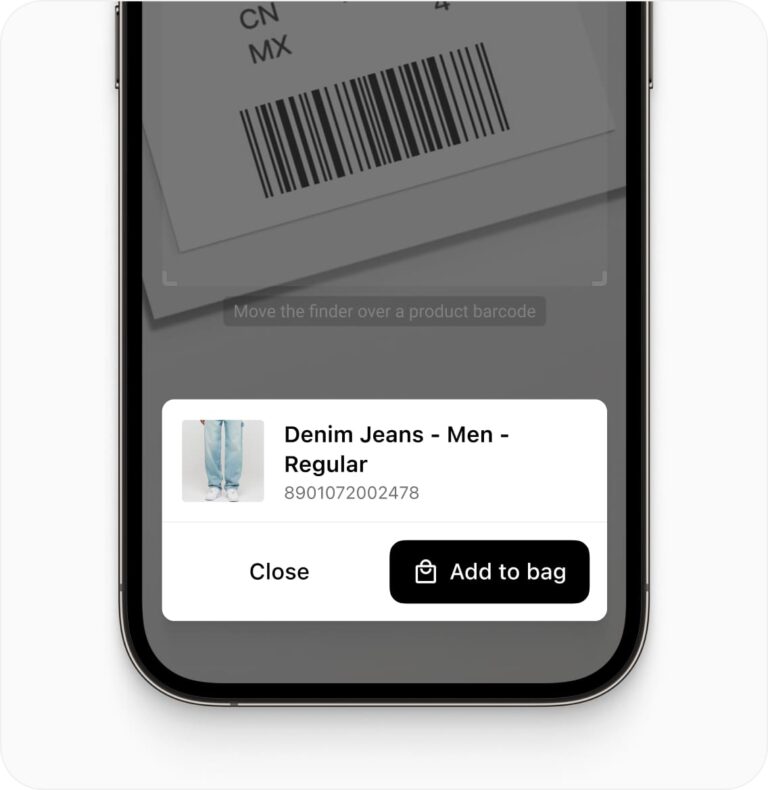
Perfect for scanning individual barcodes in inventory management or product lookups. The Scanbot Cordova Barcode Scanner ensures high accuracy for quick, single barcode scans.
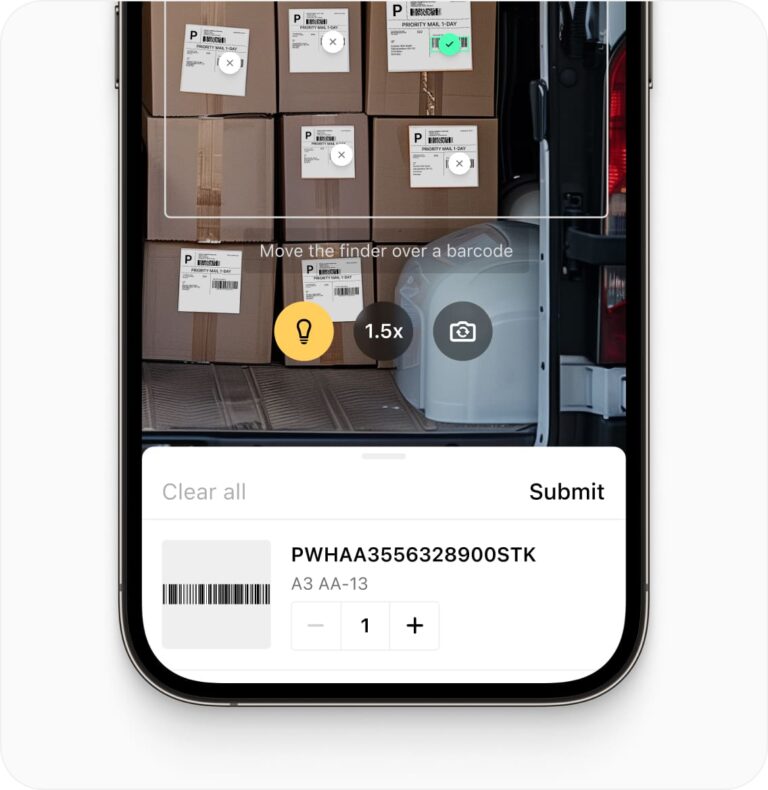
- ### Batch Scanning
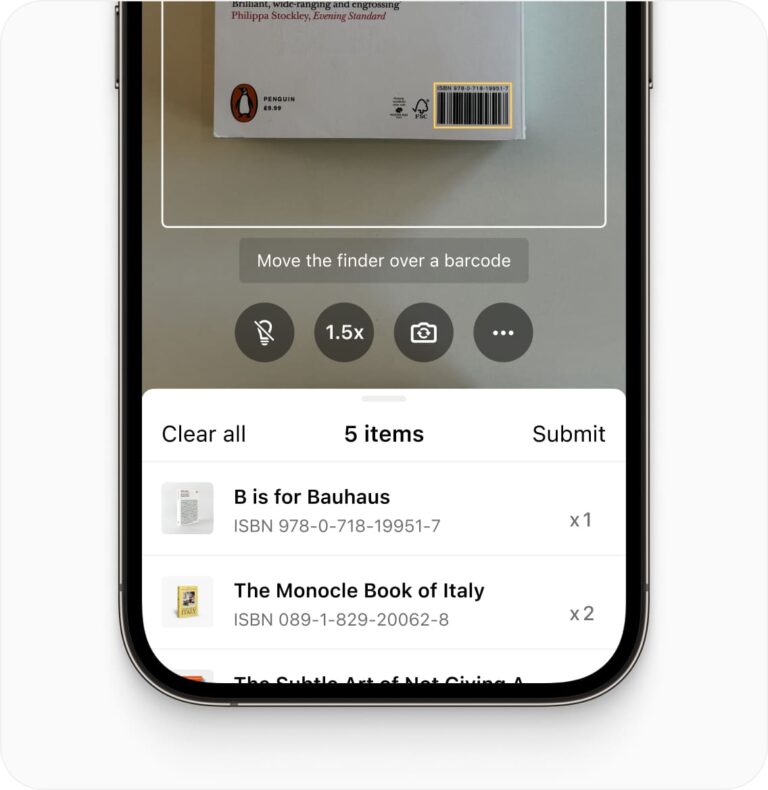
Allow users to scan multiple barcodes in succession without closing the scanner, making the Cordova Barcode Scanner Plugin ideal for logistics operations and order picking.
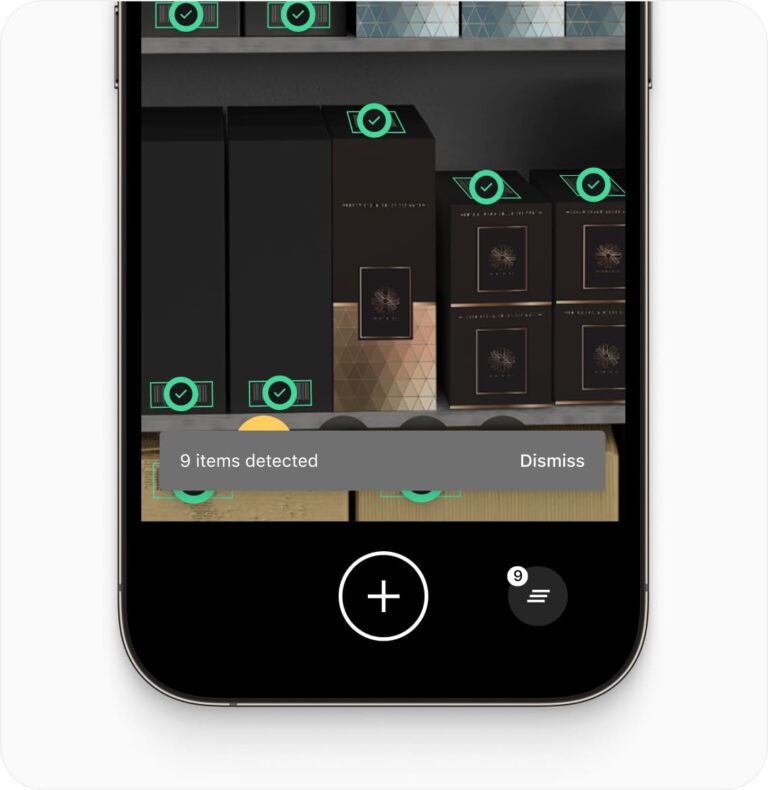
- ### Multi Scanning
Capture several barcodes simultaneously. This feature is perfect for warehouse management where multiple items need to be scanned in one go, improving workflow efficiency.
- ### Find & Pick
Given one or more barcode values, the Cordova Barcode Scanner Plugin will highlight and scan the correct items, simplifying warehouse picking and product identification.
- ### Scan & Count
Easily count multiple items with a single scan. This feature, supported by the Cordova Barcode Scanner Plugin, is useful for inventory checks, enabling fast and accurate processing of large numbers of items.
## How to integrate the Scanbot Cordova Barcode Scanner
**Installation**
The Scanbot Barcode Scanner SDK Cordova Plugin is available as an npm package `cordova-plugin-scanbot-barcode-scanner`.
You can simply install and add it to your Cordova project with the following command:
```
$ cordova plugin add cordova-plugin-scanbot-barcode-scanner
```
Or in an [Ionic](https://ionicframework.com/) based project:
```
$ ionic cordova plugin add cordova-plugin-scanbot-barcode-scanner
```
**Permissions**
During the installation, this plugin will try to add all required permissions to your projects automatically. Here is a listing of those permissions to verify:
- **Android** (will be added in your `AndroidManifest.xml` file): `
` – This permission is used for the camera views.
- **iOS** (will be added in your `Info.plist` file): `NSCameraUsageDescription` – “Privacy – Camera Usage Description”. Describe why your app wants to access the camera. By default, an empty string value will be added. You can change this value in the `config.xml` file of your Cordova project – see `CAMERA_USAGE_DESCRIPTION`.
[Read the full Cordova Barcode Scanner SDK documentation](https://docs.scanbot.io/barcode-scanner-sdk/cordova/getting-started/)
## Ready to get started?
Integrate the Scanbot SDK in less than an hour. Check out our docs, explore our GitHub example projects, or download our demo apps to get started right away.
[Get started](https://scanbot.io/get-started/) [Contact sales](https://scanbot.io/contact-sales/)
## Frequently Asked Questions
### **What are the key requirements for the Scanbot Cordova Barcode Scanner SDK?**
The Scanbot Cordova Barcode Scanner SDK requires:
**Operating System:**\- Android: 5.0 (API Level 21) and higher
\- iOS: 13.0 and higher
**Cordova CLI:** Version 9.x or higher
**Hardware:** Devices must have a rear-facing camera with autofocus
**Supported Architectures:**\- Android: armeabi-v7, arm64-v8a, x86, x86\_64
\- iOS: arm64 (physical devices) and x86\_64 (simulators)
### **Can I use the Cordova Barcode Scanner SDK offline?**
Yes, the Scanbot Cordova Barcode Scanner SDK works fully offline, ensuring that barcode data is processed directly on the device without needing an internet connection. This is particularly useful for field operations, remote locations, and situations where data privacy is crucial.
### **Does the Cordova Barcode Scanner SDK work with all types of barcodes?**
Yes, the SDK supports a wide range of 1D and 2D barcodes, including:
**1D Barcodes:** UPC, EAN, Code 128, Code 39, ITF, and more
**2D Barcodes:** QR codes, [PDF417](https://scanbot.io/barcode-scanner-sdk/pdf417/), [DataMatrix](https://scanbot.io/barcode-scanner-sdk/data-matrix/), Aztec, and more
This broad compatibility ensures the SDK can be used across various industries like logistics, healthcare, and retail. You can find a list of all supported barcodes [here](https://scanbot.io/barcode-scanner-sdk/supported-barcodes/).
### **What platforms are supported besides Cordova?**
Besides Cordova, the Scanbot SDK supports:
1\. [iOS](https://scanbot.io/developer/ios-barcode-scanner-sdk/)
2\. [Android](https://scanbot.io/developer/android-barcode-scanner/)
3\. [JavaScript](https://scanbot.io/developer/javascript-barcode-scanner/) (Web)
4\. [Flutter](https://scanbot.io/developer/flutter-barcode-scanner/)
5\. [React Native](https://scanbot.io/developer/react-native-barcode-scanner/)
6\. [Capacitor](https://scanbot.io/developer/capacitor-barcode-scanner-sdk/) / [Ionic](https://scanbot.io/developer/ionic-barcode-scanner/)
7\. [Xamarin](https://scanbot.io/developer/xamarin-barcode-scanner/)
8\. [.NET MAUI](https://scanbot.io/developer/net-maui-barcode-scanner-sdk/)
9\. [UWP](https://scanbot.io/developer/uwp-barcode-scanner/) (Universal Windows Platform)
10\. [Linux](https://scanbot.io/developer/linux-barcode-scanner/)
This flexibility allows developers to integrate barcode scanning into web, mobile, and desktop applications.
### **How can I integrate a Cordova Barcode Scanner Plugin into my app?**
To integrate a Cordova Barcode Scanner Plugin into your app, you typically add a barcode scanning SDK to your project, configure supported barcode formats, and initialize the scanner in your app's workflow. These SDKs usually support formats like QR codes, PDF417, and Code 128. If you want the fastest and most reliable solution, you need to choose the Scanbot SDK – trusted by over 250 enterprises worldwide.
You can find detailed installation instructions in the [Scanbot SDK Cordova Barcode Scanner Documentation](https://docs.scanbot.io/barcode-scanner-sdk/cordova/introduction/).
### **Is there a trial version available for the Cordova Barcode Scanner SDK?**
Yes, you can obtain a 7-day free trial license for the Scanbot Cordova Barcode Scanner SDK. Visit the Scanbot SDK [trial page](https://scanbot.io/trial/) to request a trial license key. The trial version allows you to test the full SDK without any functional limitations.
### **What is the performance of the Cordova Barcode Scanner SDK in low-light conditions?**
The Scanbot Cordova Barcode Scanner SDK is optimized to work in challenging environments, including low-light conditions. The SDK uses advanced image processing techniques to ensure accurate barcode detection even in suboptimal lighting, making it suitable for applications in warehouses, factories, and other industrial environments.
### **How can I customize the Scanbot Cordova Barcode Scanner UI?**
The Scanbot Cordova Barcode Scanner SDK provides customizable UI components that allow you to adjust the look and feel of the barcode scanner interface. You can customize the colors, layout, and behavior of the scanner to match your app’s design and branding requirements.
Customization can be done by passing UI configuration parameters when initializing the scanner component.
### **Is the Cordova Barcode Scanner SDK GDPR- and CCPA-compliant?**
Yes, the Scanbot Cordova Barcode Scanner SDK is fully GDPR- and CCPA-compliant, since the SDK processes all barcode data locally on the device and does not require an internet connection. No data is transmitted to external servers, ensuring full compliance with data privacy regulations.
+
## Windows Tablets Barcode Scanners
Scanbot SDK has been acquired by Apryse!
[Learn more](https://apryse.com/blog/apryse-acquires-scanbot-and-accusoft)
[Learn more](https://apryse.com/blog/apryse-acquires-scanbot-and-accusoft)
close
[Skip to content](https://scanbot.io/blog/windows-tablets-barcode-scanners/?utm_source=chatgpt.com#main)
Windows tablets offer portability and ease-of-use while seamlessly integrating into an existing Windows IT infrastructure. This makes them ideal devices for implementing enterprise-wide barcode technology that seamlessly communicates with your backend solution.
The [Scanbot Barcode Scanner SDK](https://scanbot.io/barcode-scanner-sdk/) equips your Windows tablets with a powerful barcode scanning solution. Not only is it lightning-fast, it is also highly accurate, even in less than ideal conditions. Thanks to batch scanning and similar features, even large amounts of barcodes can be captured in no time. Tailored modules for very small or distant codes cover all kinds of special use cases.
If you already use Windows tablets in your company, the Scanbot SDK can be integrated in a matter of days. If, on the other hand, you are still deciding which device is the best fit for your use case, this guide is for you. We will provide you with an overview of the hardware characteristics you should look out for and present you with suggestions for Windows tablets with various configurations.
Despite the technological advances in recent decades, many companies still rely heavily on manual data entry. In doing so, they accept the risk of introducing errors into their datasets and information processes. In the long run, this costs them countless hours and millions of dollars. According to a [report by IBM](https://www.ibm.com/downloads/cas/EDJANVZY), businesses lose almost $10 million annually on average due to poor data quality.
Even if they do not involve data entry, most manual workflows are inefficient and time-consuming. Automating them can thus boost productivity considerably. However, this often involves purchasing costly and complex software and deep changes to existing business processes, making automation an intimidating endeavor.
Barcodes, on the other hand, are a time-tested technology that not only eliminates human error, but also makes it easy to introduce automated workflows. Since their introduction in US supermarkets during the 1970s, [1D and 2D barcodes](https://scanbot.io/blog/types-of-barcodes/) have found their way into just about any industry, from [manufacturing](https://scanbot.io/resources/brochures/manufacturing-use-cases/) to air travel, from [insurance](https://scanbot.io/solutions/insurance/) to logistics.
To ensure an optimal performance of our Barcode Scanner SDK, your devices should fulfill certain hardware and software requirements:
| | | |
| --- | --- | --- |
| | **Minimum** | **Recommended** |
| **Architecture** | Intel x64 | Intel x64 |
| **Processor** | i3 | i5 or higher |
| **RAM** | 4 GB
(barcode scanning only) | 8 GB or more |
| **Operating system** | Windows 10 or 11 | Windows 10 or 11 |
| **Camera Resolution** | 5 MP | 8 MP or more |
Devices with x86 64-bit architecture (x64 for short) provide the best software compatibility. These tablets use chips by Intel or, more rarely, AMD. The ARM architecture powering many mobile devices is currently not sufficiently supported by Microsoft, even though their Surface Pro X tablet and some Surface Pro 9 devices use it. As a result, a lot of Windows software will not run properly on ARM hardware, and this includes our Windows SDK.
When it comes to the performance of the processor (CPU), Intel’s Core line will be necessary to ensure smooth operation. These currently range from Core i3 to Core i9. An i3 processor will work, but is not ideal, depending on how fast you want to scan and decode your barcodes. If you can, go for i5 or i7 instead. The i9 series of CPUs is very powerful, but also costly, and likely will not provide a huge performance boost to our SDK.
Since Windows is first and foremost a desktop operating system, your device will need more RAM to run it smoothly than it would require for Android or iOS. This means that 4 GB are a must even for less resource-intensive applications, including our Barcode Scanner. If you plan to use more complex software, go with at least 8 GB of RAM.
You can use Windows 10 or Windows 11 as an operating system. Windows 8 and earlier are unfortunately incompatible with our software. Windows OSes come in Home and Pro versions, which differ in the advanced features they include. Both work equally well with our SDK. However, you should make sure that your chosen version has the features your enterprise needs to integrate the devices into its IT infrastructure. Fortunately, upgrading from Home to Pro is always possible.
**Would you like to discover more about what makes a good Windows-based mobile barcode scanner? Get full insight by downloading our [Windows Device Guide 2023](https://scanbot.io/resources/ebooks/windows-device-guide-2023/), which also includes an overview of current models in different price ranges**.
[](https://scanbot.io/resources/ebooks/windows-device-guide-2023/)
## Ready to get started?
Integrate the Scanbot SDK in less than an hour. Check out our docs, explore our GitHub example projects, or download our demo apps to get started right away.
[Get started](https://scanbot.io/get-started/) [Contact sales](https://scanbot.io/contact-sales/)
## Related blog posts
[](https://scanbot.io/blog/meet-our-windows-barcode-scanner/)
### [Meet our Barcode Scanner SDK for Windows](https://scanbot.io/blog/meet-our-windows-barcode-scanner/)
Our Barcode Scanning solution is now available for the Universal Windows Platform (UWP).

Kevin November 10, 20222 mins read
[](https://scanbot.io/techblog/developing-a-scanning-sdk-for-windows-a-first-hand-account/)
### [Developing a scanning SDK for Windows: A first-hand account](https://scanbot.io/techblog/developing-a-scanning-sdk-for-windows-a-first-hand-account/)
One of our software engineers shares his experiences with developing our new Windows SDK. Trials and tribulations await.

Aare June 20, 202317 mins read
[](https://scanbot.io/blog/our-barcode-scanner-demo-app-is-now-available-on-windows/)
### [Our Barcode Scanner Demo App is now available on Windows](https://scanbot.io/blog/our-barcode-scanner-demo-app-is-now-available-on-windows/)
The "Scanbot SDK: Barcode Scanning" app is now available for free on the Microsoft Store.

Kevin June 26, 20232 mins read
+
## Ionic Barcode Scanner Tutorial
Scanbot SDK has been acquired by Apryse!
[Learn more](https://apryse.com/blog/apryse-acquires-scanbot-and-accusoft)
[Learn more](https://apryse.com/blog/apryse-acquires-scanbot-and-accusoft)
close
[Skip to content](https://scanbot.io/techblog/ionic-capacitor-barcode-scanner-tutorial/#main)
Setting up an app in Ionic Capacitor capable of scanning any 1D or 2D barcode is very straightforward. All we need are the following steps:
1. Prepare the project
2. Install the SDK
3. Initialize the SDK
4. Implement the scanning modules
5. Scan some barcodes!
Thanks to our SDK’s Ready-to-Use UI Components, you can even use an AR overlay to display multiple barcodes’ contents right in the viewfinder.
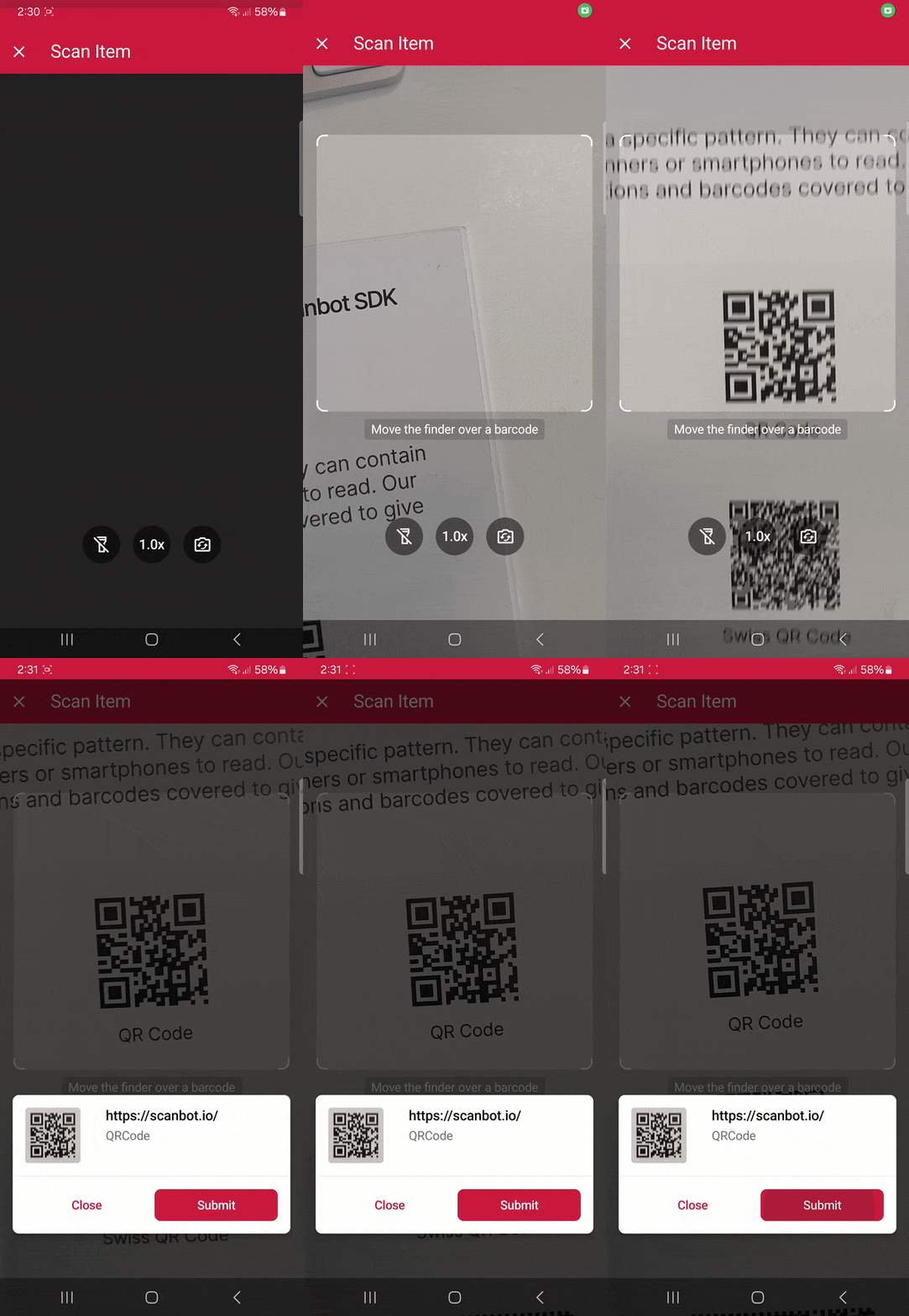Scanning a single barcode
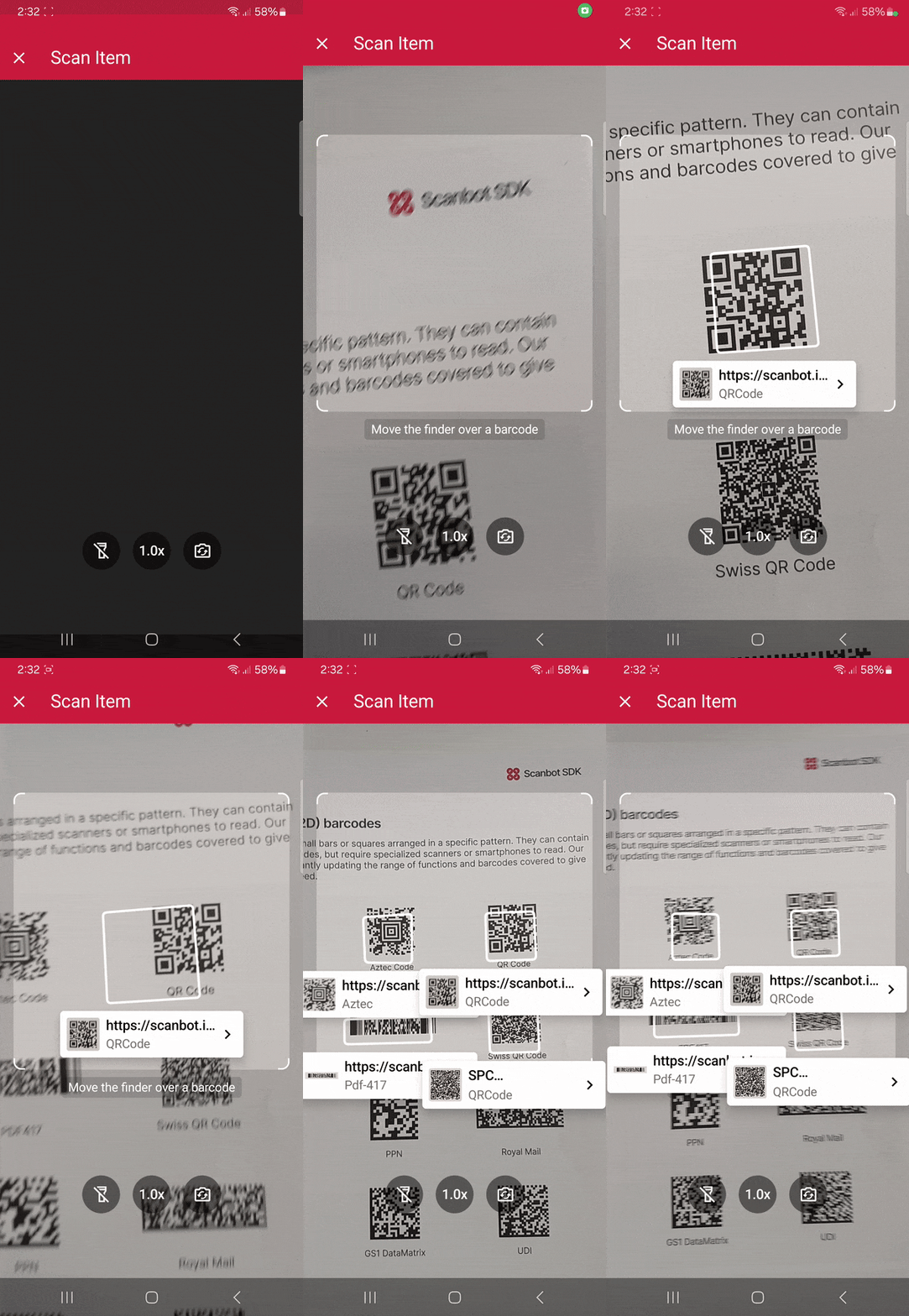Scanning multiple barcodes with the AR overlay
## Requirements
Before starting development with Capacitor, you need to [set up your environment](https://capacitorjs.com/docs/getting-started/environment-setup).
The prerequisites for developing Ionic Capacitor apps are:
**Core requirements:**
- Node.js version 18 or higher
**For iOS development:**
- macOS
- Xcode
- Xcode Command Line Tools
- Homebrew
- Cocoapods
**For Android development:**
- Android Studio
- Android SDK
To get the full benefits and experience from using our SDK, we also recommend real devices for testing.
Developing Capacitor applications can be done via CLI or using the [VS Code extension](https://capacitorjs.com/docs/getting-started/vscode-extension). In this tutorial we will use CLI commands. However, feel free to follow along using whatever option suits you best.
Capacitor can be used with different frameworks. In this tutorial, we will use **Capacitor with Ionic and Angular**. Again, these choices depend on your needs and prior knowledge.
Since we’ll use Ionic in this tutorial, you also need to [install the Ionic CLI](https://ionicframework.com/docs/intro/cli) if you haven’t already:
```hljs dart
npm install -g @ionic/cli
```
## 1\. Preparing the project
To start creating your Capacitor app with Ionic using the CLI, run the following command in the terminal, which will create a blank project with some recommended Capacitor dependencies:
```hljs wasm
ionic start CapacitorTutorial blank --capacitor --type angular-standalone --package-id io.scanbot.tutorial.capacitor
```
⚠️ When using your own license, make sure that the `package-id` is the same as the application/bundle ID associated with it.
### Generate the native projects
Now, let’s add the Android and iOS platforms to our project.
Navigate into the project directory:
```hljs undefined
cd CapacitorTutorial
```
Add Android and iOS as platforms:
```hljs dart
npm i @capacitor/android @capacitor/ios
```
Run the following commands to create the native Android and iOS projects:
```hljs csharp
npx cap add android
npx cap add ios
```
## 2\. Installing the SDK
To install the Scanbot Capacitor Barcode Scanner SDK, run:
```hljs undefined
npm i capacitor-plugin-scanbot-barcode-scanner-sdk
```
💡 This will install the latest Scanbot SDK version. You can find more information about each version in our [changelog](https://docs.scanbot.io/barcode-scanner-sdk/capacitor/changelog/).
Now that the npm package has been installed, we need to make some changes to the native projects.
### Android
For Android, we need to add the camera permission and feature in **android/app/src/main/AndroidManifest.xml**:
```hljs html
```
### iOS
For iOS, we need to include a description for the camera permission in **ios/App/App/Info.plist** anywhere inside the `
` element:
```hljs html
NSCameraUsageDescription
Camera permission is needed to scan barcodes
```
Now that the project is set up, we can start integrating the barcode scanning functionalities.
## 3\. Initializing the SDK
Before using any feature of the Capacitor Barcode Scanner SDK, we need to initialize it. Ideally, initialization should be done once, as soon as the app is fully launched.
In this tutorial, we’re going to initialize the SDK inside the `ngOnInit` callback in the **src/app/app.component.ts** file and make sure that we import the `ScanbotBarcodeSDK`. Your **app.component.ts** should then look like this:
```hljs typescript
import { Component, OnInit } from '@angular/core';
import { IonApp, IonRouterOutlet } from '@ionic/angular/standalone';
import { ScanbotBarcodeSDK } from 'capacitor-plugin-scanbot-barcode-scanner-sdk';
@Component({
selector: 'app-root',
templateUrl: 'app.component.html',
standalone: true,
imports: [IonApp, IonRouterOutlet],
})
export class AppComponent implements OnInit {
constructor() { }
ngOnInit(): void {
ScanbotBarcodeSDK.initializeSdk({
licenseKey: ""
}).then(result => console.log(result))
.catch(err => console.log(err));
}
}
```
💡 Without a license key, our SDK only runs for 60 seconds per session. This is more than enough for the purposes of our tutorial, but if you like, you can [generate a license key](https://scanbot.io/trial/) using the application/bundle ID.
## 4\. Implementing the scanning modes
Our [RTU UI components](https://docs.scanbot.io/barcode-scanner-sdk/capacitor/barcode-scanner/ui-components/) make it easy to deploy our Barcode Scanner SDK’s different scanning modes in your app. Let’s start with the simplest use case: single-barcode scanning.
In your project folder, go to **scr/app/home/home.page.ts**, add the necessary imports, and create a method that will start the single-barcode scanning use case. The result should look something like this:
```hljs typescript
import { Component } from '@angular/core';
import { IonHeader, IonToolbar, IonTitle, IonContent, IonButton } from '@ionic/angular/standalone';
import { ScanbotBarcodeSDK } from 'capacitor-plugin-scanbot-barcode-scanner-sdk';
import { startBarcodeScanner, BarcodeScannerConfiguration, SingleScanningMode } from 'capacitor-plugin-scanbot-barcode-scanner-sdk/ui_v2';
@Component({
selector: 'app-home',
templateUrl: 'home.page.html',
styleUrls: ['home.page.scss'],
standalone: true,
imports: [IonHeader, IonToolbar, IonTitle, IonContent, IonButton],
})
export class HomePage {
constructor() {}
async startSingleBarcodeScan() {
try {
/** Check license status and return early if the license is not valid */
if (!(await ScanbotBarcodeSDK.getLicenseInfo()).data?.isLicenseValid) {
return;
}
/**
* Instantiate a configuration object of BarcodeScannerConfiguration and
* start the barcode scanner with the configuration
*/
const config = new BarcodeScannerConfiguration();
/** Initialize the use case for single scanning */
config.useCase = new SingleScanningMode();
/** Start the BarcodeScanner */
const result = await startBarcodeScanner(config);
/** Handle the result if there are scanned barcodes */
if (result.data && result.data?.items.length > 0) {
alert(
'Barcode Scanning successfully! \n' +
`Value: ${result.data.items[0].text} \n` +
`Type: ${result.data.items[0].type}`
);
}
} catch (e: any) {
console.error("An error has occurred while running Barcode Scanner", e.message);
}
}
}
```
Next, go to **scr/app/home/home.page.html** and add a button that calls our `startSingleBarcodeScan` method when clicked. Your **home.page.html** should look something like this:
```hljs html
Capacitor Tutorial
Capacitor Tutorial
Start single barcode scanning
```
We can add our multi-scanning and AR overlay use cases in a similar manner.
Just add `MultipleScanningMode` to the import:
```hljs javascript
import { startBarcodeScanner, BarcodeScannerConfiguration, SingleScanningMode, MultipleScanningMode } from 'capacitor-plugin-scanbot-barcode-scanner-sdk/ui_v2';
```
And create two more methods:
```hljs typescript
async startMultiBarcodeScan() {
try {
/** Check license status and return early if the license is not valid */
if (!(await ScanbotBarcodeSDK.getLicenseInfo()).data?.isLicenseValid) {
return;
}
/**
* Instantiate a configuration object of BarcodeScannerConfiguration and
* start the barcode scanner with the configuration
*/
const config = new BarcodeScannerConfiguration();
/** Initialize the use case for multi-scanning */
config.useCase = new MultipleScanningMode();
/** Start the BarcodeScanner */
const result = await startBarcodeScanner(config);
/** Handle the result */
if (result.data && result.data?.items.length > 0) {
alert(
'Barcode Scanning successfully! \n' +
`${result.data.items.map(barcode =>
`Barcode value: ${barcode.text} and type: ${barcode.type}`
).join("\n")}`);
}
} catch (e: any) {
console.error("An error has occurred while running Barcode Scanner", e.message);
}
}
async startAROverlayBarcodeScan() {
try {
/** Check license status and return early if the license is not valid */
if (!(await ScanbotBarcodeSDK.getLicenseInfo()).data?.isLicenseValid) {
return;
}
/**
* Instantiate a configuration object of BarcodeScannerConfiguration and
* start the barcode scanner with the configuration
*/
const config = new BarcodeScannerConfiguration();
/** Initialize the use case for multi-scanning */
config.useCase = new MultipleScanningMode();
/** Configure AR Overlay. */
config.useCase.arOverlay.visible = true;
config.useCase.arOverlay.automaticSelectionEnabled = false;
/** Start the BarcodeScanner */
const result = await startBarcodeScanner(config);
/** Handle the result */
if (result.data && result.data?.items.length > 0) {
alert(
'Barcode Scanning successfully! \n' +
`${result.data.items.map(barcode =>
`Barcode value: ${barcode.text} and type: ${barcode.type}`
).join("\n")}`);
}
} catch (e: any) {
console.error("An error has occurred while running Barcode Scanner", e.message);
}
}
```
Next, go back to **scr/app/home/home.page.html** and add buttons for the multi-scanning and AR overlay use cases:
```hljs html
Start multi-barcode scanning
Start AR Overlay barcode scanning
```
We’re now ready to build and run the app!
## 5\. Build the app and scan some barcodes!
In the terminal, run these commands to build and sync the native projects:
```hljs dart
npm run build
npx cap sync
```
To run the app on Android and iOS, use the following commands:
**For Android:**
```hljs undefined
npx cap run android
```
**For iOS:**
To run the app on a real iOS device, you need to adjust the _Provisioning_ and _Signing_ settings. Open **ios/App/App.xcworkspace** with Xcode, manage the signing and provisioning settings, and run the project from Xcode or with this command:
```hljs undefined
npx cap run ios
```
Now you can go ahead and scan 1D and 2D barcodes – one after the other, many at the same time, and even with an AR overlay that lets you preview their values!

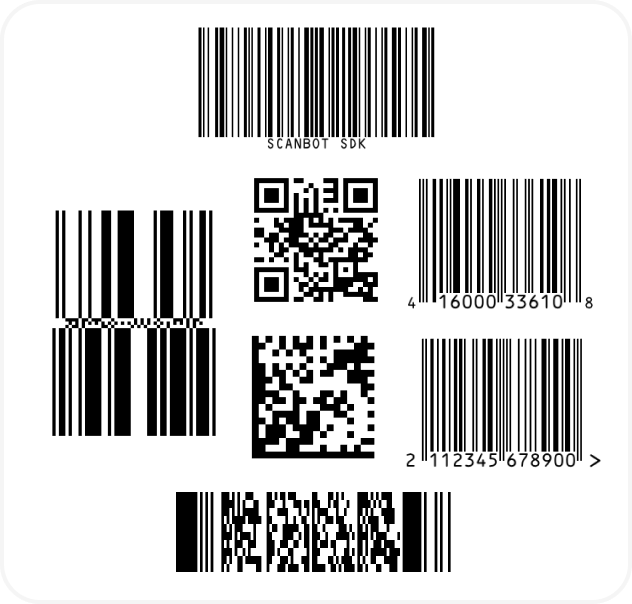
And if you’re in need of some sample barcodes for testing purposes, we’ve got you covered:
## Choosing the best barcode scanner solution for your Ionic Capacitor app
When integrating an Ionic Barcode Scanner into your application, it’s essential to ensure speed, accuracy, and seamless user experience. The right barcode scanner plugin should not only support a variety of QR codes and supported barcodes but also integrate easily within the Ionic Framework. Here are key considerations to keep in mind:
### Speed and accuracy
An effective barcode scanner should prioritize fast and accurate scanning, even in challenging conditions such as poor lighting or awkward angles. The ability to recognize multiple formats quickly enhances usability, reducing the need for rescans.
To optimize performance:
- Test how well the scanner detects supported barcodes in different orientations and lighting conditions.
- Ensure default settings provide a smooth experience but allow users to modify configurations if needed.
- Consider enabling features such as flash toggling for better visibility.
### Easy integration and customization
A high-quality barcode scanner plugin should be easy to integrate and flexible enough for customization. The Scanbot SDK, for example, provides [Ready-to-Use UI Components](https://docs.scanbot.io/barcode-scanner-sdk/capacitor/barcode-scanner/ui-components/) that streamline development.
For customization:
- You should be able to modify the scanner’s appearance and functionality to match your app’s branding.
- The plugin should [work across multiple platforms](https://scanbot.io/techblog/how-to-build-a-cross-platform-barcode-scanner/), including web.
- If using an enterprise-grade solution is not an option, support for advanced features like ML Kit integration can further enhance scanning capabilities.
### Security and offline capabilities
Data security is critical in barcode scanning applications. A reliable scanner should function entirely offline, ensuring that sensitive information is not sent to external servers. The Scanbot SDK guarantees that all scanned data remains secure on the device.
### Cross-device Support
Your barcode scanner should work seamlessly across various device models and operating systems. Ensuring compatibility with different camera types enhances usability, whether the user is on a high-end smartphone or a more basic device.
### Example and repository resources
For developers looking to dive deeper, reviewing a [GitHub repository with an example project](https://github.com/doo/scanbot-barcode-scanner-sdk-example-capacitor-ionic) can be highly beneficial. Sample projects help understand implementation details and how to enable different scanner features effectively.
By following these best practices, you can ensure your Ionic Barcode Scanner application provides a robust, user-friendly experience while maintaining flexibility and high performance.
## Conclusion
If this tutorial has piqued your interest in integrating barcode scanning functionalities into your Ionic Capacitor app, make sure to take a look at our SDK’s other neat features in our [documentation](https://docs.scanbot.io/barcode-scanner-sdk/capacitor/introduction/).
Furthermore, you can take a look at and run our [public example project](https://github.com/doo/scanbot-barcode-scanner-sdk-example-capacitor-ionic).
Should you have questions about this tutorial or ran into any issues, we’re happy to help! Just shoot us an email via [tutorial-support@scanbot.io](mailto:tutorial-support@scanbot.io).
Happy coding!
## Ready to get started?
Integrate the Scanbot SDK in less than an hour. Check out our docs, explore our GitHub example projects, or download our demo apps to get started right away.
[Get started](https://scanbot.io/get-started/) [Contact sales](https://scanbot.io/contact-sales/)
## Related blog posts
[](https://scanbot.io/techblog/react-native-scanner-tutorial/)
### [React Native Barcode Scanner tutorial – Expo integration guide](https://scanbot.io/techblog/react-native-scanner-tutorial/)
Learn how to use Expo to easily integrate powerful barcode scanning functionalities into your React Native app.

Stefan September 17, 202413 mins read
[](https://scanbot.io/techblog/net-maui-barcode-scanner-sdk-integration-tutorial/)
### [Building a .NET MAUI Barcode Scanner with C\#](https://scanbot.io/techblog/net-maui-barcode-scanner-sdk-integration-tutorial/)
Create a cross-platform Android and iOS app for scanning barcodes and QR codes using .NET MAUI and C#.

Matthew July 7, 20257 mins read
[](https://scanbot.io/techblog/progressive-web-app-barcode-scanner-tutorial/)
### [How to build a Progressive Web App (PWA) Barcode Scanner with React and TypeScript](https://scanbot.io/techblog/progressive-web-app-barcode-scanner-tutorial/)
Learn how to build an installable barcode scanning PWA using React and our Web SDK in this step-by-step guide.

Kevin January 7, 202510 mins read
+
## iOS Document Scanner SDK
Scanbot SDK has been acquired by Apryse!
[Learn more](https://apryse.com/blog/apryse-acquires-scanbot-and-accusoft)
[Learn more](https://apryse.com/blog/apryse-acquires-scanbot-and-accusoft)
close
[Skip to content](https://scanbot.io/developer/ios-document-scanner/?utm_source=chatgpt.com#main)
# iOS Document Scanner SDK
Add high-quality document scanning to your native iOS app
[Get started](https://scanbot.io/get-started/) [Contact sales](https://scanbot.io/contact-sales/)
Trusted by
300+
global
industry leaders

Simple to use for anyone
Allow even non-tech-savvy users to easily create crisp document scans with user guidance, automatic capture, auto-cropping, and more.
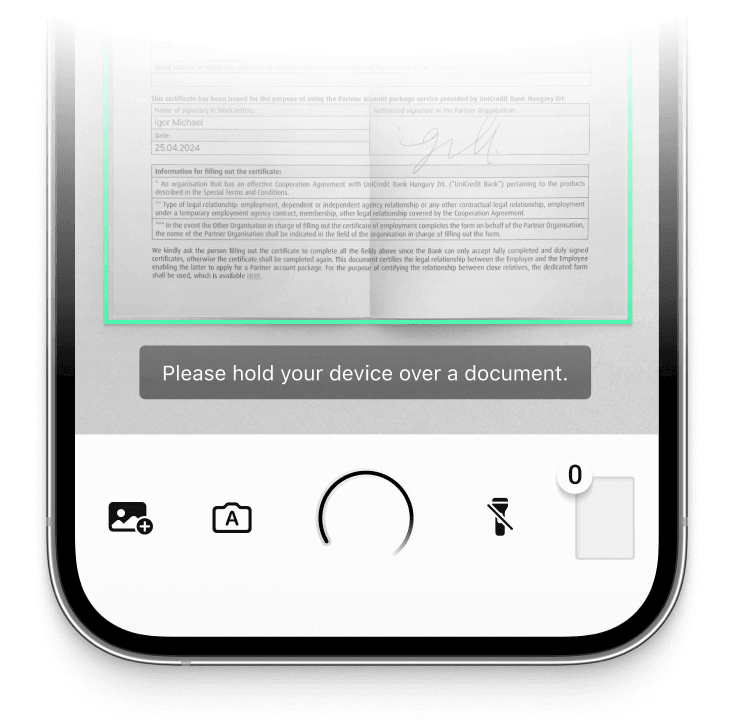
On-device intelligence
100% offline – no servers, no tracking, complete data security.
[Customizable UI components\\
\\
Our Ready-To-Use UI components cover all document scanning scenarios and are highly customizable.](https://scanbot.io/rtu-ui/)
High-quality scans
Let your users generate high-quality scans suitable for automated processing.
Available for App & Web
The SDK supports iOS, Android, Web, Windows, Linux, and all common cross-platform frameworks, including Flutter, React Native, and .NET MAUI.
## Turn mobile devices into easy-to-use, high-quality document scanners
The Scanbot [Document Scanner SDK](https://scanbot.io/document-scanner-sdk/) for iOS provides everything you need to integrate swift document scanning into your app. It operates entirely offline, ensuring secure data processing and full compliance with privacy regulations like GDPR and CCPA/CPRA.
Whether scanning documents with the device’s camera or processing imported images, the SDK applies image optimization features to ensure top-quality results.
It also comes with Ready-To-Use UI (RTU UI) components, allowing integration in under an hour. These components can be customized to match your app’s workflow and branding, making the iOS Document Scanner SDK easy to implement and use.
Dedicated chat support is available for customers via Slack, Microsoft Teams, or email. Non-customers can also get [integration assistance](https://docs.scanbot.io/support/) from our support engineers.
### Technical requirements
The Scanbot iOS Document Scanner SDK has the following technical requirements:
- Operating System: iOS 13 or higher
- IDE: Xcode 14.0 or higher
- Language: Fully compatible with Swift & Objective-C for seamless integration
## Integrate this evening with
categoryFeatures
## Learn more about our document scanning features
The iOS Document Scanner SDK offers a comprehensive set of features designed to enhance the scanning experience and improve output quality.
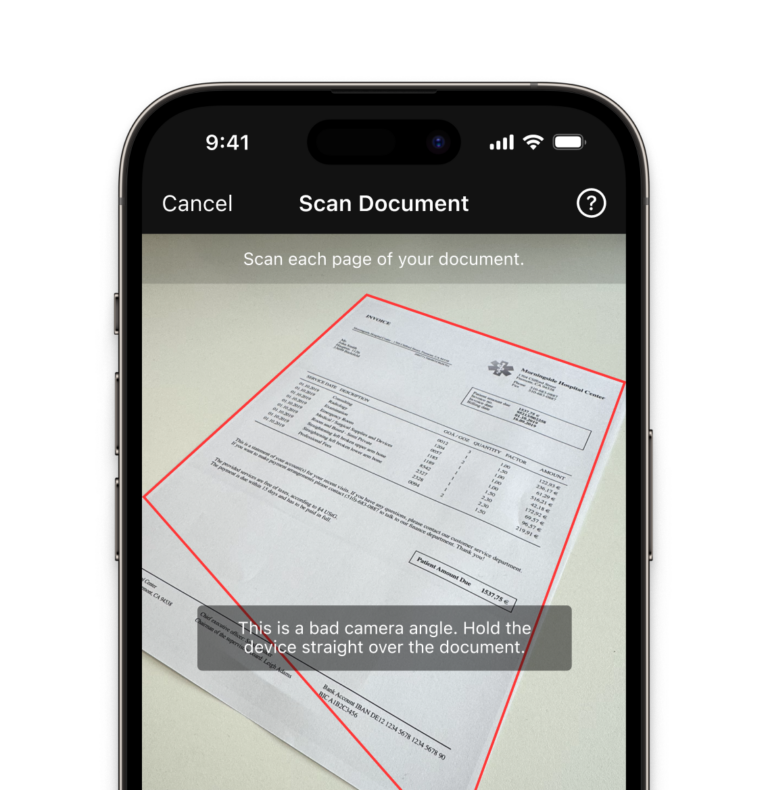
- ### User Guidance
Ease of use is crucial for any app’s design, especially with a large user base. Our on-screen user guidance helps even non-tech-savvy users create the perfect scan.
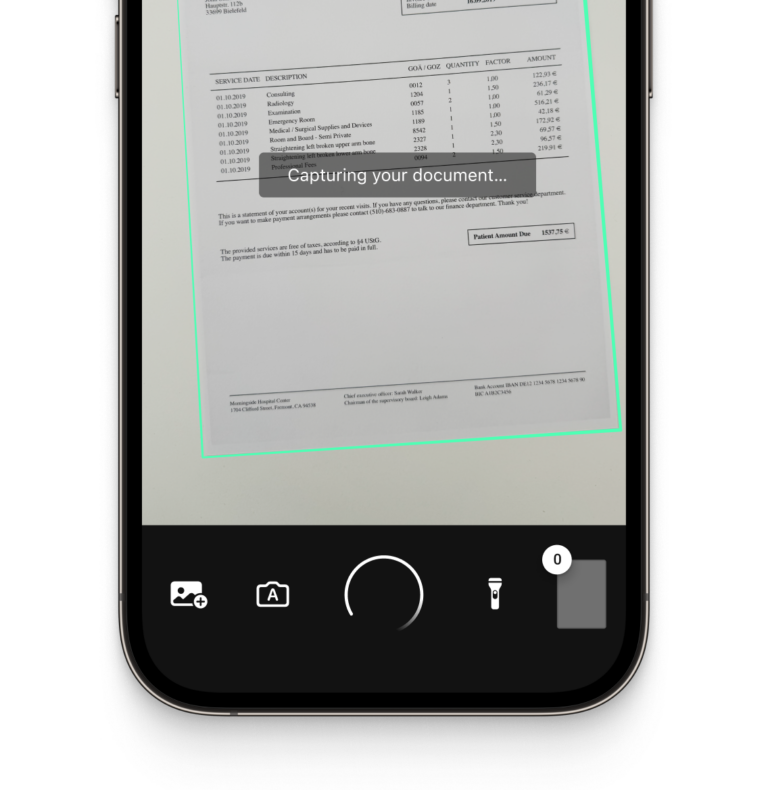
- ### Automatic Capture
The SDK automatically triggers the scan when the device is ideally positioned over the document. This minimizes submissions of blurry or incomplete scans.
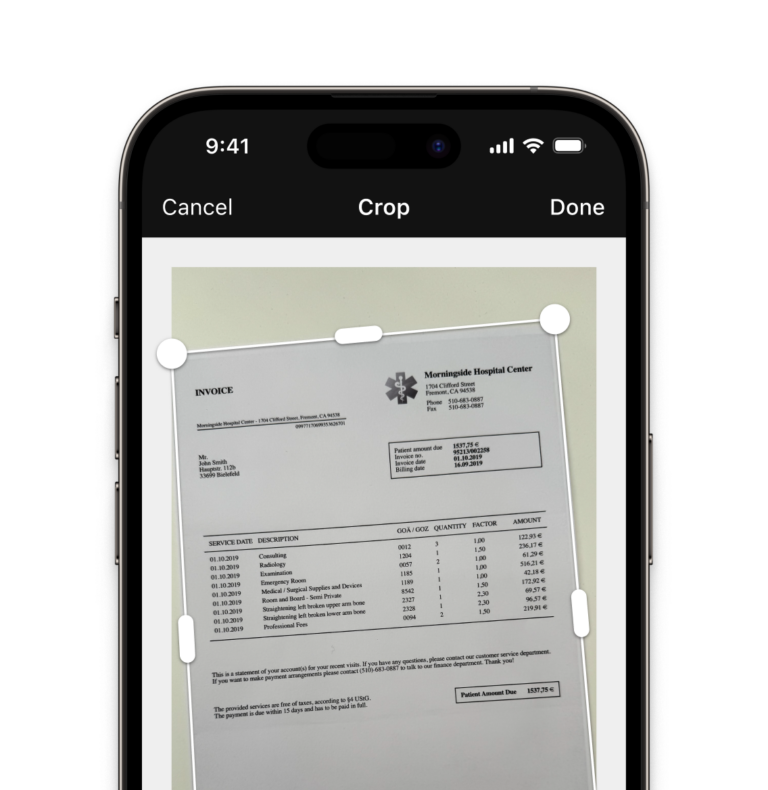
- ### Automatic Cropping
Our SDK automatically straightens and crops documents, producing high-quality scans every time.
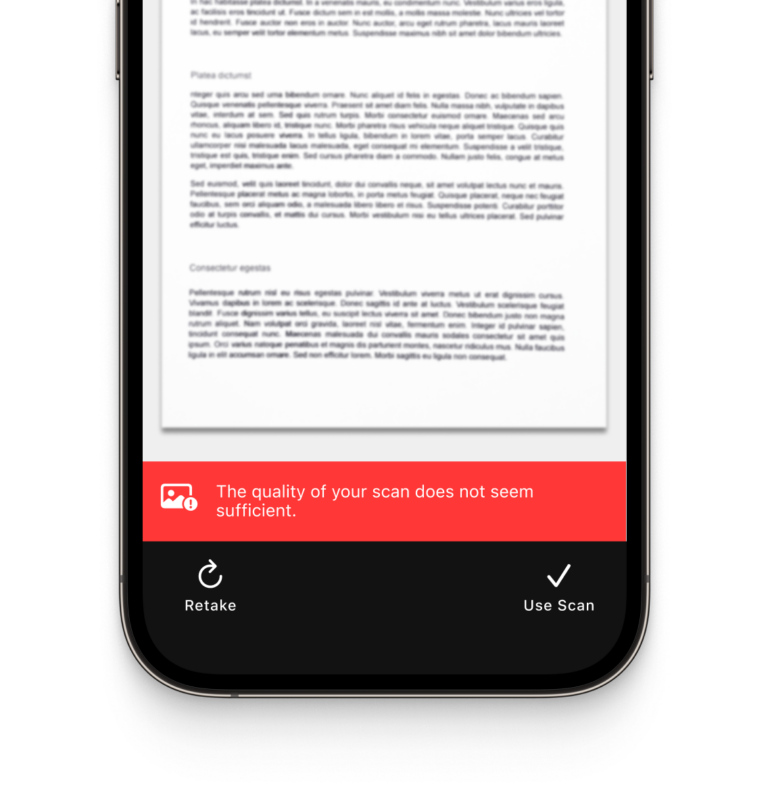
- ### Document Quality Analyzer
This feature automatically rates the scan quality from “very poor” to “excellent.” If it is low, it can prompt the user to rescan. This allows you to build quality checks into your workflow.
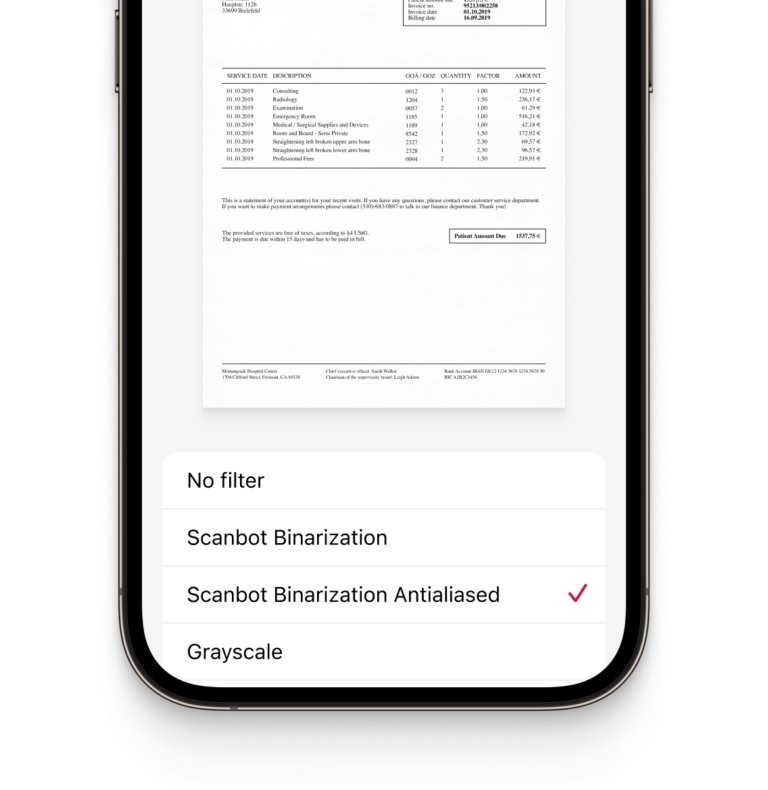
- ### Custom Filters
Every use case has specific image requirements. The SDK’s custom filters allow you to transform document images into optimal input for your backend systems. They include grayscale, several binarization options, and more.
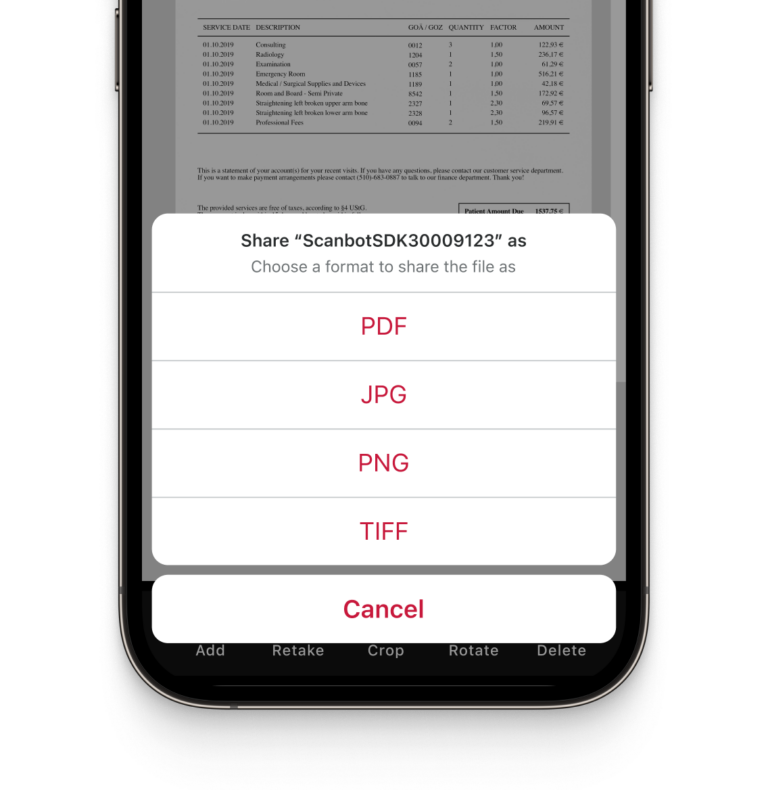
- ### Multiple Export Formats
The Scanbot Document Scanner SDK supports several output formats for compatibility with all standard backend systems: JPG, PDF, TIFF, and PNG.
## How to integrate the Scanbot iOS Document Scanner SDK using Ready-to-Use UI
Our revamped Ready-To-Use UI Components for iOS and Android Document Scanner SDKs offer a refined and enhanced document scanning experience with built-in review capabilities. This version not only simplifies the integration process but also introduces a comprehensive document management interface. Users can now review scanned documents, rotate, crop, reorder, retake specific pages, and delete one or all pages directly within the scanner. Additionally, the scanning process is enriched with engaging animation feedback and document acknowledgment features, ensuring high-quality scans by allowing users to verify and decide whether to keep or retake the scanned image.
Although the main idea of the RTU UI is to provide simple-to-integrate and simple-to-configure components, its customization capabilities are numerous and should suit most of your needs. To achieve an even higher degree of customization, you can implement a custom UI and business-logic using our Classic UI Components.
**Launching the scanner**
In this section, we’ll show you how to start the Document Scanner with minimal code. We’ll also describe how to configure it extensively later on.
```
import ScanbotSDK
class DocumentLaunchingUI2SwiftViewController: UIViewController {
override func viewDidAppear(_ animated: Bool) {
super.viewDidAppear(animated)
self.startScanning()
}
func startScanning() {
// Create the default configuration object.
let configuration = SBSDKUI2DocumentScanningFlow()
// Present the recognizer view controller modally on this view controller.
SBSDKUI2DocumentScannerController.present(on: self,
configuration: configuration) { document in
// Completion handler to process the result.
if let document {
// Handle the document.
} else {
// Indicates that the cancel button was tapped.
}
}
}
}
```
[Read the full iOS Document Scanner SDK documentation](https://docs.scanbot.io/document-scanner-sdk/ios/features/document-scanner/ready-to-use-ui/)
## Ready to get started?
Integrate the Scanbot SDK in less than an hour. Check out our docs, explore our GitHub example projects, or download our demo apps to get started right away.
[Get started](https://scanbot.io/get-started/) [Contact sales](https://scanbot.io/contact-sales/)
## Frequently Asked Questions
### What is an iOS Document Scanner SDK?
An iOS Document Scanner SDK allows developers to integrate document scanning capabilities into their iOS apps. It includes tools for capturing, processing, and exporting scanned documents, with features such as automatic cropping, edge detection, and image quality analysis.
### How can I ensure high-quality document scans in my iOS app?
To guarantee high-quality scans, use an SDK with features like automatic cropping, edge detection, and document quality analysis. The Scanbot iOS Document Scanner SDK offers these tools, ensuring clear, perfectly aligned scans. Its Document Quality Analyzer also prompts users to rescan low-quality images.
### How do I integrate document scanning functionality into my iOS app?
The Scanbot iOS Document Scanner SDK includes Ready-To-Use UI (RTU UI) components that allow developers to add scanning capabilities in less than an hour. The SDK comes with extensive documentation, and integration support is available through Slack, Microsoft Teams, or email.
### Is there a free iOS document scanner SDK?
Apple’s Vision Kit provides a free solution for basic document scanning on iOS. However, it typically lacks advanced features such as custom UI components, user guidance, and comprehensive image quality checks. For developers looking for more control and a better user experience, commercial SDKs like the Scanbot SDK offer ready-to-use screens, automatic capture, and image optimization, making integration quicker and more efficient.
Plus, customers can access a dedicated team of support engineers who can help resolve issues, even during integration for non-customers. Check out integration support [here](https://docs.scanbot.io/support/).
### Which iOS-based Document Scanner SDKs comply with GDPR and other privacy regulations?
The Scanbot iOS Document Scanner SDK operates entirely offline, ensuring that sensitive data is never sent to external servers. This helps meet the strict requirements of GDPR, CCPA, and CPRA, protecting user data and ensuring compliance with global privacy standards.
### What platforms does the Scanbot Document Scanner SDK support besides iOS?
In addition to iOS, the Scanbot Document Scanner SDK also supports [Android](https://scanbot.io/developer/android-document-scanner-sdk/) and web apps. It can be integrated into cross-platform frameworks like [Flutter](https://scanbot.io/developer/flutter-document-scanner/), [Xamarin](https://scanbot.io/developer/xamarin-document-scanner/), [.NET MAUI](https://scanbot.io/developer/net-maui-document-scanner-sdk/), [Cordova](https://scanbot.io/developer/cordova-document-scanner/), [Capacitor](https://scanbot.io/developer/capacitor-document-scanner-sdk/), and [React Native](https://scanbot.io/developer/react-native-document-scanner/), ensuring consistent functionality across all devices.
+
## Barcode Scanner Comparison
Scanbot SDK has been acquired by Apryse!
[Learn more](https://apryse.com/blog/apryse-acquires-scanbot-and-accusoft)
[Learn more](https://apryse.com/blog/apryse-acquires-scanbot-and-accusoft)
close
[Skip to content](https://scanbot.io/blog/scanbot-sdk-vs-ml-kit-vs-zxing/?utm_source=chatgpt.com#main)
It took almost twenty years after the invention of the first “bar code” for the technology to become commercially successful. Nowadays, we are used to seeing those symbologies in virtually every aspect of our everyday lives. And as usage expanded, of course, different types of barcode detectors have emerged over the past decades. A recent technology trend replaces laser scanners with smartphones for both commercial and private use. This shift has driven the development of a variety of high-performing open-source Software and SDK options designed for enterprise use cases.
In this article, we will compare popular barcode reader libraries and Scanbot’s advanced [Barcode Scanner SDK](https://scanbot.io/barcode-scanner-sdk/) in terms of supported platforms and their capabilities to scan various types of barcodes. Finally, we will consider ease of integration and customer support.
But before we make this comparison and draw our conclusions, let’s talk about the barcode scanner market, issues, and possible enterprise-grade solutions out there.
## Covering countless use cases: Why do we need so many barcode formats?
There are plenty of different barcode symbologies. Roughly, those can be divided into one-dimensional (1D) and two-dimensional (2D) standards. 1D barcodes, like the EAN code, can only hold a minimal amount of data encoded by varying the widths of lines and the spaces between them – hence the name “linear” barcodes. In contrast, 2D barcodes, like the QR Code, consist of a grid of pixels that can have either an on (black) or off (white) state. They can store thousands of characters each.
But why do we need so many different kinds of barcodes? Why are we still using one-dimensional barcodes at all, if two-dimensional codes can encode so much more data? The answer is that 2D codes can only be read with dedicated imager scanners or smartphones. One-dimensional symbologies, however, need just a simple, low-cost laser scanner. Those are still in widespread use, reflecting the continuing popularity of 1D barcodes.
Different barcodes are also more or less suited for certain applications. If you are curious about this, please check out our detailed blog post on the most common [barcode types and their uses](https://scanbot.io/blog/types-of-barcodes/).
## Can you read all types of barcodes with a single device?
Each dedicated barcode reader device, too, has its own benefits and disadvantages. Let’s have a quick look at the most common barcode scanners and their characteristics to get an overview of the available hardware scanning options on the market.
Pen-type barcode readers are the cheapest available option, but also the least practical. They require direct contact with the barcode, are limited to 1D barcodes, and perform poorly with damaged barcodes.
CCD barcode scanners are fast in recognition, but they are also limited to 1D barcodes and have a short reading distance.
Laser scanners are fast, easy to use, and work well in low light conditions. But they too are limited to 1D barcodes, and their moving mechanical components make them prone to malfunctions.
In contrast, imager barcode scanners work like cameras. Thus, they are able to read 2D barcodes, and work reliably even on damaged barcodes. Unfortunately, they are expensive and less suitable for 1D barcode recognition.
Lastly, smartphones (applause and confetti): Apps turn mobile devices into a modern barcode scanning tool that efficiently covers both 1D and 2D symbologies. Smartphones are considerably cheaper than imager scanners and allow users to scan all barcode types with just one device. With a BYOD strategy, there is no hardware cost at all. Enterprises don’t have to dedicate a mobile device to just one barcode scanning job, but instead get high versatility at the lowest TCO.
Additionally, users don’t need any special training to use smartphones as scanners, since apps provide them with direct visual feedback. With simple mobile application updates, the apps themselves can evolve constantly.
Apps or websites with integrated scanning capabilities for barcodes can cover just about all barcode symbologies and turn smartphones into mobile barcode readers within just days.
Mobile scanners, too, have their differences. Now, it is about choosing the right kind of solution for your project: Open-source software, free barcode libraries or a proprietary Scanner SDK?
## Properties of outstanding barcode scanner libraries for mobile apps
Let’s assume your mobile or web-based project requires barcode scanning for a use case such as inventory barcode scanner, process automation, or parcel tracking. Now, you’ll have to decide which barcode reading solution on the market suits your enterprise’s requirements best.
There are a couple of signs of a good third-party barcode library that you should look for while comparing your potential candidates.
First of all, you need to make sure that the performance of the scanner meets your requirements. Apart from raw speed, performance also includes properties like accuracy, response in rough conditions, and stability.
Since there is a large variety of web and mobile platforms, compatibility is another key topic. Suppose you want to support all common mobile and web platforms. Then your barcode library should be compatible with Android and iOS (or the cross-platform framework you are developing your mobile app in), as well as with common browsers such as Safari, Chrome, or Firefox.
The integration process itself is another crucial factor, as it decides how fast you can release your product to the market. Ease of integration also affects the quality of your product. A complicated integration increases the chances of developers making mistakes, while a straightforward integration phase makes it easier to arrive at an error-free software in the end.
Additionally, there are various types of barcodes out there – even QR codes come in several flavors, for example. Your enterprise-grade barcode scanning library should support all necessary barcode types, both those that you are currently working with and those you might use in the future.
Speaking of the future: Your requirements may evolve with your business. That means it’s also important to evaluate the continuity of the Barcode SDK development, the responsiveness of the software developers to your questions and bug reports, and customer support.
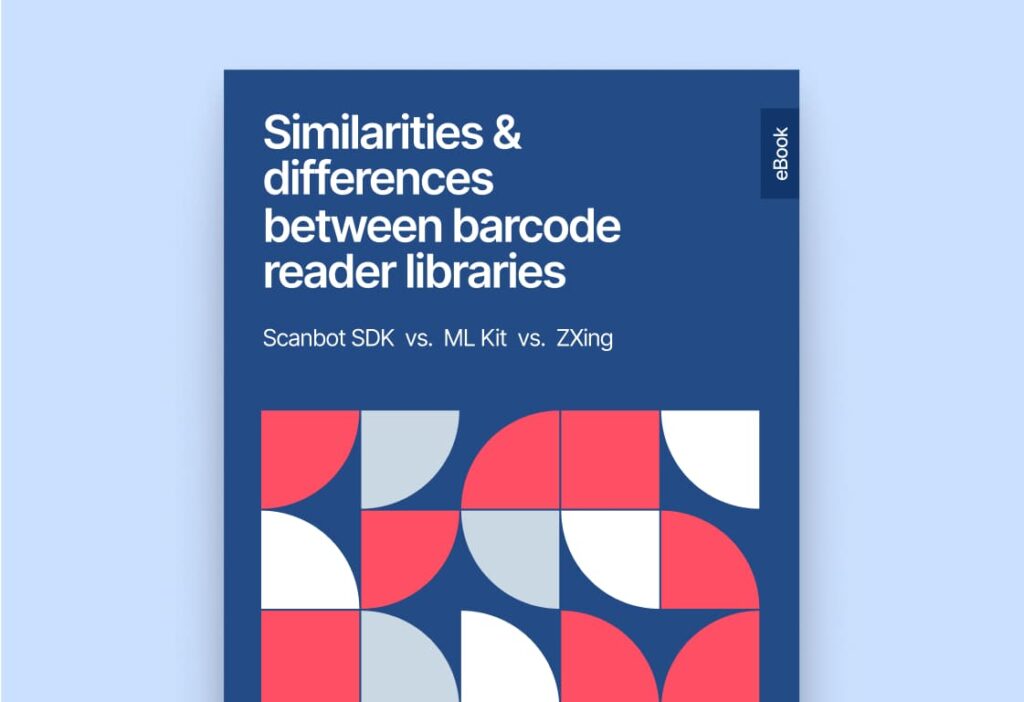
**To get a full overview of the similarities and differences between ZXing, ML Kit, and the Scanbot SDK, download our [free eBook](https://page.scanbot.io/hubfs/content/ebook/scanbot-ebook-barcode-library-comparison-en-eb016.pdf)**:
[](https://page.scanbot.io/hubfs/content/ebook/scanbot-ebook-barcode-library-comparison-en-eb016.pdf)
## Ready to get started?
Integrate the Scanbot SDK in less than an hour. Check out our docs, explore our GitHub example projects, or download our demo apps to get started right away.
[Get started](https://scanbot.io/get-started/) [Contact sales](https://scanbot.io/contact-sales/)
## Related blog posts
[](https://scanbot.io/blog/cold-chain-logistics-management-barcode-scanner/)
### [Overcoming challenges in cold chain logistics management with barcode technology](https://scanbot.io/blog/cold-chain-logistics-management-barcode-scanner/)
Barcodes optimize cold chain logistics management, improving visibility and ensuring regulatory compliance for temperature-sensitive goods.

Johanna July 18, 20255 mins read
[](https://scanbot.io/blog/what-is-an-mrz/)
### [How to scan MRZs with OCR: Considerations and first steps](https://scanbot.io/blog/what-is-an-mrz/)
MRZs encode information on ID cards and passports in a machine-readable format. Find out how to automatically read MRZs with data capture software.

Kevin July 16, 20259 mins read
[](https://scanbot.io/blog/mobile-ocr-for-legal-documents/)
### [OCR for legal documents: Unlock efficiency with mobile data capture](https://scanbot.io/blog/mobile-ocr-for-legal-documents/)
OCR creates digital, searchable versions of legal documents that can be retrieved instantly. Learn how to set up an OCR scanner app in minutes.

Johanna July 11, 20257 mins read
+
## QuaggaJS Barcode Scanner
Scanbot SDK has been acquired by Apryse!
[Learn more](https://apryse.com/blog/apryse-acquires-scanbot-and-accusoft)
[Learn more](https://apryse.com/blog/apryse-acquires-scanbot-and-accusoft)
close
[Skip to content](https://scanbot.io/techblog/quagga-js-tutorial/?utm_source=chatgpt.com#main)
QuaggaJS is a popular open-source barcode scanning library written in JavaScript that locates and decodes various 1D barcode symbologies in the user’s camera stream.
While the [original project](https://github.com/serratus/quaggaJS) is no longer maintained, it lives on as [Quagga2](https://github.com/ericblade/quagga2), which is what we’ll be using in our tutorial.
Since Quagga is a JavaScript-only library, it is easy to integrate into any website or web app. In this tutorial, we’ll show you how to set up the barcode scanner in a single HTML file.
📺 You can also [watch this tutorial on YouTube](https://youtu.be/AQR5TQb8ATI).
## Step 1: Setting up the HTML file
Let’s start by creating the basic structure of the HTML document:
```hljs html
QuaggaJS
```
## Step 2: Configuring Quagga
Next, we’ll add Quagga itself. We’re including the `quagga.min.js` script from jsDelivr, but you can of course also host the script on your own web server.
```hljs html
// new
```
Now, we need to configure QuaggaJS. First, we have to specify the DOM element where the video stream will be displayed. Next, we also need to specify the barcode decoders we want to use.
To accomplish the first part, we create a config object, which we will call `quaggaConf`. We use [document.querySelector](https://developer.mozilla.org/en-US/docs/Web/API/Document/querySelector) to select the `div` we created above as the target where the video stream will be displayed.
```hljs html
```
Now we specify which barcode symbologies our QuaggaJS app will read (to optimize performance, it’s recommended to only include those you expect to scan). In this tutorial, we’ll be sticking to the common barcode type Code 128. You can find a list of all supported symbologies in the [Quagga2 GitHub repository](https://github.com/ericblade/quagga2?tab=readme-ov-file#decoder).
```hljs html
```
💡 QuaggaJS cannot read QR codes or other 2D barcode symbologies. To enable QR code scanning, Quagga2’s README recommends [using external reader modules](https://github.com/ericblade/quagga2?tab=readme-ov-file#using-with-external-readers).
The next step is to prepare the initialization function. We provide our Quagga configuration and an error handler. If the initialization is successful, `Quagga.start()` will begin the barcode scanning process.
We have also added a function to display an alert with the barcode result when a barcode is detected and read.
```hljs html
```
## Step 3: Configuring the video stream
Now we’ll add `LiveStream` as the input stream type, since we want to process and display the live video as captured by the user’s camera. Other possible values for the stream type are described in the [Quagga docs](https://github.com/ericblade/quagga2?tab=readme-ov-file#inputstream).
We’ll also have to define the constraints for the video stream. To do that, we need to specify the width, height, aspect ratio, and camera for the input stream.
💡 A lower resolution will result in faster scanning speeds at the cost of accuracy.
```hljs html
```
Next, we add some styling to display the video in the resolution we requested from the camera to ensure it fits the screen.
```hljs html
QuaggaJS
```
And we’re done! 🎉
The final result looks like this:
```hljs html
QuaggaJS
```
Try scanning a Code 128 to see if everything works as intended.

## Drawbacks of using QuaggaJS
As impressive as this JavaScript-based barcode scanner implementation is, QuaggaJS does have its disadvantages.
The biggest drawback is that it only supports 1D barcodes. Two-dimensional symbologies like QR Code, Data Matrix, and Aztec encode much more data while taking up less space, which makes them a valuable alternative to their one-dimensional counterparts.
As useful as it is to have a barcode scanner written in JavaScript, the performance of the detection algorithm would also benefit from an implementation in WebAssembly. Especially on low-end devices, this could result in increased scanning speeds.
Quagga’s feature set is also not on par with that of [professional solutions](https://docs.scanbot.io/barcode-scanner-sdk/web/barcode-scanner/use-cases/). Enterprise-grade barcode scanner software often includes dedicated modules for scanning many barcodes simultaneously or in rapid succession, as well as UI elements, all of which this open-source solution lacks.
If you plan to use Quagga in production, you should also keep in mind that you will depend entirely on the open-source community for its maintenance and for support. If you run into a problem, you might have to find a solution on your own.
For companies that heavily rely on barcode scanning in their business processes, we recommend using an enterprise-grade solution instead.
## Building a JavaScript Barcode Scanner with the Scanbot SDK
We developed the Scanbot [Barcode Scanner SDK](https://scanbot.io/barcode-scanner-sdk/) to help enterprises overcome the hurdles presented by free barcode scanning software. Our goal was to have a developer-friendly solution available for a wide range of platforms that consistently delivers high-quality results – even in challenging circumstances.
Scan the QR code or [follow this link](https://websdk-barcode.scanbot.io/) to try the Web Barcode Scanner Demo!
In the following section, we’ll show you how easy it is to integrate our Web Barcode Scanner SDK into your JavaScript app. Thanks to our SDK’s **Ready-to-Use UI Components**, you can even use an AR overlay to display multiple barcodes’ contents right in the viewfinder.
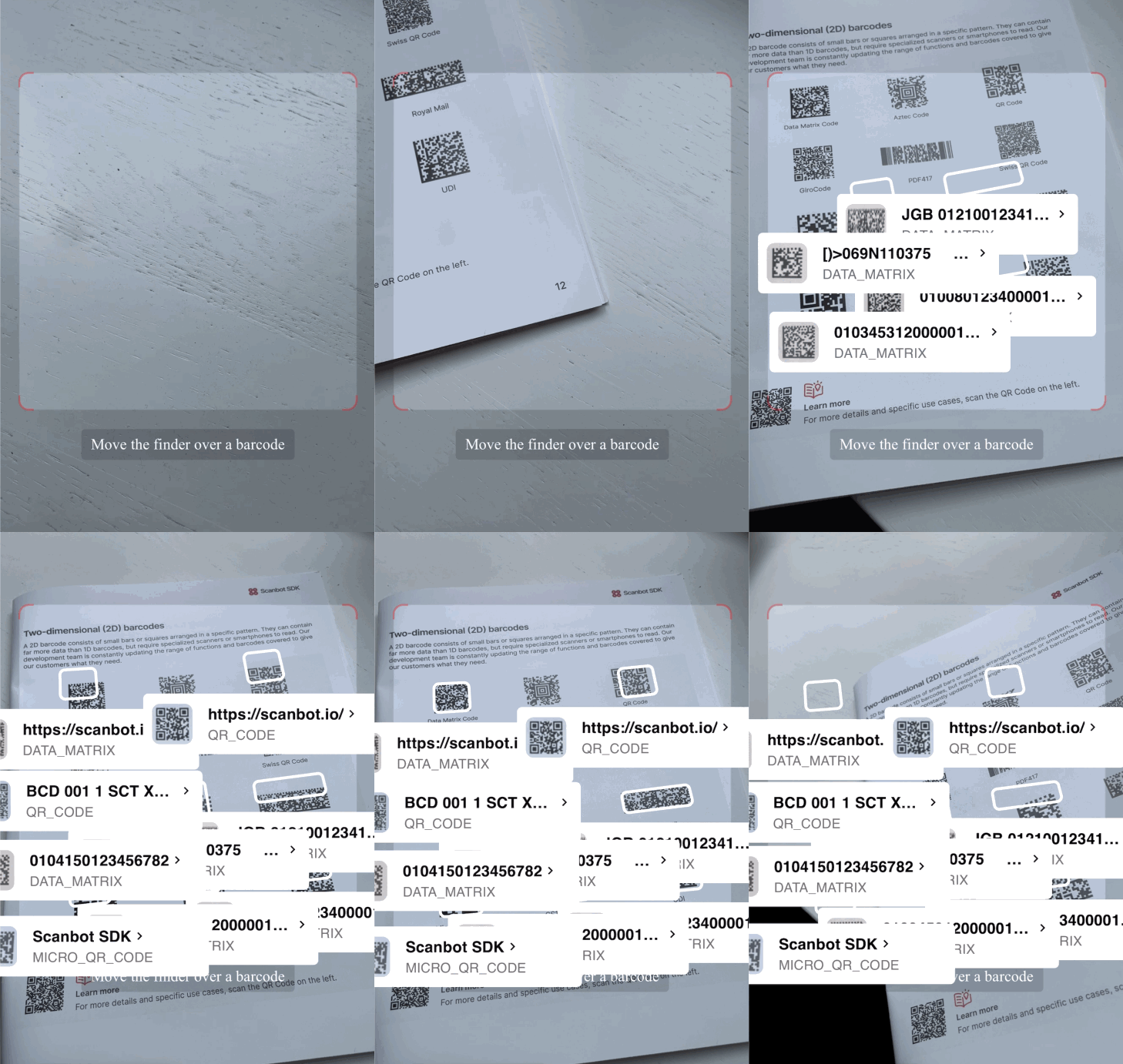
To accomplish that, we’ll need to follow the steps below:
1. Download the SDK files
2. Create the HTML page and configure the Web SDK
3. Start a local HTTP server
4. Start scanning
5. Configure styling and scanning behavior
6. Deploy to a server (optional)
Let’s dive into more details for each step.
### Step 1: Download the SDK
First, create a new empty directory for your app and name it **my-scanner-app**.
Then, download the Scanbot SDK **npm package** directly from [here](https://registry.npmjs.org/scanbot-web-sdk/-/scanbot-web-sdk-5.1.0.tgz).
💡 As [specified in our documentation](https://docs.scanbot.io/barcode-scanner-sdk/web/quick-start/), you can also use npm install to download and install the package, but for this tutorial, we suggest manually downloading it and installing it from the link provided.
Unzip the downloaded files into **my-scanner-app**. Your folder structure should look like this:
```bash
my-scanner-app/
|- scanbot-web-sdk/
|- webpack/
|- bundle/
|- @types/
|- index.js
|- ui.js
... (and some other files)
```
⚠️ Make sure the folder containing the package files is called **scanbot-web-sdk**, not “package” or similar.
### Step 2: Create the HTML page and configure the Web SDK
To create the HTML with the Scanbot SDK, first create an **index.html** file in the **my-scanner-app/** folder. Then, add the following code to the file.
```typescript hljs
My Scanner App
Start scanning
{\
// See https://stackoverflow.com/a/39452119\
const base64url = await new Promise(resolve => {\
const reader = new FileReader()\
reader.onload = () => resolve(reader.result as string)\
reader.readAsDataURL(new Blob([data]))\
});\
// remove the `data:...;base64,` part from the start\
return base64url.slice(base64url.indexOf(',') + 1);\
}\
\
\
\
\
```\
\
And then the following, if not too long, can be effectively held in local storage:\
\
```hljs javascript\
const base64 = await ImageUtils.toBase64(source.croppedImage.data);\
// Base64: wsLQw8LQw8LQw8TRxMXSxMXTxcfUxcjVxMjVxcnXx8vaztHh1dbm19np2dvr2Nv...\
console.log("Base64: ", base64);\
\
\
\
\
```\
\
However, any kind of operation of this magnitude is computationally heavy, be it the direct manipulation of a key-value map or the Base64 version, and we’re trying to be optimal here. So all that just won’t cut it. We need to be able to work with binary data directly.\
\
And this brings us to …\
\
## Binary data\
\
In web development, we meet binary data mostly when dealing with files (creating, uploading, downloading). Another typical use case is image processing – which is what we’re doing here.\
\
There are many classes for various implementations of binary data in JavaScript, such as `ArrayBuffer`, `Uint8Array`, `DataView`, `Blob` and `File`, but these different nuances of implementation aren’t important right now.\
\
Anyway, the core object is `ArrayBuffer` – the root of everything, the raw binary data. And that is what we will be working with. Whichever of the aforementioned wrapper classes you use, it will contain a variation of an `ArrayBuffer`.\
\
### Everything is an object (almost)\
\
Now, the explanation as to why stringification of `ArrayBuffer` or `Uint8Array` turns it into a bit of a nightmare is actually pretty interesting. You see, everything in JavaScript is actually an object, except strings. Strings are still strings. But with arrays, it means you can do the following:\
\
```hljs cpp\
const a = [1, 2, 3]; �a.foo = "bar"�console.log(a); // [ 1, 2, 3, foo: 'bar']\
\
\
\
\
```\
\
That’s because natively, an array is still an object prototype, but it does stringify into _looking_ like a simple array simply because its `toString()` function has been overwritten for the convenience of developers. Because it’s often needed.\
\
And that is also exactly why stringifying an `Uint8Array` turns it into an object of key-value pairs (remember the `{"0":169,"1":195,"2":195,"3":169 …}` example from earlier) and why we need additional steps to properly serialize it.\
\
### Serialization\
\
At this point, it’s also worth it to elaborate on a point I made previously: that binary data is not serializable. While that is still fundamentally true, JavaScript does have some native support for serialization these days, with the latest and greatest tool being `TextDecoder`. Take this example:\
\
```hljs javascript\
const buffer = new TextEncoder().encode('banana');\
const testObj = { encodedText: buffer.toString() };\
\
const serializedTestObj = JSON.stringify(testObj);\
console.log(serializedTestObj); // {"encodedText":"98,97,110,97,110,97"}\
\
const deserializedTestObj = JSON.parse(serializedTestObj);\
const deserializedBuffer = deserializedTestObj.encodedText.split(',');\
const newBuffer = Uint8Array.from(deserializedBuffer);\
const str = new TextDecoder().decode(newBuffer);\
console.log(str); // banana\
\
\
\
\
```\
\
Thank you to [Will Munslow from dev.to](https://dev.to/subterrane/how-to-serialize-that-ing-buffer-12m3) for this snippet!\
\
While it is _relatively_ straightforward, you’ll notice right away that this encoding method requires:\
\
- For the data to initially be a string that’s serialized with the coder class, which is a relatively uncommon use case (in most cases you start off with binary data).\
- String splitting, which is an expensive operation.\
- At the end, both buffer deserialization and text decoding again.\
\
Let’s now move on to the next web storage method.\
\
## IndexedDB\
\
So, what is IndexedDB? I would’ve gladly given my own short overview of the concept, but [MDN](https://developer.mozilla.org/en-US/docs/Web/API/IndexedDB_API) says it best:\
\
> IndexedDB is a low-level API for client-side storage of significant amounts of structured data, including files/blobs. This API uses indexes to enable high-performance searches of this data.\
\
What that actually means for us is a convenient way to store the aforementioned binary data of `ArrayBuffer` format. Yay, no more of this complex, nonsensical and resource-hungry encoding and decoding logic!\
\
To quickly reiterate, the main problems with `localStorage` are that:\
\
- It can only store strings.\
- It has a very small and unstable data cap.\
\
IndexedDB easily solves both of these issues. On top of that, it has some additional benefits, such as the fact that it can be used inside web workers (more on this later). It’s also asynchronous, meaning the render cycle is not blocked while saving/loading.\
\
The only thing `localStorage` has going for it is the simplicity of its API. It’s just `localStorage.setItem` and `localStorage.getItem`. There are a couple of additional convenience functions, but that’s roughly it. Done!\
\
### Messy API & solutions\
\
IndexedDB isn’t perfect, either: The API is famously a fabulous mess. It’s such a mess, in fact, that a whole ecosystem of libraries has been developed around it just so that your average developer doesn’t have to deal with its nonsense.\
\
So, before we finally move on to our actual implementation, let’s take a look at what’s already out there to help you with this.\
\
There’s [use-indexeddb](https://www.npmjs.com/package/use-indexeddb), which promises to be the most lightweight one, but that’s because it only wraps a few of the basics. It’s not all that convenient to use, and it also features some intrusive logging that cannot be disabled.\
\
Next up is [Dexie](https://dexie.org/), a more fully-fledged storage framework that looks pretty promising. Its API is very straightforward. It’s super intuitive to create a base, write queries and add entries:\
\
```hljs csharp\
const db = new Dexie('MyDatabase');\
\
// Declare tables, IDs and indexes\
db.version(1).stores({ friends: '++id, name, age' });\
\
// Find some old friends\
const oldFriends = await db.friends.where('age').above(75).toArray();\
\
// or make a new one\
await db.friends.add({\
name: 'Camilla',\
age: 25,\
street: 'East 13:th Street',\
picture: await getBlob('camilla.png')\
});\
\
\
\
\
```\
\
At first glance, it seems to be inspired by C#’s LINQ statements, and it also supports live queries. That means you can combine it with, for example, Redux and completely handle state management through that. While that’s a nice feature, Dexie is actually a bit too elaborate for our use case.\
\
Another one is [idb](https://www.npmjs.com/package/idb), which claims to mostly mirror the IndexedDB API, but with some notable usability improvements. But really, looking at the implementation, it just seems to wrap the API in the `Promise` class and not much else. It’s definitely not worth the hassle of adding a third-party dependency for such a minor increase in convenience.\
\
The final popular wrapper framework is called [JsStore](https://jsstore.net/docs/get-started), which wraps the IndexedDB API into an SQL-like API.\
\
```hljs csharp\
var insertCount = await connection.insert({ into: 'Product', values: [value] });\
\
var results = await connection.select({ from: 'Product', where: { id: 5 } });\
\
\
\
\
```\
\
Which, in my humble opinion, is not much of an improvement. SQL is still pretty complex and it’s easy to create sub-optimal transactions. It’s not raw SQL, so maybe it’s not too bad, but I’ve been burned by SQL too many times to trust anything like that again.\
\
Plus, as with Dexie, JsStore seems to be overkill for our use case as well.\
\
To be honest, I knew in advance that I wasn’t going to be impressed by any of these libraries. The plan was always to get our hands dirty, the Spartan way, and not to tie ourselves down by any more dependencies. I just wanted to give a quick overview of the options available. If our solution were more complex, I’d go with Dexie.\
\
### The Spartan approach\
\
However, we’re building an SDK for clients, so we do not want to rely on any external libraries. It is possible, and we do use them, but we do not add them lightly, because:\
\
- They always come with a license, which we must adhere to and disclose.\
- They add overhead to future development and maintenance (I’m sure you know the pain of upgrading dependencies all too well).\
- They add additional points of failure to our project.\
\
If possible and within reason, we want to be in control of what happens inside our SDK.\
\
So, for our storage logic, let’s roll our own!\
\
In terms of use cases, ours is relatively straightforward. The data model itself is complex, but the database transactions are not, so I was not expecting too much of a hassle. The basic setup is simple enough:\
\
```hljs kotlin\
const request = indexedDB.open("SBSDKBase", 1);\
\
\
\
\
```\
\
We create the request, think of a name for the database and add a version number of the database we’re requesting from. Having to specify the version number right away may seem unnecessary, but the documentation makes it pretty clear why: database models change all the time and having an easy option to keep track of version history seems intuitive enough.\
\
The request object has different callbacks: `onerror`, `onupgradeneeded`, and `onsuccess`. Right now, we can ignore errors, as we’re just trying to add some basic documents to the base and retrieve them. There’s no model changes, no indexing, we only use readwrite mode and increment automatically (let’s hope this doesn’t come back to bite us).\
\
All we’re interested in at the moment is the success callback.\
\
```hljs csharp\
request.onsuccess = (event) => {\
const db = (event.target as IDBOpenDBRequest).result;\
db.createObjectStore("documents", { keyPath: "id", autoIncrement: true });\
\
const transaction = db.transaction("documents", "readwrite");\
const store = transaction.objectStore("documents");\
store.add(source);\
\
console.log("Added item to store");\
\
const getRequest = store.get(1);\
getRequest.onsuccess = (event) => {\
const result = (event.target as IDBRequest).result;\
console.log("Got item from store", result);\
};\
};\
\
\
\
\
```\
\
This is the most bare-bones code snippet I thought I’d need to add a document to storage. Open the database, create a document table, put an object in it. I’ve been doing this for a long time, I’ve worked on various databases and thought I had a handle on it. I thought this would work.\
\
Nope. I got bitten right away. The error:\
\
```hljs csharp\
Uncaught DOMException: Failed to execute 'createObjectStore' on 'IDBDatabase': The database is not running a version change transaction.\
\
\
\
\
```\
\
Why would I be unable to create a table when opening the database? I’m barely getting started and I already get the feeling that writing raw SQL is more intuitive than this. There, you can at least execute queries once you open the database.\
\
Let’s hope it gets better from here on! At least the error message itself is not cryptic. We’ll try again by implementing `onupgradeneeded` (don’t forget to upgrade your db version):\
\
```hljs csharp\
request.onupgradeneeded = (event) => {\
const db = (event.target as IDBOpenDBRequest).result;\
db.createObjectStore("documents", { keyPath: "id", autoIncrement: true });\
console.log("IndexedDB upgraded", event);\
};\
\
\
\
\
```\
\
Now we can also remove the `create` block from our success callback and voilá, we’ve created a database, added our first item to it, and also retrieved it:\
\
```hljs csharp\
request.onsuccess = (event) => {\
const db = (event.target as IDBOpenDBRequest).result;\
const transaction = db.transaction("documents", "readwrite");\
const store = transaction.objectStore("documents");\
store.add(source);\
console.log("Added item to store");\
\
const getRequest = store.get(1);\
getRequest.onsuccess = (event) => {\
const result = (event.target as IDBRequest).result;\
console.log("Got item from store", result);\
};\
};\
\
\
\
\
```\
\
And the retrieved object still contains our image data in the correct `Uint8Array` format. Juicy!\
\
```hljs yaml\
Got item from store {\
status: 'OK',\
detectionScores: {...},\
points: Array(4),\
horizontalLines: Array(5),\
verticalLines: Array(5), …}\
aspectRatio: 0.698217078300424averageBrightness: 183\
croppedImage: {..., format: 'BGR', data: Uint8Array(1859760)\
...\
}\
\
\
\
\
```\
\
### Asynchronous improvements\
\
Time to make the entire process a bit more convenient. Let’s wrap the database opening into its own asynchronous block:\
\
```hljs typescript\
private static openDB(): Promise {\
return new Promise((resolve, reject) => {\
\
const DB_NAME = "SBSDKBase";\
const DB_VERSION = 4;\
const request = indexedDB.open(DB_NAME, DB_VERSION);\
\
request.onsuccess = (event) => {\
resolve((event.target as IDBOpenDBRequest).result);\
};\
\
request.onerror = (event) => { reject(event); };\
request.onupgradeneeded = (event) => {\
// Update object stores when necessary\
};\
});\
}\
\
\
\
\
```\
\
And another block to get the store itself, so we don’t have to duplicate that any further:\
\
```hljs csharp\
private static async getDocumentStore(): Promise {\
const db = await SBStorage.openDB();\
const transaction = db.transaction("documents", "readwrite");\
return transaction.objectStore("documents");\
}\
\
\
\
\
```\
\
And now we have two super intuitive public functions for our storage service to store a document and retrieve all of them:\
\
```hljs javascript\
static async storeDocument(source: CroppedDetectionResult): Promise {\
const store = await SBStorage.getDocumentStore();\
store.add(source);\
}\
\
static async getDocuments(): Promise {\
const store = await SBStorage.getDocumentStore();\
return new Promise((resolve, reject) => {\
store.getAll().onsuccess = (event) => {\
const result = (event.target as IDBRequest).result;\
resolve(result);\
};\
});\
}\
\
\
\
\
```\
\
Eventually we’ll have to add proper error handling, but as you can see, with a couple of wrapper functions, it’s relatively easy to implement IndexedDB on your own, no third-party libraries required.\
\
This asynchronous approach with `Promise` already utilizes callbacks and does not block the main thread. JavaScript is pretty nice, you see. We just implemented some basic syntactic sugar to make the code look nicer, and that ended up being the optimal approach anyway.\
\
### Timing transactions\
\
It’s possible to optimize this even further, and we’ll get to that in a second. But first, let’s check out how much time all these transactions take. You should always know exactly what you’re optimizing and why. Performance metrics are key.\
\
The most robust way to do this is to just go back to our initial implementation and measure how many milliseconds have passed after each meaningful operation. For example:\
\
```hljs javascript\
const currentMS = new Date().getTime();\
const request = indexedDB.open("SBSDKBase", 4);\
console.log("Opening indexedDB", new Date().getTime() - currentMS);\
\
request.onsuccess = (event) => {\
const db = (event.target as IDBOpenDBRequest).result;\
const transaction = db.transaction("documents", "readwrite");\
const store = transaction.objectStore("documents");\
store.add(source);\
console.log("Added item to store", new Date().getTime() - currentMS);\
\
const getRequest = store.get(1);\
getRequest.onsuccess = (event) => {\
const result = (event.target as IDBRequest).result;\
console.log("Got item from store", new Date().getTime() - currentMS);\
};\
};\
\
\
\
\
```\
\
```hljs csharp\
Opening indexedDB 0\
Added item to store 17\
Got item from store 30\
\
\
\
\
```\
\
That’s not too bad, but it’s also not nothing. Considering that I’m currently working on a higher-end MacBook Pro with an M2 chip and an SSD, this operation could easily take 20–50 times as long on a lower-end Android or iOS device.\
\
We have already implemented basic asynchronous IndexedDB usage with Promises, and in some use cases this would be good enough. But since we’re dealing with large chunks of data, though, it’s worth investing in true parallelism and moving everything off the main thread.\
\
And this brings us to …\
\
## Web workers\
\
> Web workers are a simple means for web content to run scripts in background threads. The worker thread can perform tasks without interfering with the user interface. ( [MDN](https://developer.mozilla.org/en-US/docs/Web/API/Web_Workers_API/Using_web_workers))\
\
How web workers differ from promises/callbacks is rather fundamental.\
\
I won’t dive too deep into threading, but to put it briefly, a JavaScript environment is fundamentally single-threaded. In its simplest form, asynchronous is just syntactic sugar for promise chains that allow for the user interface to be rendered before other long-running operations.\
\
It’s also important to note that two jobs can never run in parallel in this environment. One async operation might run in between two jobs of another one, so in that sense they can run “concurrently.” For true parallelism, e.g. simultaneously rendering the user interface and storing data, we need threads.\
\
Luckily, all modern browsers give us worker threads, allowing for this kind of operation.\
\
### Basic implementation & problems\
\
Let’s see how we can set up worker threads for our specific use case, following the same example code used previously.\
\
Spawning a worker is a relatively trivial task. From [MDN’s examples](https://developer.mozilla.org/en-US/docs/Web/API/Web_Workers_API/Using_web_workers), you just need to create a worker JavaScript file:\
\
```hljs javascript\
onmessage = function(e) {\
console.log('Worker: Message received from main script');\
const result = e.data[0] * e.data[1];\
if (isNaN(result)) {\
postMessage('Please write two numbers');\
} else {\
const workerResult = 'Result: ' + result;\
console.log('Worker: Posting message back to main script');\
postMessage(workerResult);\
}\
}\
\
\
\
\
```\
\
And then you’re able to import it in your main JavaScript file and pass data to it as follows:\
\
```hljs javascript\
if (window.Worker) {\
const myWorker = new Worker("worker.js");\
\
[first, second].forEach(input => {\
input.onchange = function() {\
myWorker.postMessage([first.value, second.value]);\
...\
\
\
\
\
```\
\
As you can see, running a piece of JavaScript code on another thread is not as trivial as running it asynchronously. You need to spawn a dedicated worker from a separate file. While that seems relatively simple, once your build system becomes more complex, so does this.\
\
Where do you put your worker file in a Vite environment? Where does it go when you’re using Webpack? Does your environment use bare-bones Webpack that is configurable, or is it wrapped behind another build system? What if you also have automated tests running – are they easily able to pick up your worker file?\
\
Or, to give a more specific example: We use Webpack to transpile the SDK, and it has a separate worker-loader plugin that can be used to ensure workers are bundled into the end product. That’s pretty straightforward. However, our development environment uses the SDK’s source code directly, so it’s necessary to have another option to make sure this worker file is properly compiled into that environment as well.\
\
### Loading a file as data\
\
So, the easiest solution turns out to be to simply create the file as you normally would, in your source code, and then simply use JavaScript itself to package it into a blob. That blob is then loaded into the worker, exactly as another external JavaScript file would be (and thank you to [Martins Olumide on dev.to](https://dev.to/martinsolumide8/how-to-use-web-worker-in-react-with-typescript-4o79) for this hint).\
\
It may sound convoluted, but it’s a pretty solid solution to start off with. I bet it’s good enough for production, but before shipping this, we will definitely delve into additional performance metrics to see whether using Webpack to pre-compile it into the bundle is better or not.\
\
First, the basic worker file will look like this:\
\
```hljs javascript\
const workerFunction = function () {\
// Perform every operation we want in this function\
self.onmessage = (event: MessageEvent) => {\
postMessage('Message received!');\
};\
};\
\
// This stringifies the whole function\
let codeToString = workerFunction.toString();\
// This brings out the code in the bracket in string\
let mainCode = codeToString.substring(codeToString.indexOf('{') + 1, codeToString.LastIndexOf('}'));\
// Convert the code into a raw data\
let blob = new Blob([mainCode], { type: 'application/javascript' });\
// A url is made out of the blob object and we're good to go\
let worker_script = URL.createObjectURL(blob);\
\
export default worker_script;\
\
\
\
\
```\
\
The comments in the block above should make pretty clear what we intend to do: We’re basically mock loading a separate worker file by simply stringifying the entire worker and returning it as a blob.\
\
## Putting it all together\
\
After that, we just need to refactor our previous code a bit to make it fit into that JavaScript function and we have our worker up and running. We move the previously defined wrapper functions inside that function (because, thankfully, in JavaScript you can have inner functions, else this would be a mess) and do exactly what we did previously, only now we need to post the message instead of returning the data:\
\
```hljs javascript\
const workerFunction = function () {\
\
function openDB(): Promise {\
...\
}\
\
async function getDocumentStore(): Promise {\
...\
}\
\
self.onmessage = (event: MessageEvent) => {\
console.log("Received in worker thread:", event.data);\
if (event.data.type === 'storeDocument') {\
console.log("Storing document in worker thread");\
getDocumentStore().then((store) => {\
store.add(event.data.data);\
self.postMessage(true);\
});\
} else if (event.data.type === 'getDocuments') {\
console.log("Getting documents in worker thread");\
getDocumentStore().then((store) => {\
const request = store.getAll();\
request.onsuccess = (event) => {\
self.postMessage((event.target as IDBRequest).result);\
};\
});\
}\
};\
};\
\
\
\
\
```\
\
Now that we’ve moved all of the IndexedDB API implementation to the worker, our main storage service file ends up looking pretty bare:\
\
```hljs typescript\
import { CroppedDetectionResult } from "../../core/worker/ScanbotSDK.Core";\
import worker_script from './worker/sb-storage.worker';\
\
export default class SBStorage {\
\
private static readonly worker: Worker = new Worker(worker_script);\
\
static async storeDocument(source: CroppedDetectionResult): Promise {\
this.worker.postMessage({ type: 'storeDocument', data: source });\
\
return new Promise((resolve, reject) => {\
this.worker.onmessage = (event) => {\
resolve(true);\
}\
});\
}\
\
static async getDocuments(): Promise {\
this.worker.postMessage({ type: 'getDocuments' });\
return new Promise((resolve, reject) => {\
this.worker.onmessage = (event) => {\
resolve(event.data);\
}\
});\
}\
}\
\
\
\
\
```\
\
All that’s left in this file is the code to import the blob, initialize the worker itself, post messages to the worker and resolve the promise once a message has been received.\
\
And that’s it! Some additional error handling needs to be implemented, but that’s busywork at this point. The takeaway: In just a few steps, we’ve built ourselves an optimal storage solution for complex objects – using only IndexedDB and web workers, no third-party libraries needed.\
\
## Ready to get started?\
\
Integrate the Scanbot SDK in less than an hour. Check out our docs, explore our GitHub example projects, or download our demo apps to get started right away.\
\
[Get started](https://scanbot.io/get-started/) [Contact sales](https://scanbot.io/contact-sales/)\
\
## Related blog posts\
\
[](https://scanbot.io/techblog/react-barcode-reader-tutorial/)\
\
### [How to build a React.js Barcode Scanner web app with TypeScript and Vite](https://scanbot.io/techblog/react-barcode-reader-tutorial/)\
\
This tutorial will demonstrate how to integrate our Web Barcode Scanner SDK using React.js and Vite.\
\
\
Alex January 3, 20259 mins read\
\
[](https://scanbot.io/techblog/developing-a-scanning-sdk-for-windows-a-first-hand-account/)\
\
### [Developing a scanning SDK for Windows: A first-hand account](https://scanbot.io/techblog/developing-a-scanning-sdk-for-windows-a-first-hand-account/)\
\
One of our software engineers shares his experiences with developing our new Windows SDK. Trials and tribulations await.\
\
\
Aare June 20, 202317 mins read\
\
[](https://scanbot.io/techblog/progressive-web-app-barcode-scanner-tutorial/)\
\
### [How to build a Progressive Web App (PWA) Barcode Scanner with React and TypeScript](https://scanbot.io/techblog/progressive-web-app-barcode-scanner-tutorial/)\
\
Learn how to build an installable barcode scanning PWA using React and our Web SDK in this step-by-step guide.\
\
\
Kevin January 7, 202510 mins read\
\
+
## UWP Barcode Scanner SDK
Scanbot SDK has been acquired by Apryse!
[Learn more](https://apryse.com/blog/apryse-acquires-scanbot-and-accusoft)
[Learn more](https://apryse.com/blog/apryse-acquires-scanbot-and-accusoft)
close
[Skip to content](https://scanbot.io/developer/uwp-barcode-scanner/?utm_source=chatgpt.com#main)
# UWP Barcode Scanner
Add fast and accurate barcode scanning to your UWP apps with the Scanbot UWP Barcode Scanner SDK. Seamlessly integrate real-time barcode scanning across Windows applications, with support for both VB.NET and C#.
[Get started](https://scanbot.io/get-started/) [Contact sales](https://scanbot.io/contact-sales/)
Trusted by
300+
global
industry leaders

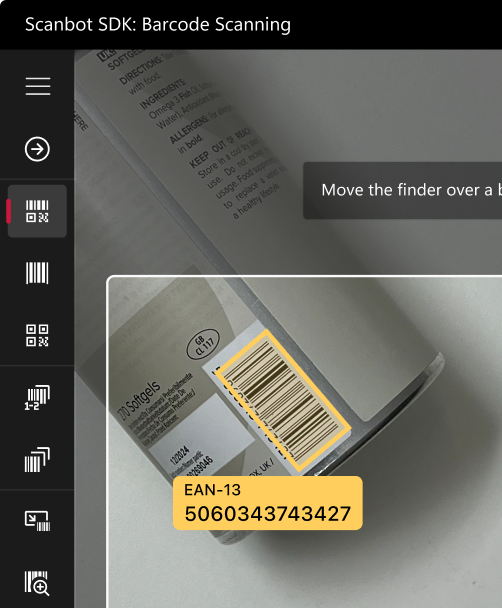
Seamless UWP integration
The Scanbot UWP Barcode Scanner SDK integrates natively into Windows applications, providing smooth barcode scanning functionality using VB.NET or C#, without the need for third-party integrations.
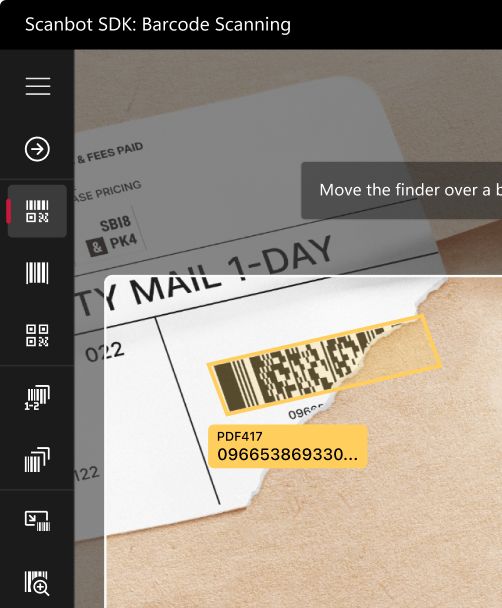
Barcode scanning in challenging conditions
The UWP Barcode Scanner SDK is designed to perform in challenging real-world environments, such as:
- Damaged barcodes
- Low-light environments
- Tiny or distant barcodes
[Customizable UI components\\
\\
Our Ready-To-Use UI components cover all barcode scanning scenarios and are highly customizable.](https://scanbot.io/rtu-ui/)
Fast.
Very fast.
Every scan happens in
0.04s
or less
Scans all major barcode types
Code 39
Code 93
Code 32
Code 25
EAN-5
PDF417
GS1 DataBar
Code 39
Code 93
Code 32
Code 25
EAN-5
PDF417
GS1 DataBar
EAN-13
MSI Plessey
EAN-2
Aztec Code
rMQR Code
Codabar
UPC-A
EAN-13
MSI Plessey
EAN-2
Aztec Code
rMQR Code
Codabar
UPC-A
EAN-8
ISBN
GiroCode
GS1-128
Data Matrix
IATA 2 of 5
EAN-8
ISBN
GiroCode
GS1-128
Data Matrix
IATA 2 of 5
Code 128
Code 11
QR Code
UPC-E
Micro QR Code
MaxiCode
Code 128
Code 11
QR Code
UPC-E
Micro QR Code
MaxiCode
## Add a fast and reliable UWP Barcode Scanner to your app
The Scanbot UWP [Barcode Scanner SDK](https://scanbot.io/barcode-scanner-sdk/) provides developers with a reliable solution to integrate fast barcode scanning functionality into Universal Windows Platform (UWP) applications. Whether you’re using VB.NET or C#, the SDK supports seamless integration with minimal coding effort, enabling real-time barcode recognition on Windows devices.
Supporting major barcode formats such as QR codes, PDF417, and EAN, the SDK is ideal for a wide range of industries, including logistics, retail, healthcare, and manufacturing. Developers can quickly implement the barcode scanning functionality and customize the UI for a tailored experience. Additionally, the SDK handles low-light environments and can scan damaged barcodes, ensuring high reliability in any condition.
The SDK also supports image-based barcode scanning, making it useful for applications that need to scan barcodes from static images uploaded to the app.
### Technical requirements
The Scanbot UWP Barcode Scanner SDK requires:
- **UWP Version**:
10.x or higher
- **Languages**:
Compatible with both VB.NET and C#
- **Hardware**:
A rear-facing camera with autofocus
## Integrate this evening with your framework
## How to integrate the Scanbot UWP Barcode Scanner SDK
The SDK offers various ways to extract barcodes from a live camera feed or still images.
**Scanner UI**
For live detection, you can use our so-called **Ready-To-Use UI Component (RTU UI)** or implement a custom scanner UI by using our **Classic Component**.
**Ready-To-Use UI Component**
This UI component is a final and ready-to-use [`Page`](https://learn.microsoft.com/en-us/uwp/api/windows.ui.xaml.controls.page) component and is meant for the simplest interactions, with the fewest customizations possible, but can be implemented within a couple of minutes.
To launch Scanbot SDK’s barcode scanner `Page`, run the following:
```codeBlockLines_e6Vv hljs csharp
var scanner = new BarcodeScanner();var configuration = new BarcodeScannerConfiguration();BarcodeResult result = await scanner.Start(Frame, configuration);Debug.WriteLine(result.Barcodes);
```
This approach returns a `BarcodeResult` object and then closes and properly disposes the scanner `Page` itself.
This `BarcodeResult` object contains a list of barcodes, each with a `SoftwareBitmap` containing a crop of the detected barcode, and, if something went wrong, a `Scanbot.Model.ScanbotSdkException` object with a message.
**Classic Component**
If you wish to build your own layout, we advise you to use `BarcodeScannerComponent`. It’s a XAML-compliant camera component that offers endless recognition and handles all initialization and error-handling for you. This approach allows you full customization of the UI and workflow. Since you have full control over the lifecycle of this component, you can implement continuous scanning.
Add the component to your view:
```codeBlockLines_e6Vv
```
[Read the full UWP Barcode Scanner SDK documentation](https://docs.scanbot.io/barcode-scanner-sdk/windows/barcode-scanner/ui-components/)
## Ready to get started?
Integrate the Scanbot SDK in less than an hour. Check out our docs, explore our GitHub example projects, or download our demo apps to get started right away.
[Get started](https://scanbot.io/get-started/) [Contact sales](https://scanbot.io/contact-sales/)
## Frequently Asked Questions
### **What are the key requirements for the Scanbot UWP Barcode Scanner SDK?**
The Scanbot UWP Barcode Scanner SDK has the following key requirements:
\- **Supported Platforms:** UWP Version 10.x or higher
\- **Supported Architectures:** x86, x64, ARM, and ARM64
\- **Development Environment:** Visual Studio 2019 or newer with UWP development workloads
\- **Programming Languages:** Compatible with C# and VB.NET
\- **Hardware:** A device with a rear-facing camera equipped with autofocus
These requirements ensure compatibility with a wide range of Windows devices, enabling robust barcode scanning capabilities within UWP applications.
### **Can I use the UWP Barcode Scanner SDK offline?**
Yes, the Scanbot UWP Barcode Scanner SDK functions fully offline. This ensures that all barcode data is processed directly on the device, without needing an internet connection. It is ideal for applications in healthcare, logistics, and retail, where data privacy and security are important, as well as for use in remote areas with limited connectivity.
### **Does the UWP Barcode Scanner SDK support all barcode types?**
Yes, the Scanbot UWP Barcode Scanner SDK supports a wide array of barcode formats, including:
**1D Barcodes:** [UPC](https://scanbot.io/barcode-scanner-sdk/upc/), [EAN](https://scanbot.io/barcode-scanner-sdk/ean/), [Code 128](https://scanbot.io/barcode-scanner-sdk/code-128/), [Code 39](https://scanbot.io/barcode-scanner-sdk/code-39/), [ITF](https://scanbot.io/barcode-scanner-sdk/itf-code/), and more
**2D Barcodes:** [QR codes](https://scanbot.io/glossary/qr-code/), [PDF417](https://scanbot.io/barcode-scanner-sdk/pdf417/), [DataMatrix](https://scanbot.io/barcode-scanner-sdk/data-matrix/), [Aztec](https://scanbot.io/barcode-scanner-sdk/aztec-code/), and others
This broad support ensures that the SDK is flexible and can be utilized across different industries, including logistics, healthcare, retail, and more.
### **Is there a trial version available for the UWP Barcode Scanner SDK?**
Yes, a **7-day free trial license** is available for the Scanbot UWP Barcode Scanner SDK. To request a trial, visit the Scanbot SDK [trial page](https://scanbot.io/trial/), fill out the required form, and you will receive a trial license key to test all SDK features.
### **Is the Scanbot UWP Barcode Scanner SDK compatible with different Windows devices?**
Yes, the Scanbot UWP Barcode Scanner SDK is compatible with a wide range of Windows devices, including:
\- Windows 10 version 1809 or higher
\- Architectures: x86, x64, ARM, and ARM64
### **How do I customize the UWP Barcode Scanner UI?**
The Scanbot UWP Barcode Scanner SDK provides customizable UI components that allow you to adjust the scanner’s interface according to your app’s design and user experience needs. Customization options include:
1\. Overlay design and colors
2\. Button styles
3\. Success and error feedback messages
These options make it easier to integrate barcode scanning functionality into your UWP app while maintaining your branding and app design.
If you need more customization options, you can also integrate the SDK using Classical Components – giving you complete freedom over the design of the Scanner UI.
### **What platforms are supported besides UWP?**
In addition to UWP, the Scanbot SDK is available on a variety of other platforms, making it versatile for developers working on multiple platforms. Supported platforms include:
1\. [iOS](https://scanbot.io/developer/ios-barcode-scanner-sdk/)
2\. [Android](https://scanbot.io/developer/android-barcode-scanner/)
3\. [JavaScript](https://scanbot.io/developer/javascript-barcode-scanner/) (Web)
4\. [Flutter](https://scanbot.io/developer/flutter-barcode-scanner/)
5\. [React Native](https://scanbot.io/developer/react-native-barcode-scanner/)
6\. [Cordova](https://scanbot.io/developer/cordova-barcode-scanner-plugin/)
7\. [Capacitor](https://scanbot.io/developer/capacitor-barcode-scanner-sdk/) / [Ionic](https://scanbot.io/developer/ionic-barcode-scanner/)
8\. [Xamarin](https://scanbot.io/developer/xamarin-barcode-scanner/)
9\. [.NET MAUI](https://scanbot.io/developer/net-maui-barcode-scanner-sdk/)
10\. [Linux](https://scanbot.io/developer/linux-barcode-scanner/)
This broad platform support ensures that barcode scanning functionality can be integrated across various environments, including mobile, desktop, and web applications.
+
## Prevent Barcode Misreads
Scanbot SDK has been acquired by Apryse!
[Learn more](https://apryse.com/blog/apryse-acquires-scanbot-and-accusoft)
[Learn more](https://apryse.com/blog/apryse-acquires-scanbot-and-accusoft)
close
[Skip to content](https://scanbot.io/blog/prevent-barcode-scanner-misreads/?utm_source=chatgpt.com#main)
When barcode scanners decode incorrect information, workflows can grind to a halt or – worse – continue with false information. In mission-critical operations, like warehouse and inventory management or at the point-of-sale (POS), this can have far-reaching consequences.
## What is a false positive barcode scan?
A false positive barcode scan occurs when a barcode scanner misidentifies a foreign pattern or noise on a barcode as a valid part of it. The result: Since the barcode reader will show a seemingly correct value, all dependent operations will proceed as usual. In reality, however, the scanned data is incorrect.
In real-world workflows, checking every single scanned barcode for correctness is impossible. False positives may go undetected, to be noticed only once the damage has already been done. This is why barcodes that have been scanned incorrectly are more dangerous than ones that haven’t been scanned at all.
## Why do barcode scanners read barcodes incorrectly?
Several factors influence how often barcode scanners produce false positives. Some are environmental, others are related to scanner technology and settings.
### Damaged barcodes
When barcodes are damaged or faded and have smudges or uneven spots, a barcode scanner might interpret that additional noise as a legitimate barcode pattern and decode it accordingly. In those cases, the barcode’s bad condition makes it difficult for scanners to extract the correct data accurately.
### Real-world conditions

In real-life operations, ideal scanning conditions aren’t a given. Lighting, distance, and scanner alignment are just three common issues.
The lighting can be too harsh – or too poor – which impacts a scanner’s ability to read barcodes accurately, potentially causing false positives and failed scans. Distance matters because barcodes can be both too close or too far away for reliable scans.
Some scanners’ performance relies on the alignment of the scanner and barcode. Unsophisticated laser barcode scanners, for instance, must be placed such that the laser line is at an angle of 90 degrees to the bars of the barcode.
### Scanner-related issues
Laser scanners and camera-based scanners are two of the most popular choices for barcode scanners. They are usually very reliable, especially compared to manual entry. Still,, even these solutions are not immune to scanning false positives.
For instance, [laser barcode scanners](https://scanbot.io/blog/how-does-a-laser-barcode-scanner-work/) famously struggle with [inverted barcodes](https://scanbot.io/blog/how-to-scan-an-inverted-barcode/). Besides that, their laser light has to hit barcodes at a certain angle for accurate scanning. If they are mounted or handled incorrectly, false positives are more likely.
Camera-based barcode scanners, on the other hand, can scan inverted barcodes with the help of automatic detection modes. Their advanced image processing techniques enable them to identify and decode heavily damaged 2D barcodes accurately. However, their scan accuracy is tied to the camera’s quality. A low camera resolution, for instance, can result in more misreads.
What both laser- and camera-based scanners have in common is that certain settings can heighten the risk of receiving false positives. Higher sensitivity settings, in particular, help read faded or damaged barcodes, but they also make the scanner more prone to misinterpreting non-barcode patterns and noise as part of a barcode. Lowered sensitivity means that low-contrast barcodes may fail to scan accurately – a no-win situation.
In general, mobile devices enhanced with barcode scanning software will produce fewer false positives. However, today’s barcode scanner software options differ vastly in scan quality.
## Minimize the risk of false positives with mobile barcode scanners
At first glance, [open-source solutions and other free barcode scanning libraries](https://scanbot.io/blog/ml-kit-vs-zxing/) may seem like good, cost-efficient options. However, they have several disadvantages that can make them more prone to misreading. Open-source libraries often struggle with high-volume use cases, certain barcode symbologies, inadequate lighting, and device compatibility.
If you already use such a solution, limit the barcode scanner to only the types you expect to read. This will reduce the likelihood of the scanner misinterpreting other patterns (such as smudges or noise) as valid barcodes.
If this doesn’t solve the problem, consider switching to a solution that delivers higher accuracy and fewer false positives.
For mission-critical use cases, commercial solutions are your best bet. Not only do they often perform more reliably to begin with, they also come with extensive customer support. Should false positive scans occur, you can rely on developers committed to improving the solution.
The Scanbot [Barcode Scanner SDK](https://scanbot.io/barcode-scanner-sdk/) comes at a flat annual fee that is independent of the number of users or scans. We at Scanbot SDK know the impact that real-world conditions have on scan quality. That is why we ensured that the SDK scans even damaged, tiny, and distant barcodes – even in low-light environments.
The SDK scans all major barcode types. With our [AR overlay](https://scanbot.io/blog/how-to-use-our-barcode-scanner-ar-overlay/), users get real-time feedback on the scanning process, helping them achieve the best result possible. Complete data privacy is guaranteed: The SDK functions entirely offline, without connection to servers or usage tracking.
To troubleshoot false positives, integration challenges, or any other issue, our support engineers and a dedicated Customer Success Manager are always happy to help via Slack or Teams.
Experience the SDK yourself by trying our [free Barcode Scanner demo apps](https://scanbot.io/demo-apps/) or running our [example apps](https://github.com/doo/scanbot-sdk-examples/) for various platforms. If you’d like to test the SDK in your app, generate a [free 7-day trial license](https://scanbot.io/trial/) to start integration immediately.
## Ready to get started?
Integrate the Scanbot SDK in less than an hour. Check out our docs, explore our GitHub example projects, or download our demo apps to get started right away.
[Get started](https://scanbot.io/get-started/) [Contact sales](https://scanbot.io/contact-sales/)
## Related blog posts
[](https://scanbot.io/blog/how-to-read-damaged-or-blurry-barcodes/)
### [How to read damaged or blurry barcodes](https://scanbot.io/blog/how-to-read-damaged-or-blurry-barcodes/)
As barcodes are used in all kinds of environments, they are susceptible to being scratched, deformed, or rendered illegible in other ways. Let’s look at the most common problems...

Kevin January 11, 20246 mins read
[](https://scanbot.io/blog/how-to-scan-an-inverted-barcode/)
### [How to scan an inverted barcode](https://scanbot.io/blog/how-to-scan-an-inverted-barcode/)
How does a barcode scanner recognize that a barcode is inverted and still scan it accurately? Here's the answer!

Kevin July 30, 20244 mins read
[](https://scanbot.io/blog/how-does-a-laser-barcode-scanner-work/)
### [How does a laser barcode scanner work?](https://scanbot.io/blog/how-does-a-laser-barcode-scanner-work/)
How does a laser scanner transform the black and white lines of a barcode into human-readable information? Let's find out!

Johanna October 22, 20244 mins read
+
## Flutter Barcode Scanner Tutorial
Scanbot SDK has been acquired by Apryse!
[Learn more](https://apryse.com/blog/apryse-acquires-scanbot-and-accusoft)
[Learn more](https://apryse.com/blog/apryse-acquires-scanbot-and-accusoft)
close
[Skip to content](https://scanbot.io/techblog/flutter-barcode-scanner-package-android-tutorial/?utm_source=chatgpt.com#main)
This tutorial shows how to create a simple barcode scanning app in Flutter using the [**flutter\_barcode\_scanner**](https://pub.dev/packages/flutter_barcode_scanner) package. While this library hasn’t been updated in years, it’s still widely used for both Android and iOS apps.
This guide covers installation, configuration, basic usage, and solutions to common problems. For this tutorial, we’ll focus on testing with an Android application.
## Setting up the project
Before diving into the code, let’s set up the Flutter project and install the necessary dependencies.
### Step 1: Create a new Flutter project
To create the Flutter project, open your terminal and run the following commands:
```hljs undefined
flutter create barcode_scanner_app
cd barcode_scanner_app
```
### Step 2: Add dependencies to **pubspec.yaml**
Now add the **flutter\_barcode\_scanner** package to **barcode\_scanner\_app/pubspec.yaml**.
You can either use the [original package](https://pub.dev/packages/flutter_barcode_scanner) …
```hljs yaml
dependencies:
flutter:
sdk: flutter
flutter_barcode_scanner: ^2.0.0
```
… or a [fork](https://github.com/decodevM/flutter_barcode_scanner) that includes fixes for Android:
```hljs yaml
dependencies:
flutter:
sdk: flutter
flutter_barcode_scanner:
git:
url: https://github.com/decodevM/flutter_barcode_scanner.git
ref: master
```
To install the dependencies, run the following command in your terminal:
```hljs csharp
flutter pub get
```
We’ll need to access the device camera to scan barcodes. Therefore, open **android/app/src/main/AndroidManifest.xml** and add the necessary permissions:
```hljs html
createState() => _MyHomePageState();
}
class _MyHomePageState extends State {
String _scanResult = "";
Future scanCode() async {
String barcodeScanRes;
try {
barcodeScanRes = await FlutterBarcodeScanner.scanBarcode(
"#ff6666", // Red scanning line
"Cancel",
true, // Show flash toggle
ScanMode.BARCODE,
);
} on PlatformException {
barcodeScanRes = "Failed to scan";
}
setState(() {
_scanResult = barcodeScanRes;
});
}
@override
Widget build(BuildContext context) {
return Scaffold(
appBar: AppBar(
backgroundColor: Theme.of(context).colorScheme.inversePrimary,
title: Text(widget.title),
),
body: Center(
child: Column(
mainAxisAlignment: MainAxisAlignment.center,
children: [\
const Text('Scan Result:', style: TextStyle(fontSize: 16)),\
const SizedBox(height: 8),\
Text(\
_scanResult.isEmpty ? 'No scan yet' : _scanResult,\
style: const TextStyle(\
fontSize: 20,\
fontWeight: FontWeight.bold,\
color: Colors.blue,\
),\
),\
],
),
),
floatingActionButton: FloatingActionButton(
onPressed: scanCode,
tooltip: 'Scan Barcode',
child: const Icon(Icons.qr_code_scanner),
),
);
}
}
```
With this, we’ve built a basic barcode scanning app. Try it out if you like:
```hljs undefined
flutter run
```
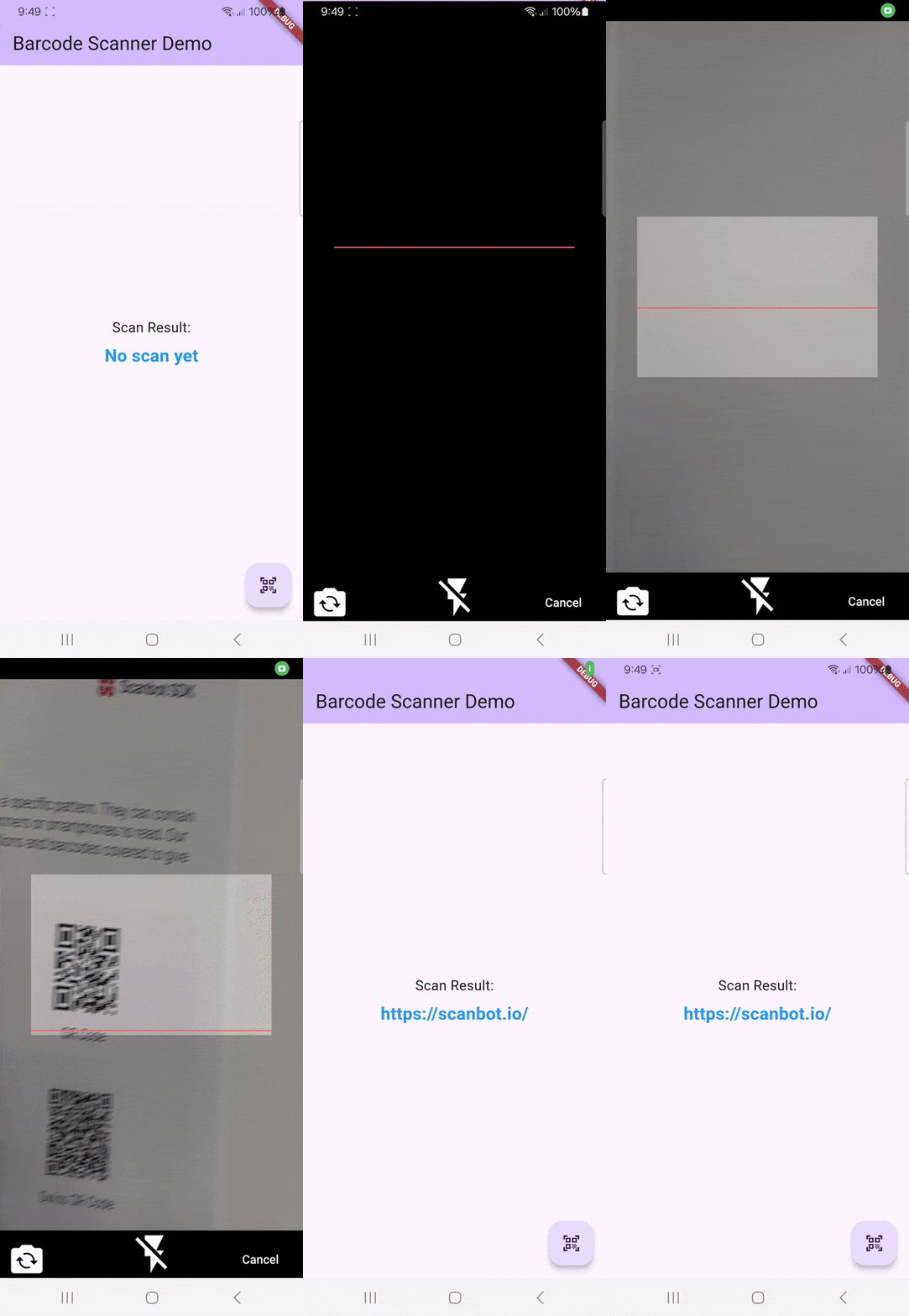
You might notice that the camera stream’s aspect ratio is wrong. Unfortunately, this is a common issue with the **flutter\_barcode\_scanner** package. More on this further down.
## Advanced features
The **flutter\_barcode\_scanner** library provides additional capabilities to add to your barcode scanner app.
### 1\. Different scanning modes
The `flutter_barcode_scanner` supports three scan modes:
| Scan Mode | Description |
| --- | --- |
| `ScanMode.BARCODE` | Restricts scanning to 1D barcodes. |
| `ScanMode.QR` | Restricts scanning to 2D barcodes. |
| `ScanMode.DEFAULT` | Scans both 1D and 2D barcodes. |
Restricting scanning to certain barcode types prevents accidental scans and improves the scanner’s performance, as it doesn’t need to check for each supported symbology.
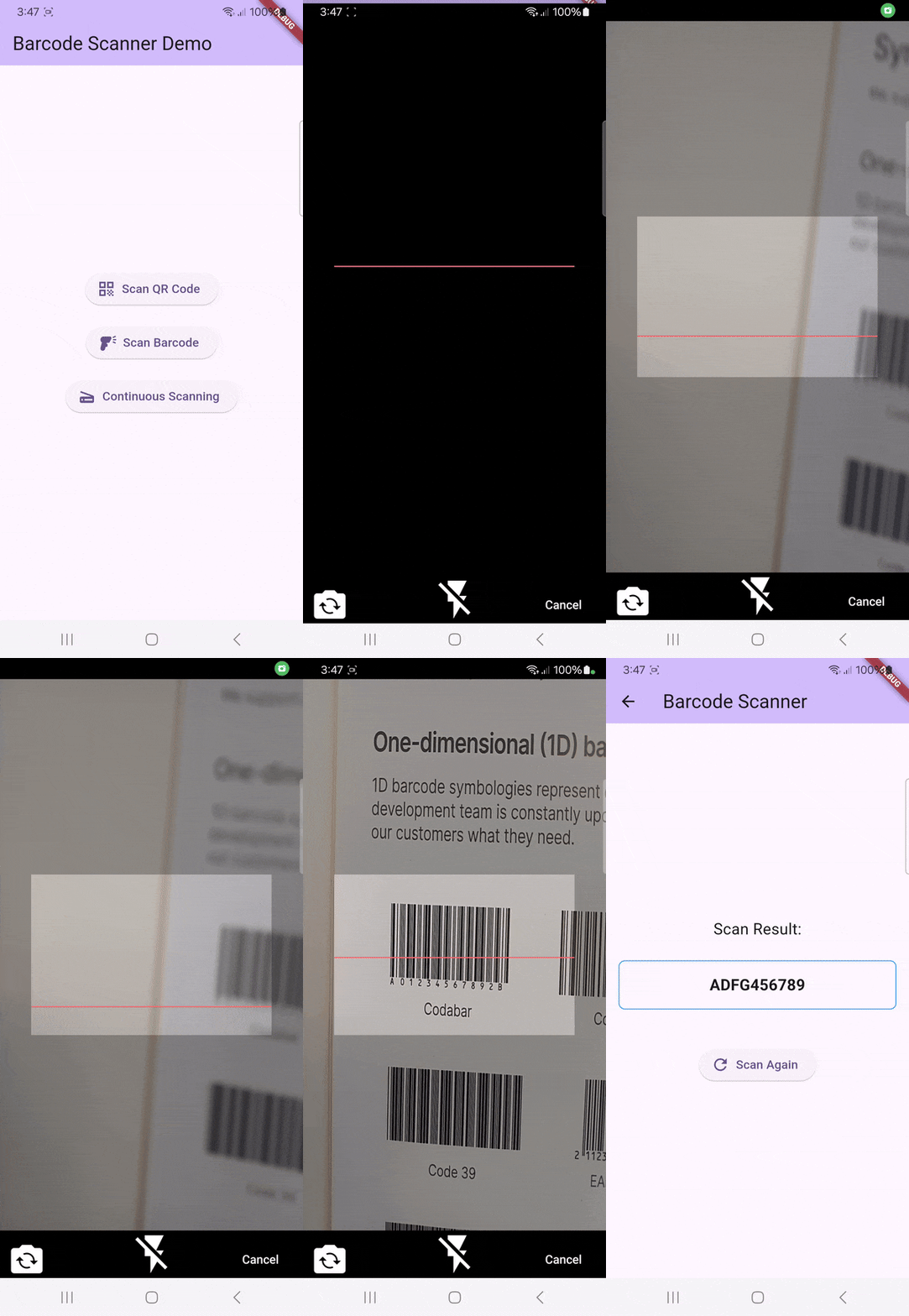
### 2\. Customizing the scanner’s appearance
You can change the scanner’s appearance by modifying the following parameters:
| Parameter | Example Value | Description |
| --- | --- | --- |
| `COLOR_CODE` | `"#ff6666"` | HEX color for the scanning line. |
| `CANCEL_BUTTON_TEXT` | `"Cancel"` | Custom text for the cancel button. |
| `isShowFlashIcon` | `true` | Whether to show the flash toggle button. |
The following code snippet shows an example of how to define the appearance configurations:
```hljs csharp
Future scanWithCustomAppearance() async {
String barcodeScanRes;
try {
barcodeScanRes = await FlutterBarcodeScanner.scanBarcode(
"#4CAF50", // Green scanning line
"Close", // Custom cancel button text
true, // Enable flash toggle
ScanMode.DEFAULT,
);
} on PlatformException {
barcodeScanRes = "Failed to scan";
}
setState(() {
_scanResult = barcodeScanRes;
});
}
```
### 3\. Continuous barcode scanning
By default, the scanner stops after detecting a barcode. To enable continuous scanning, you need to use a stream listener ( `listen`), as shown in the following code snippet:
```hljs csharp
void startContinuousScanning() {
FlutterBarcodeScanner.getBarcodeStreamReceiver(
"#ff6666",
"Cancel",
true,
ScanMode.DEFAULT,
)?.listen((barcode) {
if (barcode != '-1') {
setState(() {
_scanResult = barcode;
});
}
});
}
```
In the above code example, the scanner listens for barcodes ( `barcode`). If the scan result is not `-1`, meaning it wasn’t canceled, it updates the `_scanResult` state to ensure all barcode results are available after the scanning stops.
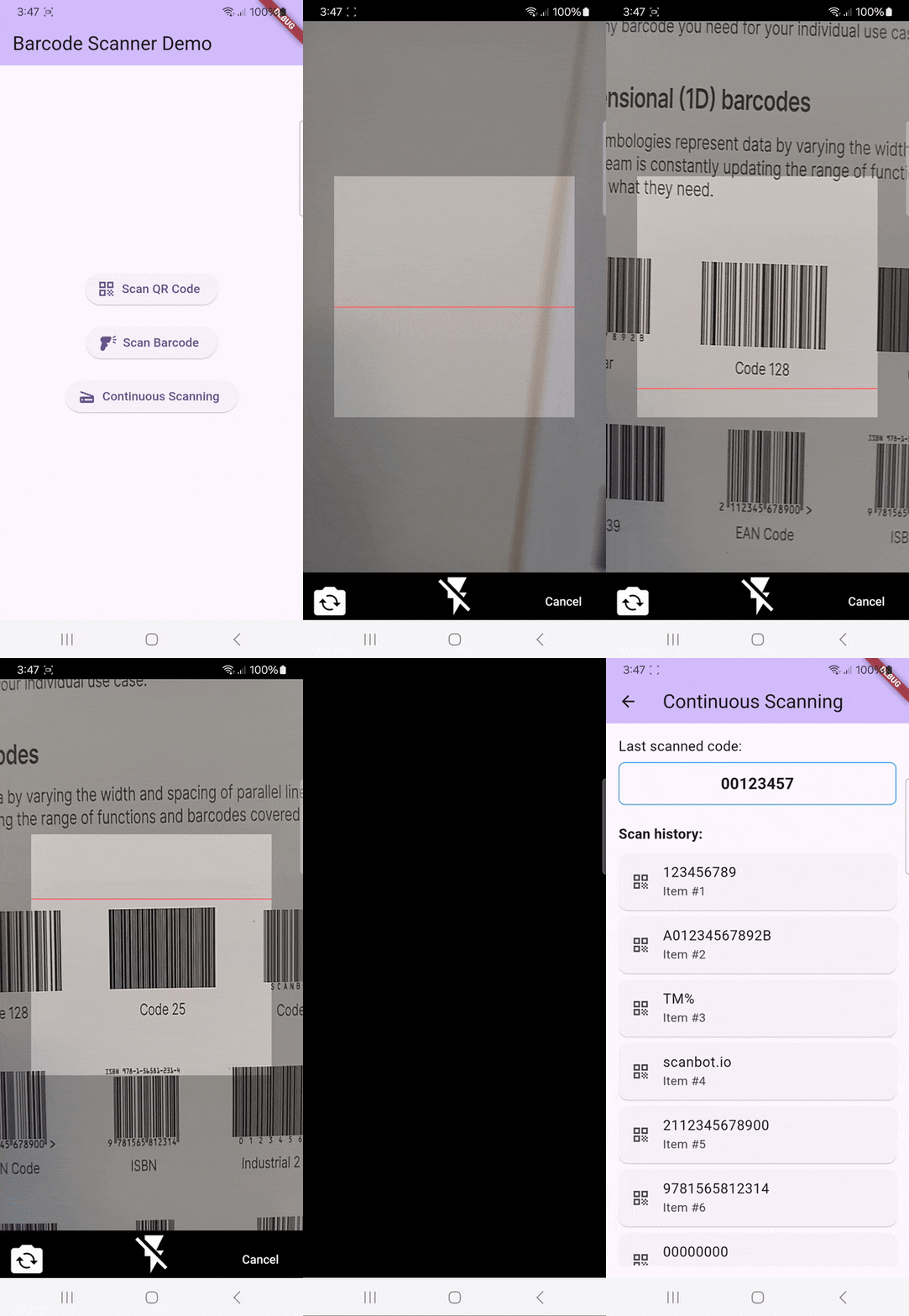
Unfortunately, the continuous scanning mode lacks an indication of which barcodes have been successfully scanned. Worse still, barcodes outside the [viewfinder](https://scanbot.io/techblog/implementing-a-barcode-scanner-viewfinder/) are also picked up, leading to unexpected entries in the results list. When using the **flutter\_barcode\_scanner** package in your project, you might want to remedy this with your own code.
## Disadvantages of using the flutter\_barcode\_scanner package to scan barcodes
While the **flutter\_barcode\_scanner** package can be useful for quickly prototyping a Flutter app with barcode scanning functionalities, its lack of maintenance results in compatibility issues with modern Flutter, Android, and iOS environments. Issues users have faced when integrating the package into their Flutter apps include:
- Wrong aspect ratio of the camera stream
- Problems compiling with newer Flutter versions
- Incompatibility with older devices
- Black screen when trying to scan a barcode
- Crashes on startup
For companies that heavily rely on barcode scanning in their business processes, we recommend using an enterprise-grade solution instead.
## Building a Flutter Barcode Scanner with the Scanbot SDK
We developed the Scanbot [Barcode Scanner SDK](https://scanbot.io/barcode-scanner-sdk/) to help enterprises overcome the hurdles presented by free barcode scanning software. Our goal was to have a developer-friendly solution available for a wide range of platforms that consistently delivers high-quality results – even in challenging circumstances.
With the SDK’s Ready-to-Use UI Components, you can even use an AR overlay to display multiple barcodes’ contents directly in the viewfinder, enhancing the scanning experience.
Scanning a single barcode
Scanning multiple barcodes with the AR overlay
Setting up a Flutter app to scan 1D or 2D barcodes is straightforward. We’re going to follow these steps:
1. Prepare the project.
2. Install the SDK.
3. Initialize the SDK.
4. Implement the scanning modules.
5. Start scanning barcodes!
### Requirements
To develop Flutter applications for Android and iOS, ensure you have the following:
1. **Flutter SDK**: [Download the latest version](https://flutter.dev/docs/get-started/install) for your OS.
2. **Dart SDK**: No separate installation needed, since it’s integrated with Flutter.
3. **The right IDEs for your target platforms:**
1. [Android Studio](https://developer.android.com/studio) to develop for Android. It includes the Android SDK and AVD Manager.
2. [Xcode](https://developer.apple.com/xcode/) for iOS development on macOS.
3. You can also use [Visual Studio Code](https://code.visualstudio.com/), which supports Flutter plugins.
⚠️ **A note to Windows users:** A Mac is necessary to build and test iOS apps. Consider using a remote Mac service or a physical Mac as a build server.
### 1\. Preparing the project
First, create a new directory for your project and navigate into it:
```hljs undefined
mkdir test-flutter
cd test-flutter
```
Create a new Flutter project:
```hljs undefined
flutter create test_barcode_scanner
cd test_barcode_scanner
```
Since we need access to the device camera to scan barcodes, let’s add the necessary **camera permissions** for Android and iOS.
Add camera permissions to `android/app/src/main/AndroidManifest.xml`:
```hljs html
NSCameraUsageDescription
We need camera access to scan barcodes.
```
### 2\. Installing the SDK
Add the Scanbot Flutter Barcode Scanner package to your `pubspec.yaml`:
```hljs yaml
dependencies:
flutter:
sdk: flutter
barcode_scanner: ^5.1.0
```
Run the following commnand to install the packages:
```hljs csharp
flutter pub get
```
💡 Please refer to our [changelog](https://docs.scanbot.io/barcode-scanner-sdk/flutter/changelog/) for the latest version of the Barcode Scanner SDK.
Now that the project is set up, we can integrate the barcode scanning functionalities.
### 3\. Initializing the SDK
Initialize the SDK in `main.dart`:
```hljs typescript
import 'package:flutter/material.dart';
import 'package:barcode_scanner/scanbot_barcode_sdk_v2.dart';
const BARCODE_SDK_LICENSE_KEY = "";
void main() {
runApp(const MyApp());
}
class MyApp extends StatelessWidget {
const MyApp({super.key});
@override
Widget build(BuildContext context) {
return const MaterialApp(
home: MyHomePage(),
);
}
}
class MyHomePage extends StatefulWidget {
const MyHomePage({super.key});
@override
State createState() => _MyHomePageState();
}
class _MyHomePageState extends State {
@override
void initState() {
super.initState();
_initScanbotSdk();
}
Future _initScanbotSdk() async {
var config = ScanbotSdkConfig(
licenseKey: BARCODE_SDK_LICENSE_KEY,
loggingEnabled: true,
);
try {
await ScanbotBarcodeSdk.initScanbotSdk(config);
print('Scanbot SDK initialized successfully');
} catch (e) {
print('Error initializing Scanbot SDK: $e');
}
}
@override
Widget build(BuildContext context) {
...
}
```
💡 Without a license key, our SDK only runs for 60 seconds per session. This is more than enough for the purposes of our tutorial, but if you like, you can [generate a license key](https://scanbot.io/trial/) using your [applicationId](https://docs.scanbot.io/barcode-scanner-sdk/flutter/detailed-setup-guide/sdk-initialization/#app-identifier).
### 4\. Implementing the scanning modes
The SDK’s [RTU UI components](https://docs.scanbot.io/barcode-scanner-sdk/flutter/barcode-scanner/ready-to-use-ui/) make it easy to deploy our Flutter Barcode Scanner package’s different scanning modes in your app. Let’s start with the simplest use case: single-barcode scanning.
Implement the barcode scanning functionality:
```hljs dart
void _startBarcodeScanning() async {
try {
// Create the default configuration object.
var configuration = BarcodeScannerConfiguration();
// Initialize the use case for single scanning.
var scanningMode = SingleScanningMode();
// Enable and configure the confirmation sheet.
scanningMode.confirmationSheetEnabled = true;
scanningMode.sheetColor = ScanbotColor("#FFFFFF");
// Hide/unhide the barcode image.
scanningMode.barcodeImageVisible = true;
// Configure the barcode title of the confirmation sheet.
scanningMode.barcodeTitle.visible = true;
scanningMode.barcodeTitle.color = ScanbotColor("#000000");
// Configure the barcode subtitle of the confirmation sheet.
scanningMode.barcodeSubtitle.visible = true;
scanningMode.barcodeSubtitle.color = ScanbotColor("#000000");
// Configure the cancel button of the confirmation sheet.
scanningMode.cancelButton.text = "Close";
scanningMode.cancelButton.foreground.color = ScanbotColor("#C8193C");
scanningMode.cancelButton.background.fillColor = ScanbotColor("#00000000");
// Configure the submit button of the confirmation sheet.
scanningMode.submitButton.text = "Submit";
scanningMode.submitButton.foreground.color = ScanbotColor("#FFFFFF");
scanningMode.submitButton.background.fillColor = ScanbotColor("#C8193C");
// Configure other parameters, pertaining to single-scanning mode as needed.
configuration.useCase = scanningMode;
// Set an array of accepted barcode types.
// configuration.recognizerConfiguration.barcodeFormats = [\
// scanbotV2.BarcodeFormat.AZTEC,\
// scanbotV2.BarcodeFormat.PDF_417,\
// scanbotV2.BarcodeFormat.QR_CODE,\
// scanbotV2.BarcodeFormat.MICRO_QR_CODE,\
// scanbotV2.BarcodeFormat.MICRO_PDF_417,\
// scanbotV2.BarcodeFormat.ROYAL_MAIL,\
/// .....\
// ];
// Configure other parameters as needed.
var result = await ScanbotBarcodeSdk.startBarcodeScanner(configuration);
if(result.operationResult == OperationResult.SUCCESS)
{
// TODO: present barcode result as needed
print(result.value?.items.first.type?.name);
}
} catch (e) {
print('Error: $e');
}
}
```
Now let’s go to the `build` method and add the button on the start screen so it calls our `_startBarcodeScanning` method when clicked:
```hljs typescript
@override
Widget build(BuildContext context) {
return Scaffold(
appBar: AppBar(
title: const Text('Barcode Scanner'),
),
body: Center(
child: ElevatedButton(
onPressed: _startBarcodeScanning,
style: ElevatedButton.styleFrom(
padding: const EdgeInsets.symmetric(vertical: 20, horizontal: 40),
textStyle: const TextStyle(fontSize: 18),
),
child: const Text("Start single-barcode scanning"),
),
),
);
}
```
If you like, you can build and run the app to see if everything is working correctly so far:
```hljs undefined
flutter run
```
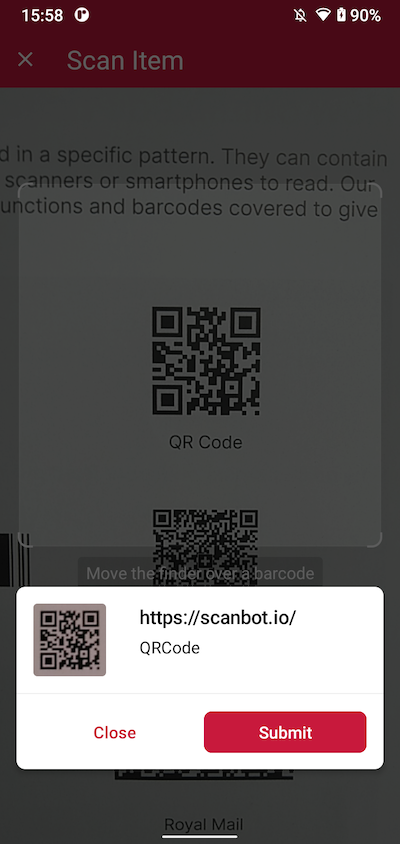
In the next step, we’re going to insert both the multi-barcode scanning and the AR overlay modules.
Let’s create two more methods, `_startBarcodeMultiScanning` and `_startAROverlay`:
```hljs dart
void _startBarcodeMultiScanning() async {
try {
// Create the default configuration object.
var configuration = BarcodeScannerConfiguration();
// Initialize the use case for multiple scanning.
var scanningMode = MultipleScanningMode();
// Set the counting mode.
scanningMode.mode = MultipleBarcodesScanningMode.COUNTING;
// Set the sheet mode for the barcodes preview.
scanningMode.sheet.mode = SheetMode.COLLAPSED_SHEET;
// Set the height for the collapsed sheet.
scanningMode.sheet.collapsedVisibleHeight = CollapsedVisibleHeight.LARGE;
// Enable manual count change.
scanningMode.sheetContent.manualCountChangeEnabled = true;
// Set the delay before same barcode counting repeat.
scanningMode.countingRepeatDelay = 1000;
// Configure the submit button.
scanningMode.sheetContent.submitButton.text = "Submit";
scanningMode.sheetContent.submitButton.foreground.color =
ScanbotColor("#000000");
// Configure other parameters, pertaining to multiple-scanning mode as needed.
configuration.useCase = scanningMode;
// Set an array of accepted barcode types.
// configuration.recognizerConfiguration.barcodeFormats = [\
// BarcodeFormat.AZTEC,\
// BarcodeFormat.PDF_417,\
// BarcodeFormat.QR_CODE,\
// BarcodeFormat.MICRO_QR_CODE,\
// BarcodeFormat.MICRO_PDF_417,\
// BarcodeFormat.ROYAL_MAIL,\
/// .....\
// ];
// Configure other parameters as needed.
var result = await ScanbotBarcodeSdk.startBarcodeScanner(configuration);
if(result.operationResult == OperationResult.SUCCESS)
{
// TODO: present barcode result as needed
print(result.value?.items.first.type?.name);
}
} catch (e) {
print('Error: $e');
}
}
```
```hljs dart
void _startAROverlay() async {
try {
// Create the default configuration object.
var configuration = new BarcodeScannerConfiguration();
// Configure the usecase.
var usecase = new MultipleScanningMode();
usecase.mode = MultipleBarcodesScanningMode.UNIQUE;
usecase.sheet.mode = SheetMode.COLLAPSED_SHEET;
usecase.sheet.collapsedVisibleHeight = CollapsedVisibleHeight.SMALL;
// Configure AR Overlay.
usecase.arOverlay.visible = true;
usecase.arOverlay.automaticSelectionEnabled = false;
// Set the configured usecase.
configuration.useCase = usecase;
// Set an array of accepted barcode types.
// configuration.recognizerConfiguration.barcodeFormats = [\
// BarcodeFormat.AZTEC,\
// BarcodeFormat.PDF_417,\
// BarcodeFormat.QR_CODE,\
// BarcodeFormat.MICRO_QR_CODE,\
// BarcodeFormat.MICRO_PDF_417,\
// BarcodeFormat.ROYAL_MAIL,\
/// .....\
// ];
var result = await ScanbotBarcodeSdk.startBarcodeScanner(configuration);
if (result.operationResult == OperationResult.SUCCESS) {
// TODO: present barcode result as needed
print(result.value?.items.first.type?.name);
}
} catch (e) {
print('Error: $e');
}
}
```
And let’s not forget to insert the buttons:
```hljs yaml
@override
Widget build(BuildContext context) {
return Scaffold(
appBar: AppBar(
title: const Text('Barcode Scanner'),
),
body: Center(
child: Column(
mainAxisAlignment: MainAxisAlignment.center,
children: [\
ElevatedButton(\
onPressed: _startBarcodeScanning,\
style: ElevatedButton.styleFrom(\
padding: const EdgeInsets.symmetric(vertical: 20, horizontal: 40),\
textStyle: const TextStyle(fontSize: 18),\
),\
child: const Text("Start single-barcode scanning"),\
),\
const SizedBox(height: 20),\
ElevatedButton(\
onPressed: _startBarcodeMultiScanning,\
style: ElevatedButton.styleFrom(\
padding: const EdgeInsets.symmetric(vertical: 20, horizontal: 40),\
textStyle: const TextStyle(fontSize: 18),\
),\
child: const Text("Start multi-barcode scanning"),\
),\
const SizedBox(height: 20),\
ElevatedButton(\
onPressed: _startAROverlay,\
style: ElevatedButton.styleFrom(\
padding: const EdgeInsets.symmetric(vertical: 20, horizontal: 40),\
textStyle: const TextStyle(fontSize: 18),\
),\
child: const Text("Start the AR overlay"),\
),\
],
),
),
);
}
```
Your final `main.dart` should look something like this:
```hljs dart
import 'package:flutter/material.dart';
import 'package:barcode_scanner/scanbot_barcode_sdk_v2.dart';
const BARCODE_SDK_LICENSE_KEY = "";
void main() {
runApp(const MyApp());
}
class MyApp extends StatelessWidget {
const MyApp({super.key});
@override
Widget build(BuildContext context) {
return const MaterialApp(
home: MyHomePage(),
);
}
}
class MyHomePage extends StatefulWidget {
const MyHomePage({super.key});
@override
State createState() => _MyHomePageState();
}
class _MyHomePageState extends State {
@override
void initState() {
super.initState();
_initScanbotSdk();
}
Future _initScanbotSdk() async {
var config = ScanbotSdkConfig(
licenseKey: BARCODE_SDK_LICENSE_KEY,
loggingEnabled: true,
);
try {
await ScanbotBarcodeSdk.initScanbotSdk(config);
print('Scanbot SDK initialized successfully');
} catch (e) {
print('Error initializing Scanbot SDK: $e');
}
}
@override
Widget build(BuildContext context) {
return Scaffold(
appBar: AppBar(
title: const Text('Barcode Scanner'),
),
body: Center(
child: Column(
mainAxisAlignment: MainAxisAlignment.center,
children: [\
ElevatedButton(\
onPressed: _startBarcodeScanning,\
style: ElevatedButton.styleFrom(\
padding: const EdgeInsets.symmetric(vertical: 20, horizontal: 40),\
textStyle: const TextStyle(fontSize: 18),\
),\
child: const Text("Start single-barcode scanning"),\
),\
const SizedBox(height: 20),\
ElevatedButton(\
onPressed: _startBarcodeMultiScanning,\
style: ElevatedButton.styleFrom(\
padding: const EdgeInsets.symmetric(vertical: 20, horizontal: 40),\
textStyle: const TextStyle(fontSize: 18),\
),\
child: const Text("Start multi-barcode scanning"),\
),\
const SizedBox(height: 20),\
ElevatedButton(\
onPressed: _startAROverlay,\
style: ElevatedButton.styleFrom(\
padding: const EdgeInsets.symmetric(vertical: 20, horizontal: 40),\
textStyle: const TextStyle(fontSize: 18),\
),\
child: const Text("Start the AR overlay"),\
),\
],
),
),
);
}
void _startBarcodeScanning() async {
try {
// Create the default configuration object.
var configuration = BarcodeScannerConfiguration();
// Initialize the use case for single scanning.
var scanningMode = SingleScanningMode();
// Enable and configure the confirmation sheet.
scanningMode.confirmationSheetEnabled = true;
scanningMode.sheetColor = ScanbotColor("#FFFFFF");
// Hide/unhide the barcode image.
scanningMode.barcodeImageVisible = true;
// Configure the barcode title of the confirmation sheet.
scanningMode.barcodeTitle.visible = true;
scanningMode.barcodeTitle.color = ScanbotColor("#000000");
// Configure the barcode subtitle of the confirmation sheet.
scanningMode.barcodeSubtitle.visible = true;
scanningMode.barcodeSubtitle.color = ScanbotColor("#000000");
// Configure the cancel button of the confirmation sheet.
scanningMode.cancelButton.text = "Close";
scanningMode.cancelButton.foreground.color = ScanbotColor("#C8193C");
scanningMode.cancelButton.background.fillColor = ScanbotColor("#00000000");
// Configure the submit button of the confirmation sheet.
scanningMode.submitButton.text = "Submit";
scanningMode.submitButton.foreground.color = ScanbotColor("#FFFFFF");
scanningMode.submitButton.background.fillColor = ScanbotColor("#C8193C");
// Configure other parameters, pertaining to single-scanning mode as needed.
configuration.useCase = scanningMode;
// Set an array of accepted barcode types.
// configuration.recognizerConfiguration.barcodeFormats = [\
// scanbotV2.BarcodeFormat.AZTEC,\
// scanbotV2.BarcodeFormat.PDF_417,\
// scanbotV2.BarcodeFormat.QR_CODE,\
// scanbotV2.BarcodeFormat.MICRO_QR_CODE,\
// scanbotV2.BarcodeFormat.MICRO_PDF_417,\
// scanbotV2.BarcodeFormat.ROYAL_MAIL,\
/// .....\
// ];
// Configure other parameters as needed.
var result = await ScanbotBarcodeSdk.startBarcodeScanner(configuration);
if(result.operationResult == OperationResult.SUCCESS)
{
// TODO: present barcode result as needed
print(result.value?.items.first.type?.name);
}
} catch (e) {
print('Error: $e');
}
}
void _startBarcodeMultiScanning() async {
try {
// Create the default configuration object.
var configuration = BarcodeScannerConfiguration();
// Initialize the use case for multiple scanning.
var scanningMode = MultipleScanningMode();
// Set the counting mode.
scanningMode.mode = MultipleBarcodesScanningMode.COUNTING;
// Set the sheet mode for the barcodes preview.
scanningMode.sheet.mode = SheetMode.COLLAPSED_SHEET;
// Set the height for the collapsed sheet.
scanningMode.sheet.collapsedVisibleHeight = CollapsedVisibleHeight.LARGE;
// Enable manual count change.
scanningMode.sheetContent.manualCountChangeEnabled = true;
// Set the delay before same barcode counting repeat.
scanningMode.countingRepeatDelay = 1000;
// Configure the submit button.
scanningMode.sheetContent.submitButton.text = "Submit";
scanningMode.sheetContent.submitButton.foreground.color =
ScanbotColor("#000000");
// Configure other parameters, pertaining to multiple-scanning mode as needed.
configuration.useCase = scanningMode;
// Set an array of accepted barcode types.
// configuration.recognizerConfiguration.barcodeFormats = [\
// BarcodeFormat.AZTEC,\
// BarcodeFormat.PDF_417,\
// BarcodeFormat.QR_CODE,\
// BarcodeFormat.MICRO_QR_CODE,\
// BarcodeFormat.MICRO_PDF_417,\
// BarcodeFormat.ROYAL_MAIL,\
/// .....\
// ];
// Configure other parameters as needed.
var result = await ScanbotBarcodeSdk.startBarcodeScanner(configuration);
if(result.operationResult == OperationResult.SUCCESS)
{
// TODO: present barcode result as needed
print(result.value?.items.first.type?.name);
}
} catch (e) {
print('Error: $e');
}
}
void _startAROverlay() async {
try {
// Create the default configuration object.
var configuration = new BarcodeScannerConfiguration();
// Configure the usecase.
var usecase = new MultipleScanningMode();
usecase.mode = MultipleBarcodesScanningMode.UNIQUE;
usecase.sheet.mode = SheetMode.COLLAPSED_SHEET;
usecase.sheet.collapsedVisibleHeight = CollapsedVisibleHeight.SMALL;
// Configure AR Overlay.
usecase.arOverlay.visible = true;
usecase.arOverlay.automaticSelectionEnabled = false;
// Set the configured usecase.
configuration.useCase = usecase;
// Set an array of accepted barcode types.
// configuration.recognizerConfiguration.barcodeFormats = [\
// BarcodeFormat.AZTEC,\
// BarcodeFormat.PDF_417,\
// BarcodeFormat.QR_CODE,\
// BarcodeFormat.MICRO_QR_CODE,\
// BarcodeFormat.MICRO_PDF_417,\
// BarcodeFormat.ROYAL_MAIL,\
/// .....\
// ];
var result = await ScanbotBarcodeSdk.startBarcodeScanner(configuration);
if (result.operationResult == OperationResult.SUCCESS) {
// TODO: present barcode result as needed
print(result.value?.items.first.type?.name);
}
} catch (e) {
print('Error: $e');
}
}
}
```
Now let’s build and run the app again so we can try out our new scanning modules.
### 5\. Scanning some barcodes!
Now you can go ahead and scan 1D and 2D barcodes – one after the other, many at the same time, and even with an AR overlay that lets you preview their values!

And if you’re in need of some sample barcodes for testing purposes, we’ve got you covered:

If this tutorial has piqued your interest in integrating barcode scanning functionalities into your Flutter app, make sure to take a look at our SDK’s other neat features in our [documentation](https://docs.scanbot.io/barcode-scanner-sdk/flutter/barcode-scanner/ready-to-use-ui/).
Should you have questions about this tutorial or ran into any issues, we’re happy to help! Just shoot us an email via [tutorial-support@scanbot.io](mailto:tutorial-support@scanbot.io).
Happy coding!
## Ready to get started?
Integrate the Scanbot SDK in less than an hour. Check out our docs, explore our GitHub example projects, or download our demo apps to get started right away.
[Get started](https://scanbot.io/get-started/) [Contact sales](https://scanbot.io/contact-sales/)
## Related blog posts
[](https://scanbot.io/techblog/integrate-android-barcode-scanner-library/)
### [How to build an Android Barcode Scanner with Kotlin in Android Studio](https://scanbot.io/techblog/integrate-android-barcode-scanner-library/)
In this tutorial, we'll create an Android app for scanning barcodes and QR codes using Kotlin and Android Studio.

Kevin June 26, 202514 mins read
[](https://scanbot.io/techblog/how-to-build-a-cross-platform-barcode-scanner/)
### [How to build a cross-platform barcode scanner app (in React Native, Flutter, .NET MAUI, and Capacitor)](https://scanbot.io/techblog/how-to-build-a-cross-platform-barcode-scanner/)
Learn how to build a mobile barcode scanning app using four popular frameworks.

Kevin February 27, 202532 mins read
[](https://scanbot.io/techblog/ios-barcode-scanner-sdk-integration-tutorial/)
### [Building an iOS Barcode Scanner in Xcode using Storyboards](https://scanbot.io/techblog/ios-barcode-scanner-sdk-integration-tutorial/)
Learn how to build an iOS app for reading barcodes and QR codes in Xcode using Swift.

Kevin April 21, 20259 mins read
+
## Industry Solutions Overview
https://scanbot.io/solutions/healthcare/2025-07-14T15:02:37+00:00https://scanbot.io/solutions/retail/2025-07-14T15:01:57+00:00https://scanbot.io/solutions/manufacturing-supply-chain/2025-06-16T12:44:51+00:00https://scanbot.io/solutions/finance-banking/2025-04-04T13:49:47+00:00https://scanbot.io/solutions/technology-software/2025-03-10T12:38:49+00:00https://scanbot.io/solutions/insurance/2025-01-29T07:02:40+00:00https://scanbot.io/solutions/freight-logistics/2025-01-29T06:59:21+00:00https://scanbot.io/solutions/hospitality-travel/2024-12-13T16:25:38+00:00
## Scanbot SDK Overview
Scanbot SDK has been acquired by Apryse!
[Learn more](https://apryse.com/blog/apryse-acquires-scanbot-and-accusoft)
[Learn more](https://apryse.com/blog/apryse-acquires-scanbot-and-accusoft)
close
[Skip to content](https://scanbot.io/social-links/#main)
[Visit website\\
arrow\_outward](https://scanbot.io/)
# Learn more about Scanbot SDK
[Careerscall\_made](https://scanbot.io/careers/) [Blogcall\_made](https://scanbot.io/blog/)
[Cookie preferences](https://scanbot.io/social-links/#)
+
## HTML5 Barcode Scanner
Scanbot SDK has been acquired by Apryse!
[Learn more](https://apryse.com/blog/apryse-acquires-scanbot-and-accusoft)
[Learn more](https://apryse.com/blog/apryse-acquires-scanbot-and-accusoft)
close
[Skip to content](https://scanbot.io/techblog/html5-barcode-scanner-tutorial/#main)
In this tutorial, we’ll use the [html5-qrcode](https://github.com/mebjas/html5-qrcode) library to create a web app for scanning 1D and 2D barcodes with just a few lines of HTML and JavaScript code. This library runs in most desktop and mobile browsers and supports scanning barcodes from a live camera stream as well as image files.

We’ll set up our scanner in three simple steps:
1. Creating the HTML page
2. Using JavaScript to initialize and configure the scanner
3. Linking the JavaScript file to the HTML page
Let’s get started!
## Step 1: Create the HTML page
In your project folder, create an **index.html** file with the usual boilerplate.
```hljs html
HTML5 Barcode Scanner
```
## Step 2: Use JavaScript to initialize and configure the scanner
Next, create a **script.js** file in the same folder. To set up our scanner, we can copy and paste a code snippet that the library’s developer has provided in a [gist on GitHub](https://gist.github.com/mebjas/729c5397506a879ec704075c8a5284e8#file-html5-qrcode-demo-js):
```hljs javascript
function docReady(fn) {
// see if DOM is already available
if (document.readyState === "complete" || document.readyState === "interactive") {
// call on next available tick
setTimeout(fn, 1);
} else {
document.addEventListener("DOMContentLoaded", fn);
}
}
docReady(function() {
var resultContainer = document.getElementById('qr-reader-results');
var lastResult, countResults = 0;
var html5QrcodeScanner = new Html5QrcodeScanner(
"qr-reader", { fps: 10, qrbox: 250 });
function onScanSuccess(decodedText, decodedResult) {
if (decodedText !== lastResult) {
++countResults;
lastResult = decodedText;
console.log(`Scan result = ${decodedText}`, decodedResult);
resultContainer.innerHTML += `[${countResults}] - ${decodedText}
`;
// Optional: To close the QR code scannign after the result is found
html5QrcodeScanner.clear();
}
}
// Optional callback for error, can be ignored.
function onScanError(qrCodeError) {
// This callback would be called in case of qr code scan error or setup error.
// You can avoid this callback completely, as it can be very verbose in nature.
}
html5QrcodeScanner.render(onScanSuccess, onScanError);
});
```
## Step 3: Link the JavaScript file to the HTML page
Back in **index.html**, we need to include our **script.js** as well as the **html5-qrcode** library itself. In this tutorial, we’ll use a CDN, but you can also use `npm install` or similar methods to include the library in your project.
We also need to add two `` elements. One for the QR code scanner and one for displaying the scan result.
```hljs html
HTML5 Barcode Scanner
```
Since smartphone cameras are much better suited for scanning barcodes than laptop or desktop webcams, let’s also make sure our scanner looks good on mobile by including some simple CSS in our **index.html**:
```hljs html
HTML5 Barcode Scanner
```
To test your project on your phone, you have a few options. One option is to use a service like [ngrok](https://ngrok.com/), which creates a tunnel to one of their SSL-certified domains. Their [Quick Start](https://ngrok.com/docs/getting-started/) guide will help you get up and running quickly.
Now let’s test our app by scanning a barcode!

## Optional: Implement additional features
The html5-qrcode library offers some further [customization options](https://github.com/mebjas/html5-qrcode?tab=readme-ov-file#documentation-1). Let’s say you want to build a [PDF417 scanner](https://scanbot.io/techblog/pdf417-barcode-reader-javascript-tutorial/) that also works in poor lighting conditions. By passing a `config` object as an argument to the `Html5QrcodeScanner` constructor in **script.js**, you can …
- adapt the aspect ratio of the viewfinder to the more horizontal format of a PDF417 barcode,
- restrict scanning to PDF417 barcodes to avoid false positives,
- enable a button that turns on the device’s flashlight if it has one.
```hljs csharp
// define the config object
let config = {
fps: 10,
qrbox: {width: 300, height: 100},
formatsToSupport: [Html5QrcodeSupportedFormats.PDF_417],
showTorchButtonIfSupported: true,
};
// existing code
// pass the config object to the Html5QrcodeScanner constructor
var html5QrcodeScanner = new Html5QrcodeScanner(
"qr-reader", config);
// existing code
```

## Disadvantages of using html5-qrcode for scanning barcodes
The html5-qrcode library is easy to integrate and offers a preconfigured UI, which makes it a good choice for quick prototyping or personal projects.
However, it comes with a few drawbacks:
- **Camera issues**: Some users have reported issues with the camera not starting on specific platforms.
- **Poor performance**: Compared to alternative libraries, html5-qrcode tends to be less performant and can struggle with certain barcode types.
- **Inconsistent results**: Scanning results can vary between devices and environments, leading to unreliable performance.
- **Lack of supported symbologies:** Under the hood, html5-qrcode uses ZXing.js (another barcode scanning library that is no longer officially supported), which limits the different barcode types it can scan.
- **Difficulties when troubleshooting:** Debugging an app that uses html5-qrcode can be challenging due to insufficient documentation and unclear error messages.
For companies that heavily rely on barcode scanning in their business processes, we recommend using an enterprise-grade solution instead.
## Building an HTML5 QR Code & Barcode Scanner with the Scanbot SDK
We developed the Scanbot [Web Barcode Scanner SDK](https://scanbot.io/barcode-scanner-sdk/web-barcode-scanner/) to help enterprises overcome the hurdles presented by free barcode scanning software. Our goal was to have a developer-friendly solution available for a wide range of platforms that consistently delivers high-quality results – even in challenging circumstances.
Thanks to the Scanbot SDK’s Ready-to-Use UI Components, you can even use an AR overlay to display multiple barcodes’ contents right in the viewfinder.
Scanning a single barcode
Scanning multiple barcodes with the AR overlay
To accomplish that, you will need to follow the steps below:
1. Downloading the Web SDK
2. Creating the HTML page and configuring the Web SDK
3. Enabling the AR overlay
Let’s dive into more details for each step.
### Step 1: Download the Web SDK
First, create a new empty directory for your app and name it, e.g. “barcode-scanner-app”.
Then download the Scanbot SDK package directly from [the npm registry](https://registry.npmjs.org/scanbot-web-sdk/-/scanbot-web-sdk-7.0.0.tgz).
💡 You can also [use npm to download and install the package](https://docs.scanbot.io/barcode-scanner-sdk/web/detailed-setup-guide/installation/#npm), but in this tutorial, we’ll do it manually. You can check the latest SDK version in the [changelog](https://docs.scanbot.io/barcode-scanner-sdk/web/changelog/).
Unzip the downloaded files into **barcode-scanner-app**. If the unzipped folder is named “package” or similar, rename it to “scanbot-web-sdk” or make sure to later provide the correct directory path in the code.
Your folder structure should look like this:
```bash
barcode-scanner-app/
|- scanbot-web-sdk/
|- webpack/
|- bundle/
|- @types/
|- index.js
|- ui.js
... (and some other files)
```
### Step 2: Create the HTML page and configure the Web SDK
Create an **index.html** file in the **barcode-scanner-app** folder. Then add the following code to the file:
```hljs html
My Scanner App
Start scanning
```
The code block above:
- Adds the “Start scanning” button.
- Imports and initializes the Scanbot SDK.
- Executes the user interface from the Scanbot SDK when the user clicks the “Start scanning” button.
- If a barcode is identified, it will present the barcode type and its content to the user.
💡 Without a license key, our SDK only runs for 60 seconds per session. This is more than enough for the purposes of our tutorial, but if you like, you can [generate a license key](https://scanbot.io/trial/) on our website.
Feel free to run the app to see if everything is working so far.

### Step 3: Enable the AR overlay
The Scanbot SDK lets you display an AR overlay on the screen so users can pick a specific barcode when the scanner recognizes multiple barcodes. All you need to do to enable this feature is to add the following code after defining the `config` object:
```hljs cpp
config.useCase.arOverlay.visible = true;
config.useCase.arOverlay.automaticSelectionEnabled = false;
```
Run your app again to see the AR overlay in action.

### Conclusion
🎉 That’s it! You now have a fully functional barcode scanning web app using the Scanbot SDK’s RTU UI.
Are you interested in how the scanner implementation works in your favorite JavaScript framework?
We’ve got you covered:
- [React.js](https://scanbot.io/techblog/react-barcode-reader-tutorial/)
- [Vue](https://scanbot.io/techblog/vue-js-barcode-scanner-tutorial/)
- [Angular](https://scanbot.io/techblog/angular-barcode-scanner-tutorial/)
- [Svelte](https://scanbot.io/techblog/svelte-barcode-scanner-tutorial/)
- [Next.js](https://scanbot.io/techblog/next-js-barcode-scanner-tutorial/)
Should you have any questions, feel free to reach out to us [on Slack or MS Teams](https://docs.scanbot.io/support/) or send us an email via [sdksupport@scanbot.io](mailto:sdksupport@scanbot.io)
Happy scanning! 🤳
## Ready to get started?
Integrate the Scanbot SDK in less than an hour. Check out our docs, explore our GitHub example projects, or download our demo apps to get started right away.
[Get started](https://scanbot.io/get-started/) [Contact sales](https://scanbot.io/contact-sales/)
## Related blog posts
[](https://scanbot.io/techblog/how-to-build-a-javascript-document-scanner-web-app/)
### [How to build a JavaScript Document Scanner web app](https://scanbot.io/techblog/how-to-build-a-javascript-document-scanner-web-app/)
We'll show you how to build a document scanning web app in minutes using only HTML, JavaScript, and our Web Document Scanner SDK.

Kevin February 21, 20257 mins read
[](https://scanbot.io/techblog/compose-multiplatform-barcode-scanning-ui-tutorial/)
### [How to create a Compose Multiplatform iOS & Android barcode scanning application using the Scanbot SDK](https://scanbot.io/techblog/compose-multiplatform-barcode-scanning-ui-tutorial/)
Compose Multiplatform enables developers to write UI code compatible with both Android and iOS. We’ll walk you through the integration process with the Scanbot Barcode Scanner SDK.

Ildar July 30, 202411 mins read
[](https://scanbot.io/techblog/progressive-web-app-barcode-scanner-tutorial/)
### [How to build a Progressive Web App (PWA) Barcode Scanner with React and TypeScript](https://scanbot.io/techblog/progressive-web-app-barcode-scanner-tutorial/)
Learn how to build an installable barcode scanning PWA using React and our Web SDK in this step-by-step guide.

Kevin January 7, 202510 mins read
+
## Improve OCR Accuracy
Scanbot SDK has been acquired by Apryse!
[Learn more](https://apryse.com/blog/apryse-acquires-scanbot-and-accusoft)
[Learn more](https://apryse.com/blog/apryse-acquires-scanbot-and-accusoft)
close
[Skip to content](https://scanbot.io/blog/improve-ocr-accuracy-with-image-processing/#main)
On their quest to streamline and automate workflows, extracting text from images has become increasingly crucial for businesses. [Optical Character Recognition (OCR)](https://scanbot.io/blog/what-is-ocr-software/) technology has made great strides in recent years – even consumer smartphones can now accurately scan documents.
However, OCR accuracy still hinges on the quality of input images. This is where image pre-processing comes in. This article explores how image pre-processing techniques enhance OCR performance, making text extraction more reliable and efficient.
## What is OCR, and how does it work?
Optical Character Recognition ( **OCR**) technology converts images of text into digital text. The software first separates the text from the background and then recognizes the individual characters. The result is machine-readable text – data that can be copied, searched, and processed automatically.
Generally, an OCR solution works like this:
1. **Image capture**: The physical document is scanned with a camera, such as a smartphone’s. The result is a grayscale or color scan.
2. **Character recognition:** The OCR engine detects areas on the scanned document that contain individual characters, words, or lines. Historically, engines checked the individual characters against a database of characters in a variety of fonts ( _matrix matching_) or of topological features like open areas or line intersections ( _feature extraction_). Modern OCR instead uses neural networks, which provide superior pattern recognition. They can reliably recognize text even under challenging conditions such as low lighting, shadows, skewed text, or badly printed characters.
3. **Output:** Once the text is extracted from the input image, it can be processed. The output format depends on the use case: To create a searchable PDF file, for instance, the recognized text is added as an invisible layer over the input image. Or, if further editing of the document is required, the software can create an editable text file that mimics the formatting and layout of the input image.
## Benefits of OCR
Accurate OCR **improves data integrity** by ensuring that text extracted from [documents](https://scanbot.io/blog/ocr-automation-in-document-processing/) faithfully represents the original content. It eliminates the mistakes that arise from manual data entry, thus reducing the need for manual data correction and validation. This, and the fact that the documents are now searchable, dramatically speeds up document management workflows from data entry to retrieval. The result is significant **time and cost savings**.
The **workflow automation** this enables further boosts **productivity and efficiency**.
To reach its full potential, however, OCR depends on high input image quality. Less-than-ideal images with blurry text, skewing, shadows, and low contrast pose a serious challenge to OCR accuracy.
## Enhance OCR accuracy with image pre-processing
Modern OCR software is more than the OCR engine that performs the actual text recognition. Today’s solutions use image pre-processing techniques to enhance input image quality. The focus is usually on adjusting image angle and enhancing contrast between text and background.
### Deskewing
Scans of paper documents are often skewed at a slight angle, resulting in distorted text characters. Deskewing corrects this and makes it easier for the OCR software to establish text baselines, which are crucial reference lines the OCR engine uses for character alignment and recognition.
### Image filters
Image filters are often applied as a first step to improve quality. As color information is unnecessary for text recognition, images are typically converted to **grayscale**. The different shades of gray can result in cleaner backgrounds and sharper text characters.
Some OCR engines don’t perform well on grayscale or color images and need more contrast to deliver accurate results. **Binarization** converts the image from grayscale to pure black-and-white pixels, creating maximum contrast between text and background.
Apart from enhancing contrast, these filters also reduce **image noise**. By removing dust specks, image compression, and other noise, they improve character recognition.
Though these image-processing techniques can enhance OCR accuracy, they only go so far. Some images are so poor they cannot be salvaged. The solution is to prevent these poor-quality images in the first place – and this is where a feedback system for users comes into play.
## Prevent low-quality scans and use only high-quality input images
Recently, we introduced the Scanbot SDK [Document Quality Analyzer](https://scanbot.io/blog/enhanced-document-quality-analyzer/) (DQA). This feature provides you with built-in quality control right at the source: in your document scanner app. It ensures that documents are captured with optimal quality and are suitable for subsequent OCR processing.
This is how it works:
1. The DQA detects all Latin characters and numbers in the input image.
2. Next, it examines each detected text string and rates it – based on how sharp the characters are – as “excellent”, “good”, “reasonable”, “poor”, or “very poor”.
3. If the average rating of the input image does not match your set threshold, a notification asks the user to retake the scan.
You can set your own acceptance threshold, but we recommend using at least “good” for automatic OCR processing. This prevents low-quality images from entering the OCR process to begin with.
The DQA is part of our [Document Scanner SDK](https://scanbot.io/document-scanner-sdk/), but is also available as a stand-alone, self-hosted module. The SDK’s advanced OCR software turns any smartphone and tablet into a powerful document scanner. Features such as **user guidance**, **automatic capture**, and **automatic cropping** minimize low-quality submissions and ensure accurate results. Its powerful OCR engine also works on full-color images.
Try our [free demo app](https://scanbot.io/demo-apps/) and see for yourself why companies like [HUK Coburg](https://scanbot.io/success-stories/huk-coburg/), one of the ten largest insurance groups in Germany, trust our document-scanning solution. If you would like to learn more about our Document Scanner SDK or the Document Quality Analyzer, please contact us at sdk@scanbot.io.
## Ready to get started?
Integrate the Scanbot SDK in less than an hour. Check out our docs, explore our GitHub example projects, or download our demo apps to get started right away.
[Get started](https://scanbot.io/get-started/) [Contact sales](https://scanbot.io/contact-sales/)
## Related blog posts
[](https://scanbot.io/blog/document-scan-quality-control-system/)
### [How to scan high-quality documents with a Document Scan Quality Control System](https://scanbot.io/blog/document-scan-quality-control-system/)
Finding a fast way to communicate and exchange documents is crucial for any business. Modern software tools enable input quality control.

Johanna December 13, 20247 mins read
[](https://scanbot.io/blog/credit-card-scanner-sdk-mobile-apps/)
### [A complete guide: Credit card scanning for mobile apps](https://scanbot.io/blog/credit-card-scanner-sdk-mobile-apps/)
Credit card scanning in mobile apps can make the difference between an abandoned cart and a conversion. Learn all about it in this post.

Maya December 6, 202410 mins read
[](https://scanbot.io/blog/smart-devices-as-proof-of-delivery-scanners/)
### [Proof-of-delivery scanners for efficient and transparent deliveries](https://scanbot.io/blog/smart-devices-as-proof-of-delivery-scanners/)
Software-based proof of delivery scanners automate the delivery confirmation process to increase efficiency, reduce costs, and provide customers with transparency.

Kevin November 26, 20245 mins read
+
## ZXing Android Scanner Tutorial
Scanbot SDK has been acquired by Apryse!
[Learn more](https://apryse.com/blog/apryse-acquires-scanbot-and-accusoft)
[Learn more](https://apryse.com/blog/apryse-acquires-scanbot-and-accusoft)
close
[Skip to content](https://scanbot.io/techblog/zxing-android-embedded-tutorial/?utm_source=chatgpt.com#main)
**ZXing** is an open-source project that provides a barcode image processing library. **ZXing Android Embedded** is a standalone library that facilitates barcode scanning within Android applications.
In this tutorial, we’ll show you how to use [ZXing Android Embedded](https://github.com/journeyapps/zxing-android-embedded) to integrate a barcode scanner into your Android app using [Kotlin](https://kotlinlang.org/) and [Android Studio](https://developer.android.com/studio).
To achieve this, we’ll do the following:
1. Create a new Android project
2. Add the ZXing dependencies
3. Create the app layout
4. Configure the app activity
5. Change the orientation
6. Run the app
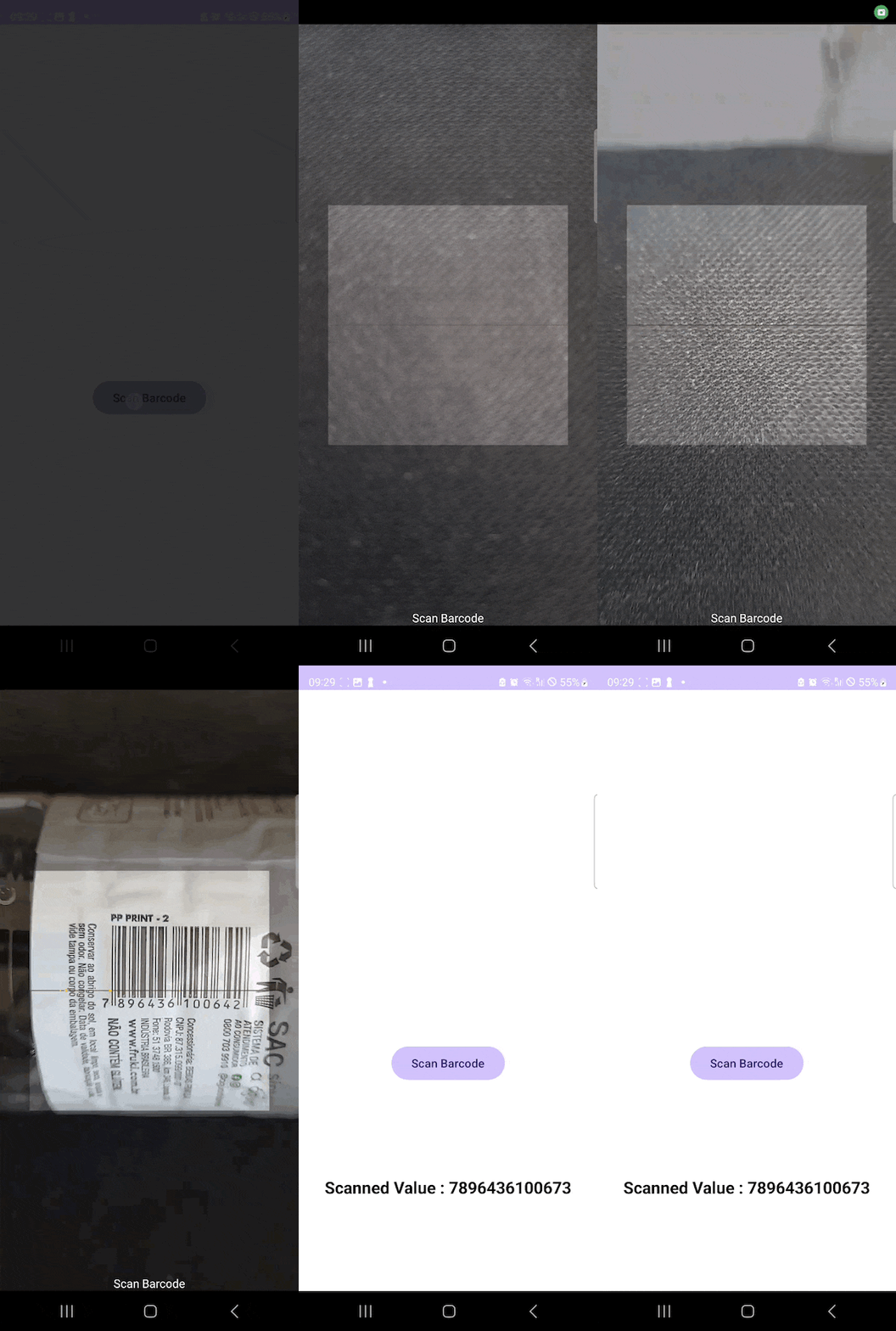
Let’s get started! 🧑🏻💻
## Step 1: Create a new Android project
To create a new Android project, launch Android Studio and follow the steps below:
1. On the welcome screen, click on **New Project**. If Android Studio is already open, on the top menu, select **File > New > New Project**.
2. On the new window, select **Phone and Tablet** and choose the **Empty Views Activity**. Click **Next.**
3. Set the following project configurations:
1. **Name**: Choose a name for your app. In this tutorial, we’ll go with **BarcodeScanner**.
2. **Package Name**: This field is automatically populated based on your project name.
3. **Save Location**: Select a directory to save your project.
4. **Language**: Choose the programming language (Java or Kotlin). To follow this guide, select **Kotlin**.
5. **Minimum SDK**: Select the minimum Android version your app will support. Fewer devices will support the newer versions. For this tutorial, choose **API 24(“Nougat”; Android 7.0).**
4. Click **Finish** to create your project.
When you create the new project, Android Studio will make the necessary configurations and build the modules. After this is finished, you should see a project with an organization similar to the one below.
## Step 2: Add the ZXing dependencies
To start, you have to add ZXing to your project dependencies. First, add ZXing to your project’s libraries:
1. Open the **libs.versions.toml** file.
2. Under **\[versions\]** add `scanner = "4.3.0"`.
3. Under **\[libraries\]** add `scanner = { group = "com.journeyapps", name = "zxing-android-embedded", version.ref = "scanner" }`. Here, you are including the library and naming it as **scanner**, which you will use to add to your project.
The **libs.versions.tom** file should look something like this:
```hljs csharp
[versions]
agp = "8.4.0"
kotlin = "1.9.0"
coreKtx = "1.13.1"
junit = "4.13.2"
junitVersion = "1.1.5"
espressoCore = "3.5.1"
appcompat = "1.7.0"
material = "1.12.0"
activity = "1.9.0"
scanner = "4.3.0"
constraintlayout = "2.1.4"
[libraries]
androidx-core-ktx = { group = "androidx.core", name = "core-ktx", version.ref = "coreKtx" }
junit = { group = "junit", name = "junit", version.ref = "junit" }
androidx-junit = { group = "androidx.test.ext", name = "junit", version.ref = "junitVersion" }
androidx-espresso-core = { group = "androidx.test.espresso", name = "espresso-core", version.ref = "espressoCore" }
androidx-appcompat = { group = "androidx.appcompat", name = "appcompat", version.ref = "appcompat" }
material = { group = "com.google.android.material", name = "material", version.ref = "material" }
androidx-activity = { group = "androidx.activity", name = "activity", version.ref = "activity" }
androidx-constraintlayout = { group = "androidx.constraintlayout", name = "constraintlayout", version.ref = "constraintlayout" }
scanner = { group = "com.journeyapps", name = "zxing-android-embedded", version.ref = "scanner" }
[plugins]
android-application = { id = "com.android.application", version.ref = "agp" }
jetbrains-kotlin-android = { id = "org.jetbrains.kotlin.android", version.ref = "kotlin" }
```
Afterwards, you have to include the library in your project’s **build.gradle.kts (Modular :app)** using the **scanner** name:
1. Open the **build.gradle.kts (Modular :app)** file.
2. Add `implementation(libs.scanner)` within **dependencies.**
The **build.gradle.kts (Modular :app)** file should look like this:
```hljs csharp
plugins {
alias(libs.plugins.android.application)
alias(libs.plugins.jetbrains.kotlin.android)
}
android {
namespace = "com.example.barcodescanner"
compileSdk = 34
defaultConfig {
applicationId = "com.example.barcodescanner"
minSdk = 24
targetSdk = 34
versionCode = 1
versionName = "1.0"
testInstrumentationRunner = "androidx.test.runner.AndroidJUnitRunner"
}
buildTypes {
release {
isMinifyEnabled = false
proguardFiles(
getDefaultProguardFile("proguard-android-optimize.txt"),
"proguard-rules.pro"
)
}
}
compileOptions {
sourceCompatibility = JavaVersion.VERSION_1_8
targetCompatibility = JavaVersion.VERSION_1_8
}
kotlinOptions {
jvmTarget = "1.8"
}
}
dependencies {
implementation(libs.androidx.core.ktx)
implementation(libs.androidx.appcompat)
implementation(libs.material)
implementation(libs.androidx.activity)
implementation(libs.androidx.constraintlayout)
implementation(libs.scanner)
testImplementation(libs.junit)
androidTestImplementation(libs.androidx.junit)
androidTestImplementation(libs.androidx.espresso.core)
}
```
## Step 3: Create the app layout
Before using the functionalities provided by the ZXing library, you need to add the visual elements to your app to enable the user to interact with it. For this tutorial, the app is composed of two elements:
- A Button the user will use to start the scanning process.
- A TextView to display the bar code after finishing the scanning process.
To add the above components to your app, open the **activity\_main.xml** file, which you will find under **app > res > layout**. Replace the existing content with the following code.
💡 If you open the **activity\_main.xml** file and no code appears on your screen, click the **Split** button at the top right of Android Studio.
```hljs html
```
The configurations used for each component are described in the following tables.
| | |
| --- | --- |
| **Button** |
| **Attribute** | **Description** |
| `android:id="@+id/scanBtn"` | Unique identifier for the Button. |
| `android:layout_width="wrap_content"` | The width of the Button is set to wrap its content. |
| `android:layout_height="wrap_content"` | The height of the Button is set to wrap its content. |
| `android:text="Scan Bar Code"` | The text displayed on the Button. |
| `app:layout_constraintBottom_toBottomOf="parent"` | Constraint to align the bottom of the Button with the bottom of the parent layout. |
| `android:layout_marginBottom="250dp"` | Margin at the bottom of the Button. |
| `app:layout_constraintEnd_toEndOf="parent"` | Constraint to align the end (right) of the Button with the end (right) of the parent layout. |
| `app:layout_constraintHorizontal_bias="0.5"` | Horizontal bias to center the Button horizontally. |
| `app:layout_constraintStart_toStartOf="parent"` | Constraint to align the start (left) of the Button with the start (left) of the parent layout. |
| | |
| --- | --- |
| **TextView** |
| **Attribute** | **Description** |
| `android:id="@+id/scannedValue"` | Unique identifier for the TextView. |
| `android:layout_width="wrap_content"` | The width of the TextView is set to wrap its content. |
| `android:layout_height="wrap_content"` | The height of the TextView is set to wrap its content. |
| `android:text="Scanned Value"` | The text displayed in the TextView. |
| `android:textColor="@android:color/black"` | The color of the text is set to black. |
| `android:textSize="20sp"` | The size of the text is set to 20sp (scaled pixels). |
| `android:textStyle="bold"` | The text style is set to bold. |
| `app:layout_constraintTop_toBottomOf="@id/scanBtn"` | Constraint to align the top of the TextView with the bottom of the Button. |
| `app:layout_constraintBottom_toBottomOf="parent"` | Constraint to align the bottom of the TextView with the bottom of the parent layout. |
| `app:layout_constraintEnd_toEndOf="parent"` | Constraint to align the end (right) of the TextView with the end (right) of the parent layout. |
| `app:layout_constraintStart_toStartOf="parent"` | Constraint to align the start (left) of the TextView with the start (left) of the parent layout. |
After setting up the above configuration on the **activity\_main.xml** file, Android Studio should present an app preview.
## Step 4: Configure the app activity
After adding the components, it’s time to configure the app functionalities. At this step, you will define the functions that define the Button and TextView behaviour.
To start, open the **MainActivity.kt** file, which you will find under **app > kotling+java > com.example.barcodescanner**.
First, declare a `Button` and a `TextView` variable within the `MainActivity` class. Then, override the `onCreate` function to assign the Button and TextView variables to respective Ids defined in the **activity\_main.xml** file. After that, add the `registerUiListener()` function, which you will define next. The beginning of the `MainActivity` class should be equal to the content of the following code block:
```hljs kotlin
class MainActivity : AppCompatActivity() {
private lateinit var scanBtn: Button
private lateinit var scannedValue: TextView
override fun onCreate(savedInstanceState: Bundle?) {
super.onCreate(savedInstanceState)
setContentView(R.layout.activity_main)
scanBtn = findViewById(R.id.scanBtn)
scannedValue = findViewById(R.id.scannedValue)
registerUiListener()
}
```
Next, you have to define the `registerUiListener()` function. The `registerUiListener` method sets up an `OnClickListener` for the `scanBtn` button. When someone clicks the button, it triggers the `scannerLauncher` to launch the barcode scanner. At this point, you can specify the options to define the scanner behaviour. Check [ScanOptions.java](https://github.com/journeyapps/zxing-android-embedded/blob/master/zxing-android-embedded/src/com/journeyapps/barcodescanner/ScanOptions.java) to see all the available options. This tutorial uses the following options:
- `setPrompt("Scan Barcode")`: Specifies the text that will appear when the app accesses the camera to scan the barcode.
- `.setDesiredBarcodeFormats(ScanOptions.ONE_D_CODE_TYPES)`: Defines that only one-dimensional codes will be identified.
The following code block presents the `registerUiListener()` code.
```hljs kotlin
private fun registerUiListener() {
scanBtn.setOnClickListener {
scannerLauncher.launch(
ScanOptions().setPrompt("Scan Barcode")
.setDesiredBarcodeFormats(ScanOptions.ONE_D_CODE_TYPES)
)
}
}
```
Last, you need to define the behaviour of the `TextView` after a barcode is scanned. For this, you will add the `scannerLauncher` activity, which will handle the result of the barcode scanning activity. Use the `registerForActivityResult` method to register it with a `ScanContract`. You also have to specify the callback function to handle the scan result. In this tutorial, the callback has the following behaviour:
- The app displays a **Canceled** message if the scan was cancelled, meaning no content was scanned.
- If the scan is successful, the app updates the `scannedValue TextView` with the scanned barcode contents, formatted as **Scanned Value: \[result\]**.
The following code block presents the `scannerLauncher` code.
```hljs kotlin
private val scannerLauncher = registerForActivityResult
(
ScanContract()
) { result ->
if (result.contents == null) {
Toast.makeText(this, "Cancelled", Toast.LENGTH_SHORT).show()
} else {
scannedValue.text = buildString {
append("Scanned Value : ")
append(result.contents)
}
}
}
```
After adding all configurations, the **MainActivity.kt** file should have the following content:
```hljs kotlin
package com.example.barcodescanner
import android.os.Bundle
import android.widget.Button
import android.widget.TextView
import android.widget.Toast
import androidx.activity.enableEdgeToEdge
import androidx.appcompat.app.AppCompatActivity
import androidx.core.view.ViewCompat
import androidx.core.view.WindowInsetsCompat
import com.google.zxing.client.android.Intents.Scan
import com.journeyapps.barcodescanner.CaptureActivity
import com.journeyapps.barcodescanner.ScanContract
import com.journeyapps.barcodescanner.ScanIntentResult
import com.journeyapps.barcodescanner.ScanOptions
class MainActivity : AppCompatActivity() {
private lateinit var scanBtn: Button
private lateinit var scannedValue: TextView
override fun onCreate(savedInstanceState: Bundle?) {
super.onCreate(savedInstanceState)
setContentView(R.layout.activity_main)
scanBtn = findViewById(R.id.scanBtn)
scannedValue = findViewById(R.id.scannedValue)
registerUiListener()
}
private fun registerUiListener() {
scanBtn.setOnClickListener {
scannerLauncher.launch(
ScanOptions().setPrompt("Scan Barcode")
.setDesiredBarcodeFormats(ScanOptions.ONE_D_CODE_TYPES)
)
}
}
private val scannerLauncher = registerForActivityResult(
ScanContract()
) { result ->
if (result.contents == null) {
Toast.makeText(this, "Cancelled", Toast.LENGTH_SHORT).show()
} else {
scannedValue.text = buildString {
append("Scanned Value : ")
append(result.contents)
}
}
}
}
```
## Step 5: Change the orientation
By default, the ZXing Android Embedded uses landscape mode. To change this behaviour, you must change the **AndroidManifest.xml** file, which you find under **app > manifests**.
In the **AndroidManifest.xml** file, you have to add a new `CaptureActivity` to ensure the scanning interface is always in portrait orientation. The following code block presents the code you need to add to the file:
```hljs html
Kotlin Class/File**, and naming it (e.g. “ExampleApplication”).
In the resulting **ExampleApplication.kt**, let’s first add the necessary imports:
```hljs cpp
import android.app.Application
import io.scanbot.sdk.barcode_scanner.ScanbotBarcodeScannerSDKInitializer
```
Then we make `ExampleApplication` extend the `Application` class by adding `: Application()` and add the code for initializing the SDK inside it:
```hljs kotlin
class ExampleApplication : Application() {
override fun onCreate() {
super.onCreate()
ScanbotBarcodeScannerSDKInitializer()
// Optional: uncomment the next line if you have a license key.
// .license(this, LICENSE_KEY)
.initialize(this)
}
}
```
💡 Without a license key, our SDK only runs for 60 seconds per session. This is more than enough for the purposes of our tutorial, but if you like, you can [generate a license key](https://scanbot.io/trial/). Just make sure to change your `applicationId` in **app/build.gradle.kts** to `io.scanbot.androidbarcodescanner` and use that ID for generating the license.
Finally, we need to register the `Example Application` class in **AndroidManifest.xml**:
```hljs cpp
```
### **Step 4: Implementing the scanning modes**
Now we’ll connect each button with one of our RTU UI’s scanning modes, starting with single-barcode scanning.
Go to **MainActivity.kt** and add the necessary imports:
```hljs cpp
import android.widget.Button
import android.widget.Toast
import androidx.activity.result.ActivityResultLauncher
import io.scanbot.sdk.ui_v2.barcode.BarcodeScannerActivity
import io.scanbot.sdk.ui_v2.common.activity.registerForActivityResultOk
import io.scanbot.sdk.ui_v2.barcode.common.mappers.COMMON_CODES
import io.scanbot.sdk.ui_v2.barcode.configuration.BarcodeFormat
import io.scanbot.sdk.ui_v2.barcode.configuration.CollapsedVisibleHeight
import io.scanbot.sdk.ui_v2.barcode.configuration.BarcodeScannerConfiguration
import io.scanbot.sdk.ui_v2.barcode.configuration.MultipleBarcodesScanningMode
import io.scanbot.sdk.ui_v2.barcode.configuration.MultipleScanningMode
import io.scanbot.sdk.ui_v2.barcode.configuration.SheetMode
import io.scanbot.sdk.ui_v2.barcode.configuration.SingleScanningMode
import io.scanbot.sdk.ui_v2.common.ScanbotColor
```
With that out of the way, let’s implement the first scanning mode.
#### **Single-barcode scanning**
In the `MainActivity` class, add a private property that we’ll use to launch the barcode scanner.
```hljs kotlin
private val barcodeResultLauncher: ActivityResultLauncher =
registerForActivityResultOk(BarcodeScannerActivity.ResultContract()) { resultEntity ->
// Barcode Scanner result callback:
// Get the first scanned barcode from the result object...
val barcodeItem = resultEntity.result?.items?.first()
// ... and process the result as needed. For example, display as a Toast:
Toast.makeText(
this,
"Scanned: ${barcodeItem?.text} (${barcodeItem?.type})",
Toast.LENGTH_LONG
).show()
}
```
Next, in the `onCreate()` method, we set up an `OnClickListener` for our **Single-barcode scanning** button. When the button is clicked, it should launch `barcodeResultLauncher` using a configuration object we’ll set up in the next step:
```hljs html
findViewById(R.id.btn_single_scanning).setOnClickListener {
barcodeResultLauncher.launch(config)
}
```
Now paste the configuration for the RTU UI’s single-barcode scanning mode (from the [documentation](https://docs.scanbot.io/barcode-scanner-sdk/android/barcode-scanner/ready-to-use-ui/#single-scan-with-confirmation-dialog)) above `barcodeResultLauncher.launch(config)`:
```hljs kotlin
findViewById(R.id.btn_single_scanning).setOnClickListener {
val config = BarcodeScannerConfiguration().apply {
// Configure parameters (use explicit `this.` receiver for better code completion):
// Initialize the use case for single scanning.
this.useCase = SingleScanningMode().apply {
// Enable and configure the confirmation sheet.
this.confirmationSheetEnabled = true
this.sheetColor = ScanbotColor("#FFFFFF")
// Hide/unhide the barcode image.
this.barcodeImageVisible = true
// Configure the barcode title of the confirmation sheet.
this.barcodeTitle.visible = true
this.barcodeTitle.color = ScanbotColor("#000000")
// Configure the barcode subtitle of the confirmation sheet.
this.barcodeSubtitle.visible = true
this.barcodeSubtitle.color = ScanbotColor("#000000")
// Configure the cancel button of the confirmation sheet.
this.cancelButton.text = "Close"
this.cancelButton.foreground.color = ScanbotColor("#C8193C")
this.cancelButton.background.fillColor = ScanbotColor("#00000000")
// Configure the submit button of the confirmation sheet.
this.submitButton.text = "Submit"
this.submitButton.foreground.color = ScanbotColor("#FFFFFF")
this.submitButton.background.fillColor = ScanbotColor("#C8193C")
// Configure other parameters, pertaining to single-scanning mode as needed.
}
// Set an array of accepted barcode types.
this.recognizerConfiguration.barcodeFormats = BarcodeFormat.COMMON_CODES
// Configure other parameters as needed.
}
barcodeResultLauncher.launch(config)
}
```
If you want, you can run the app to try out the single-barcode scanning feature before we move on to the next mode.
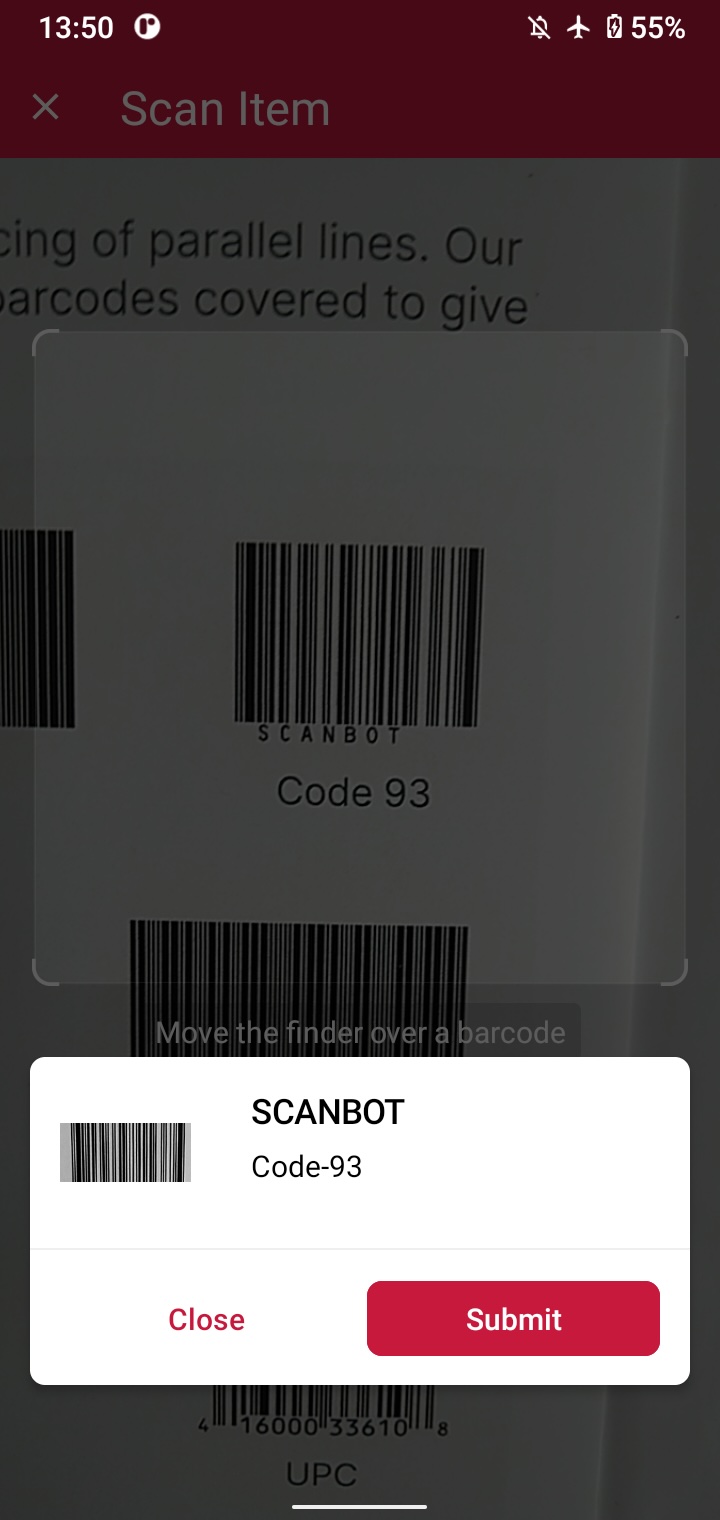
#### **Multi-barcode scanning**
Set up another `OnClickListener`, this time for the **Multi-barcode scanning** button …
```hljs html
findViewById(R.id.btn_multi_scanning).setOnClickListener {
barcodeResultLauncher.launch(config)
}
```
… and paste in the [configuration](https://docs.scanbot.io/barcode-scanner-sdk/android/barcode-scanner/ready-to-use-ui/#multiple-scanning) for multi-scanning above `barcodeResultLauncher.launch(config)`:
```hljs kotlin
findViewById(R.id.btn_multi_scanning).setOnClickListener {
val config = BarcodeScannerConfiguration().apply {
// Configure parameters (use explicit `this.` receiver for better code completion):
// Initialize the use case for multiple scanning.
this.useCase = MultipleScanningMode().apply {
// Set the counting mode.
this.mode = MultipleBarcodesScanningMode.COUNTING
// Set the sheet mode for the barcodes preview.
this.sheet.mode = SheetMode.COLLAPSED_SHEET
// Set the height for the collapsed sheet.
this.sheet.collapsedVisibleHeight = CollapsedVisibleHeight.LARGE
// Enable manual count change.
this.sheetContent.manualCountChangeEnabled = true
// Set the delay before same barcode counting repeat.
this.countingRepeatDelay = 1000
// Configure the submit button.
this.sheetContent.submitButton.text = "Submit"
this.sheetContent.submitButton.foreground.color = ScanbotColor("#000000")
// Configure other parameters, pertaining to multiple-scanning mode as needed.
}
// Set an array of accepted barcode types.
this.recognizerConfiguration.barcodeFormats = BarcodeFormat.COMMON_CODES
// Configure other parameters as needed.
}
barcodeResultLauncher.launch(config)
}
```
Try it out if you like and then move on to the final scanning mode.
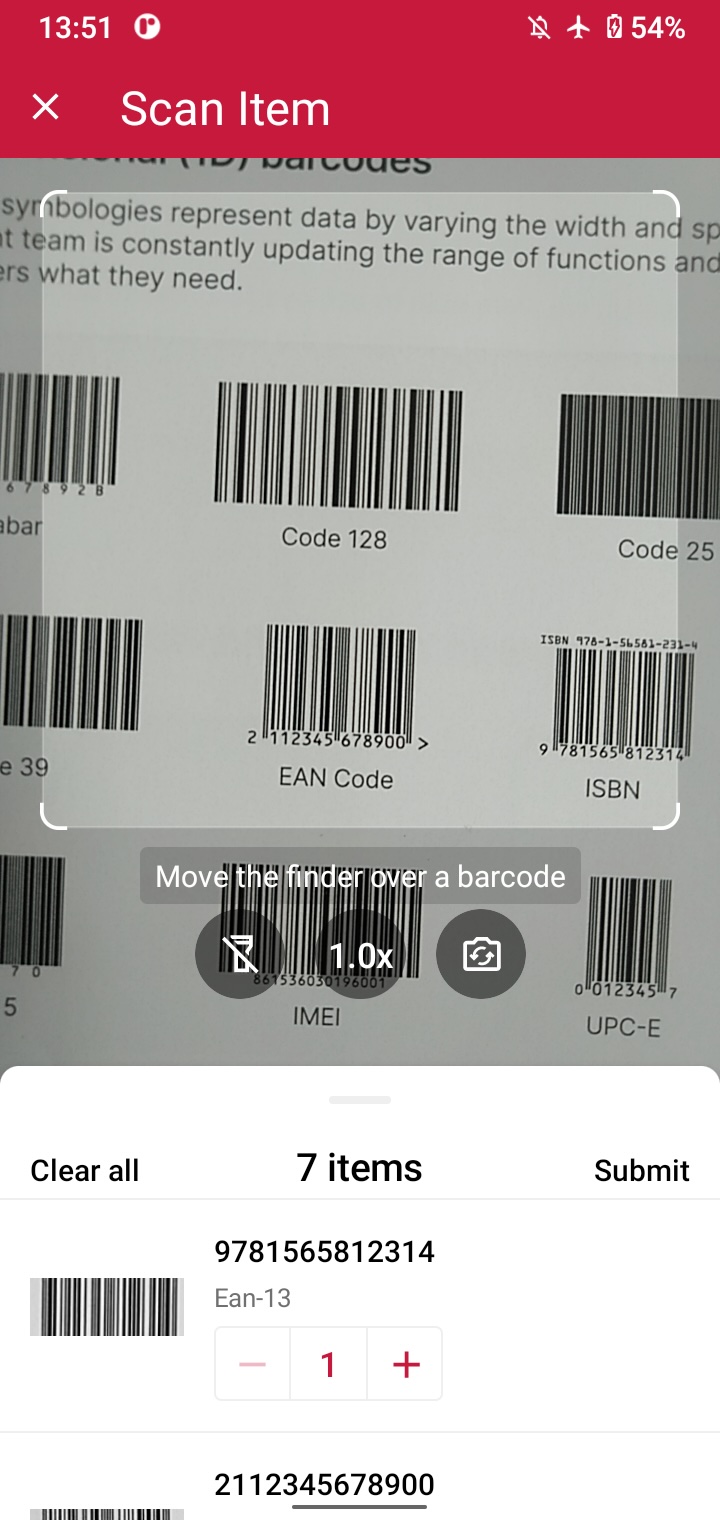
#### **AR overlay**
You know the drill. Set up an `OnClickListener` …
```hljs html
findViewById(R.id.btn_ar_overlay).setOnClickListener {
barcodeResultLauncher.launch(config)
}
```
… and paste in the configuration for the AR overlay:
```hljs kotlin
findViewById(R.id.btn_ar_overlay).setOnClickListener {
findViewById(R.id.btn_ar_overlay).setOnClickListener {
val config = BarcodeScannerConfiguration().apply {
// Configure parameters (use explicit `this.` receiver for better code completion):
// Configure the use case.
this.useCase = MultipleScanningMode().apply {
this.mode = MultipleBarcodesScanningMode.UNIQUE
this.sheet.mode = SheetMode.COLLAPSED_SHEET
this.sheet.collapsedVisibleHeight = CollapsedVisibleHeight.SMALL
// Configure AR Overlay.
this.arOverlay.visible = true
this.arOverlay.automaticSelectionEnabled = false
// Configure other parameters, pertaining to use case as needed.
}
// Set an array of accepted barcode types.
this.recognizerConfiguration.barcodeFormats = BarcodeFormat.COMMON_CODES
// Configure other parameters as needed.
}
barcodeResultLauncher.launch(config)
}
}
```
Build and run the app… and that’s it! 🎉
### **Step 5: Scanning some barcodes!**
You can now scan barcodes one at a time, multiple barcodes in one go, and display their values on the screen via the AR overlay.
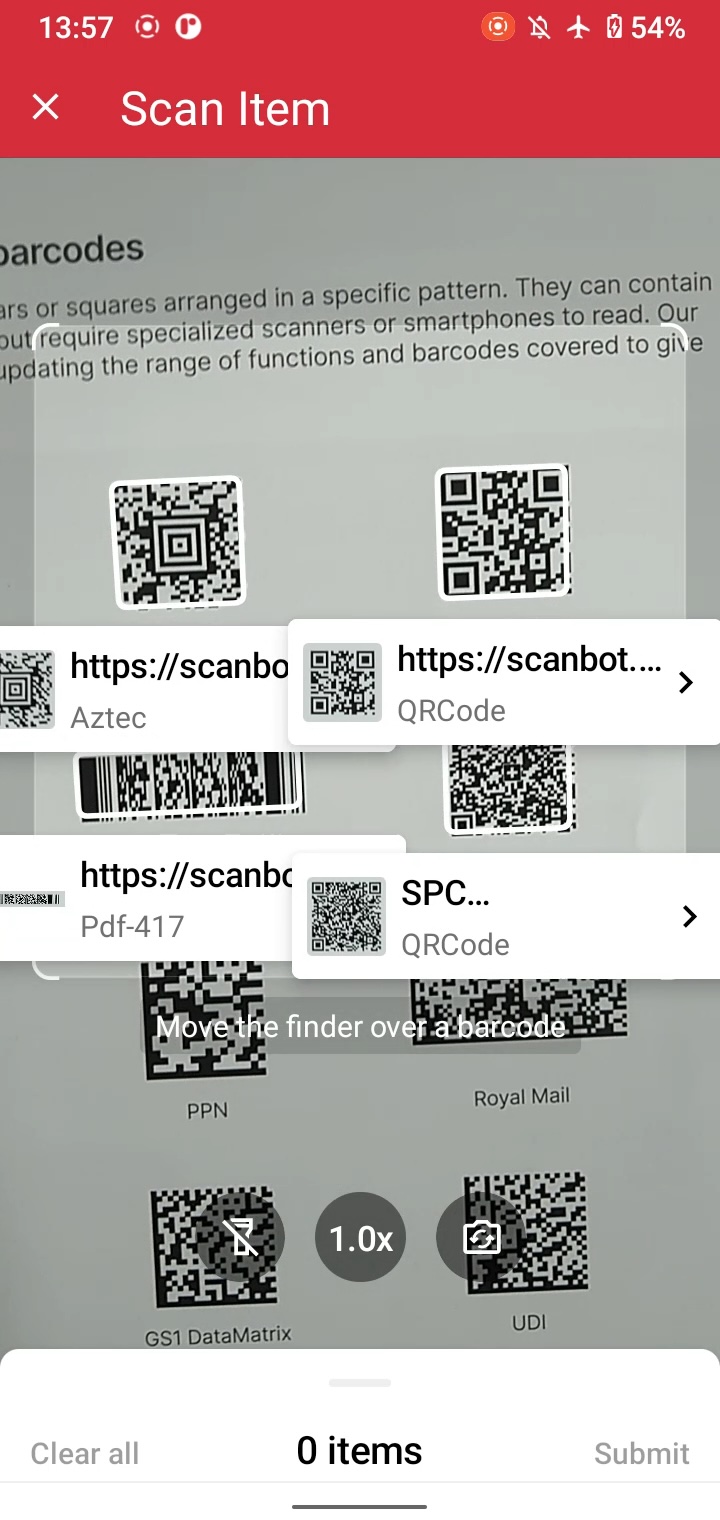
### **Conclusion**
If this tutorial has piqued your interest in integrating barcode scanning functionalities into your Android app, make sure to take a look at our SDK’s other neat features in our [documentation](https://docs.scanbot.io/barcode-scanner-sdk/android/introduction/) – or run our [example project](https://github.com/doo/scanbot-barcode-scanner-sdk-example-android) for a more hands-on experience.
You can also try our [Barcode Scanner demo app](https://play.google.com/store/apps/details?id=io.scanbot.demo.barcodescanner) for a more feature-rich implementation of our SDK – just scan the following QR code:
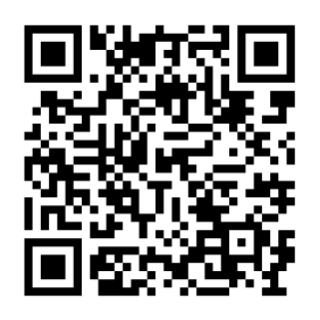[Or go directly to Google Play](https://play.google.com/store/apps/details?id=io.scanbot.demo.barcodescanner)
Should you have questions about this tutorial or run into any issues, we’re happy to help! Just shoot us an email via [tutorial-support@scanbot.io](mailto:tutorial-support@scanbot.io).
Happy coding!
## Ready to get started?
Integrate the Scanbot SDK in less than an hour. Check out our docs, explore our GitHub example projects, or download our demo apps to get started right away.
[Get started](https://scanbot.io/get-started/) [Contact sales](https://scanbot.io/contact-sales/)
## Related blog posts
[](https://scanbot.io/techblog/zxing-barcode-scanner-tutorial/)
### [ZXing Barcode Scanner tutorial – JavaScript library implementation](https://scanbot.io/techblog/zxing-barcode-scanner-tutorial/)
In this tutorial, we'll show you how to integrate ZXing's JavaScript library into a web app to use its barcode scanning functionalities.

Kevin August 5, 202413 mins read
[](https://scanbot.io/techblog/integrating-the-android-sdk-in-10-minutes-or-less/)
### [Try our Integration Challenge – run the Android SDK in 10 minutes or less](https://scanbot.io/techblog/integrating-the-android-sdk-in-10-minutes-or-less/)
We asked developers to integrate our Barcode Scanner SDK in less than 10 minutes. Can you do it as well?

Kevin July 11, 20245 mins read
[](https://scanbot.io/techblog/compose-multiplatform-barcode-scanning-ui-tutorial/)
### [How to create a Compose Multiplatform iOS & Android barcode scanning application using the Scanbot SDK](https://scanbot.io/techblog/compose-multiplatform-barcode-scanning-ui-tutorial/)
Compose Multiplatform enables developers to write UI code compatible with both Android and iOS. We’ll walk you through the integration process with the Scanbot Barcode Scanner SDK.

Ildar July 30, 202411 mins read
+
## iOS Barcode Scanner SDK
Scanbot SDK has been acquired by Apryse!
[Learn more](https://apryse.com/blog/apryse-acquires-scanbot-and-accusoft)
[Learn more](https://apryse.com/blog/apryse-acquires-scanbot-and-accusoft)
close
[Skip to content](https://scanbot.io/developer/ios-barcode-scanner-sdk/?utm_source=chatgpt.com#main)
# iOS Barcode Scanner SDK
Integrate our fast and accurate iOS Barcode Scanner SDK into your web or mobile apps. Seamlessly scan 1D and 2D barcodes with real-time data capture.
[Get started](https://scanbot.io/get-started/) [Contact sales](https://scanbot.io/contact-sales/)
Trusted by
300+
global
industry leaders


Real-time AR feedback
Deliver real-time AR feedback for barcode scanning, elevating the user experience in your iOS app. Visual cues help users capture barcodes more intuitively, ensuring faster, more accurate scanning.

Barcode scanning in challenging conditions
Our iOS Barcode Scanner SDK ensures reliable scanning even under the toughest real-world conditions:
- Damaged barcodes
- Low-light environment
- Tiny or distant barcodes
[Customizable UI components\\
\\
Our Ready-To-Use UI components cover all barcode scanning scenarios and are highly customizable.](https://scanbot.io/rtu-ui/)
Fast.
Very fast.
Every scan happens in
0.04s
or less
Scans all major barcode types
Code 39
Code 93
Code 32
Code 25
EAN-5
PDF417
GS1 DataBar
Code 39
Code 93
Code 32
Code 25
EAN-5
PDF417
GS1 DataBar
EAN-13
MSI Plessey
EAN-2
Aztec Code
rMQR Code
Codabar
UPC-A
EAN-13
MSI Plessey
EAN-2
Aztec Code
rMQR Code
Codabar
UPC-A
EAN-8
ISBN
GiroCode
GS1-128
Data Matrix
IATA 2 of 5
EAN-8
ISBN
GiroCode
GS1-128
Data Matrix
IATA 2 of 5
Code 128
Code 11
QR Code
UPC-E
Micro QR Code
MaxiCode
Code 128
Code 11
QR Code
UPC-E
Micro QR Code
MaxiCode
## Add a fast and reliable Barcode Scanner SDK to your iOS application
Integrate the Scanbot iOS [Barcode Scanner SDK](https://scanbot.io/barcode-scanner-sdk/) seamlessly into your applications. Our SDK provides easy-to-use APIs for scanning and parsing both 1D and 2D barcodes with device cameras or from images. This ensures fast, accurate, and reliable barcode recognition in real time, whether captured live or from uploaded images.
Designed for developers, our iOS Barcode Scanner Library supports all major barcode formats, including [DataMatrix](https://scanbot.io/barcode-scanner-sdk/data-matrix/), [QR codes](https://scanbot.io/glossary/qr-code/), [PDF417](https://scanbot.io/barcode-scanner-sdk/pdf417/), [EAN](https://scanbot.io/barcode-scanner-sdk/ean/), and more. Whether you’re building mobile or web apps for retail, logistics, healthcare, or inventory management, our SDK is optimized for smooth integration. With Ready-To-Use UI (RTU UI) components, you can quickly set up and customize the scanner’s interface. The SDK also excels in low-light environments and can scan damaged barcodes, making it ideal for challenging real-world use cases.
Need help? Our [expert support](https://docs.scanbot.io/support/) team is available via Slack, Microsoft Teams, or email to guide you through integration and ensure you get the most out of the Scanbot Barcode Scanner SDK.
### Technical requirements
The Scanbot iOS Barcode Scanner SDK requires the following:
- **Operating System**: iOS 13 or higher
- **IDE**: Xcode 14.0 or higher
- **Language**: Fully compatible with Swift & Objective-C for seamless integration
## Integrate this evening with your framework
categoryFeatures
## Discover common iOS Barcode Scanning use cases
See how the scan modes of the Scanbot iOS Barcode Scanner Library can improve your workflows.
- ### Single Scanning
Perfect for scanning single barcodes in retail or inventory management, such as performing quick stock lookups or reordering items in iOS apps.
- ### Batch Scanning
Effortlessly scan multiple barcodes in quick succession with our iOS Barcode Scanner SDK, making it ideal for order picking or processing multiple products simultaneously.
- ### Multi Scanning
Easily find and scan the correct item by providing the barcode value. Our iOS Barcode Scanning Software will highlight and scan the correct barcode, simplifying processes like warehouse picking or last-mile delivery.
Learn more about [Multi Barcode Scanner](https://scanbot.io/blog/enhancing-operations-with-multi-barcode-scanners/)
- ### Find & Pick
Easily find and scan the correct item by providing the barcode value. The iOS Barcode Reader SDK will highlight and scan the correct barcode, simplifying processes like warehouse picking or last-mile delivery.
- ### Scan & Count
Let users count multiple items in a single scan, ideal for retail employees conducting inventory checks or warehouse staff processing stock.

## How to integrate the Scanbot iOS Barcode Scanner Library using Ready-To-Use UI
The Ready-To-Use UI (RTU UI) is an easy to integrate and highly-customizable high-level UI component that can handle most cases and tasks in barcode scanning. The design and behavior of this component are based on our many years of experience as well as the feedback from our SDK customers.
Although the main idea of the RTU UI is to provide simple-to-integrate and simple-to-configure components, the customizing capabilities are almost infinite and should suit most of your needs. Should you need even more customization options, you can implement custom UI and business logic using our [Classic SDK UI Components](https://docs.scanbot.io/barcode-scanner-sdk/ios/barcode-scanner/classic-ui/).
### Change the visuals to suit your needs
In addition to a fresh new design, the RTU UI v.2.0 comes with new configuration options that enable you to quickly adapt its visual appearance:
**Palette**
Using the new palette feature, you can change the UI components’ colors to match your brand design.
```hljs swift
import Foundation
import ScanbotBarcodeScannerSDK
class PaletteUI2SwiftViewController: UIViewController {
override func viewDidAppear(_ animated: Bool) {
super.viewDidAppear(animated)
// Start scanning here. Usually this is an action triggered by a button or menu.
self.startScanning()
}
func startScanning() {
// Create the default configuration object.
let configuration = SBSDKUI2BarcodeScannerConfiguration()
// Retrieve the instance of the palette from the configuration object.
let palette = configuration.palette
// Configure the colors.
// The palette already has the default colors set, so you don't have to always set all the colors.
palette.sbColorPrimary = SBSDKUI2Color(colorString: "#C8193C")
palette.sbColorPrimaryDisabled = SBSDKUI2Color(colorString: "#F5F5F5")
palette.sbColorNegative = SBSDKUI2Color(colorString: "#FF3737")
palette.sbColorPositive = SBSDKUI2Color(colorString: "#4EFFB4")
palette.sbColorWarning = SBSDKUI2Color(colorString: "#FFCE5C")
palette.sbColorSecondary = SBSDKUI2Color(colorString: "#FFEDEE")
palette.sbColorSecondaryDisabled = SBSDKUI2Color(colorString: "#F5F5F5")
palette.sbColorOnPrimary = SBSDKUI2Color(colorString: "#FFFFFF")
palette.sbColorOnSecondary = SBSDKUI2Color(colorString: "#C8193C")
palette.sbColorSurface = SBSDKUI2Color(colorString: "#FFFFFF")
palette.sbColorOutline = SBSDKUI2Color(colorString: "#EFEFEF")
palette.sbColorOnSurfaceVariant = SBSDKUI2Color(colorString: "#707070")
palette.sbColorOnSurface = SBSDKUI2Color(colorString: "#000000")
palette.sbColorSurfaceLow = SBSDKUI2Color(colorString: "#26000000")
palette.sbColorSurfaceHigh = SBSDKUI2Color(colorString: "#7A000000")
palette.sbColorModalOverlay = SBSDKUI2Color(colorString: "#A3000000")
// Set the palette in the barcode scanner configuration object.
configuration.palette = palette
// Create and set an array of accepted barcode formats.
configuration.recognizerConfiguration.barcodeFormats = SBSDKUI2BarcodeFormat.twoDFormats
// Present the recognizer view controller modally on this view controller.
SBSDKUI2BarcodeScannerViewController.present(on: self,
configuration: configuration) { controller, cancelled, error, result in
// Completion handler to process the result.
// The `cancelled` parameter indicates whether the cancel button was tapped.
controller.presentingViewController?.dismiss(animated: true)
}
}
}
```
[Read the full iOS Barcode Scanner SDK documentation](https://docs.scanbot.io/barcode-scanner-sdk/ios/barcode-scanner/ready-to-use-ui/)
## Ready to get started?
Integrate the Scanbot SDK in less than an hour. Check out our docs, explore our GitHub example projects, or download our demo apps to get started right away.
[Get started](https://scanbot.io/get-started/) [Contact sales](https://scanbot.io/contact-sales/)
## Frequently Asked Questions
### What are the key requirements for the Scanbot iOS Barcode Scanner SDK?
To integrate the Scanbot iOS Barcode Scanner SDK into your app, your development environment must meet the following key requirements:
**Operating System**: iOS 13.0 or higher
**IDE**: Xcode 14.0 or higher
**Language**: Swift or Objective-C
**Devices**: iPhone or iPad
The SDK works entirely offline, making it perfect for use cases requiring data privacy or functionality in areas with limited connection, such as in healthcare, logistics, and retail.
### What platforms are supported besides iOS?
In addition to iOS, the Scanbot SDK supports a broad array of platforms, offering developers flexibility in choosing the right tech stack.
**The supported platforms include:**
[Android](https://scanbot.io/developer/android-barcode-scanner/)
[JavaScript](https://scanbot.io/developer/javascript-barcode-scanner/) (Web)
[Flutter](https://scanbot.io/developer/flutter-barcode-scanner/)
[React Native](https://scanbot.io/developer/react-native-barcode-scanner/) [Cordova](https://scanbot.io/developer/cordova-barcode-scanner-plugin/)
[Capacitor](https://scanbot.io/developer/capacitor-barcode-scanner-sdk/) / [Ionic](https://scanbot.io/developer/ionic-barcode-scanner/)
[Xamarin](https://scanbot.io/developer/xamarin-barcode-scanner/)
[.NET MAUI](https://scanbot.io/developer/net-maui-barcode-scanner-sdk/) [UWP](https://scanbot.io/developer/uwp-barcode-scanner/) (Universal Windows Platform)
[Linux](https://scanbot.io/developer/linux-barcode-scanner/)
This extensive support ensures that the Scanbot SDK can be integrated across mobile, desktop, and web applications, providing a consistent scanning experience.
### Is the SDK compatible with different iOS devices and versions?
Yes, the Scanbot iOS Barcode Scanner SDK is compatible with a wide range of iOS devices and versions. It supports:
**iOS Versions**: iOS 13.0 or higher
**Devices**: All iPhones and iPads
The SDK is optimized for different device types, ensuring smooth performance on older and newer iOS devices alike.
### How do I obtain a trial license key for the Scanbot iOS Barcode Scanner SDK?
To obtain a trial license key for the Scanbot iOS Barcode Scanner SDK, follow these steps:
1\. Visit the Scanbot SDK [trial license page](https://scanbot.io/trial/).
2\. Fill in your app identifier.
3\. After submitting the form, you will receive your trial license key, which will be valid for 7 days.
If you need any support during the implementation process, feel free to join our free support channel on [Slack](https://join.slack.com/t/scanbotsdksupport/shared_invite/zt-1sroz452o-TWvJJwmIM6hoQ79gb01wJg), where our developers will help you free of charge. Further, if you need more time to test our SDK, please [reach out to our sales team.](https://scanbot.io/contact-sales/)
### How do I integrate a barcode scanner into my iOS app?
Integrating a barcode scanner into your iOS app is straightforward. You can add the SDK to your Xcode project, configure barcode formats (like QR codes or EAN), and set up event listeners to handle scan results. Please find a detailed iOS Barcode Scanner integration tutorial [here](https://scanbot.io/techblog/ios-barcode-scanner-sdk-integration-tutorial/).
### Which barcode formats are supported by iOS barcode scanner SDKs?
Most iOS Barcode Scanner SDKs support common 1D and 2D formats, including UPC, EAN, Code 128 for 1D codes, and QR codes, [PDF417](https://scanbot.io/barcode-scanner-sdk/pdf417/), and [DataMatrix](https://scanbot.io/barcode-scanner-sdk/data-matrix/) for 2D codes. The Scanbot iOS Barcode Scanner SDK supports almost any barcode. You can find a detailed list of all supported barcodes [here](https://scanbot.io/barcode-scanner-sdk/supported-barcodes/).
### Can barcode scanners work offline in iOS apps?
Yes, certain barcode scanner SDKs allow offline scanning, which ensures that your app can function without internet connectivity, making it ideal for secure, offline environments. The Scanbot SDK, for example, runs completely offline, without any third-party server connections. In fact, you never even need to connect to the internet to scan a barcode.
### Is it possible to scan barcodes from images in iOS apps?
Yes, many barcode scanner SDKs offer the ability to scan barcodes from images, allowing users to process barcode images in addition to live scanning via camera. So does the Scanbot SDK. Please find more information about scanning barcodes from an image [here](https://docs.scanbot.io/barcode-scanner-sdk/ios/barcode-scanner/scanning-from-an-image/).
### What is the Scanbot iOS Barcode Scanner SDK and how does it work?
The Scanbot iOS Barcode Scanner SDK enables developers to integrate fast, accurate barcode scanning into their iOS apps, supporting both real-time camera-based scanning and image-based barcode recognition.
+
## Barcode Scanning Resources
https://scanbot.io/resources/getting-started/customer-success/2025-03-07T14:11:39+00:00https://scanbot.io/resources/infographics/real-estate-outbound/2024-12-19T13:27:19+00:00https://scanbot.io/resources/infographics/public-sector-outbound/2024-12-19T13:26:03+00:00https://scanbot.io/resources/infographics/implementing-an-efficient-barcode-system/2024-12-19T13:24:09+00:00https://scanbot.io/resources/infographics/automotive-outbound/2024-12-19T11:50:22+00:00https://scanbot.io/resources/booklet/app-barcode-scanning-booklet/2024-12-19T11:09:11+00:00https://scanbot.io/resources/whitepapers/na-insurance-online-presence-whitepaper/2024-12-13T16:30:20+00:00https://scanbot.io/resources/whitepapers/retail-systems-whitepaper/2024-12-13T16:30:20+00:00https://scanbot.io/resources/whitepapers/transportation-whitepaper/2024-12-13T16:30:20+00:00https://scanbot.io/resources/whitepapers/document-scanning-technolog/2024-12-13T16:30:19+00:00https://scanbot.io/resources/whitepapers/insurance/2024-12-13T16:30:19+00:00https://scanbot.io/resources/whitepapers/future-of-fashion-in-store-customer-experience/2024-12-13T16:30:19+00:00https://scanbot.io/resources/whitepapers/barcode-technology-whitepaper/2024-12-13T16:30:18+00:00https://scanbot.io/resources/platform-guides/xamarin-platform-guide/2024-12-13T16:30:18+00:00https://scanbot.io/resources/platform-guides/react-native-platform-guide/2024-12-13T16:30:18+00:00https://scanbot.io/resources/platform-guides/ios-platform-guide/2024-12-13T16:29:47+00:00https://scanbot.io/resources/platform-guides/ionic-platform-guide/2024-12-13T16:29:47+00:00https://scanbot.io/resources/platform-guides/flutter-platform-guide/2024-12-13T16:29:46+00:00https://scanbot.io/resources/platform-guides/android-platform-guide/2024-12-13T16:29:46+00:00https://scanbot.io/resources/platform-guides/cordova-platform-guide/2024-12-13T16:29:46+00:00https://scanbot.io/resources/platform-guides/net-maui-platform-guide/2024-12-13T16:29:46+00:00https://scanbot.io/resources/infographics/what-makes-a-good-document-scanner/2024-12-13T16:29:45+00:00https://scanbot.io/resources/infographics/document-processing-transportation/2024-12-13T16:29:45+00:00https://scanbot.io/resources/infographics/utilities-ig/2024-12-13T16:29:45+00:00https://scanbot.io/resources/infographics/shelf-management/2024-12-13T16:29:44+00:00https://scanbot.io/resources/infographics/sdk-api/2024-12-13T16:29:44+00:00https://scanbot.io/resources/infographics/sdk-for-websites/2024-12-13T16:29:44+00:00https://scanbot.io/resources/infographics/scan-and-go/2024-12-13T16:29:43+00:00https://scanbot.io/resources/infographics/scanning-devices-2/2024-12-13T16:29:43+00:00https://scanbot.io/resources/infographics/retail-mobile-scanning/2024-12-13T16:29:43+00:00https://scanbot.io/resources/infographics/public-transport-ig/2024-12-13T16:29:42+00:00https://scanbot.io/resources/infographics/mrz-scanning-in-public-transportation/2024-12-13T16:29:14+00:00https://scanbot.io/resources/infographics/operational-retail-use-cases/2024-12-13T16:29:13+00:00https://scanbot.io/resources/infographics/patient-bracelets-ig/2024-12-13T16:29:13+00:00https://scanbot.io/resources/infographics/pricing-models/2024-12-13T16:29:13+00:00https://scanbot.io/resources/infographics/make-or-buy/2024-12-13T16:29:12+00:00https://scanbot.io/resources/infographics/manufacturing-ig/2024-12-13T16:29:12+00:00https://scanbot.io/resources/infographics/oil-energy-infographic/2024-12-13T16:29:12+00:00https://scanbot.io/resources/infographics/last-mile-comparison/2024-12-13T16:29:11+00:00https://scanbot.io/resources/infographics/legal-outbound-infographic/2024-12-13T16:29:11+00:00https://scanbot.io/resources/infographics/last-mile-barcode-scanning/2024-12-13T16:29:08+00:00https://scanbot.io/resources/infographics/insurance-ig/2024-12-13T16:29:07+00:00https://scanbot.io/resources/infographics/input-management-without-mobile-app/2024-12-13T16:29:07+00:00https://scanbot.io/resources/infographics/general-insurance/2024-12-13T16:29:07+00:00https://scanbot.io/resources/infographics/it-costs/2024-12-13T16:29:07+00:00https://scanbot.io/resources/infographics/healthcare-ig/2024-12-13T16:29:06+00:00https://scanbot.io/resources/infographics/input-management/2024-12-13T16:29:06+00:00https://scanbot.io/resources/infographics/food-beverage/2024-12-13T16:29:05+00:00https://scanbot.io/resources/infographics/finance-ig/2024-12-13T16:29:05+00:00https://scanbot.io/resources/infographics/telecommunications-field-services-barcode-scanning/2024-12-13T16:28:41+00:00https://scanbot.io/resources/infographics/events-ticketing-amusement-parks/2024-12-13T16:28:41+00:00https://scanbot.io/resources/infographics/barcode-scanning-in-telecommunications-customer-apps/2024-12-13T16:28:40+00:00https://scanbot.io/resources/infographics/customer-service-in-retail/2024-12-13T16:28:40+00:00https://scanbot.io/resources/infographics/data-scanner-infographic/2024-12-13T16:28:40+00:00https://scanbot.io/resources/infographics/education-ig/2024-12-13T16:28:40+00:00https://scanbot.io/resources/infographics/byod-vs-cope/2024-12-13T16:28:39+00:00https://scanbot.io/resources/infographics/customer-pain-points/2024-12-13T16:28:39+00:00https://scanbot.io/resources/infographics/mobile-claims-submission/2024-12-13T16:28:39+00:00https://scanbot.io/resources/infographics/check-scanning/2024-12-13T16:28:39+00:00https://scanbot.io/resources/infographics/barcode-parser/2024-12-13T16:28:38+00:00https://scanbot.io/resources/infographics/barcode-types-infographic/2024-12-13T16:28:38+00:00https://scanbot.io/resources/infographics/barcode-scanning/2024-12-13T16:28:38+00:00https://scanbot.io/resources/infographics/app-development/2024-12-13T16:28:37+00:00https://scanbot.io/resources/infographics/barcode-scanning-in-agriculture/2024-12-13T16:28:36+00:00https://scanbot.io/resources/infographics/agent-portals/2024-12-13T16:28:36+00:00https://scanbot.io/resources/infographics/air-travel-infographic/2024-12-13T16:28:36+00:00https://scanbot.io/resources/infographics/5-things-to-look-for-in-an-sdk/2024-12-13T16:28:10+00:00https://scanbot.io/resources/getting-started/general-fact-sheet/2024-12-13T16:28:10+00:00https://scanbot.io/resources/infographics/accounting/2024-12-13T16:28:10+00:00https://scanbot.io/resources/getting-started/stakeholders-guide/2024-12-13T16:28:09+00:00https://scanbot.io/resources/getting-started/licensing-model-fact-sheet/2024-12-13T16:28:09+00:00https://scanbot.io/resources/getting-started/data-security/2024-12-13T16:28:08+00:00https://scanbot.io/resources/getting-started/support-fact-sheet/2024-12-13T16:28:08+00:00https://scanbot.io/resources/getting-started/quality-assurance/2024-12-13T16:28:07+00:00https://scanbot.io/resources/getting-started/retail-fact-sheet/2024-12-13T16:28:07+00:00https://scanbot.io/resources/getting-started/transportation-fact-sheet/2024-12-13T16:28:07+00:00https://scanbot.io/resources/getting-started/tax-accounting-fact-sheet/2024-12-13T16:28:07+00:00https://scanbot.io/resources/getting-started/insurance-fact-sheet/2024-12-13T16:28:06+00:00https://scanbot.io/resources/getting-started/manufacturing-fact-sheet/2024-12-13T16:28:06+00:00https://scanbot.io/resources/getting-started/hospitality-fact-sheet/2024-12-13T16:28:06+00:00https://scanbot.io/resources/getting-started/healthcare-fact-sheet/2024-12-13T16:28:06+00:00https://scanbot.io/resources/getting-started/air-travel-fact-sheet/2024-12-13T16:28:05+00:00https://scanbot.io/resources/getting-started/field-services-fact-sheet/2024-12-13T16:28:05+00:00https://scanbot.io/resources/ebooks/windows-device-guide-2023/2024-12-13T16:27:15+00:00https://scanbot.io/resources/ebooks/transportation/2024-12-13T16:27:15+00:00https://scanbot.io/resources/ebooks/state-of-multichannel-retail-2023/2024-12-13T16:27:14+00:00https://scanbot.io/resources/ebooks/self-checkout-solutions-ebook/2024-12-13T16:27:14+00:00https://scanbot.io/resources/ebooks/smart-factories/2024-12-13T16:27:14+00:00https://scanbot.io/resources/ebooks/preventing-shoplifting-with-scan-and-go/2024-12-13T16:27:13+00:00https://scanbot.io/resources/ebooks/post-parcel-transformation/2024-12-13T16:27:13+00:00https://scanbot.io/resources/ebooks/scanbot-sdk-vs-ml-kit-vs-zxing-ebook/2024-12-13T16:27:13+00:00https://scanbot.io/resources/ebooks/introduction-to-ocr-technology/2024-12-13T16:27:12+00:00https://scanbot.io/resources/ebooks/last-mile/2024-12-13T16:27:12+00:00https://scanbot.io/resources/ebooks/mobile-data-capture/2024-12-13T16:27:12+00:00https://scanbot.io/resources/ebooks/retail-transformation-2/2024-12-13T16:27:11+00:00https://scanbot.io/resources/ebooks/field-services/2024-12-13T16:27:11+00:00https://scanbot.io/resources/ebooks/digital-health/2024-12-13T16:27:11+00:00https://scanbot.io/resources/ebooks/insurance-ebook/2024-12-13T16:27:11+00:00https://scanbot.io/resources/ebooks/air-travel/2024-12-13T16:27:10+00:00https://scanbot.io/resources/brochures/transportation-use-case-brochure/2024-12-13T16:27:10+00:00https://scanbot.io/resources/brochures/web-sdk-for-insurances-brochure/2024-12-13T16:27:10+00:00https://scanbot.io/resources/brochures/p3-data-capture-brochure/2024-12-13T16:27:09+00:00https://scanbot.io/resources/brochures/p1-document-scanning-brochure/2024-12-13T16:26:27+00:00https://scanbot.io/resources/brochures/new-retail-brochure/2024-12-13T16:26:26+00:00https://scanbot.io/resources/brochures/p0-barcode-scanning-brochure/2024-12-13T16:26:26+00:00https://scanbot.io/resources/brochures/native-hybrid-cross-platform-brochure/2024-12-13T16:26:26+00:00https://scanbot.io/resources/brochures/manufacturing-use-cases/2024-12-13T16:26:25+00:00https://scanbot.io/resources/brochures/insurance-use-cases-in-practice/2024-12-13T16:26:25+00:00https://scanbot.io/resources/brochures/insurance-use-cases/2024-12-13T16:26:25+00:00https://scanbot.io/resources/brochures/check-scanning-software-brochure/2024-12-13T16:26:24+00:00https://scanbot.io/resources/brochures/how-to-scan-an-mrz-brochure/2024-12-13T16:26:24+00:00https://scanbot.io/resources/brochures/how-to-increase-customer-acceptance-of-self-checkout-systems/2024-12-13T16:26:24+00:00https://scanbot.io/resources/brochures/drivers-license-pdf417-scanner/2024-12-13T16:26:23+00:00https://scanbot.io/resources/brochures/flutter-vs-react-native-vs-xamarin/2024-12-13T16:26:23+00:00https://scanbot.io/resources/brochures/container-ocr-brochure/2024-12-13T16:26:23+00:00https://scanbot.io/resources/brochures/5-inspiring-barcode-use-cases/2024-12-13T16:26:22+00:00https://scanbot.io/resources/brochures/air-travel-brochure/2024-12-13T16:26:22+00:00https://scanbot.io/resources/brochures/barcode-scanning-test-sheet/2024-12-13T16:26:22+00:00https://scanbot.io/resources/booklet/web-barcode-scanning-booklet/2024-12-13T16:26:21+00:00
## Barcode Scanner Tutorial
Scanbot SDK has been acquired by Apryse!
[Learn more](https://apryse.com/blog/apryse-acquires-scanbot-and-accusoft)
[Learn more](https://apryse.com/blog/apryse-acquires-scanbot-and-accusoft)
close
[Skip to content](https://scanbot.io/techblog/barcodescanning-native-maui-tutorial/?utm_source=chatgpt.com#main)
This tutorial walks you through the process of creating a barcode scanner app for Android and iOS using the [BarcodeScanning.Native.Maui](https://github.com/afriscic/BarcodeScanning.Native.Maui) package. This library leverages Google ML Kit on Android and Apple Vision on iOS to detect and decode barcodes.
To build our app, we’re going to follow these steps:
1. Preparing the project
2. Installing the NuGet package
3. Initializing the plugin
4. Adding the scanner UI
5. Implementing barcode detection
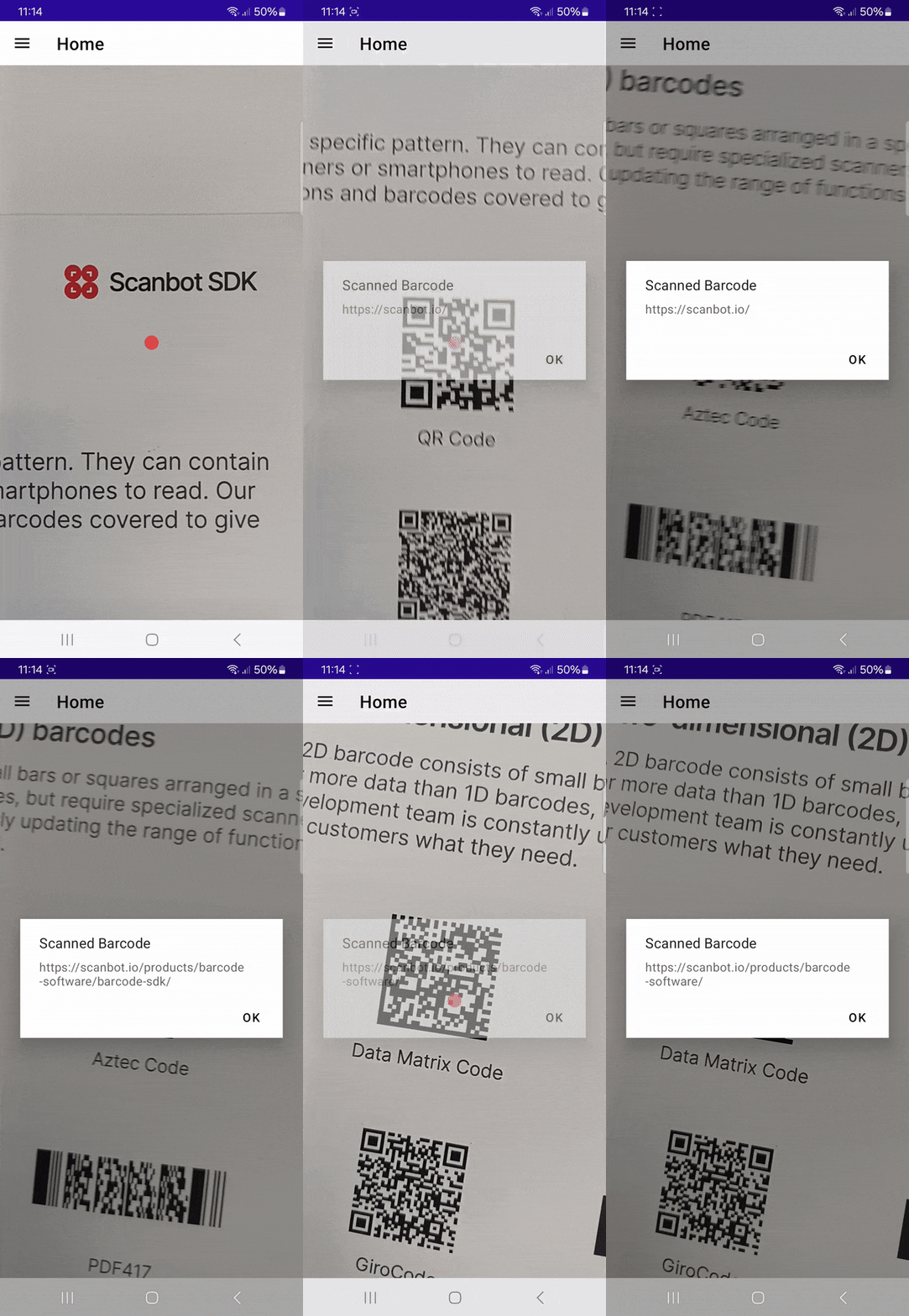
Let’s get started!
## Requirements
There are several options for developing .NET MAUI applications, including the ability to build and launch projects from the .NET CLI. Whatever method you choose, make sure you have [.NET 9.0](https://dotnet.microsoft.com/en-us/download) installed for your development platform of choice. You’ll also need Microsoft’s build of [OpenJDK](https://learn.microsoft.com/en-us/java/openjdk/download).
⚠️ A note for Windows users: If you want to develop your app for iOS, additional setup is required, including having a Mac available as a build server. You can learn more about this in the [.NET MAUI documentation](https://learn.microsoft.com/en-us/dotnet/maui/ios/pair-to-mac?view=net-maui-8.0). In this tutorial, we’ll assume you’re developing on a Mac and using the CLI.
If this is your first time developing a .NET MAUI application on your machine, execute the following command:
```hljs undefined
sudo dotnet workload install maui
```
## Step 1: Prepare the project
First, create a new directory for your project …
```hljs undefined
mkdir barcode-scanner-maui
```
… and navigate into it.
```hljs undefined
cd barcode-scanner-maui
```
Then create the project with:
```hljs cpp
dotnet new maui --framework net9.0
```
Since we need access to the device cameras to scan barcodes, let’s add the necessary camerapermissions for Android and iOS.
For Android, add the following to **Platforms/Android/AndroidManifest.xml** inside the `` element:
```hljs html
` element.
```hljs html
NSCameraUsageDescription
Grant camera access to scan barcodes.
```
## Step 2: Install the NuGet package
In your terminal, install the BarcodeScanning.Native.Maui package with the following command:
```hljs csharp
dotnet add package BarcodeScanning.Native.Maui --version 2.1.8
```
## Step 3: Initialize the plugin
In **MauiProgram.cs**, include the namespace:
```hljs cpp
using BarcodeScanning;
```
Then register the barcode scanner in the app builder with `.UseBarcodeScanning()`.
```hljs csharp
public static MauiApp CreateMauiApp()
{
var builder = MauiApp.CreateBuilder();
builder
.UseMauiApp()
.UseBarcodeScanning() // Add this line
// ...
}
```
## Step 4: Add the scanner UI
At the top of **MainPage.xaml**, define the XML namespace.
```hljs cpp
xmlns:scanner="clr-namespace:BarcodeScanning;assembly=BarcodeScanning.Native.Maui"
```
Then replace the `` element:
```hljs html
` element:
```hljs html
NSCameraUsageDescription
Please provide camera access.
```
### Step 2: Install the Scanbot SDK
In this tutorial, we’re using Scanbot Barcode Scanner SDK version 6.1.0. You can find the latest version in the SDK’s [changelog](https://docs.scanbot.io/barcode-scanner-sdk/maui/changelog/maui-changelog/).
Add the following code to the **test-maui.csproj** file in your project folder:
```hljs html
```
Then run:
```hljs undefined
dotnet restore
```
💡 If there are package conflicts, add the appropriate `` tags to the project and make sure `` has `NoWarn="NU1605"` added to it to suppress the related build error for that particular package.
### Step 3: Initialize the SDK
In **MauiProgram.cs**, initialize the Barcode Scanner SDK by replacing the contents with the following code:
```hljs csharp
using Microsoft.Extensions.Logging;
using ScanbotSDK.MAUI;
namespace test_maui;
public static class MauiProgram
{
public const string LicenseKey = "";
public static MauiApp CreateMauiApp()
{
var builder = MauiApp.CreateBuilder();
builder
.UseMauiApp()
.ConfigureFonts(fonts =>
{
fonts.AddFont("OpenSans-Regular.ttf", "OpenSansRegular");
fonts.AddFont("OpenSans-Semibold.ttf", "OpenSansSemibold");
});
#if DEBUG
builder.Logging.AddDebug();
#endif
SBSDKInitializer.Initialize(LicenseKey, new SBSDKConfiguration
{
EnableLogging = true,
ErrorHandler = (status, feature) =>
{
Console.WriteLine($"License error: {status}, {feature}");
}
});
return builder.Build();
}
}
```
This will set an empty license key, initialize the SDK, and enable logging and error handling.
💡 Without a license key, the Barcode Scanner SDK only runs for 60 seconds per session. This is more than enough for the purposes of this tutorial, but if you like, you can [generate a license key](https://scanbot.io/trial/) using the `` found in **test-maui.csproj**.
For the scanning components to work correctly in Android, you also need to add `DependencyManager.RegisterActivity(this)` to the `OnCreate` method in **Platforms/Android/MainActivity.cs**:
```hljs csharp
protected override void OnCreate(Bundle? savedInstanceState)
{
base.OnCreate(savedInstanceState);
ScanbotSDK.MAUI.DependencyManager.RegisterActivity(this);
}
```
💡 If there’s no `OnCreate` method in your **MainActivity.cs**, add the above code snippet to the `MainActivity` class.
### Step 4: Implement single-barcode scanning
We’ll first implement single-barcode scanning in our .NET MAUI app.
In **MainPage.xaml.cs**, first add the necessary imports.
```hljs cpp
using ScanbotSDK.MAUI;
using ScanbotSDK.MAUI.Barcode;
```
Then replace the `OnCounterClicked()` method with the following:
```hljs csharp
private async void StartBarcodeScanner(object sender, EventArgs e)
{
try
{
if (!ScanbotSDKMain.LicenseInfo.IsValid)
{
await DisplayAlert(title: "License invalid", message: "Trial license expired.", cancel: "Dismiss");
return;
}
// Create the default configuration object.
var configuration = new BarcodeScannerConfiguration();
var result = await ScanbotSDKMain.RTU.BarcodeScanner.LaunchAsync(configuration);
var barcodeAsText = result.Items.Select(barcode => $"{barcode.Type}: {barcode.Text}")
.FirstOrDefault() ?? string.Empty;
await DisplayAlert("Found barcode", barcodeAsText, "Finish");
}
catch (TaskCanceledException)
{
// For when the user cancels the action.
}
catch (Exception ex)
{
// For any other errors that occur.
Console.WriteLine(ex.Message);
}
}
```
This configures our barcode scanner with the default behavior and implements a text pop-up showing a barcode’s type and encoded data when scanned.
Now go to **MainPage.xaml** and edit the `CounterBtn` so it calls our `StartBarcodeScanner()` method when clicked.
```hljs html
, ., /, and +. An asterisk (\*) is used as the start/stop character. Four additional characters enable an extended or Full ASCII mode, which can encode all 128 ASCII characters.
Another defining feature is its two mandatory modulo-47 checksum characters, known as the “C” and “K” checks. These are calculated from the data and help ensure the barcode is read accurately by scanners.
Overall, Code 93 barcodes consist of the following key components:
1. **Quiet zones:** Blank areas on both sides of the barcode that aid proper detection and readability.
2. **Start character**: An asterisk (\*) that indicates the beginning of the barcode.
3. **Data characters**: The main content section where information is encoded.
4. **Two check digits**: Enable error detection.
5. **Stop character**: An asterisk (\*) that indicates the end of the barcode.
6. **Termination bar**: A single bar that separates the stop character from the quiet zone.
### Encoding and error detection
Code 93 can encode the entire 128-character ASCII set by using combinations of two characters, allowing it to represent both standard and extended characters efficiently.
The symbology’s pair of modulo-47 check characters (C and K) enables error detection to ensure data integrity. They are calculated and encoded using a table of numeric values for every character.
Each character in the barcode is assigned a numeric value based on a predefined table.
Here’s how the checksum is calculated and encoded:
1. Numeric values are assigned to each character in the data portion of the barcode.
2. The C checksum is calculated first, using a weighted sum of the data characters’ values.
3. This sum is divided by 47, resulting in a remainder.
4. The character corresponding to the remainder value is appended to the end of the barcode.
5. Then the K checksum is calculated using the same method, but including the C character, and appended.
### Applications of Code 93 barcodes
Across industries, Code 93 is frequently used in internal inventory system tools, especially because of its compact size and higher density of data compared to many other 1D barcodes.
**Manufacturing and automotive**
Code 93 is common in the automotive industry and in factory automation for tracking components, parts, and work-in-progress items. It is used for assembly line management and quality control, especially where space is limited, as for small parts.
**Healthcare**
While less common than Code 128 or Data Matrix, Code 93’s compact size is useful for smaller labels for medical equipment, lab samples, and hospital inventory.
**Logistics and postal**
Code 93 barcodes see use in logistics applications for tracking packages, pallets, and shipping containers. Carriers use it to encode tracking numbers, destination codes, and routing information, but also for inventory management.
**Retail**
Code 93 is also used in retail operations, specifically retail inventory management, warehouse operations, and order fulfillment. The main use cases are labelling stock, organizing bin locations, and managing product movements.
### Advantages of Code 93 barcodes
- **Size**: Code 93 offers greater data density than Code 39 by using 9 modules per character and a more compact encoding scheme. This allows for shorter barcodes with the same information.
- **Error detection**: Code 93’s checksum characters enable basic error detection, though no error correction.
- **Versatility**: Code 93 can hold alphanumeric data and has no length limit, making it useful for a variety of applications.
- **Omnidirectional scanning**: The asymmetric start/stop character enables decoding from any angle.
### Why choose the Scanbot SDK for Code 93 scanning?
The Scanbot Barcode Scanner SDK is specifically designed to handle the challenges of decoding Code 93 barcodes in real-world scenarios. We can empower any enterprise or consumer mobile or desktop app with advanced barcode scanning capabilities with minimal integration effort.
What sets us apart:
- **Exceptional performance**: Reliably decodes even damaged, low-contrast or distorted barcodes.
- **High-speed scanning**: Read Code 93 barcodes in as little as 0.04 seconds.
- **Cross-platform compatibility**: Easily integrate with Android, iOS, cross-platform, web, Windows, and Linux platforms.
- **Customizable UI**: Customize the ready-to-use components to match your app or website design.
- **Privacy-first**: Operates offline for complete data security.
Whether your use case involves Code 93 barcodes, QR codes, or [any other barcode](https://scanbot.io/barcode-scanner-sdk/supported-barcodes/), the Scanbot SDK delivers the accuracy, speed, and reliability you need to succeed.
* * *
## Related Barcode Types:
- [Data Matrix Scanner](https://scanbot.io/barcode-scanner-sdk/data-matrix/)
- [QR Code Scanner](https://scanbot.io/qr-code-scanner-online/)
- [PDF417 Scanner](https://scanbot.io/barcode-scanner-sdk/pdf417/)
- [Aztec Code Scanner](https://scanbot.io/barcode-scanner-sdk/aztec-code/)
- [Code 128 Scanner](https://scanbot.io/barcode-scanner-sdk/code-128/)
- [EAN Scanner](https://scanbot.io/barcode-scanner-sdk/ean/)
- [UPC Scanner](https://scanbot.io/barcode-scanner-sdk/upc/)
- [Micro QR Code Scanner](https://scanbot.io/barcode-scanner-sdk/micro-qr-code/)
- [GS1 DataBar Scanner](https://scanbot.io/barcode-scanner-sdk/gs1-databar/)
- [GS1 DataMatrix Scanner](https://scanbot.io/barcode-scanner-sdk/gs1-data-matrix/)
- [GS1-128 Scanner](https://scanbot.io/barcode-scanner-sdk/gs1-128/)
- [MaxiCode Scanner](https://scanbot.io/barcode-scanner-sdk/maxicode/)
- [ITF Scanner](https://scanbot.io/barcode-scanner-sdk/itf-code/)
- [Codabar Scanner](https://scanbot.io/barcode-scanner-sdk/codabar/)
- [Intelligent Mail Barcode Scanner](https://scanbot.io/barcode-scanner-sdk/intelligent-mail-barcode/)
- [rMQR Code Scanner](https://scanbot.io/barcode-scanner-sdk/rmqr/)
- [Royal Mail Scanner](https://scanbot.io/barcode-scanner-sdk/royal-mail/)
- [Micro PDF417 Scanner](https://scanbot.io/barcode-scanner-sdk/micro-pdf417/)
## Ready to get started?
Integrate the Scanbot SDK in less than an hour. Check out our docs, explore our GitHub example projects, or download our demo apps to get started right away.
[Get started](https://scanbot.io/get-started/) [Contact sales](https://scanbot.io/contact-sales/)
## Frequently Asked Questions
### Is Code 93 still used today?
Yes, Code 93 is still used today, mainly in manufacturing, retail, the automotive industry, healthcare, and logistics.
### What’s the difference between Code 93 and Code 39?
Code 93 is an enhanced version of Code 39, designed to be more compact and reliable. It allows for higher data density and includes two checksum digits for better error detection.
### What’s the maximum length for a Code 93 barcode?
The Code 93 is a variable-length symbology and has no hard limit on the number of alphanumeric characters it can encode. It can accommodate both short and long data strings, depending on the use case. For reliable scanning, though, the optimal length is 43 characters or less.
### Are there any security concerns with Code 93?
Code 93 offers better accuracy than other codes, such as Code 39, but its two checksum characters (C & K) only detect basic errors. They offer no protection against tampering or spoofing.
Moreover, data is stored in plain text, without encryption, making it easy to read, copy, or forge with a basic scanner. This poses risks in systems requiring trust or authentication.
Cloud-based scan software creates another attack surface. A fully offline Code 93 Barcode scanner introduces no such data security issues and ensures uninterrupted performance.
+
## MRZ Scanner SDK
Scanbot SDK has been acquired by Apryse!
[Learn more](https://apryse.com/blog/apryse-acquires-scanbot-and-accusoft)
[Learn more](https://apryse.com/blog/apryse-acquires-scanbot-and-accusoft)
close
[Skip to content](https://scanbot.io/data-capture-software/mrz-scanner/#main)
# MRZ Scanner SDK
Extract data from MRZs on IDs, passports, and more as key-value pairs
[Get started](https://scanbot.io/get-started/) [Contact sales](https://scanbot.io/contact-sales/)
Trusted by
300+
global
industry leaders

rocket\_launchSolution
## Fast, secure, and easy-to-use MRZ scanning
With the Scanbot MRZ Scanner SDK, you can quickly and reliably extract data from machine-readable zones on IDs, passports, and other identity documents. Integrate our MRZ OCR scanning software into your mobile or web application to upgrade from error-prone manual data entry to fast and accurate automatic data extraction.
Our scanning technology extracts all relevant MRZ data fields and returns key-value pairs. This makes it easy to process the captured information in your app. The entire scanning process happens offline on your mobile device, without any external server connections, ensuring complete data security.
checkAvailable for mobile and web development platforms
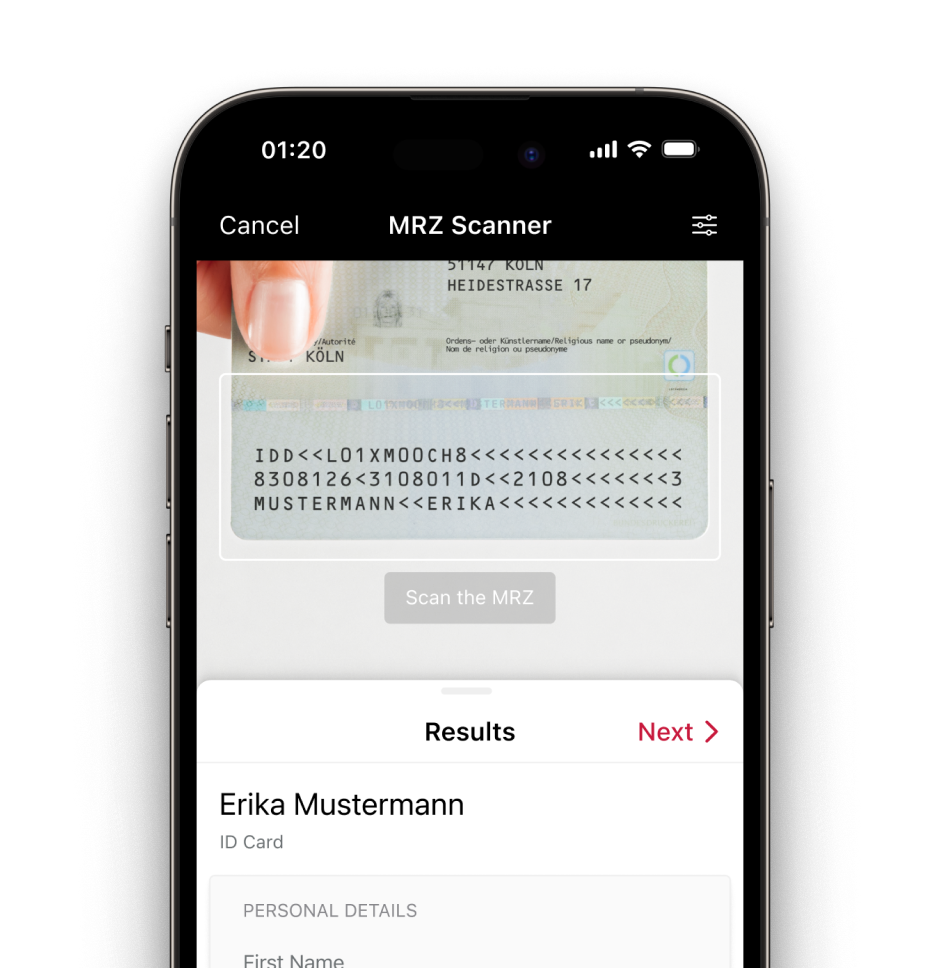
## Integrate this evening with your framework
## Scan and extract MRZs on ID documents
The Scanbot MRZ OCR Scanner SDK supports both two-line (TD3, TD2) and three-line (TD1, MRV-A, MRV-B) standards. Powered by OCR technology, it extracts the following MRZ fields on ID documents:
- Document type code
- Document number
- Surname
- Given names
- Gender
- Date of birth
- Date of issuance
- Date of expiration
- Nationality
- Issuing authority
MRZs use a unique font called OCR-B and standardized formatting. You can easily recognize the MRZ code on your document by looking for the “<” characters used to fill the empty space between the encoded information.
On an ID card, you can typically find the MRZ code on the back side of the card. On passports, it is located on the bottom of the identification card at the beginning of your passport booklet. On visas, you can find the MRZ either on the lower half of the front side or on the back, depending on the format.
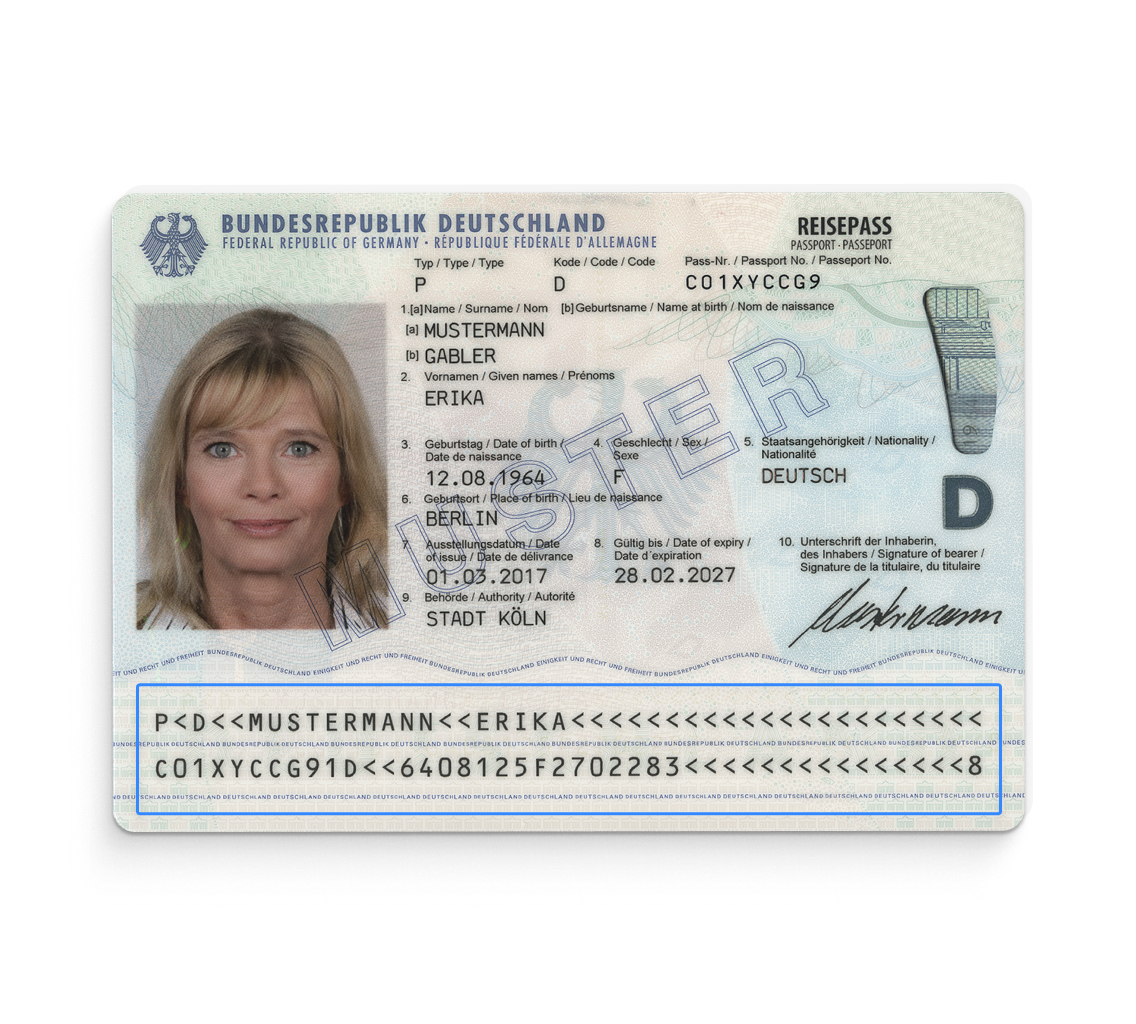
## Ready to get started?
Integrate the Scanbot SDK in less than an hour. Check out our docs, explore our GitHub example projects, or download our demo apps to get started right away.
[Get started](https://scanbot.io/get-started/) [Contact sales](https://scanbot.io/contact-sales/)
## Frequently Asked Questions
### What does MRZ mean?
MRZ, or " [machine-readable zone](https://scanbot.io/blog/what-is-an-mrz/)," refers to a standardized section on an identity or travel document that can be read automatically for fast identity verification. The MRZ contains encoded personal information about the document holder, including the document number, the expiration date and their nationality. It also includes document-specific information that varies depending on the type of identification document.
### **What is an MRZ scanner?**
An MRZ scanner is hardware or software designed to scan ID documents with machine-readable zones and extract the information using optical character recognition (OCR). The Scanbot MRZ Scanner SDK enables you to quickly and accurately scan identity documents and extract their data as key-value pairs, all on your own device. It operates fully offline, without any connection to a server.
Interested in how our customers use it? Read the success story of Red Cross Flanders [here](https://scanbot.io/success-stories/red-cross-flanders/).
### **Which country or region is supported?**
The Scanbot MRZ Scanner SDK supports both two-line (TD3, TD2) and three-line (TD1, MRV-A, MRV-B) standards. This means it can read MRZ codes on ID cards, passports and visas.
Do you need a special standard? [Contact us](mailto:sdk@scanbot.io)!
### **What should I consider when choosing an MRZ scanning software?**
An MRZ Scanner SDK should deliver high-quality scans and accurately extract data that can be processed by your backend systems. It should increase your efficiency by reducing processing time and minimizing human errors.
Here are some important factors to consider:
**Performance and accuracy**: Make sure the scanning solution is able to quickly and accurately read MRZ codes, even from identity documents that are hard to read or presented in poor lighting conditions.
**Compatibility**: Look out for software that works seamlessly with your development environment and is compatible with the devices you plan to use, both mobile or desktop.
**Data privacy**: Since MRZ codes include personal data, it is important that the scanning software has measures in place that protect sensitive information. The Scanbot MRZ Scanner SDK operates entirely offline, ensuring full data privacy.
**Developer support**: Make sure your software provider offers sufficient support for developers to facilitate smooth integration. With Scanbot SDK, you’ll have access to detailed [documentation](https://docs.scanbot.io/?__hstc=51647990.48ea42627c7aeee6cbd0d80c37e5f7b8.1733477614230.1737618211192.1737621367169.31&__hssc=51647990.7.1737621367169&__hsfp=24499724) and Slack and Teams channels for [direct assistance](https://docs.scanbot.io/support/?__hstc=51647990.48ea42627c7aeee6cbd0d80c37e5f7b8.1733477614230.1737618211192.1737621367169.31&__hssc=51647990.7.1737621367169&__hsfp=24499724).
**Pricing model**: Look for a pricing model that fits your business needs and scales without extra costs. Scanbot SDK offers an unlimited scanning model with a fixed annual fee, so you can use it without worrying about rising expenses.
### **Is the Scanbot MRZ Scanner SDK compliant with GDPR and CCPA?**
Yes, as a 100% offline solution, the SDK doesn’t need an internet connection. This guarantees that personal data remains secure and on your device, with all necessary data privacy measures upheld.
### **How do I integrate the Scanbot MRZ Scanner SDK into my app?**
Our MRZ Scanner SDK comes with detailed [documentation](https://docs.scanbot.io/?__hstc=51647990.48ea42627c7aeee6cbd0d80c37e5f7b8.1733477614230.1737618211192.1737621367169.31&__hssc=51647990.7.1737621367169&__hsfp=24499724) that takes you through the integration process step by step. The entire integration doesn’t take longer than a few hours. If you need additional support, we are happy to help you with our [free support channels](https://docs.scanbot.io/support/?__hstc=51647990.48ea42627c7aeee6cbd0d80c37e5f7b8.1733477614230.1737618211192.1737621367169.31&__hssc=51647990.7.1737621367169&__hsfp=24499724).
### **Which platforms is the Scanbot MRZ Scanner SDK currently available for?**
The Scanbot MRZ Scanner SDK supports development for Native Android and iOS, JavaScript (Web), Flutter, React Native, Cordova, Capacitor / Ionic, Xamarin, and .NET MAUI. Try the Scanbot MRZ Scanner SDK by downloading the [demo app](https://scanbot.io/demo-apps/?__hstc=51647990.48ea42627c7aeee6cbd0d80c37e5f7b8.1733477614230.1737618211192.1737621367169.31&__hssc=51647990.7.1737621367169&__hsfp=24499724#data-capture-modules) or requesting a [free trial license](https://scanbot.io/trial/?__hstc=51647990.48ea42627c7aeee6cbd0d80c37e5f7b8.1733477614230.1737618211192.1737621367169.31&__hssc=51647990.7.1737621367169&__hsfp=24499724).
+
## MSI Barcode Scanner SDK
Scanbot SDK has been acquired by Apryse!
[Learn more](https://apryse.com/blog/apryse-acquires-scanbot-and-accusoft)
[Learn more](https://apryse.com/blog/apryse-acquires-scanbot-and-accusoft)
close
[Skip to content](https://scanbot.io/barcode-scanner-sdk/msi-barcode/#main)
# MSI Barcode Scanner
Add MSI Barcode Scanner to your mobile application or website
[Get started](https://scanbot.io/get-started/) [Contact sales](https://scanbot.io/contact-sales/)
Trusted by
300+
global
industry leaders

## Turn smartphones into fast & reliable MSI barcode readers
The Scanbot MSI [Barcode Scanner SDK](https://scanbot.io/barcode-scanner-sdk/) delivers exceptional performance even under challenging conditions – such as code damage or when scanning small codes commonly found in industrial applications like warehousing and manufacturing. With a scanning speed of under 0.04 seconds, your users get instant reads for seamless workflows.
Key benefits include:
- **Offline scanning**: The Scanbot SDK works 100% on-device, ensuring both uninterrupted performance and data security.
- **Enterprise-grade support**: Get dedicated chat support via Slack, Teams or email for any issue. Includes free assistance during the integration phase.
- **Flat pricing model**: Cost stays the same no matter how much your user base or scanning volume grows.
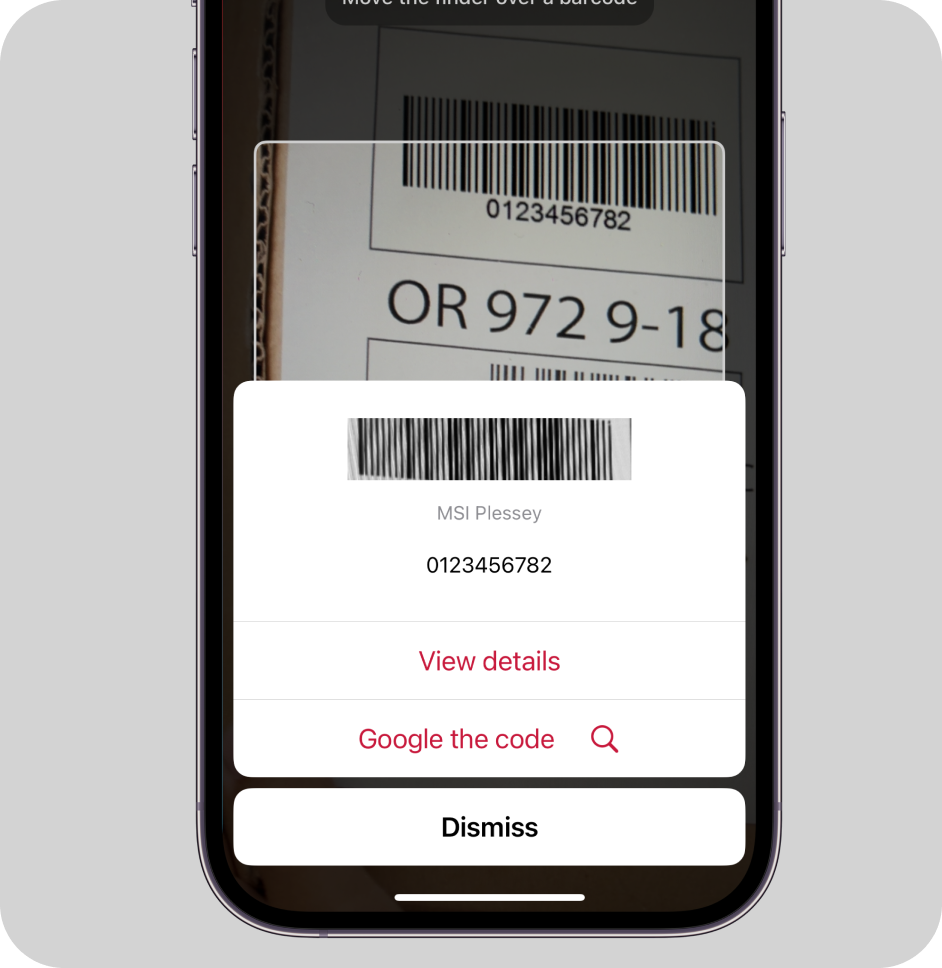
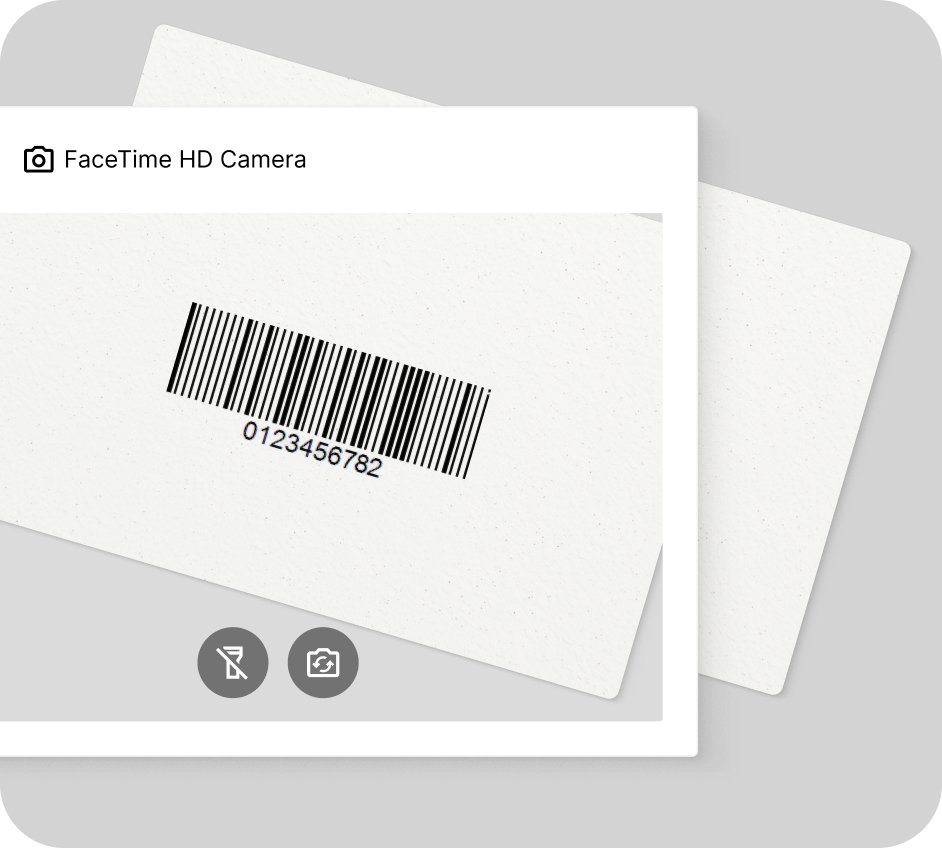
### How this scanning tool works
Our free online MSI barcode reader scans codes directly through your camera or on imported images. This barcode scanner works in any browser, no app download or signup needed. Enjoy real-time camera view scanning or decode barcodes on pictures in seconds – just point your camera at the MSI barcode or import an image file to instantly access the encoded data.
This tool is powered by the [Scanbot Barcode Scanner SDK](https://scanbot.io/barcode-scanner-sdk/)!
* * *
(We don’t store any images or data you import. Everything stays on your device.)
## Understanding MSI barcodes
### What is an MSI barcode scanner?
MSI barcode, also known as MSI Plessey code or Modified Plessey, is a one-dimensional (1D) numeric barcode symbology. Developed in 1974 by the MSI Data Corporation, it improved the accuracy of the existing Plessey Code, one of the most error-prone codes.
Each barcode includes start and stop characters that help barcode scanners identify the code’s boundaries. MSI barcode also allows optional check digits for enhanced error detection.
Most barcode scanners easily scan MSI barcodes. As the text interpretation is printed below the barcode proper, they also support manual verification.
### Encoding scheme, structure, and components
The MSI barcode encodes numerical data using both bars and spaces, each either one or two modules wide. The encoding is binary, with black modules (bars) representing “1” and white modules (spaces) representing “0”.
The default implementation of MSI barcode represents each digit from 0 to 9 in a unique pattern of 4 bars and 4 spaces, which is spread over 12 modules. The barcode uses continuous encoding, meaning there is no inter-character gap, which helps reduce the overall length. Since there are only two widths – narrow and wide – the barcode is easy to print even with low-resolution printing methods.
The data portion of MSI barcode is followed by optional check characters. The symbology supports several types of check digits, but the most common is Mod 10. The data digits are added together in a specific way (see below) to get a single-digit result.
During reads, the scanner calculates the same checksums. If the result matches the check digits in the barcode, the code has been read correctly.
A stop guard character, finally, indicates the end of the code. To sum up, MSI barcodes consist of the following key components:
1. **Start character**: A fixed pattern (usually a single bar) indicating the beginning of the barcode.
2. **Data character**: The main content section where information is encoded.
3. **Check digits**: Optional, but commonly used. They are calculated using algorithms like Mod 10, Mod 11, or combinations.
4. **Stop character:** A fixed pattern indicates the end of the barcode.
### Error detection
To ensure data integrity, MSI barcode uses check digits to detect errors in the decoded data, with two common methods for calculating these digits: Mod 10 and Mod 11.
A Mod 10 Check Digit is the most common error-detection method in MSI Plessey. Here is how it is calculated:
1. Double every second digit, starting from the rightmost digit.
2. Sum all the digits of the resulting values.
3. Subtract the sum from the next highest multiple of 10.
4. Divide the result by 10.
5. The remainder of this division is the check digit.
### Applications of MSI barcodes
**Retail inventory**
In supermarkets and other retail stores, these barcodes are typically used for shelf labeling, helping track product locations and quantities. While UPC or EAN barcodes are used on the products themselves, MSI barcodes are often applied to the front edges of shelves, providing access to important information about the products stored there, such as stock levels and product identification.
**Warehousing**
In warehouse environments, MSI barcode plays a key role in inventory control, particularly for storage management and distribution. It is used to label shelves, racks, pallets, and packages, aiding in the tracking of items as they pass through the warehouse, from receipt to dispatch.
### Advantages of Code MSI Barcode Scanner
- **Ease of printing**: Code MSI barcode uses only two bar widths, making it easy to print reliably on a variety of surfaces with basic printing technology.
- **Error detection**: It supports one or more check digits (typically Mod 10 or Mod 11), which help detect data corruption or scanning errors – important for ensuring data integrity. However, it does not offer data correction.
- **Versatility**: MSI barcode can encode variable-length numbers, making it adaptable for different types of inventory or tracking systems.
### Why choose the Scanbot SDK for Code MSI Barcode Scanner?
The Scanbot Barcode Scanner SDK is specifically designed to handle the challenges of decoding MSI barcode in real-world scenarios. We can empower any enterprise or consumer mobile or desktop app with advanced barcode scanning capabilities with minimal integration effort.
What sets us apart:
- **Exceptional performance**: Reliably decodes even damaged, low-contrast, or distorted barcodes.
- **High-speed scanning**: Read MSI barcodes in as little as 0.04 seconds.
- **Cross-platform compatibility**: Easily integrate with Android, iOS, cross-platform, web, Windows, and Linux platforms.
- **Customizable UI**: Customize the ready-to-use components to match your app or website design.
- **Privacy-first**: Operates offline for complete data security.
Whether your use case involves MSI barcodes, QR codes, or [any other barcode](https://scanbot.io/barcode-scanner-sdk/supported-barcodes/), the Scanbot SDK delivers the accuracy, speed, and reliability you need to succeed.
* * *
## Related Barcode Types:
- [Data Matrix Scanner](https://scanbot.io/barcode-scanner-sdk/data-matrix/)
- [QR Code Scanner](https://scanbot.io/qr-code-scanner-online/)
- [PDF417 Scanner](https://scanbot.io/barcode-scanner-sdk/pdf417/)
- [Aztec Code Scanner](https://scanbot.io/barcode-scanner-sdk/aztec-code/)
- [Code 128 Scanner](https://scanbot.io/barcode-scanner-sdk/code-128/)
- [EAN Scanner](https://scanbot.io/barcode-scanner-sdk/ean/)
- [UPC Scanner](https://scanbot.io/barcode-scanner-sdk/upc/)
- [Micro QR Code Scanner](https://scanbot.io/barcode-scanner-sdk/micro-qr-code/)
- [GS1 DataBar Scanner](https://scanbot.io/barcode-scanner-sdk/gs1-databar/)
- [GS1 DataMatrix Scanner](https://scanbot.io/barcode-scanner-sdk/gs1-data-matrix/)
- [GS1-128 Scanner](https://scanbot.io/barcode-scanner-sdk/gs1-128/)
- [MaxiCode Scanner](https://scanbot.io/barcode-scanner-sdk/maxicode/)
- [ITF Scanner](https://scanbot.io/barcode-scanner-sdk/itf-code/)
- [Codabar Scanner](https://scanbot.io/barcode-scanner-sdk/codabar/)
- [Intelligent Mail Barcode Scanner](https://scanbot.io/barcode-scanner-sdk/intelligent-mail-barcode/)
- [rMQR Code Scanner](https://scanbot.io/barcode-scanner-sdk/rmqr/)
- [Royal Mail Scanner](https://scanbot.io/barcode-scanner-sdk/royal-mail/)
- [Micro PDF417 Scanner](https://scanbot.io/barcode-scanner-sdk/micro-pdf417/)
## Ready to get started?
Integrate the Scanbot SDK in less than an hour. Check out our docs, explore our GitHub example projects, or download our demo apps to get started right away.
[Get started](https://scanbot.io/get-started/) [Contact sales](https://scanbot.io/contact-sales/)
## Frequently Asked Questions
### Is the MSI barcode still used today?
Yes, the MSI barcode is still used today, despite the rise of more complex barcodes like Code 128 and QR codes. It is widely used in certain industries, particularly in inventory management, warehouse tracking, and shelf labeling in retail environments. Its simplicity and error detection capability make it a reliable choice for tracking large quantities of items.
### Is MSI barcode the same as Plessey Code?
No, MSI Plessey and the original Plessey Code symbology are not the same, although they are closely related. The term Plessey Code refers to a family of barcodes developed by the Plessey Company. MSI barcode is based on a specific variant of this code, modified to include check digits for better error detection.
### What data types does MSI barcode support?
The MSI barcode supports numeric data only (0–9). It does not support alphabetic characters, special symbols, or other types of data. MSI barcode is therefore used in applications where only numeric identifiers (such as stock numbers, asset IDs, and product codes) are needed.
### What’s the difference between MSI and Code 39?
There are a few key differences between these two barcodes. While MSI is a numeric symbology (0–9 only), Code 39 is more versatile, as it can store alphanumeric data (A–Z, 0–9, and some special characters by default).
In terms of error detection, MSI often includes optional check digits (Mod 10 or Mod 11), which help verify the accuracy of the decoded data. By default, Code 39 barcodes lack check digits, though they are sometimes added. Additionally, MSI barcodes are generally shorter, making them easier to print and scan, especially for applications requiring numeric identifiers.
On the other hand, Code 39 can handle longer alphanumeric strings. It is common in broader applications such as asset tracking and logistics, where a wider range of characters is needed.
+
## GS1 DataBar Scanner
Scanbot SDK has been acquired by Apryse!
[Learn more](https://apryse.com/blog/apryse-acquires-scanbot-and-accusoft)
[Learn more](https://apryse.com/blog/apryse-acquires-scanbot-and-accusoft)
close
[Skip to content](https://scanbot.io/barcode-scanner-sdk/gs1-databar/#main)
# GS1 DataBar Scanner
Add GS1 DataBar scanning to your mobile application or website
[Get started](https://scanbot.io/get-started/) [Contact sales](https://scanbot.io/contact-sales/)
Trusted by
300+
global
industry leaders

## Turn smartphones into fast & reliable GS1 DataBar scanners
The Scanbot GS1 DataBar Scanner SDK delivers exceptional performance even under challenging conditions – such as damaged barcodes or when reading compact barcodes found in retail and healthcare. With a scanning speed of under 0.04 seconds, your users get instant reads for seamless workflows.
Key benefits include:
- **Offline scanning**: The Scanbot SDK works 100% on-device, ensuring both uninterrupted performance and data security.
- **Enterprise-grade support**: Get dedicated chat support via Slack, Teams or email for any issue. Includes free assistance during the integration phase.
- **Flat pricing model**: Cost stays the same no matter how much your user base or scanning volume grows.
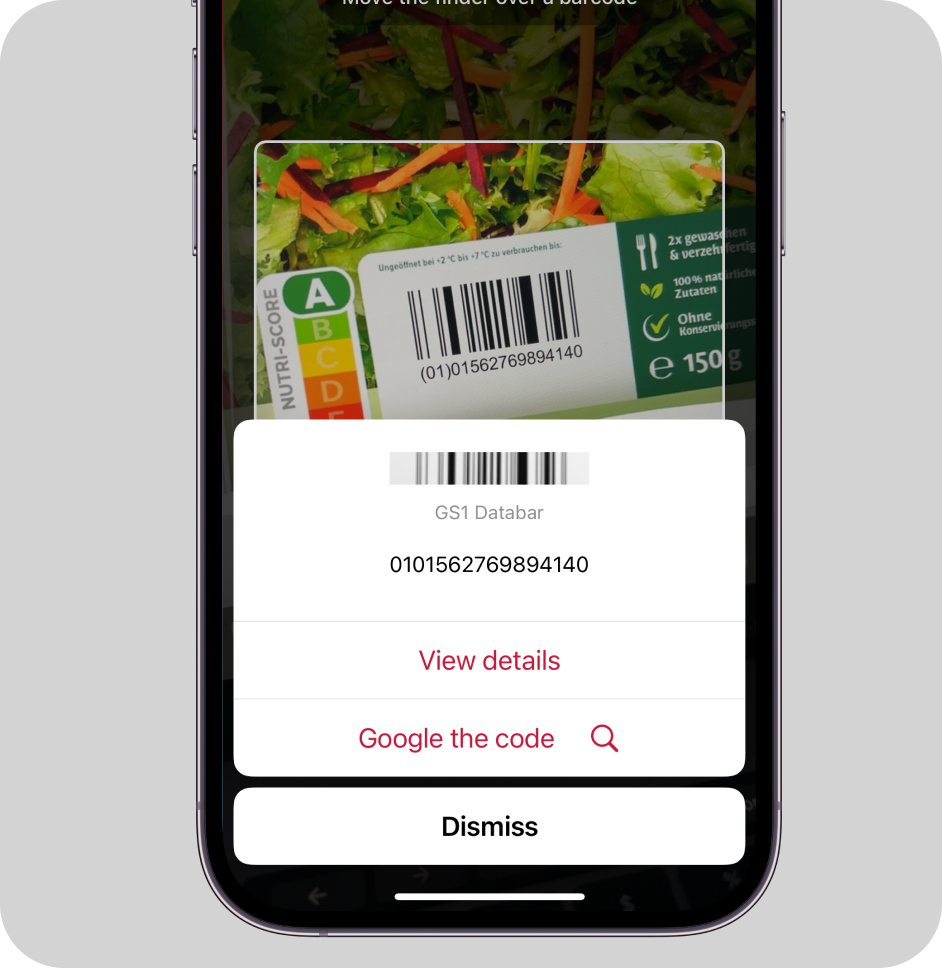
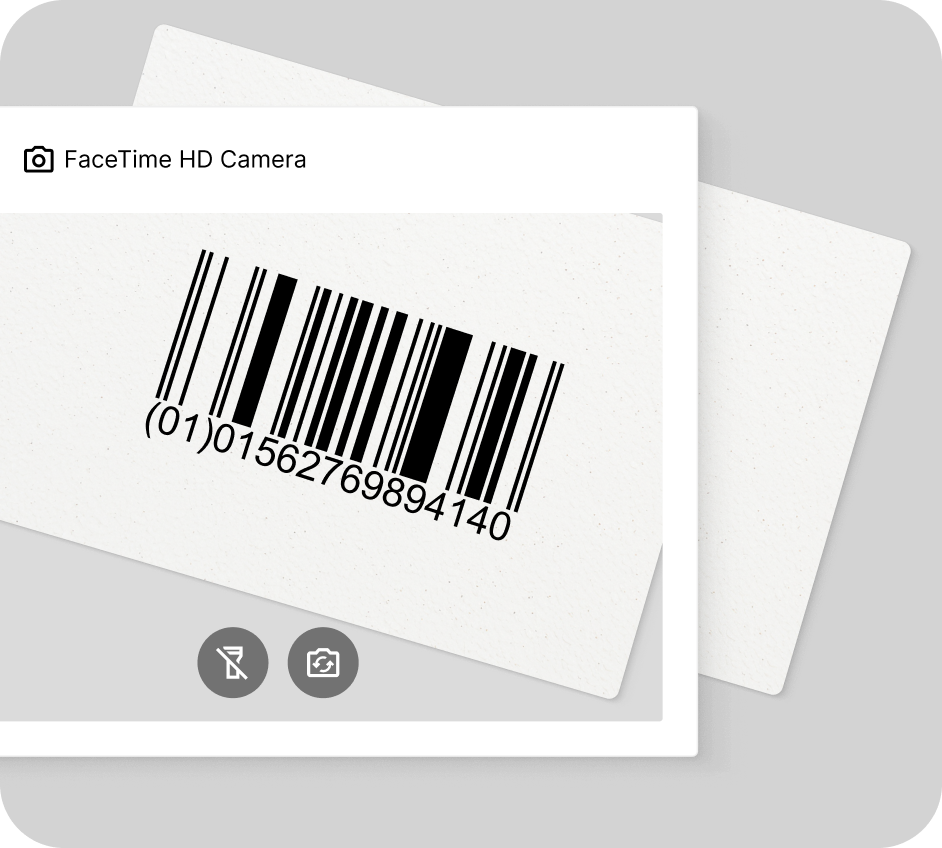
### How this scanning tool works
Our free online GS1 DataBar barcode scanner reads barcodes directly through your camera or on imported images. This scanner works in any browser, no app download or signup needed. Enjoy real-time camera view scanning or decode barcodes on pictures in seconds – just point your camera at the GS1 DataBar code or import an image file to instantly access the encoded data.
This tool is powered by the [Scanbot Barcode Scanner SDK](https://scanbot.io/barcode-scanner-sdk/)!
* * *
(We don’t store any images or data you import. Everything stays on your device.)
## Understanding GS1 DataBar codes
### What is a GS1 DataBar code?
The GS1 DataBar code, formerly known as Reduced Space Symbology or RSS, is a compact one-dimensional (1D) or stacked code standardized in ISO/IEC 24724. Smaller than traditional UPC or EAN codes, GS1 DataBar codes are ideal for printing on small items. In particular, retailers use them for fresh produce, while the healthcare industry employs them for tracking medical supplies.
The GS1 DataBar family consists of seven barcodes, each tailored for different use cases. They vary in their overall size and shape as well as their capacity. The symbol shown above is the basic GS1 DataBar Omnidirectional, which holds a 14-digit Global Trade Item Number (GTIN-14) or a Global Coupon Number (GCN).
### Variations and check digit
Here are the GS1 DataBar types, starting with the **POS variations**:
| Barcode variation | Data capacity | Application |
| --- | --- | --- |
| **GS1 DataBar Omnidirectional** | 14 numeric digits (GTIN or GCN) | General retail products, designed for omnidirectional scanning |
| **GS1 DataBar Stacked Omnidirectional** | 14 numeric digits (GTIN or GCN) | Small items, stacked format, designed for omnidirectional scanning |
| **GS1 DataBar Expanded** | Up to 74 numeric or 41 alphanumeric characters | Variable-weight products, coupons, and products requiring additional information, designed for omnidirectional scanning |
| **GS1 DataBar Expanded Stacked** | Up to 74 numeric or 41 alphanumeric characters | Items requiring additional information, stacked format for small spaces, designed for omnidirectional scanning |
GS1 DataBar Expanded and GS1 DataBar Expanded Stacked can include additional information, such as batch number, serial number, and expiration date.
**Non-POS variations**
These barcode variations do not support omnidirectional scanning:
| Barcode variation | Data capacity | Application |
| --- | --- | --- |
| **GS1 DataBar Limited** | 14 numeric digits (GTIN) | Small items, designed for single-directional scanning |
| **GS1 DataBar Stacked** | 14 numeric digits (GTIN) | Small items, stacked format for small spaces, designed for single-directional scanning |
| **GS1 DataBar Truncated** | 14 numeric digits (GTIN) | Small items, designed for single-directional scanning |
**Check digit**
The fixed-length variants include a check digit for error detection, ensuring data integrity. This is calculated using an [algorithm](https://www.gs1.org/services/check-digit-calculator) that processes all preceding digits in the barcode. By verifying this check digit, scanning systems can instantly detect errors in data entry or scanning.
### Applications of GS1 DataBar codes
**Fresh food items**
GS1 DataBar barcodes are useful for identifying small and hard-to-mark items, particularly fresh produce, meat, seafood, and bakery goods.
**Variable measure products**
The GS1 DataBar Expanded variations are commonly used when additional data beyond the GTIN needs to be encoded, such as weight, expiration date, or batch numbers.
**Small consumer goods**
GS1 DataBar Limited is used for small, hard-to-mark consumer products due to its compact size.
**Healthcare**
The GS1 DataBar family also plays a vital role in labelling pharmaceuticals and medical devices, enabling compliance with strict regulatory requirements for tracking and traceability. They can encode additional information like batch numbers and expiry dates, crucial for patient safety.
**Coupons**
For promotional materials and coupons, GS1 DataBar Expanded variants offer enough capacity to individualize the items. This enhances flexibility, security, and personalization, enabling more sophisticated and targeted marketing campaigns in retail environments.
### Advantages of GS1 DataBar codes
- **Compact size**: These barcodes store key information in minimal space, ideal for small or irregularly shaped surfaces.
- **Versatility**: The individual barcode formats can encode different data types and lengths, including GTINs, serial numbers, and expiration dates, for various applications.
- **Flexible orientation**: Omnidirectional scanning ensures seamless decoding from any angle on most variants.
### Why choose the Scanbot SDK for GS1 DataBar scanning?
The Scanbot Barcode Scanner SDK is specifically designed to handle the challenges of decoding GS1 DataBar codes in real-world scenarios.
What sets us apart:
- **Exceptional performance**: Reliably decodes even damaged, low-contrast or distorted barcodes.
- **High-speed scanning**: Read GS1 DataBar codes in as little as 0.04 seconds.
- **Cross-platform compatibility**: Easily integrate with Android, iOS, cross-platform, web, Windows, and Linux platforms.
- **Customizable UI**: Customize the ready-to-use components to match your app or website design.
- **Privacy-first**: Operates offline for complete data security.
Whether your use case involves GS1 DataBar codes, UPC barcodes or [any other barcode](https://scanbot.io/barcode-scanner-sdk/supported-barcodes/), the Scanbot SDK delivers the accuracy, speed, and reliability you need to succeed.
* * *
## Related Barcode Types:
- [Data Matrix Scanner](https://scanbot.io/barcode-scanner-sdk/data-matrix/)
- [QR Code Scanner](https://scanbot.io/qr-code-scanner-online/)
- [PDF417 Scanner](https://scanbot.io/barcode-scanner-sdk/pdf417/)
- [Aztec Code Scanner](https://scanbot.io/barcode-scanner-sdk/aztec-code/)
- [Code 128 Scanner](https://scanbot.io/barcode-scanner-sdk/code-128/)
- [Code 39 Scanner](https://scanbot.io/barcode-scanner-sdk/code-39/)
- [EAN Scanner](https://scanbot.io/barcode-scanner-sdk/ean/)
- [UPC Scanner](https://scanbot.io/barcode-scanner-sdk/upc/)
- [Micro QR Code Scanner](https://scanbot.io/barcode-scanner-sdk/micro-qr-code/)
- [GS1 DataMatrix Scanner](https://scanbot.io/barcode-scanner-sdk/gs1-data-matrix/)
- [GS1-128 Scanner](https://scanbot.io/barcode-scanner-sdk/gs1-128/)
- [MaxiCode Scanner](https://scanbot.io/barcode-scanner-sdk/maxicode/)
- [ITF Scanner](https://scanbot.io/barcode-scanner-sdk/itf-code/)
- [Codabar Scanner](https://scanbot.io/barcode-scanner-sdk/codabar/)
- [Intelligent Mail Barcode Scanner](https://scanbot.io/barcode-scanner-sdk/intelligent-mail-barcode/)
- [rMQR Code Scanner](https://scanbot.io/barcode-scanner-sdk/rmqr/)
- [Royal Mail Scanner](https://scanbot.io/barcode-scanner-sdk/royal-mail/)
- [Micro PDF417 Scanner](https://scanbot.io/barcode-scanner-sdk/micro-pdf417/)
## Ready to get started?
Integrate the Scanbot SDK in less than an hour. Check out our docs, explore our GitHub example projects, or download our demo apps to get started right away.
[Get started](https://scanbot.io/get-started/) [Contact sales](https://scanbot.io/contact-sales/)
## Frequently Asked Questions
### What is a GS1 DataBar code?
The GS1 DataBar code is a compact one-dimensional (1D,) linear code that is smaller than EANs and UPCs. While different variations, like DataBar Expanded Stacked exist, all GS1 DataBar codes are ideal for labeling small items. Retailers use them for fresh produce, while healthcare relies on them for tracking medical supplies.
### Where is a GS1 DataBar code used?
The GS1 DataBar Omnidirectional is commonly used for POS scanning in retail environments. The GS1 DataBar Expanded and Expanded Stacked are often used on coupons and fresh produce for encoding additional information beyond GTIN, such as weight, expiration dates, or serial numbers. The GS1 DataBar Truncated and Limited versions are used for very small item identification in healthcare, such as unit dose pharmaceuticals and ampoules.
### How can Scanbot SDK help you with GS1 DataBar code scanning?
The Scanbot GS1 DataBar code scanner is a software solution that delivers exceptional performance in challenging environments, including damaged or curved barcodes, with a scanning speed of under 0.04 seconds for seamless workflows. Try it now with a [free trial license](https://scanbot.io/trial/).
+
## UPC Barcode Scanner
Scanbot SDK has been acquired by Apryse!
[Learn more](https://apryse.com/blog/apryse-acquires-scanbot-and-accusoft)
[Learn more](https://apryse.com/blog/apryse-acquires-scanbot-and-accusoft)
close
[Skip to content](https://scanbot.io/barcode-scanner-sdk/upc/#main)
# UPC Barcode Scanner
Add UPC-A and UPC-E code scanning to your mobile application or website
[Get started](https://scanbot.io/get-started/) [Contact sales](https://scanbot.io/contact-sales/)
Trusted by
300+
global
industry leaders

## Turn smartphones into fast & reliable UPC code readers
The Scanbot UPC Barcode Scanner SDK ensures outstanding performance, even in demanding scenarios – such as scanning damaged barcodes or codes printed on curved or reflective surfaces often encountered in retail and logistics environments. With a scanning speed of under 0.04 seconds, your users get instant reads for seamless workflows.
Key benefits include:
- **Offline scanning**: The Scanbot SDK works 100% on-device, ensuring both uninterrupted performance and data security.
- **Enterprise-grade support**: Get dedicated chat support via Slack, Teams or email for any issue. Includes free assistance during the integration phase.
- **Flat pricing model**: Cost stays the same no matter how much your user base or scanning volume grows.
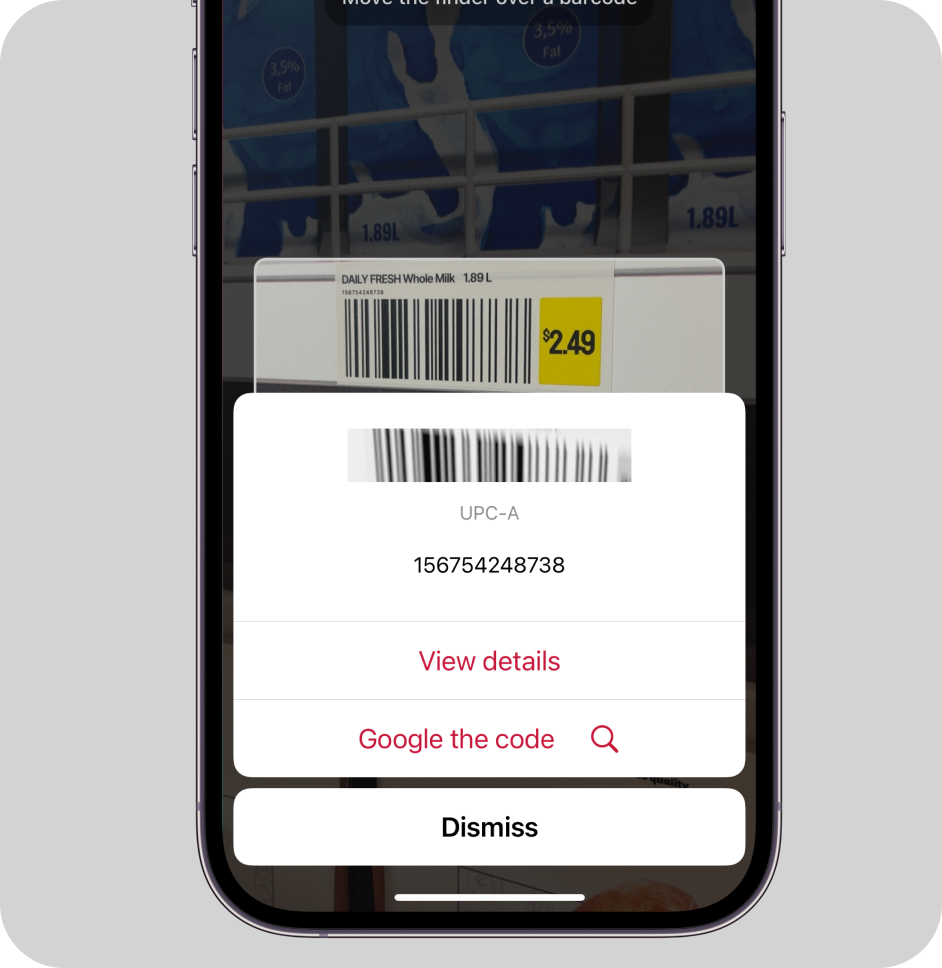

### How this scanning tool works
Our free online UPC scanning software reads codes directly through your camera or on imported images. This scanner works in any browser, no app download or signup needed. Enjoy real-time camera view scanning or decode barcodes on pictures in seconds – just point your camera at the UPC or import an image file to instantly access the encoded information.
This tool is powered by the [Scanbot Barcode Scanner SDK](https://scanbot.io/barcode-scanner-sdk/)!
* * *
(We don’t store any images or data you import. Everything stays on your device.)
## Understanding UPC barcodes
### What are UPCs?
The UPC, short for Universal Product Code, is a one-dimensional (1D) barcode widely used for product identification in retail, warehousing, and distribution. Its’ structures are a component of Global Trade Item Numbers (GTINs) and follow the global GS1 specification, which is based on international standards. There are two main variations.
UPC-A barcodes are the standard format, consisting of 12 numeric characters that contain product information. UPC-E barcodes, more frequently used in the US and Canada, is a compressed version of UPC-A barcode and contains only 6 digits. The key difference lies in their size and encoding method. UPC-E is also designed for smaller surfaces where space is limited, such as coupons.
Mainly utilized in North America, they differ slightly from [EAN](https://scanbot.io/barcode-scanner-sdk/ean/) barcodes, which find widespread international use. Together, these barcodes serve as the backbone for product identification, tracking, and management in both the manufacturing and retail industries.
One of the defining strengths of barcode is its role at the point of sale. They facilitate seamless checkout processes like [Scan & Go](https://scanbot.io/blog/scan-go-how-smartphones-as-grocery-scanners-create-a-first-class-in-store-experience/) and enhance [inventory management](https://scanbot.io/blog/instore-operations-retail-barcode-scanning/) by providing real-time stock updates.
### Applications of UPCs
**Retail**
UPCs are omnipresent in retail, enabling quick and accurate product identification at checkout. They streamline inventory management and facilitate efficient restocking processes.
**Supply chain**
These codes enhance supply chain efficiency by enabling accurate tracking of products from manufacturer to retailer. They also help manage inventory levels and forecast sales across the entire distribution network.
**Warehousing**
In warehousing and distribution centers, they allow for real-time inventory updates, reducing errors in stock counts and improving overall inventory accuracy.
### Structure of UPC barcodes
UPC-A barcodes include 12 numeric characters, split into two key components: 11 product digits and 1 check digit. The product digits are divided into three categories:
- The first digit identifies the category or type of product.
- The next five digits represent a unique identifier for the product manufacturer.
- The last five product digits contain specific product information like size or flavor.
The 12th and last digit is a check digit used for error detection and correction. Calculated from the first 11 digits, it helps scanners detect errors like incomplete or incorrect data during the scanning process.
UPC-E codes follow the same structure as UPC-A barcodes but use 6 digits instead, consisting of 5 product digits and 1 check number.
### Advantages of UPC barcodes
- Compact size: UPC codes are designed to store essential product information in a compact format, making them suitable for labeling items of various sizes in retail settings.
- Error detection: UPCs include error detection through the use of a check digit, which is calculated using the Modulo 10 algorithm. It helps identify errors such as single-digit mistakes or some transposition errors.
- Scalability: They come in fixed lengths, with the standard UPC-A format storing 12 digits, while the compact UPC-E format accommodates smaller products with reduced data capacity.
- Versatility: They are compatible with virtually all retail and point-of-sale systems, ensuring seamless integration across industries worldwide.
### Why choose the Scanbot SDK for UPC scanning?
The Scanbot Barcode Scanner SDK is specifically designed to handle the challenges of decoding UPC codes in real-world scenarios.
What sets us apart:
- **Exceptional performance**: Reliably decodes even damaged, low-contrast or distorted barcodes.
- **High-speed scanning**: Read UPC codes in as little as 0.04 seconds.
- **Cross-platform compatibility**: Easily integrate with Android, iOS, cross-platform, web, Windows, and Linux platforms.
- **Customizable UI**: Customize the ready-to-use components to match your app or website design.
- **Privacy-first**: Operates offline for complete data security.
Whether your use case involves UPC codes, EAN codes or [any other barcode](https://scanbot.io/barcode-scanner-sdk/supported-barcodes/), the Scanbot SDK delivers the accuracy, speed, and reliability you need to succeed.
* * *
## Related Barcode Types:
- [Data Matrix Scanner](https://scanbot.io/barcode-scanner-sdk/data-matrix/)
- [QR Code Scanner](https://scanbot.io/qr-code-scanner-online/)
- [PDF417 Scanner](https://scanbot.io/barcode-scanner-sdk/pdf417/)
- [Aztec Code Scanner](https://scanbot.io/barcode-scanner-sdk/aztec-code/)
- [Code 128 Scanner](https://scanbot.io/barcode-scanner-sdk/code-128/)
- [Code 39 Scanner](https://scanbot.io/barcode-scanner-sdk/code-39/)
- [EAN Scanner](https://scanbot.io/barcode-scanner-sdk/ean/)
- [Micro QR Code Scanner](https://scanbot.io/barcode-scanner-sdk/micro-qr-code/)
- [GS1 DataBar Scanner](https://scanbot.io/barcode-scanner-sdk/gs1-databar/)
- [GS1 DataMatrix Scanner](https://scanbot.io/barcode-scanner-sdk/gs1-data-matrix/)
- [GS1-128 Scanner](https://scanbot.io/barcode-scanner-sdk/gs1-128/)
- [MaxiCode Scanner](https://scanbot.io/barcode-scanner-sdk/maxicode/)
- [ITF Scanner](https://scanbot.io/barcode-scanner-sdk/itf-code/)
- [Codabar Scanner](https://scanbot.io/barcode-scanner-sdk/codabar/)
- [Intelligent Mail Barcode Scanner](https://scanbot.io/barcode-scanner-sdk/intelligent-mail-barcode/)
- [rMQR Code Scanner](https://scanbot.io/barcode-scanner-sdk/rmqr/)
- [Royal Mail Scanner](https://scanbot.io/barcode-scanner-sdk/royal-mail/)
- [Micro PDF417 Scanner](https://scanbot.io/barcode-scanner-sdk/micro-pdf417/)
## Ready to get started?
Integrate the Scanbot SDK in less than an hour. Check out our docs, explore our GitHub example projects, or download our demo apps to get started right away.
[Get started](https://scanbot.io/get-started/) [Contact sales](https://scanbot.io/contact-sales/)
## Frequently Asked Questions
### **What is a UPC-A barcode?**
The UPC-A code, short for Universal Product Code, is a one-dimensional barcode widely used for product identification in retail, warehousing, and distribution. UPC-A is the standard format, consisting of 12 digits that encode product information.
### **Where is a UPC-A used?**
They are used in retail for quick product identification at checkout, in supply chains for tracking products and managing inventory, and in warehousing for real-time inventory updates and accuracy.
### **What is the difference between UPC-A and UPC-E?**
The difference lies in their size and encoding. UPC-A has 12 digits, while UPC-E is a compressed 6-digit version, designed for smaller surfaces like coupons. UPC-A is globally used, whereas the other is more common in the US and Canada.
### **What is the difference between a QR Code and a UPC barcode?**
The key difference between a QR Code and a UPC barcode is in their structure and use. A UPC barcode is one-dimensional (1D) and typically contains product information. It is used for inventory management and checkout in retail. A QR Code, on the other hand, is a two-dimensional (2D) matrix code that can store more information, including URLs, text, or contact details, and is commonly used for mobile devices to link to websites or digital content.
### **How can Scanbot SDK help you with UPC barcode scanning?**
The Scanbot SDK delivers exceptional performance in challenging environments, including damaged or curved barcodes, with a scanning speed of under 0.04 seconds for seamless workflows. Try it now with a [free trial license](https://scanbot.io/trial/).
+
## ITF Barcode Scanner
Scanbot SDK has been acquired by Apryse!
[Learn more](https://apryse.com/blog/apryse-acquires-scanbot-and-accusoft)
[Learn more](https://apryse.com/blog/apryse-acquires-scanbot-and-accusoft)
close
[Skip to content](https://scanbot.io/barcode-scanner-sdk/itf-code/#main)
# ITF Barcode Scanner
Add Interleaved 2 of 5 scanning to your mobile application or website
[Get started](https://scanbot.io/get-started/) [Contact sales](https://scanbot.io/contact-sales/)
Trusted by
300+
global
industry leaders

## Turn smartphones into fast & reliable ITF code scanners
The Scanbot ITF Barcode Scanner SDK delivers exceptional performance even under challenging conditions – such as code damage or when scanning tiny codes. With a scanning speed of under 0.04 seconds, your users get instant reads for seamless workflows.
Key benefits include:
- **Offline scanning**: The Scanbot SDK works 100% on-device, ensuring both uninterrupted performance and data security.
- **Enterprise-grade support**: Get dedicated chat support via Slack, Teams or email for any issue. Includes free assistance during the integration phase.
- **Flat pricing model**: Cost stays the same no matter how much your user base or scanning volume grows.
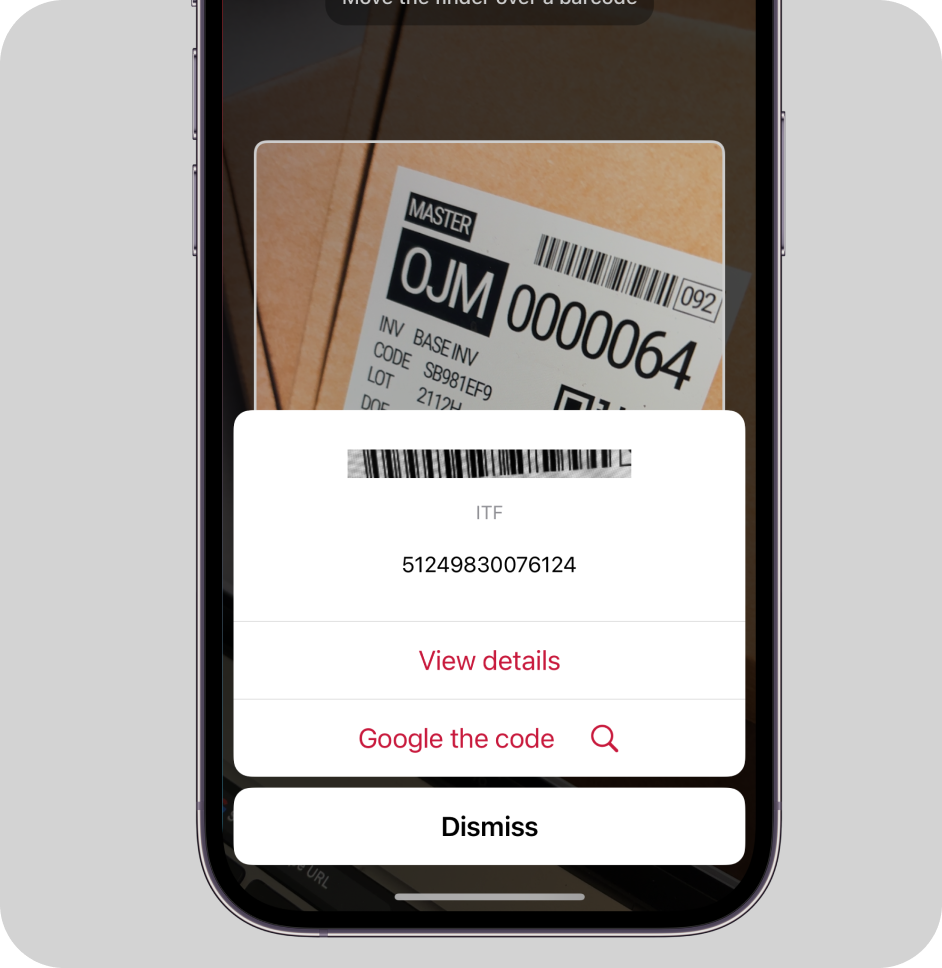
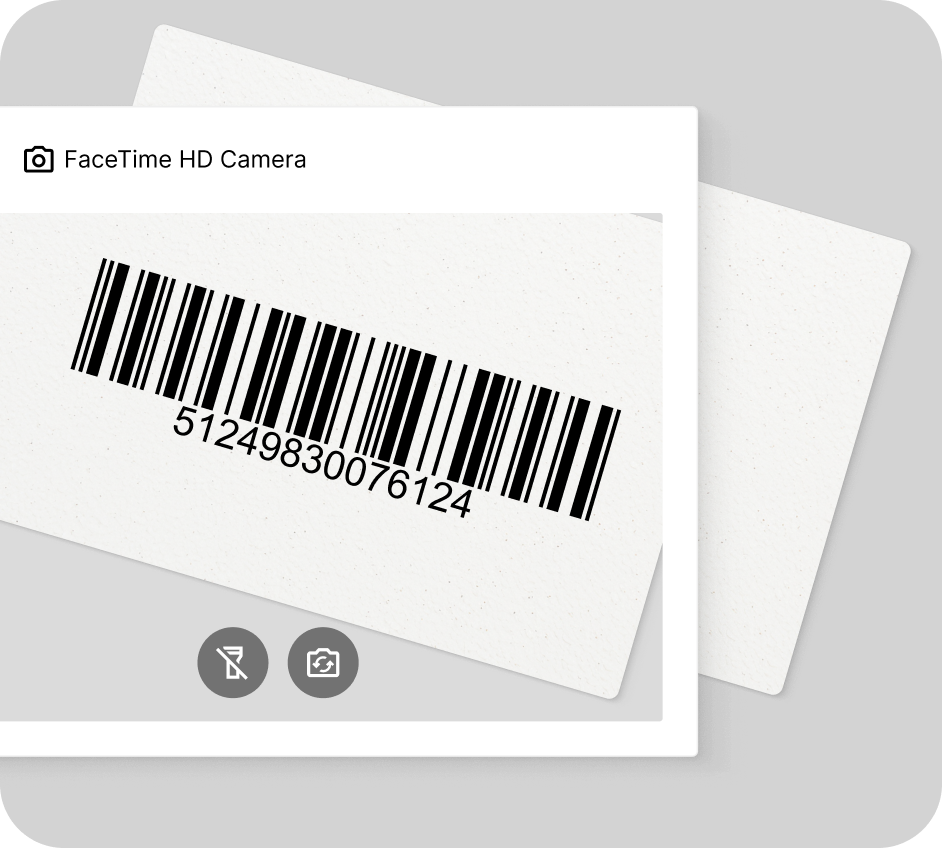
### How this scanning tool works
Our free online ITF barcode reader scans codes directly through your camera or on imported images. This barcode scanner works in any browser, no app download or signup needed. Enjoy real-time camera view scanning or decode barcodes on pictures in seconds – just point your tablet, laptop or mobile phone’s camera at the ITF barcode or import an image file to instantly access the encoded data.
This tool is powered by the [Scanbot Barcode Scanner SDK](https://scanbot.io/barcode-scanner-sdk/)!
* * *
(We don’t store any images or data you import. Everything stays on your device.)
## Understanding ITF barcodes
### What are ITF barcodes?
ITF (Interleaved 2 of 5) is a one-dimensional, linear barcode that contains pairs of numeric characters into a high-density, self-checking format. It uses a pattern of wide and narrow bars and spaces to represent data, allowing for compact encoding of numeric information.
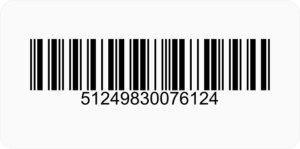
ITF codes are widely used in logistics, warehousing, and manufacturing industries. They are particularly common on shipping cartons, corrugated cardboard boxes, and outer packaging for efficient inventory tracking and management. There is no strict limit on the total number of characters an ITF barcode can encode, as long as it maintains an even count of numeric characters. However, specific variants like ITF-14 barcodes are limited to 14 digits.
The high data density and ease of printing barcodes on various surfaces make ITF ideal for applications requiring compact numeric data representation. They are used in inventory management, stock control, shipment tracking, and automated sorting in warehouses and distribution centers.
### Applications of ITF barcodes
**Logistics, shipping and warehousing**
ITF barcodes are widely used in logistics, shipping, and warehousing industries for efficient tracking and management of products throughout the supply chain. These barcodes are particularly well-suited for printing on corrugated cardboard boxes and cartons, as their simple structure of wide and narrow bars allows for clear readability even on rough or textured surfaces.
**Manufacturing**
Manufacturing industries utilize ITF barcodes to track unfinished and finished goods, manage component parts, and maintain precise records of production batches, ensuring seamless traceability and operational transparency throughout the production process.
### Structure of ITF barcodes
ITF (Interleaved 2 of 5) barcodes are a special code for numbers only, using thick and thin lines (bars) and the spaces between them to represent digits. The key feature of ITF is that it always encodes two numbers at once:
- One number is represented by the pattern of bars (the black lines)
- The other number is represented by the pattern of spaces between those bars
This interleaved structure is why it’s called “Interleaved 2 of 5”. The “2 of 5” part refers to the fact that each digit is encoded using five elements (bars or spaces), with two being wide and three being narrow. Optionally, ITF codes can include a thick black border that surrounds it. This is called a bearer bar, and it helps prevent partial reads.
### Advantages of ITF barcodes
- Compact size: ITF barcodes store numeric information in minimal space, which is ideal for shipping cartons and product packaging with a limited label area.
- Error detection: While not as advanced as 2D barcodes, ITF can include an optional check digit that helps reduce scanning errors.
- Scalability: ITF barcodes can accommodate variable even-numbered lengths of numeric data, allowing flexibility in encoding different quantities of information.
- Versatility: ITF barcodes support omnidirectional scanning, enabling quick and easy reading from multiple angles in industrial and logistics environments.
### Why choose the Scanbot SDK for ITF barcode scanning?
The Scanbot Barcode Scanner SDK is specifically designed to handle the challenges of decoding ITF barcodes in real-world scenarios.
What sets us apart:
- **Exceptional performance**: Reliably decodes even damaged, low-contrast or distorted barcodes.
- **High-speed scanning**: Read ITF barcodes in as little as 0.04 seconds.
- **Cross-platform compatibility**: Easily integrate with Android, iOS, cross-platform, web, Windows, and Linux platforms.
- **Customizable UI**: Customize the ready-to-use components to match your app or website design.
- **Privacy-first**: Operates offline for complete data security.
Whether your use case involves ITF barcodes, QR codes or [any other barcode](https://scanbot.io/barcode-scanner-sdk/supported-barcodes/), the Scanbot SDK delivers the accuracy, speed, and reliability you need to succeed.
* * *
## Related Barcode Types:
- [Data Matrix Scanner](https://scanbot.io/barcode-scanner-sdk/data-matrix/)
- [QR Code Scanner](https://scanbot.io/qr-code-scanner-online/)
- [PDF417 Scanner](https://scanbot.io/barcode-scanner-sdk/pdf417/)
- [Aztec Code Scanner](https://scanbot.io/barcode-scanner-sdk/aztec-code/)
- [Code 128 Scanner](https://scanbot.io/barcode-scanner-sdk/code-128/)
- [Code 39 Scanner](https://scanbot.io/barcode-scanner-sdk/code-39/)
- [EAN Scanner](https://scanbot.io/barcode-scanner-sdk/ean/)
- [UPC Scanner](https://scanbot.io/barcode-scanner-sdk/upc/)
- [Micro QR Code Scanner](https://scanbot.io/barcode-scanner-sdk/micro-qr-code/)
- [GS1 DataBar Scanner](https://scanbot.io/barcode-scanner-sdk/gs1-databar/)
- [GS1 DataMatrix Scanner](https://scanbot.io/barcode-scanner-sdk/gs1-data-matrix/)
- [GS1-128 Scanner](https://scanbot.io/barcode-scanner-sdk/gs1-128/)
- [MaxiCode Scanner](https://scanbot.io/barcode-scanner-sdk/maxicode/)
- [Codabar Scanner](https://scanbot.io/barcode-scanner-sdk/codabar/)
- [Intelligent Mail Barcode Scanner](https://scanbot.io/barcode-scanner-sdk/intelligent-mail-barcode/)
- [rMQR Code Scanner](https://scanbot.io/barcode-scanner-sdk/rmqr/)
- [Royal Mail Scanner](https://scanbot.io/barcode-scanner-sdk/royal-mail/)
- [Micro PDF417 Scanner](https://scanbot.io/barcode-scanner-sdk/micro-pdf417/)
## Ready to get started?
Integrate the Scanbot SDK in less than an hour. Check out our docs, explore our GitHub example projects, or download our demo apps to get started right away.
[Get started](https://scanbot.io/get-started/) [Contact sales](https://scanbot.io/contact-sales/)
## Frequently Asked Questions
### **What is an ITF barcode?**
ITF (Interleaved 2 of 5) is a one-dimensional barcode that encodes numeric data using wide and narrow bars and spaces. It represents pairs of digits in a compact, high-density format with an interleaved structure. ITF barcodes can only include an even number of digits. They are common in distribution and manufacturing.
### **What is the difference between EAN and ITF barcodes?**
The key difference lies in their structure and primary application areas.
EAN-13 barcodes are used for retail products with a fixed 13-digit format, while ITF barcodes are used for shipping and logistics with a variable even number of digits. EAN requires high-quality printing and is scanned at point-of-sale, whereas ITF can be printed on rough surfaces like cardboard boxes.
### **Where are ITF barcodes used?**
ITF barcodes are used in logistics, shipping, and warehousing for tracking products throughout the supply chain. They are ideal for corrugated cardboard boxes due to their clear readability. Additionally, manufacturing industries use ITF barcodes to track unfinished and finished goods and manage components.
### **How can Scanbot SDK help you with ITF barcode scanning?**
The Scanbot ITF barcode scanner delivers exceptional performance in challenging environments, including damaged or curved barcodes, with a scanning speed of under 0.04 seconds for seamless workflows. Try it now with a [free trial license](https://scanbot.io/trial/).
+
## EAN Barcode Scanner
Scanbot SDK has been acquired by Apryse!
[Learn more](https://apryse.com/blog/apryse-acquires-scanbot-and-accusoft)
[Learn more](https://apryse.com/blog/apryse-acquires-scanbot-and-accusoft)
close
[Skip to content](https://scanbot.io/barcode-scanner-sdk/ean/#main)
# EAN Barcode Scanner
Add EAN scanning to your mobile application or website
[Get started](https://scanbot.io/get-started/) [Contact sales](https://scanbot.io/contact-sales/)
Trusted by
300+
global
industry leaders

## Turn smartphones into fast & reliable EAN barcode readers
The Scanbot EAN Barcode Scanner SDK delivers exceptional performance in scanning both EAN-13 codes and EAN-8 codes, ensuring reliable product identification across retail and e-commerce industries. With a scanning speed of under 0.04 seconds, your users get instant reads for seamless workflows.
Key benefits include:
- **Offline scanning**: The Scanbot SDK works 100% on-device, ensuring both uninterrupted performance and data security.
- **Enterprise-grade support**: Get dedicated chat support via Slack, Teams or email for any issue. Includes free assistance during the integration phase.
- **Flat pricing model**: Cost stays the same no matter how much your user base or scanning volume grows.
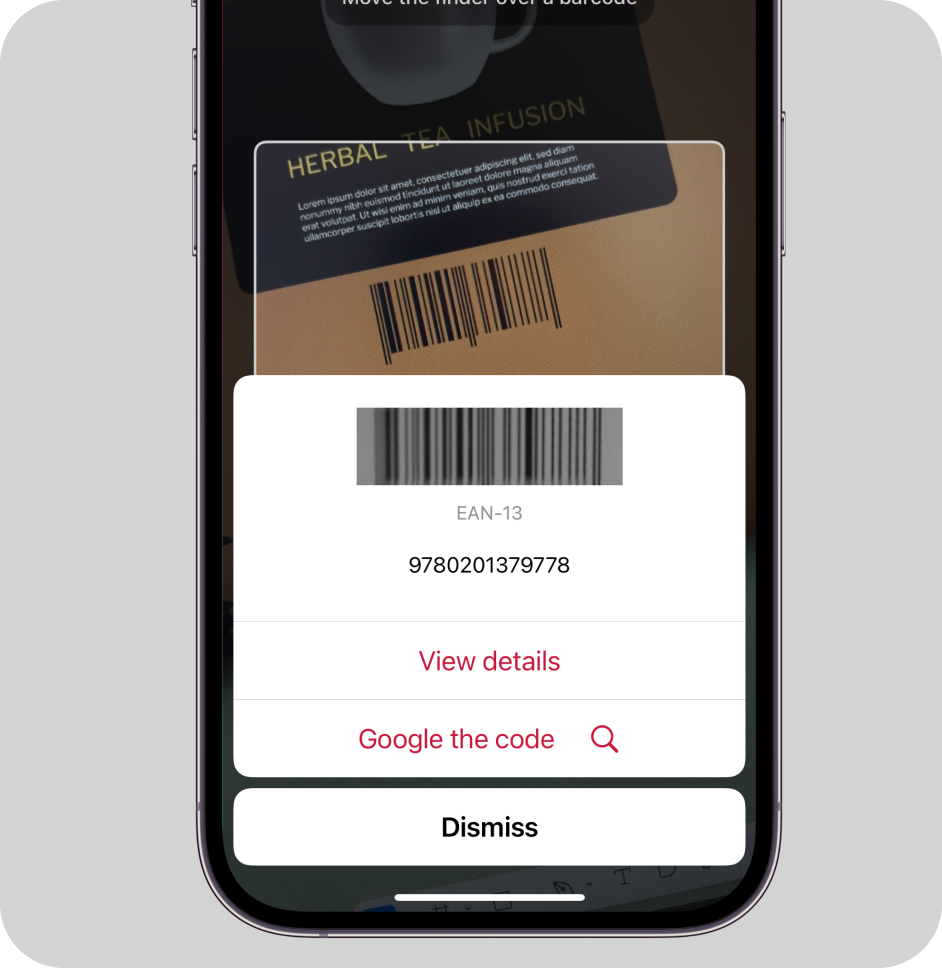
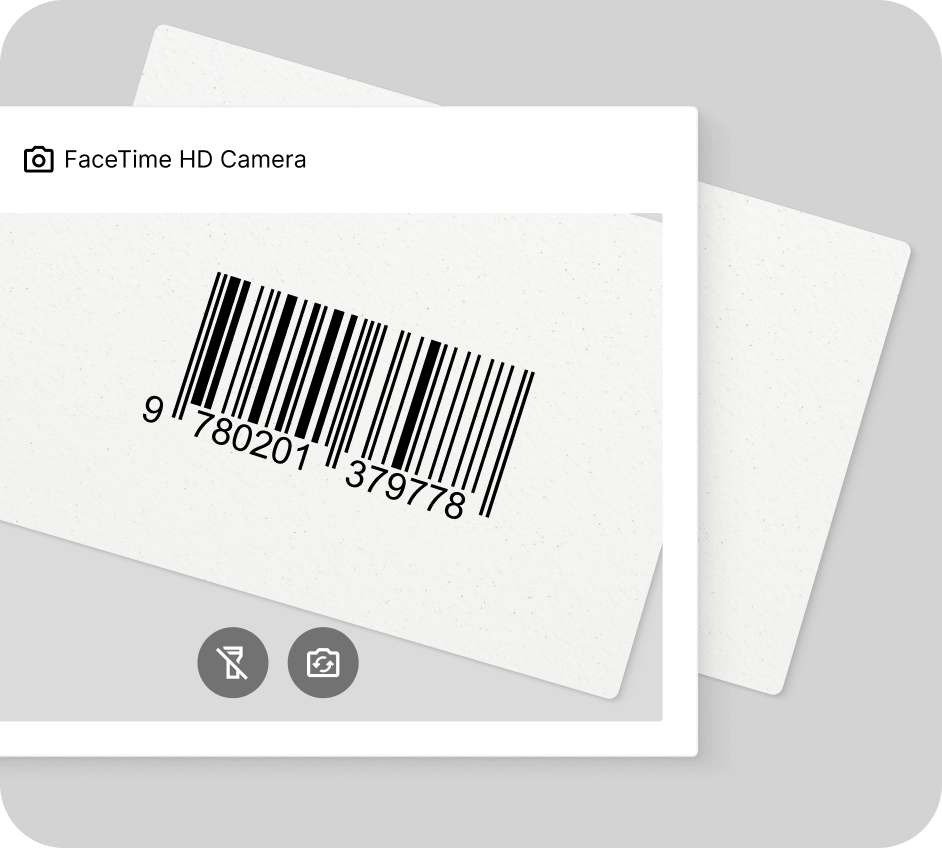
### How this scanning tool works
Our free online EAN-13 barcode reader and EAN-8 barcode reader scan codes directly through your camera or on imported images. This barcode reader works in any browser, no app download or signup needed. Enjoy real-time camera view scanning or decode barcodes on pictures in seconds – just point your camera at the EAN or import an image file to instantly access the encoded data.
This tool is powered by the [Scanbot Barcode Scanner SDK](https://scanbot.io/barcode-scanner-sdk/)!
* * *
(We don’t store any images or data you import. Everything stays on your device.)
## Understanding EAN barcodes
### What is an EAN barcode?
The EAN barcode is a one-dimensional (1D) code that serves as the current standard for product identification in much of global trade. The exception is North America, where UPC barcodes are used. While “EAN” originally meant “European Article Number,” it now stands for International Article Number.
EAN barcodes come in several subtypes, with EAN-13 and EAN-8 being the most common. They are listed in the table below:
| | | | |
| --- | --- | --- | --- |
| **Barcode variation** | **Image** | **Data capacity** | **Use cases** |
| EAN-13 |  | 13 digits | Global product identification, retail POS |
| EAN-8 |  | 8 digits | Smaller products with limited space on packaging |
| EAN-5 (supplement) | 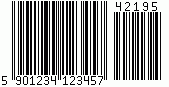 | 5 digits | Add-on for EAN-13, EAN-8, and UPC-A, often used for book pricing |
| EAN-2 (supplement) | 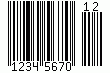 | 2 digits | Add-on for EAN-13, EAN-8, and UPC-A, often used for magazine issue numbers |
| ISSN